GIF Sticker & WAsticker
- 1.13K
- 4.8
- Installs
- 5.00M
- Price
- Free

Screenshots
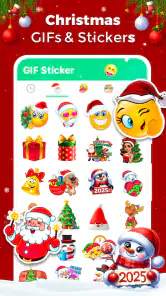
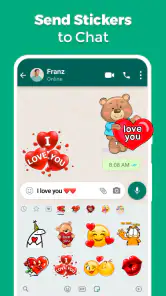
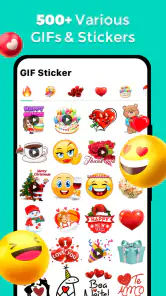
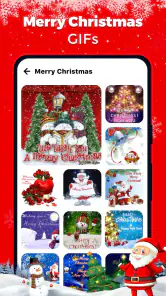
Analysis by Reviewed
When I first try a sticker app, I want to know one practical thing: can I find a reaction that suits a real conversation and get it into WhatsApp without turning the process into a chore? GIF Sticker & WAsticker is aimed at that kind of quick, playful exchange. I’d start with one pack and test it in an ordinary chat, rather than treating the first session as a hunt for a perfect collection.
What to expect from a sticker-focused app
This is a free communication app from Photo Collage & Grid - Foto Grid. It is listed for Everyone, has a 4.8 average from around 55,000 ratings, and has passed 5 million installs. Those figures suggest that sticker sharing is a familiar use for many people, but they don’t guarantee that every pack or workflow will suit you. I’d judge it by a simpler test: can you find a reaction that feels right, add it to WhatsApp, and actually remember to use it?
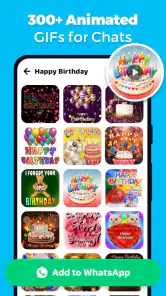
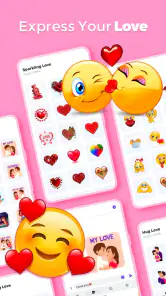
The app’s current version is 2.2.5, and it supports Android 8.0 and later. Its focus is animated stickers and GIF-style chat expression, with themes such as affection, memes, and other lighthearted reactions. That makes it a better fit for casual, personal chats than for someone looking for a complete media editor, a general-purpose GIF search service, or a tool for managing all of their messaging.
For a first-time user, the main expectation to set is that this is about adding expressive material to conversations, not changing how WhatsApp itself works. The useful outcome is modest but clear: you find a reaction you like, add it, and can reach it when a fitting moment comes up. If that sounds worthwhile, the app is easy to evaluate without committing to a large collection.
Unleashing Creativity
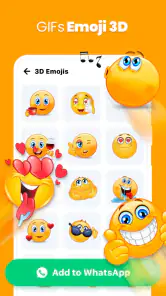
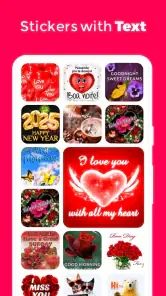
Right from the get-go, GIF Sticker offers a seamless interface that’s straightforward and easy to navigate. The app comes packed with a plethora of GIFs and stickers, catering to every possible emotion or scenario you can think of. I found myself lost in the variety—there's literally something for everyone! Whether it’s cute animals, hilarious memes, or quirky animations, the app ensures your messaging game is always on point.
First setup: keep the first choice simple
When opening a sticker app for the first time, I recommend browsing with a specific chat in mind: perhaps a friendly thank-you, a birthday greeting, or a quick reaction to a joke. That small goal makes it easier to decide whether a pack is useful instead of saving everything that catches your eye. Look for a design that still reads clearly at chat size; an animation with lots of tiny details can be less effective on a phone screen than a simple, bold reaction.
Before adding anything, check that the pack’s tone suits the people you message. A romantic design may work well in a private conversation but feel awkward in a group, while a sarcastic meme can be misread without the right context. I find it useful to think of stickers as punctuation: they work best when they support the message rather than replace information the other person needs.
You May Like

Clash of Clans Is Won Between the Battles

Android Auto Makes the Case for Quieter Car Software

MobiOffice: Transforming Mobile Productivity with Seamless Integration

EA SPORTS FC™ Mobile Soccer: Redefining Mobile Sports Gaming

How Microsoft OneDrive Became a Mobile Productivity Giant

How Google Translate Breaks Language Barriers Effortlessly
One small selection habit saves time later: decide what role you want the pack to fill before browsing. A pack for affectionate replies, for example, should have designs you would genuinely send to the same person more than once. If you are choosing for a group chat, prioritize reactions that make sense to several people rather than a reference only one friend will understand. That simple filter helps keep the sticker tray useful instead of turning it into a scrapbook of one-off curiosities.
Easy Integration with Messaging Apps
One of the standout features is its seamless integration with popular messaging apps like WhatsApp. I loved how I could easily import my favorite stickers directly into my chats without any hassle. The app allows for a simple one-click addition, making the process as smooth as butter. Plus, the ability to create personalized stickers using your own photos is a cherry on top. It’s like having a mini art studio in your pocket!
For a first successful try, I’d choose one sticker pack, add it to WhatsApp, then open a conversation and send a sticker where a quick reaction feels natural. That gives you a practical check of the whole path—from choosing a design to finding it in the chat—without turning setup into a project. If you don’t see the pack where you expect, go back to the sticker app and check whether the add step was completed; adding a pack and sending from the messaging app are separate parts of the process.
A good first test is a low-stakes exchange, such as replying to a friend’s joke or acknowledging a casual update. It lets you see whether the sticker appears where you expect and whether its size and tone work in a real chat. I would avoid testing with a sensitive message, because an animated reaction can feel more emphatic than intended. Once the pack is available, you can decide whether it earns a permanent place in your everyday replies.
Performance and User Experience
In terms of performance, GIF Sticker runs like a dream. During my time with it, I didn’t experience any lag or crashes, which is a massive plus. The app seems well-optimized, ensuring a quick and responsive experience even when sifting through large files or high-resolution images. It’s clear the developers put in a lot of effort to ensure the app runs smoothly on both Android and iOS platforms.
Another aspect worth mentioning is the user-friendly design. The layout is intuitive, which means you don’t have to be a tech wizard to navigate through its features. Everything is laid out in a manner that's easy to understand, making it accessible to users of all ages.
My practical advice is to judge the experience by the handoff into your chat rather than by how much you browse. A pack can look entertaining in its own gallery and still be hard to use if its reactions overlap with ones you already send, or if you cannot quickly recognize the right image. Try a few different moods, then keep the one that genuinely fills a gap in your normal conversations. That is a better measure of value than collecting packs for their own sake.
Common confusion: stickers are not the same as a GIF search
The name can set up a reasonable expectation that every animated image behaves like a shareable GIF file. In practice, it helps to think of this as a sticker-pack workflow aimed at chat use: browsing and adding a sticker is different from searching the entire internet for a particular clip. If you need a very specific reaction from a show or a current event, your messaging app’s built-in search or a dedicated GIF service may be the more direct route.
Another practical trade-off is that a large collection can make choosing slower, not faster. I’d keep only the packs I can imagine using again and remove or ignore ones that were fun for a moment but don’t fit my normal chats. This is especially helpful if you share a phone with someone else or want to avoid scrolling through a crowded sticker tray when you are trying to reply quickly.
It is also worth separating “available in the sticker app” from “ready to send in WhatsApp.” The initial add action is the bridge between those two places, so if a design is visible while browsing but not in the chat interface, retracing that step is more useful than repeatedly searching the chat. For a tidy setup, add a pack only when you have a likely use for it; you can always browse again later rather than trying to make every interesting option immediately available.
Everyday use: where it earns a place
Imagine a friend sends a photo of their dog in the family chat. Instead of replying with the same heart emoji everyone else has used, you can send an animated animal reaction that keeps the exchange light. For a different kind of conversation, a loving sticker can make a short goodnight message feel warmer. The benefit is not that a sticker makes every chat better; it is that a well-chosen one can add tone when text alone feels flat.
This is where the app differs from relying only on WhatsApp’s built-in emoji and sticker options: a separate sticker app can offer another source of themed designs, while the built-in collection is convenient because it is already close at hand. A general image editor gives you more control over making visuals, but takes more effort for a quick reply. I’d choose this app for ready-to-use, expressive chat additions, and choose an editor when precise cropping or a custom finished image matters more.
There is a useful middle ground between a spontaneous reaction and a custom image: use a ready-made sticker when speed matters, and save photo-based personalization for a moment when the image itself is part of the joke or memory. For instance, a familiar pet expression can be more meaningful among friends than a generic animation, but making and choosing a personalized image is not necessarily the quickest response during a busy chat. I would treat customization as an occasional extra, not a reason to delay a simple reply.
Endless Fun and Customization
Let’s be honest, messaging can sometimes get a bit dull. But with this app, you can breathe new life into your conversations. The customization options are endless, allowing you to tailor your sticker packs to suit your unique style. From animated stickers that dance across the screen to static ones that convey just the right amount of sass, there’s no shortage of ways to express yourself.
For anyone who loves to personalize their communication, this app is a treasure trove of possibilities. Imagine being able to create a sticker of your friend pulling a funny face or your pet doing something adorable. It's these little things that add a personal touch to your messages, making interactions more engaging and fun.
When you do make something personal, consider where it will be sent before choosing the image. A joke that works in a close-friends chat may not carry the same meaning in a family group, and a recognizable face can make a sticker feel more intimate than a stock reaction. I’d also keep the message itself clear when the topic matters; a sticker can add warmth, but it should not be expected to communicate practical details on its own.
Who will enjoy it—and who may prefer another option
I’d recommend trying it if you regularly chat on WhatsApp, like playful reactions, and are happy to choose from sticker packs rather than edit every image yourself. It may also suit someone who wants a more personal touch in informal conversations, especially when a shared joke or familiar pet photo can become a reaction your friends recognize.
I’d skip it if you rarely send stickers, prefer plain text, or need precise control over animation timing, image editing, or searching for one exact GIF. Those jobs call for a different kind of tool. Also, keep the audience in mind: a sticker that is funny among close friends may not be appropriate in a work conversation. The useful question is not how many designs are available, but whether a few of them fit the way you already communicate.
For someone trying it on an older Android phone, the minimum requirement is Android 8.0, so checking the device version before installing is a sensible first step. The app is free, which lowers the cost of trying it, but I’d still be selective about what I keep in my chat collection. A small set of dependable reactions is easier to use than a pile of packs you rarely open.
If your main question is whether it replaces the sticker tools already inside WhatsApp, I would not frame it that way. The built-in options are the simplest choice when you want something immediately available and do not need more themed variety. This app makes more sense when its particular packs or personalization appeal to you. Likewise, if your goal is to make a carefully edited graphic rather than send a quick chat reaction, a dedicated editor is the better match.
For a first-time user, the next step after sending one sticker is to notice whether you reach for it again naturally. If you do, keep that pack and perhaps look for a complementary style; if not, there is no need to force a new habit. The app is most useful when it supports the way you already talk, not when it makes every conversation feel like an occasion to send an animation.
In conclusion, GIF Sticker & WAsticker is not just an app; it’s a tool for expression. It brings a level of creativity and personalization to your fingertips that’s hard to match. If you’re looking to spice up your chatting experience, give this app a whirl. It’s entertaining, functional, and most importantly, it keeps your conversations lively and expressive. So why not download it today and see how it transforms your messaging game?
GIF Sticker & WAsticker Frequently Asked Questions
Can I use GIF Sticker & WAsticker on an iPhone or iPad?
GIF Sticker & WAsticker is an Android app, so it is intended for Android devices rather than iPhone or iPad. If you use an Apple device, check the relevant app store for an app that offers the sticker features you want. Android users should also check their device’s operating system before downloading, as compatibility depends on meeting the app’s minimum requirement.
Does GIF Sticker & WAsticker work with WhatsApp?
Yes. GIF Sticker & WAsticker is designed for sharing animated stickers and GIFs in WhatsApp chats, matching its focus on WhatsApp stickers. The basic idea is to browse the available animations, choose one that fits the conversation, and share it through the messaging app. If you mainly want static images or stickers for a different messaging service, consider whether this WhatsApp-oriented use suits you.
What devices and operating systems can run GIF Sticker & WAsticker?
GIF Sticker & WAsticker is an Android app with a minimum operating system requirement of Android 8.0. Before downloading, check that your device meets this requirement so you can install and open the app. The app is listed in the Communication category and is intended for adding animated GIF stickers to WhatsApp chats.
Who makes GIF Sticker & WAsticker, and is it suitable for all ages?
GIF Sticker & WAsticker is developed by Photo Collage & Grid - Foto Grid, and its content rating is Everyone. That makes it suitable for a broad audience, though parents may still want to review any app their children use and discuss what they share in chats. The app focuses on animated stickers and GIFs for messaging.
What is GIF Sticker & WAsticker and how does it work?
GIF Sticker & WAsticker is an app designed to enhance your messaging experience by providing a wide range of GIFs and stickers for popular messaging apps like WhatsApp. It allows users to browse, download, and use an extensive collection of animated stickers and GIFs to express emotions and reactions more vividly in chats. The app integrates seamlessly with messaging platforms, ensuring that you can easily access and share your favorite animations directly from the app's interface.
Pros
- Wide variety of stickers for every occasion.
- User-friendly interface
- easy to navigate.
- Regular updates with new sticker packs.
- High-quality and visually appealing designs.
- Supports both static and animated stickers.
Cons
- Contains ads that can disrupt user experience.
- Some sticker packs require in-app purchases.
- Limited customization options for stickers.
- Occasional bugs when downloading new packs.
- Requires internet connection for full functionality.

- Category
- Communication
- Version
- 2.2.5













