GIF Maker Pro
- 336.00
- 3.7
- Installs
- 1.00M
- Price
- Free

Screenshots
Analysis by Reviewed
Ever found yourself in a situation where you wanted to express an emotion or a reaction but couldn’t find the perfect GIF? Well, let me introduce you to GIF Maker Pro, the app that has swiftly become my go-to for all things animated and quirky. It’s like having a mini production studio right in your pocket! Now, let’s dive into what makes this app a must-have for anyone who loves to communicate with a bit of flair.
Create Your Own GIFs
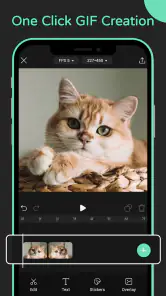
First things first, GIF Maker Pro lets you create your own GIFs from scratch. Whether you’re capturing a funny moment on video or have a series of photos that you think will look great in motion, this app has got you covered. The interface is super intuitive, allowing even the most technologically challenged individuals to navigate through the process with ease. Just select your media, trim and edit as needed, and voilà! You have a personalized GIF ready to share.
Endless Customization Options
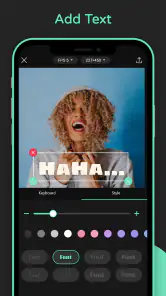
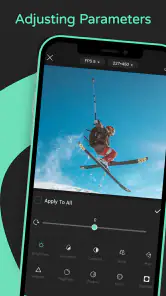
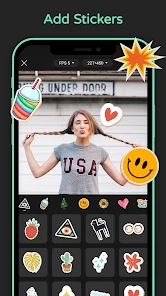
What I absolutely love about GIF Maker Pro is the plethora of customization options available. You can add text, stickers, and even filters to make your GIFs truly unique. Want to add some sparkle to your cat’s dance video? No problem! The app provides a variety of effects that can transform a simple GIF into a masterpiece. It’s like giving your creations a personality of their own.
Moreover, the speed adjustment feature is a game-changer. Sometimes, you want to slow things down to emphasize a moment, or maybe speed it up for comedic effect. With this app, the power is in your hands to tweak the pace to your liking.
Sharing Made Simple
Once you’ve crafted your perfect GIF, sharing it is a breeze. The app integrates seamlessly with all major social media platforms, including Instagram, Facebook, and Twitter. Plus, you can save your creations directly to your gallery or share them via messaging apps. I’ve found it incredibly satisfying to see my friends’ reactions when they receive a personalized GIF that perfectly captures an inside joke or a shared memory.
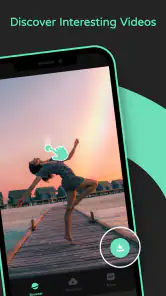
Another neat feature is the app’s community sharing option. You can browse through other users’ creations for inspiration or share your own GIFs with the world. It’s a fun way to connect with others and discover new trends and ideas.
Final Thoughts
In a nutshell, GIF Maker Pro is a fantastic tool for anyone looking to add a bit of creativity to their digital communications. It’s user-friendly, packed with features, and offers endless possibilities for customization. Whether you’re a social media enthusiast or just someone who enjoys a good laugh, this app is sure to enhance your GIF-making experience. So, why wait? Give it a try and let your imagination run wild!
Pros
- Easy to use interface
- Supports multiple file formats
- High-quality GIF output
- Fast processing speed
- Customizable editing options
Cons
- May contain ads
- Limited features in free version
- Watermark on free version
- Occasional crashes
- Requires internet for some features

- Category
- Photography
- Version
- 1.2.4











