GIF Maker, GIF Editor
- 9.71K
- 4.7
- Installs
- 10.00M
- Price
- Free
Screenshots
Analysis by Reviewed
If you're anything like me, you're probably obsessed with GIFs. They're everywhere, from social media to messaging apps. When I stumbled upon GIF Maker, GIF Editor, I thought, "Why not give it a whirl?" So, I did, and here's what I found!
First Impressions
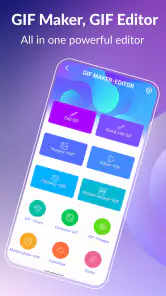
Downloading and launching GIF Maker, GIF Editor was a breeze. The interface is super user-friendly, with everything laid out intuitively. It's like the app was saying, "Hey, come on in, make yourself at home!" The home screen gives you a rundown of all the tools you have at your disposal, from creating new GIFs to editing existing ones.
Creating GIFs
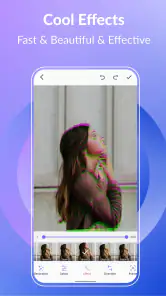
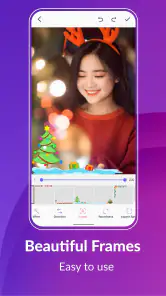
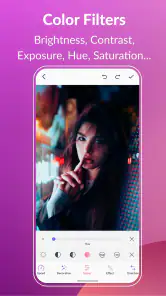
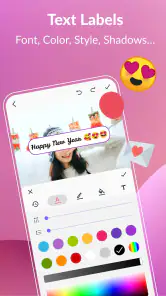
Okay, let's talk about the fun part—making GIFs! The app allows you to create GIFs from videos or images. I decided to try both. First, I picked a goofy video of my dog trying to catch his tail. The app smoothly converted it into a GIF in just a few taps. What's really cool is that you can adjust the speed, add text, or even apply filters. The possibilities are endless, and it feels like you're a kid in a candy store!
Next, I tried creating a GIF from images. You can select multiple photos from your gallery, and the app stitches them together into a seamless GIF. It's as easy as pie, and I was quite impressed with the results.
Editing Features
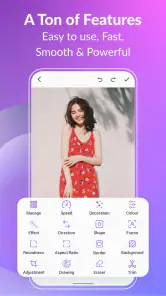
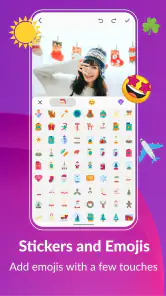
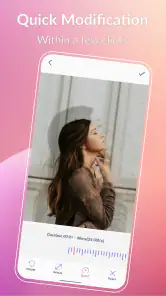
Now, onto the editing features. Whether you're a GIF-making pro or a newbie, this app has something for everyone. You can trim your GIFs, adjust the frame rate, and change the direction of playback. Plus, the app offers a range of stickers and emojis to jazz up your creations. I had a blast playing around with these features, and before I knew it, I had spent hours editing and perfecting my GIF masterpieces!
Sharing and Saving
Once you're satisfied with your creation, sharing is just a tap away. The app integrates seamlessly with social media platforms, allowing you to post your GIFs directly to Instagram, Facebook, and more. You can also save your creations to your device in various formats. I particularly loved the option to save them in high quality, ensuring they look fantastic no matter where they're shared.
Overall, GIF Maker, GIF Editor is a must-have for anyone who loves creating and sharing GIFs. It's packed with features that cater to both beginners and seasoned GIF enthusiasts. I found myself getting lost in the creativity this app inspires, and I can't recommend it enough. So, if you're looking to add a bit of sparkle to your GIF game, give this app a try. You won't be disappointed!
Pros
- User-friendly interface for quick edits
- Wide variety of editing tools available
- Supports multiple file formats for import
- Fast processing and export times
- Allows adding text and stickers to GIFs
Cons
- Limited advanced editing features
- Occasional app crashes reported
- Ads can be intrusive
- Watermark on free version exports
- Some features require in-app purchases

- Category
- Photography
- Version
- Varies with device











