Geotag Photo: Camera Location
- 31.00
- 3.9
- Installs
- 10.00M
- Price
- Free
Screenshots
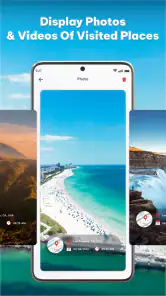
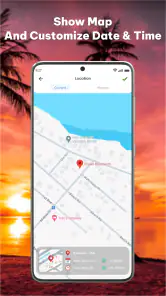
Analysis by Reviewed
Have you ever found yourself wondering where exactly that amazing sunset photo was taken, or which hidden alley was the backdrop for that perfect selfie? Well, let me introduce you to Geotag Photo: Camera Location. I decided to give it a whirl, and boy, it really turned my photo adventures up a notch.
Discovering Hidden Gems with Ease
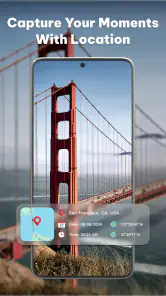
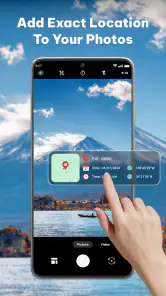
Right off the bat, Geotag Photo: Camera Location impressed me with its straightforward interface. It integrates smoothly with my phone’s camera, making the process of tagging locations as easy as pie. All I had to do was snap a photo and voilà, it magically tagged my location. This is a game-changer for travel enthusiasts and wanderlust-driven souls like myself.
How It Works
The app uses your phone's GPS to tag your location automatically whenever you take a photo. This means you’ll never have to guess where you took that incredible shot. It records the exact latitude and longitude, which is a nifty feature for those who love to document their travels meticulously. You can even view all your tagged photos on a map, which is like walking down memory lane on a global scale!
One thing I particularly love is how it respects privacy. You can easily toggle the geotagging feature off when you don’t want your location to be recorded. It’s nice to know that your privacy is respected, especially in today’s digital age.
A Must-Have for Travel Junkies
What really sets this app apart is its ability to enhance your travel experiences. Imagine visiting a place and being able to instantly see all the photos you took there, complete with locations. It’s like having a digital scrapbook of your adventures. Not to mention, it makes sharing memories with friends a breeze. Just pull up the app, tap on the image, and share away!
Moreover, the app's seamless integration with social media platforms means you can easily share your geotagged photos with your followers, letting them know exactly where to find those breathtaking spots. Plus, it’s a fantastic way to keep track of your journeys, especially if you're someone who loves to travel off the beaten path.
Final Thoughts
In conclusion, Geotag Photo: Camera Location is a must-have app for anyone who loves photography and travel. It’s user-friendly, respects your privacy, and enhances your ability to capture and share your adventures. Whether you’re a professional photographer or just someone who loves snapping shots on your travels, this app is bound to become a staple in your digital toolkit. So, why not give it a try and let your photos tell your travel stories?
Pros
- Easy-to-use interface for tagging photos.
- Accurate GPS location tagging.
- Supports multiple photo formats.
- Works offline for tagging on-the-go.
- Integrates with popular photo apps.
Cons
- Consumes battery quickly during use.
- Limited editing features in app.
- Ads can be intrusive at times.
- Requires location access at all times.
- No cloud backup for geotag data.

- Category
- Photography
- Version
- 1.1.7











