Gamuroid: Retro Game Emulator
- 443.00
- 4.4
- Installs
- 1.00M
- Price
- Free
Screenshots
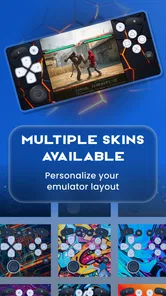
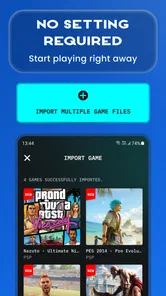
Analysis by Reviewed
I came away from Gamuroid: Retro Game Emulator with a simple impression: it is an appealing convenience tool for people who want several older gaming systems in one Android app, but it is not automatically the best choice for every kind of retro player. Its main attraction is obvious once you use it: instead of switching between separate emulator apps, I can keep support for PSP, PSX, PS2, NES, Game Boy, Game Boy Advance, DS, N64, and other systems in one place. That breadth makes it unusually practical for a mixed library.
At the same time, an all-in-one design creates compromises. Different consoles have very different hardware demands, controller needs, and display expectations. A lightweight handheld game and a demanding disc-based title do not ask the same thing from an emulator. Gamuroid gives me a broad starting point, yet I still need to choose sensible settings, organize my own game files, and accept that the experience can vary considerably from one system to another.
What using Gamuroid is really like
Gamuroid is a free tools app from Metaverse Labs, released on December 20, 2024. It is aimed at Android users running version 7.0 or later, and the current version is 5.7.3. The age rating is Everyone, which fits the app itself: it is a utility for accessing supported emulation features rather than a game with its own built-in story or content.
The app has clearly found an audience. It has an average rating of 4.4 from around 57 thousand ratings and has passed one million installs. Those figures do not prove that every console works perfectly on every phone, but they do suggest that the one-app approach solves a real problem for many retro players. I understand the appeal because the alternative is often a collection of separate apps, each with its own menus, save locations, controller behavior, and update cycle.
The first important thing to understand is that Gamuroid is not a magical library of games. You need to provide legally obtained game files yourself. That distinction matters for newcomers who expect to open the app and immediately browse a catalog. The app is better viewed as a central player for your own retro collection, not as a storefront or subscription service.
Once that expectation is clear, the app’s purpose becomes much easier to judge. It is valuable when convenience matters more than having the deepest possible configuration for one particular console. If I want to move between a portable adventure, a classic cartridge game, and a more demanding 3D title without maintaining several emulator installations, the unified approach is genuinely useful.
The strongest advantage is consolidation
The most convincing reason to try Gamuroid is the reduction in clutter. Keeping one emulator app on the phone makes it easier to remember where games are stored and where to look when I want to continue a session. It also gives casual players a less intimidating entry point than assembling a separate setup for every platform.
More From Our News Desk

Weather by Xiaomi Review: Clear at a Glance, Less Clear Up Close

X Under Pressure: Can It Recover When Posting Goes Wrong?

Clash of Clans Is Won Between the Battles

Android Auto Makes the Case for Quieter Car Software

MobiOffice: Transforming Mobile Productivity with Seamless Integration

EA SPORTS FC™ Mobile Soccer: Redefining Mobile Sports Gaming
This is especially helpful on a family tablet or a secondary phone. A person who only plays occasionally may not want to learn the differences between several emulator interfaces. With Gamuroid, the basic mental model stays consistent: identify the game, launch it, adjust the controls if needed, and return later. That consistency is more important than it sounds when the device is shared or when I switch between systems after a long break.
There is also a practical advantage for travel. A mixed retro collection can take up less organizational attention when it is handled through one app. I can prepare a small selection before leaving home, test the controls in advance, and avoid discovering during a trip that one favorite game is tied to a different emulator with unfamiliar input settings. This is not a glamorous feature, but it is the kind of everyday benefit that makes an emulator stay installed.
Another useful workflow is to separate games by the way I intend to play them rather than only by console. For example, I might keep short sessions for a commute, longer role-playing games for evenings, and controller-friendly titles for a television or tablet. Gamuroid’s value here is not just technical emulation; it becomes a single launch point for a deliberately curated collection.
Hardware expectations matter more than the app’s broad list
The supported-system range is impressive, but I would not read it as a promise that every phone will deliver the same experience across every platform. Older 2D systems are generally the natural starting point for a broad emulator because their games are less demanding and often work well with touch controls. PSP, PSX, PS2, and N64 titles can place much greater pressure on the device, especially when the game uses 3D graphics or when I try to increase visual quality.
This is where some readers may become disappointed. An app can support a platform while individual games still behave differently. Performance can depend on the phone’s processor, graphics hardware, thermal limits, Android version, and the specific game. Even on a capable device, a more demanding title may need lower visual settings or a physical controller to feel comfortable.
My advice is to begin with modest expectations. Test a few games from the systems you care about most before moving a large collection into the app. If a game runs poorly, increasing every visual option is unlikely to help. A better approach is to prioritize stable play, reduce unnecessary enhancements, and close other demanding apps before starting a longer session.
That trade-off is central to Gamuroid. Its strength is breadth, while a dedicated emulator may offer more specialized tuning for one platform. If I mainly care about one console and want to explore advanced configuration, a focused alternative can be the better fit. If I care about variety and want fewer separate applications, Gamuroid makes more sense.
Controls decide whether the convenience feels good
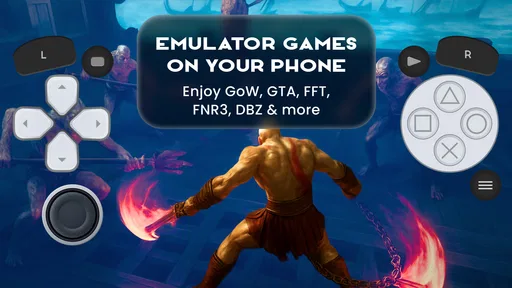
Touch controls are acceptable for many NES, Game Boy, and other simple games, but they are not equally comfortable for every genre. Platformers can be playable with an on-screen directional pad, while fast action games, fighting games, and titles designed around several simultaneous buttons may feel cramped. Dual-screen games add another layer of friction because the phone display has to present two areas without making either one too small.
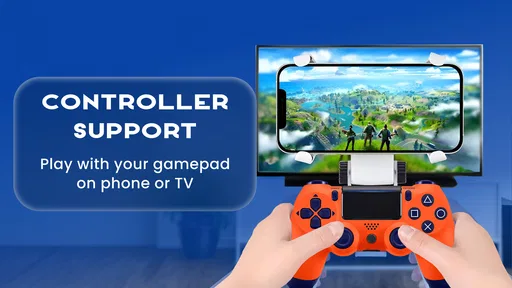
I would treat a physical controller as a major part of the decision if the main goal is PSP, PS2, N64, or longer sessions. A controller can make the same emulator feel dramatically more usable, particularly for analog movement and games that depend on precise timing. Without one, Gamuroid may still be useful for quick tests, but I would be cautious about building an entire library around touch input.
There is a helpful way to approach this: use touch controls to discover which games are worth keeping, then connect a controller for the titles that become regular favorites. That avoids buying or carrying extra hardware before knowing whether the app fits your habits. It also prevents judging the emulator unfairly when the real problem is an awkward control layout for a particular genre.
Save management deserves deliberate habits
One of the less obvious parts of emulator use is deciding how to protect progress. I prefer using in-game saves whenever possible and treating quick save states as a convenience rather than the only copy of progress. Save states are excellent for pausing at an awkward moment or practicing a difficult section, but relying on them exclusively can make a library harder to move or recover if something goes wrong.
A sensible routine is to create a normal save at a clear in-game checkpoint before experimenting with settings, changing devices, or reorganizing files. I also avoid renaming game files casually once I have started playing them. An emulator may associate saves with a particular filename or location, so tidy organization at the beginning can prevent confusion later.
This is one area where a single app has both an advantage and a weakness. Having one place for many systems is convenient, but it also concentrates more of my library in one installation. I would be more careful about backups than I would be with a single casual game. The app is easier to manage day to day, yet my own file organization still matters greatly.
Who should use it, and who should skip it?
Gamuroid is a strong match for a curious retro player who owns games from several supported generations and dislikes maintaining separate emulator apps. It is also suitable for someone building a modest collection on an Android phone or tablet, especially when the priority is quick access rather than exhaustive technical control.
I can also recommend it to families or casual players who want a straightforward way to keep different kinds of old games together. The Everyone age rating makes the utility broadly approachable, although the actual games a user loads can have their own age suitability. Parents should therefore consider the content of the game files, not only the app’s rating.
It is less suitable for a player who expects flawless performance from demanding 3D systems on an older or budget phone. It is also not my first recommendation for someone who wants a highly specialized setup for one console, extensive per-game tweaking, or the most exact control over advanced emulation behavior. In those cases, a dedicated emulator may provide a clearer path.
I would also skip it if I wanted an app that supplies games automatically. Gamuroid does not replace the need to own or obtain compatible files legally. The convenience is in managing and launching a personal collection, not in removing that responsibility.
Free to install, with a point to consider
The app is free, which lowers the barrier to testing it with a small selection of legally obtained games. There are in-app purchases ranging from $0.99 to $39.99 per item. That means I would look carefully at what an optional purchase changes before paying, particularly because the core appeal is already based on having broad access in one tool.
For me, the free entry point is important because emulator compatibility is personal. Two people with different phones and different libraries can have very different results. Trying the app first is more sensible than assuming that a broad system list guarantees a perfect experience on a particular device.
The same principle applies to storage. Disc-based systems can require more space than cartridge-era games, and a large collection can become difficult to browse even when the emulator itself is convenient. I recommend starting with a small, clearly named set of favorites. That makes testing easier and keeps the app from turning into an unorganized archive.
A realistic everyday scenario
Imagine having a short train ride in the morning and a longer session at home in the evening. On the commute, I might choose a Game Boy or NES title that works comfortably with touch controls and does not require a long setup. At home, I could continue a more involved game with a physical controller and a larger screen. The benefit is not that every experience is identical; it is that both sessions begin from the same app instead of separate emulator environments.
If the morning game feels responsive but the evening 3D title struggles, I would not immediately conclude that Gamuroid is unusable. I would first check whether the phone is warm, close background apps, return visual options to a sensible level, and test another game from the same system. If several demanding titles remain uncomfortable, that is a clear sign that the device or the all-in-one approach is not the right match for my library.
This scenario also shows why I value the app more as a flexible collection manager than as a universal replacement for every specialist emulator. It is excellent when my play habits change throughout the day. It is less convincing when one platform is the only thing I care about and I am willing to spend time optimizing it.
My final recommendation
Gamuroid succeeds because it addresses a real annoyance: retro gaming can become fragmented across too many apps. Bringing PSP, PSX, PS2, NES, Game Boy, Game Boy Advance, DS, N64, and other systems into one Android tool is convenient, and the strong user response suggests that many people appreciate that convenience. The app’s free availability makes it easy to test without committing to a complicated setup.
My reservation is equally clear. Broad support is not the same as identical quality everywhere. The demanding systems need realistic hardware expectations, and touch controls will not suit every game. I also need to manage my own legally obtained files and protect saves with sensible habits. Those are not reasons to dismiss the app, but they are important parts of using it well.
My verdict: Gamuroid is best for variety-focused Android players who want one practical home for a mixed retro collection. I would install it first if convenience, platform range, and a simple starting point matter most. I would choose a dedicated emulator instead if I wanted deep specialization, advanced tuning, or the most reliable experience from one demanding console. For everyone in between, the smartest approach is to try a small collection, test the systems that matter, and let the phone’s actual performance—not the long feature list—make the final decision.
Gamuroid: Retro Game Emulator Frequently Asked Questions
What should I check before choosing Gamuroid for a particular retro game?
Before downloading, consider which system your game belongs to and whether your Android device can handle that emulator and title comfortably. Gamuroid covers several systems, but broad system support does not mean every game will work equally well. You will also need a compatible game file that you are legally entitled to use. Checking these basics first can help you avoid installing an emulator that does not suit your intended game.
Can I use Gamuroid on an iPhone or iPad?
Gamuroid is an Android app, so it is intended for compatible Android devices rather than iPhones or iPads. If you are using an Apple device, you will need to look for an emulator designed for iOS and check its availability and requirements for your region and device. For Android users, the minimum operating-system requirement is Android 7.0.
Does Gamuroid support multiple retro systems in one app?
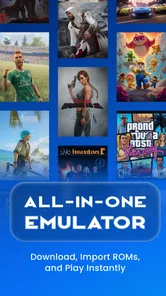
Yes. Gamuroid is presented as an all-in-one emulator for systems including PSP, PSX, PS2, NES, GB, GBA, DS, and N64, along with more. That can be convenient if you want one app for several kinds of classic games. Compatibility and performance still depend on the specific system, game, and device, so support for a system does not guarantee that every title will run smoothly.
Can I use Gamuroid offline after installing it?
An emulator can be useful for playing locally stored game files without relying on an online game library, and Gamuroid is designed to open compatible titles on your Android device. You will need to have the files available on the device and complete any setup needed to locate them. Keep in mind that some app functions may depend on your device or connection, so test your intended setup before travelling or playing offline for an extended period.
Is Gamuroid free to download, and are there any in-app purchases?
Gamuroid is free to download, so you can try the app without paying upfront. It also offers in-app purchases, with prices ranging from $0.99 to $39.99 per item. Check the purchase details shown in the app before confirming anything, and consider your device’s purchase controls if other people, especially children, can use it.
Pros
- Supports many classic console formats in one lightweight app.
- Simple controls make it easy to start playing quickly.
- Save states let you pause and resume games conveniently.
- Works well with Bluetooth controllers for a console-like experience.
- Customizable on-screen controls improve playability on different devices.
Cons
- Game ROMs are not included and must be obtained legally by the user.
- Compatibility and performance can vary between different games.
- Touch controls may feel cramped on smaller phone screens.
- Some advanced emulator features may require extra configuration.
- Older games may display occasional audio or graphical glitches.









