Game Booster Fire GFX- Fix Lag
- 748.00
- 4.3
- Installs
- 5.00M
- Price
- Free

Screenshots
Analysis by Reviewed
Hey gamers! If you’ve ever found yourself frustrated with lag during your intense gaming sessions, then let me introduce you to Game Booster Fire GFX- Fix Lag. This app promises to turbocharge your gaming experience by optimizing your device’s performance, and I’ve taken it for a spin to see if it holds up to its claims.
Getting Started with Game Booster Fire GFX
First things first, downloading and setting up the Game Booster Fire GFX- Fix Lag app is as easy as pie. Available on both Android and iOS, you can grab it from your respective app store. Once installed, the user interface is pretty straightforward, which is a relief. Nobody wants to wrestle with complicated settings when you’re itching to jump into your favorite game!
Boost Your Gaming Performance
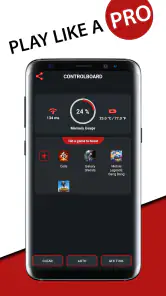
Now, onto the main event – boosting game performance. The app claims to enhance your device’s capabilities by freeing up RAM, optimizing CPU usage, and managing background tasks. In my experience, enabling the boost mode before launching a game genuinely made a difference. The gameplay was smoother, and those annoying lag spikes were significantly reduced. It’s not magic, but it sure feels like it when you're in the heat of battle!
Customizing Graphics Settings
One of the standout features of this app is its ability to customize graphics settings. You can tweak resolution, enable HDR, and even unlock FPS limits. This feature is a game-changer for those who love to push their device to the limits. I found that adjusting these settings tailored my gaming experience just the way I like it. Plus, the app provides clear instructions, so you won’t feel lost if you’re not a tech wizard.
Battery and Temperature Management
Let’s face it; intense gaming can turn your phone into a mini heater and drain the battery faster than you can say "Game Over." Thankfully, the app includes battery saver options and temperature monitoring. It’s like having a guardian angel for your phone, ensuring it doesn’t overheat or die during a crucial game moment. I noticed my phone stayed cooler, and battery life was conserved, allowing for extended play sessions.
Real-time Monitoring
This app also offers real-time monitoring of system performance. You can keep an eye on CPU and GPU usage while gaming, which is pretty cool if you’re into stats. It’s like having a dashboard of your device’s vitals right at your fingertips. For the tech enthusiasts out there, this feature is both informative and satisfying.
Wrapping up, Game Booster Fire GFX- Fix Lag genuinely delivers on its promise to enhance your mobile gaming experience. Whether you’re a casual gamer or a hardcore enthusiast, this app provides valuable tools to help you get the most out of your device. So, if lag and performance issues have been your arch-nemesis, it might be time to give this app a shot. Happy gaming!
Pros
- Enhances gaming performance effectively.
- User-friendly interface for easy navigation.
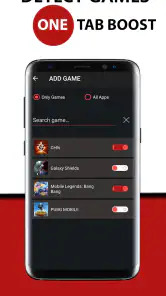
- Supports a wide range of games.
- Customizable settings for personal preference.
- Frequent updates for continuous improvement.
Cons
- May consume significant battery life.
- Ads can be intrusive during use.
- Limited features in the free version.
- Occasional crashes on older devices.
- Requires constant internet connection.

- Category
- Tools
- Version
- 209











