Gallery - Photo Album
- 229.00
- 4.6
- Installs
- 1.00M
- Price
- Free

Screenshots




Analysis by Reviewed
Have you ever wished for a photo app that does more than just display your images? Say hello to Gallery - Photo Album, your new best friend in managing those countless snapshots on your phone. Trust me, after diving into this app, you’ll wonder how you ever lived without it!
All Your Photos, Organized
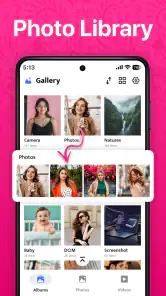
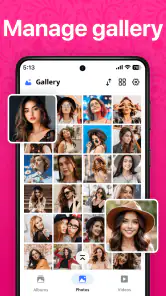
When I first opened the Gallery - Photo Album, I was greeted with a sleek and intuitive interface. The app does an amazing job of automatically organizing your photos by date, location, and even the people in them. No more endless scrolling to find that one picture from last summer's beach trip. It’s like having a personal assistant who knows exactly what you’re looking for!
Features That Stand Out
One of the coolest features I discovered is the facial recognition technology. It’s a bit like magic—tag your friends once, and the app will sort out all their photos for you in the future. Plus, the slideshow creation tool is a breeze to use. You can create beautiful slideshows complete with music and transitions, perfect for sharing on social media or reliving your favorite moments with friends and family.
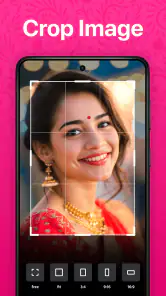
Another feature that I really appreciate is the built-in photo editor. Forget about switching to another app for minor tweaks; you can enhance colors, crop, and add filters right here. It’s incredibly handy for those of us who love to polish our photos before sharing them with the world.
Security and Privacy
In today’s digital age, privacy is a big concern, and the developers behind this app get that. Gallery - Photo Album offers a secure vault where you can store private photos that you’d rather keep hidden. It’s password-protected, giving you peace of mind knowing your personal moments are safe from prying eyes.
Seamless Sharing Options
Sharing photos with friends and family is super easy with this app. You can quickly post on social media or send via email and messaging apps directly from the gallery. The app compresses photos just right to maintain quality without taking forever to upload. It’s these little things that make the app feel polished and user-friendly.
Overall, Gallery - Photo Album is more than just a photo viewer; it’s a comprehensive tool for managing, editing, and sharing your photos with ease. Whether you’re a photo enthusiast or just someone who likes to keep memories organized, this app is definitely worth checking out. So, go ahead and give it a try—I promise you won’t be disappointed!
Pros
- Easy and intuitive user interface.
- Supports a wide range of image formats.
- Fast photo and video loading times.
- Offers secure cloud backup options.
- Rich editing tools available.
Cons
- Contains ads in the free version.
- Premium features require a subscription.
- Limited free cloud storage.
- Occasional app crashes.
- Requires frequent updates.

- Category
- Photography
- Version
- 3.9











