Freelancer: Hire & Find Jobs
- 1.66K
- 3.9
- Installs
- 10.00M
- Price
- Free

Screenshots


Analysis by Reviewed
I approached Freelancer: Hire & Find Jobs as a first-time user would: wondering whether it could help me find paid work or make hiring less of a chore. It is a business app from Freelancer.com, and its central appeal is bringing clients and independent workers together in one place. The app is free to install, rated for Everyone, and has reached over 10 million installs. Its 3.9 average across around 71,000 ratings suggests a useful but not flawless experience, so I’d go in with practical expectations rather than expecting every project or interaction to be effortless.
Getting Started and Finding Your First Fit
Right off the bat, the Freelancer: Hire & Find Jobs app is pretty straightforward to set up. You start by creating a profile, which is your first opportunity to make a great impression. Whether you're an employer or a freelancer, you'll want to spend some time here to get it just right. The app walks you through the process with ease, so no worries if you're not tech-savvy.
What to Expect from the Marketplace
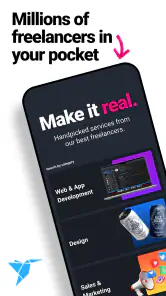
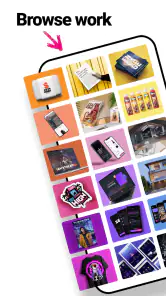
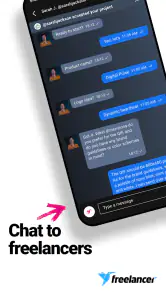
For freelancers, once your profile is set up, you can browse through a wide array of job listings. The app covers practically every industry imaginable—from writing and graphic design to engineering and marketing. It's like a candy store for freelancers! Employers, on the other hand, can post jobs and sift through applications. The app even allows for real-time chatting, making it a cinch to communicate swiftly and effectively.
That breadth is useful, but it changes how I’d approach browsing. A long list of possible projects is not the same as a short list of suitable ones. I’d begin with a specific skill and a clear idea of the work I can deliver, then judge each listing by whether its scope and deadline make sense. If you’re hiring, describe the outcome you need rather than posting a vague request; clearer expectations make it easier to compare applicants on relevant experience instead of polished profiles alone.
Make the Profile Work Before You Apply
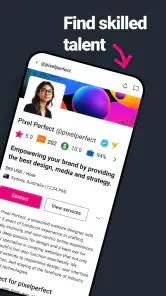
For a new freelancer, the tempting move is to send applications immediately. I’d resist that until the profile gives a client a quick reason to trust your fit. Use a concise description of the work you actually want, and make any examples easy to understand. A profile that tries to cover every possible service can make a newcomer look less focused. If you have limited work history on the platform, be especially precise about your process, availability, and what a finished deliverable would include.
A practical first-session goal is not “get hired today,” but “find a well-matched listing and send one thoughtful proposal.” Read the brief twice, identify the client’s main need, and answer that need directly. Avoid sending the same generic pitch to several projects: a short, specific explanation is more useful to a client and helps you decide whether the job is worth pursuing. This approach also prevents browsing from turning into an endless scroll without a concrete next step.
Features That Make It Stand Out
What I love about this app is its user-friendly interface. It's clean, intuitive, and doesn't overwhelm you with too many options. The search function is robust, allowing you to filter jobs by skills, budget, and deadlines, which is a lifesaver. Plus, the app also provides a secure payment gateway, so both parties can feel confident about their transactions.
More From Our News Desk

Weather by Xiaomi Review: Clear at a Glance, Less Clear Up Close

X Under Pressure: Can It Recover When Posting Goes Wrong?

Clash of Clans Is Won Between the Battles

Android Auto Makes the Case for Quieter Car Software

MobiOffice: Transforming Mobile Productivity with Seamless Integration

EA SPORTS FC™ Mobile Soccer: Redefining Mobile Sports Gaming
Those filters are most helpful when used together with judgment, not as a substitute for it. A budget that looks suitable can still be a poor match if the scope is unclear, while a tight deadline may be fine for a small, well-defined task and unrealistic for a complex one. I’d use filters to narrow the field, then open promising listings and check whether the expected result, timing, and required skills line up. That small habit can save more time than simply sorting by one attractive detail.
For a client, the app makes sense when you want to reach beyond your immediate network and compare people who offer different skills. For a freelancer, it can be a practical place to look for varied project work without relying only on personal referrals. A realistic everyday example: if I needed a small design task completed while managing other work, I could check relevant listings, compare applicants or project briefs, and use the chat to clarify what the final files should contain before committing. The value comes from making that exchange more organized, not from guaranteeing a perfect match.
Communication, Ratings, and Trust
Another feature worth mentioning is the app's feedback and rating system. It’s a two-way street here; freelancers can rate employers and vice versa. This mutual rating system ensures that everyone is on their best behavior, fostering a professional and trustworthy environment.
I’d treat ratings as one signal, rather than a complete verdict. A strong profile or positive feedback can help with an initial comparison, but it cannot replace a clear conversation about the task. Before starting, I’d confirm the deliverable, any important milestones, and how revisions or changes in scope will be handled. For a freelancer, asking a focused question about an ambiguous brief is often better than guessing. For a client, a prompt, specific reply helps a good candidate understand what success looks like.
That is also where the app’s chat is more than a convenience. Keeping project questions in the same working context can help both sides revisit what they agreed to, especially when a short job involves several details. I would not use quick messaging as an excuse to skip a proper brief: concise notes work best when they clarify a plan already described in enough detail.
Where It Can Feel Less Smooth
Now, not everything is sunshine and rainbows. While the app is loaded with features, it does take a bit of time to figure out the best way to leverage its full potential. For instance, some users might find the fees a bit steep compared to other platforms. However, the quality of jobs and the ease of communication often make up for this little hiccup.
That trade-off matters most if you’re comparing options based purely on what you keep from a project. Before accepting work or setting a client budget, check the applicable charges and make sure the total still makes sense for the scope. If your priority is avoiding platform costs altogether, finding clients through your own contacts may suit you better, though you’ll then need to arrange discovery and communication yourself. If you want a large marketplace and a built-in way to connect, the convenience may be worth weighing against those costs.
One thing I’ve noticed is that the app occasionally crashes or lags, especially during peak hours. It's not a deal-breaker, but it's something to keep in mind if you're planning to use it extensively.
If the app feels slow during an important exchange, I wouldn’t rely on a rushed tap to handle a project decision. Recheck the conversation and the job details before acting, and give yourself time to make sure a message or change has gone through. For work with a deadline, it’s sensible to keep your own notes about what you agreed to, rather than depending on memory while switching between tasks.
Who Should Use It—and Who Might Prefer Another Route
I’d recommend trying it if you’re willing to put care into your profile and evaluate projects one by one. It is especially relevant to independent workers exploring opportunities across different kinds of work, and to clients who want to compare candidates beyond their existing circle. Someone who already has a steady stream of referrals may not need another place to source projects; likewise, a business with a very specialized hiring process may prefer a dedicated recruiting tool rather than a broad freelance marketplace.
Compared with finding a contractor through a personal recommendation, this app offers a wider pool to browse but less of the immediate context that comes from knowing someone’s work firsthand. Compared with a conventional job-search app, its focus is project-based freelance work rather than simply looking for a permanent position. I’d choose based on the kind of relationship I need: a defined piece of work with an independent professional points toward this marketplace, while a long-term employee search or a trusted local referral may be better handled elsewhere.
Make the First Exchange Count
For a first-time freelancer, a useful next step after polishing the profile is to shortlist a few briefs, not apply to every listing that seems vaguely relevant. Compare what each client is asking for, then choose the one where you can explain your approach clearly. A proposal should make it easy to see that you understood the task: mention the outcome you can provide, flag one practical question if needed, and avoid promising a timeline until you have thought through the work.
Clients can use the same deliberate approach in reverse. Rather than choosing the first applicant who sounds confident, look for a response that engages with the actual brief and ask a comparable question of shortlisted candidates. If the answers reveal different assumptions about the deliverable, refine the scope before moving forward. That extra exchange may feel slower than making a quick pick, but it can prevent a mismatch that costs more time later.
One question people often have is whether the app suits occasional work or only a full-time freelance routine. I see it as useful for either, provided expectations are realistic: someone with a small side project can search for a specific task, while a regular freelancer may use it to explore a broader mix of opportunities. The marketplace does not remove the need to judge fit, availability, and project terms; it gives both sides a place to start that conversation.
Final Thoughts
All in all, Freelancer: Hire & Find Jobs is a solid choice for anyone looking to dip their toes into the freelance world or hire top-notch talent. The app offers a plethora of features that cater to both freelancers and employers, making it a versatile tool in the digital marketplace. While it has its quirks, the pros far outweigh the cons, and it's definitely worth a shot.
The app has been available since 2014, and its current version is 7.1.2, with Android support starting at version 6.0. Those details make it accessible to many Android users, but I’d still check that my device and software are compatible before planning to rely on it for active projects. Its business focus is clear: it is designed around connecting people who need work done with people offering skills, rather than serving as a general career-planning tool.
If you're ready to take your freelance career to the next level or find the perfect candidate for your project, this app is definitely a must-try. Just remember, like any tool, you get out of it what you put into it. Happy freelancing!
My best advice for a first try is to keep the goal small and specific: complete a useful profile, identify one suitable opportunity or candidate, and ask the key question that would make the scope clearer. If that exchange feels productive, you can build from there; if you find that the marketplace’s costs, pace, or broad selection do not fit your needs, you’ll know early and can return to referrals or a more specialized service. That makes the app worth exploring without treating it as the only route to good freelance work.
Freelancer: Hire & Find Jobs Frequently Asked Questions
Can I use Freelancer on my phone to keep track of projects while away from my computer?
Freelancer: Hire & Find Jobs is a mobile app for accessing the freelancing marketplace on Android and iOS devices. It is intended to help clients and freelancers use the service while on a phone, including exploring work and connecting around project needs. If you already use Freelancer on another device, the app can provide a mobile way to check in; your experience will depend on the tasks you need to handle.
Is Freelancer suitable for someone new to freelancing?
The app brings clients and freelancers together in one marketplace, so it can be a place to explore opportunities and present your skills if you are starting out. New users should take time to understand the project scope, communicate expectations clearly, and review the terms before accepting work. The app gives access to the marketplace, but choosing suitable projects and building a strong profile remains up to you.
Can I use Freelancer as a client and as a freelancer?
Yes. Freelancer: Hire & Find Jobs is designed for both sides of a project: clients can post work and look for talent, while freelancers can explore opportunities and present their skills. You can use the app to browse profiles or jobs and communicate around project needs. Consider which role you want to take before getting started, since the steps and decisions involved differ.
Which devices can run Freelancer: Hire & Find Jobs?
The app is available for Android and iOS devices. On Android, it requires version 6.0 or later, so it is worth checking your device’s software before downloading. The app is free to download and is intended for a general audience. If your device meets the platform requirements, you can install it and use it to access the freelancing marketplace.
What is Freelancer: Hire & Find Jobs?
Freelancer: Hire & Find Jobs is a mobile application that connects businesses and individuals with freelancers across various fields such as writing, graphic design, programming, and more. It allows users to post jobs, browse freelancer profiles, and hire the right talent for their projects. The app is available for both Android and iOS devices. It is a business app developed by Freelancer.com, with the goal of bringing clients and independent professionals together in one marketplace.
Pros
- Wide range of job categories.
- User-friendly interface.
- Secure payment system.
- Global job opportunities.
- Efficient communication tools.
Cons
- High competition for jobs.
- Service fees can be high.
- Limited free features.
- App occasionally glitches.
- Delayed customer support.
- Category
- Business
- Version
- 7.1.2











