FotoCam: HD Camera
- 8.00
- 3.9
- Installs
- 1.00M
- Price
- Free

Screenshots
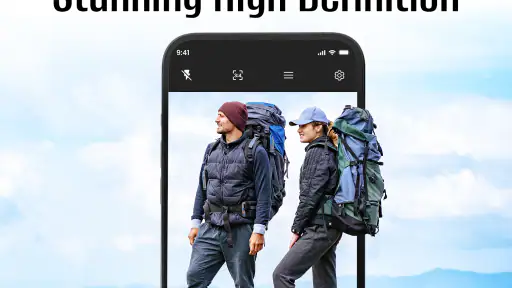
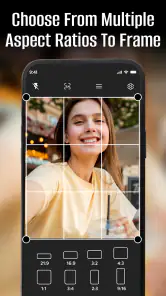
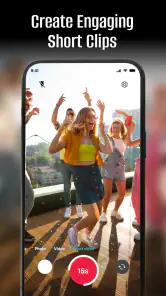
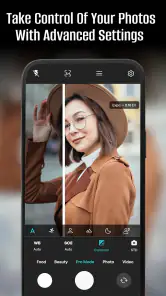
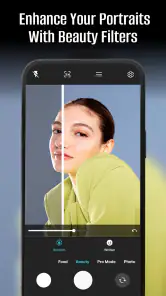
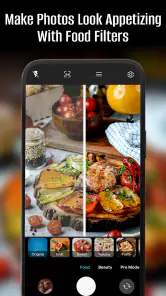
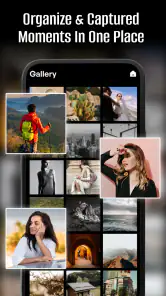
Analysis by Reviewed
When I want to take a quick photo without digging through complicated controls, I value a camera app that gets out of the way but still gives me room to shape the result. FotoCam: HD Camera aims for that balance: a straightforward photography app with selfie filters and tools for capturing photos and videos. My take is that it suits casual shooting better than replacing a dedicated camera workflow, especially if you like previewing a look before you take a picture.
Where a quick camera fits into a real day
For an ordinary day, that kind of simplicity can matter more than a long list of manual settings. Imagine wanting a quick selfie before meeting a friend: opening the camera, checking a filter in the preview, and taking the shot is a more direct routine than capturing several versions and sorting them out later. I’d also use it for informal snapshots when I want a little creative control without turning the moment into a photo session.
A realistic use for me would be taking a quick portrait before heading out, then using a subtle previewed look rather than trying to repair the whole image afterward. If I’m photographing a meal or a small detail for a message, I’d frame it first and check whether the filter changes the colors in a way I actually like. That pause is useful: it shifts the decision about the image’s mood to the moment of capture, when I can still adjust the framing or choose a plainer look.
That preview-first approach has a useful trade-off. It can help me decide whether an effect suits the scene before I commit to a picture, but a filter that looks appealing on a face may not flatter a landscape or an indoor scene. I’d check the preview in the actual light I’m shooting in, rather than assuming one look will work everywhere. If natural color matters most, I’d keep the effect subtle or take a less stylized option when available.
It also changes how I’d handle a moment that cannot be repeated. I would not assume the first filtered shot is automatically the keeper; I’d take a second version with a different treatment, or a neutral look, if the situation allows. Comparing those pictures later helps separate a genuinely useful effect from one that only looked attractive on the live screen. For a quick, low-stakes selfie, one take may be enough. For a birthday picture or a group photo, a backup is a sensible habit.
First Impressions
Right off the bat, FotoCam: HD Camera dazzles with its sleek interface. It’s clean, intuitive, and doesn’t overwhelm you with options right from the get-go. Instead, it’s all about making photography easy and accessible, which I totally dig. You know how some apps just throw a million features at you? This one feels like it’s got your back instead, guiding you gently through its capabilities.
That kind of approach is most valuable when I want to take a picture without first deciding which technical control to adjust. It keeps the app’s role clear: frame the subject, choose a look if one helps, and capture the moment. I would treat that as convenience rather than proof that the app will make every photo better. A simpler interface can reduce hesitation, but the scene, light, and timing still matter more than the number of tools on screen.
More From Our News Desk

Weather by Xiaomi Review: Clear at a Glance, Less Clear Up Close

X Under Pressure: Can It Recover When Posting Goes Wrong?

Clash of Clans Is Won Between the Battles

Android Auto Makes the Case for Quieter Car Software

MobiOffice: Transforming Mobile Productivity with Seamless Integration

EA SPORTS FC™ Mobile Soccer: Redefining Mobile Sports Gaming
Features That Stand Out
Let’s talk features because, honestly, that’s where FotoCam: HD Camera shines. The app boasts a variety of shooting modes tailored for different situations. Whether you’re trying to snap a quick selfie, capture the perfect landscape, or get artsy with some night photography, it’s got you covered. The HDR mode is a personal favorite. It enhances the colors and details in a way that feels almost magical, without going overboard.
I’d be careful about treating any mode as an automatic fix, especially when the subject is moving or the light is uneven. With a landscape, I can take time to compare the result and decide whether the extra treatment suits the sky and foreground. With a person who is already moving, the better choice may simply be to take the picture promptly and avoid spending too long switching options. The useful skill is matching the mode to the scene, not using the most elaborate setting every time.
One of the standout elements is the real-time filters. You can preview these effects before even taking the shot, which is super handy. I mean, how many times have we applied a filter post-shot, only to realize it doesn’t quite look right? With FotoCam, that’s a thing of the past.
For a more reliable filter workflow, I’d make the framing decision first and the style decision second. A filter can change the feel of skin tones, food, or a colorful background, so checking the whole frame is more useful than looking only at the face in a selfie. I’d also avoid judging a dark scene solely by the small preview; a bright display can make an effect appear clearer than the saved photo. A quick review after capture is still worthwhile when the picture matters.
Choosing it over a phone’s default camera
Compared with the camera app already on a phone, FotoCam’s appeal is less about changing how photography works and more about offering a focused place to try filters and modes. If your built-in camera already gives you the controls and image style you want, switching apps may not make a meaningful difference. I’d try FotoCam when I specifically want to explore its available looks, then return to the default camera for familiar controls or a quick shot where consistency matters.
That distinction is important if you are deciding whether to make it your everyday camera. The built-in app is usually the natural choice when you want the same familiar behavior every time, while a separate camera app is useful when you have a particular reason to open it. FotoCam makes the most sense when that reason is trying its filters or modes; if you rarely use those, adding another camera to your routine may not improve anything.
For tricky scenes, I’d also take a moment to review the result instead of trusting the preview alone. A dim room, moving subject, or bright window can make a photo harder to judge on the screen. Taking a second shot with a different treatment is a practical safeguard, especially for a moment I cannot recreate. That small habit matters more than piling on effects.
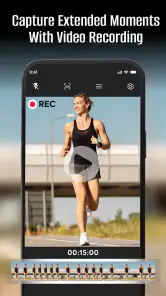
For video, I’d use the same practical judgment: decide whether I want a stylized look before recording, then keep the camera steady and check the result afterward. A preview can help me settle on a visual direction, but it cannot make shaky framing or difficult lighting disappear. If I need a carefully edited finished video, a dedicated video workflow is a better choice than expecting a camera app to handle every stage.
User Experience
I’ve always felt that a good app should feel like an extension of yourself, and FotoCam: HD Camera nails it. The controls are intuitive, and you don’t need a degree in photography to figure things out. The app also loads quickly, which is a blessing when you’re trying to capture fleeting moments. There’s nothing worse than missing a shot because your app took forever to open!
For someone moving between selfies and ordinary photos, ease of use is more than a pleasant extra. It can make the difference between trying a filter when there is time and abandoning the idea because it takes too much effort. I would still keep expectations practical: a quick camera is helpful for spontaneous moments, while a planned portrait or difficult scene deserves a little more care than simply opening an app and tapping the shutter.
Another thing worth mentioning is the editing tools. They’re quite comprehensive, offering everything from cropping and rotating to adjusting brightness and contrast. It’s like having a mini Photoshop in your pocket, which is a lifesaver for photo enthusiasts like me.
I’d use those adjustments for small corrections rather than a full retouching session. Cropping can remove an edge that distracts from a subject, and a modest brightness change can make a flat image easier to view. A useful order is to crop first, then adjust brightness and contrast while checking that the picture still looks believable. If I keep pushing the sliders to rescue a weak capture, I’d go back to the original and consider taking another photo instead.
Where it fits—and where it doesn’t
I’d recommend it to someone who enjoys taking selfies, experimenting with a filtered look, or making modest edits before sharing a photo. The combination of capture and basic adjustments can keep a casual workflow in one place: take the picture, crop away a distracting edge, and tweak brightness or contrast if the scene looks flat. For a more considered result, I’d still keep the original photo and compare it with the edited version before deciding which one to share.
That audience includes people who want a little more creative choice than a plain point-and-shoot routine, but do not want to learn a complex editing process. It may also suit someone who shares informal photos and prefers to decide on a look while composing the image. I’d skip it if I rarely use filters, already like the results from my default camera, or need a workflow built around careful manual adjustments and detailed finishing.
It is less compelling for people who want precise manual control, a professional editing workspace, or a guaranteed improvement over the phone’s own camera. A dedicated camera app may be a better fit when exposure and focus choices are central to the job; a specialist editor may suit someone who needs a deeper retouching process. FotoCam’s strengths are convenience and accessible creative options, not a reason to expect every difficult scene to turn out perfectly.
It is also not the choice I’d make when color accuracy and consistency are the main priorities. Filters are creative choices, and that is precisely why they can be a poor fit for documenting something where the natural appearance matters. For that kind of picture, I’d start with the least stylized capture available and make only restrained corrections afterward. Likewise, if I need to repeat the same settings across a series, I’d favor a camera tool whose controls suit that specific task.
FotoCam is a free photography app from Horoscope Astro Lab Guru. It is rated for Everyone, has an average rating of 3.9 from around 2.5 thousand ratings, and has been installed over a million times. It was released on April 17, 2025, and version 2.9 supports Android 8.0 and later. Those details make it easy to place in the casual camera-app space, though the right choice still depends on whether its approach matches your habits.
For an Android user considering a try, the practical question is whether the phone runs Android 8.0 or later and whether a separate camera app would serve a real purpose in their routine. The app is free, so trying its style of capture need not mean paying for it, but I would still judge it by the actual pictures I take rather than by its popularity. The average rating and install count offer context, not a promise that its filters or workflow will suit every person.
Final Thoughts
So, what’s the verdict? If you’re on the hunt for a camera app that’s user-friendly yet packed with features, FotoCam: HD Camera is definitely worth checking out. It’s like having a little piece of professional photography equipment with you at all times. Plus, with the constant updates and improvements, it feels like the developers genuinely care about our experience.
In a world where capturing moments has become second nature, having the right tool makes all the difference. FotoCam is that tool for me, and I wouldn’t hesitate to recommend it to any fellow photography lover out there. Happy shooting!
My recommendation is specific: give it a try if you want an approachable way to capture and lightly shape everyday photos, particularly selfies, and you enjoy seeing an effect before taking the shot. If your priority is dependable control in demanding conditions or extensive editing, stick with the camera and editing tools that already meet those needs. For casual use, FotoCam’s appeal is the low-friction path from framing a moment to choosing a look; I’d judge it by whether that makes taking the pictures I actually want easier.
FotoCam: HD Camera Frequently Asked Questions
Is FotoCam: HD Camera free to download?
FotoCam: HD Camera is free to download, so you can try its photography tools without paying upfront. The app is listed for everyone and is designed for capturing photos and videos, including selfies with HD filters. Before using it, check the app’s purchase screen and store page so you understand any payment choices that may appear and can decide what suits your needs.
Who develops FotoCam: HD Camera, and what is it mainly used for?
FotoCam: HD Camera is a photography app developed by Horoscope Astro Lab Guru. Its short description is simply “FotoCam,” while its main purpose is to help users capture photos and videos with camera features and HD selfie filters. If you are looking for a dedicated photography app rather than a general social platform, its focus on taking and enhancing images may be relevant to your choice.
What are the key features of FotoCam: HD Camera?
FotoCam: HD Camera offers a range of impressive features designed to enhance your photography experience. It includes manual controls for adjusting exposure, focus, and white balance, enabling users to capture high-quality images in various lighting conditions. Additionally, it provides numerous filters and editing tools, allowing users to personalize their photos directly within the app. The app also supports high-resolution video recording and includes features like burst mode and panorama for capturing wide-angle shots.
Is FotoCam: HD Camera suitable for professional photographers?
Yes, FotoCam: HD Camera caters to both amateur and professional photographers. With its advanced manual settings, professionals can fine-tune every aspect of their shot, from ISO to shutter speed. The app's high-resolution capabilities and detailed editing tools make it a viable option for those who need precise control over their photography. However, professional photographers might still prefer dedicated DSLR cameras for more complex tasks.
Does FotoCam: HD Camera have any in-app purchases or subscriptions?
FotoCam: HD Camera offers a free version with basic features, but to access more advanced functionalities, users can opt for in-app purchases. These purchases may include additional filters, editing tools, or ad-free experiences. There's also a subscription model available for users who want to unlock all features and receive regular updates and new content. It's advisable to review the purchase options within the app to understand the full range of available features.
Pros
- High-resolution photo capture
- User-friendly interface
- Multiple shooting modes
- Fast shutter speed
- Customizable settings
Cons
- Limited free features
- In-app ads
- Requires significant storage
- Occasional crashes
- No RAW format support
- Category
- Photography
- Version
- 2.9











