Fonts - Logo Maker
- 3.79K
- 4.7
- Installs
- 5.00M
- Price
- Free

Screenshots
Analysis by Reviewed
Have you ever felt the urge to design your own logo or maybe just play around with fonts for your social media posts? Well, you're in luck because I've stumbled upon an app that might just be the creative tool you need. Meet Fonts - Logo Maker, a nifty app that lets you unleash your inner designer without breaking a sweat. Let me take you through my experience with it.
Getting Started: First Impressions
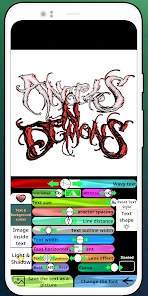
Opening the app for the first time, I was greeted with a clean and intuitive interface. It's one of those apps where everything feels like it’s in the right place. The home screen offers a variety of options, from selecting different fonts to choosing templates for logos, and even customizing them to your heart’s content. There’s a certain satisfaction in knowing that you don’t need to be a professional to create something that looks professional.
Features That Stand Out
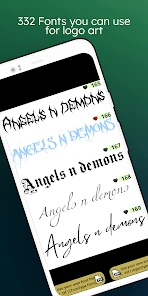
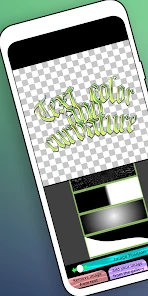
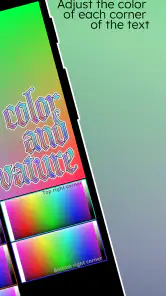
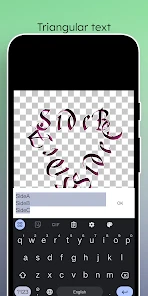
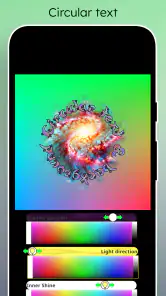
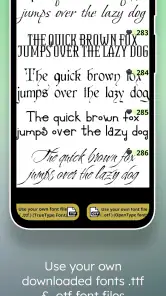
The app boasts a comprehensive collection of fonts that cater to every style imaginable. Whether you're into sleek modern typography or a more classic serif look, Fonts - Logo Maker has got you covered. The ability to customize each font, adjusting size, color, and even adding effects, is where the magic truly happens. It’s like having a mini design studio right in your pocket.
But it doesn’t stop there. The logo creation tool is another highlight. With plenty of templates to choose from, you can craft logos for businesses, social media pages, or personal projects in no time. The drag-and-drop functionality makes it all the more convenient, allowing for quick adjustments and tweaks.
Usability and Performance
One aspect I particularly appreciated was the app’s performance. No lags, no crashes, just smooth sailing as I navigated through different features. The developers have clearly put in the effort to ensure a seamless experience for users. Plus, the app doesn’t hog much data, which is always a bonus, especially when you’re on a limited data plan.
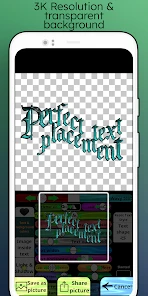
The user-friendly interface extends to the export options as well. Whether you need a high-resolution image or a simple PNG, exporting your creations is a breeze. You can directly share your designs on social media or save them to your device, making it perfect for on-the-go editing and sharing.
Final Thoughts: Is It Worth It?
In a world where branding and aesthetics play a crucial role, having a tool like Fonts - Logo Maker can be incredibly valuable. It’s not just about creating logos or playing with fonts; it’s about having the freedom to express your creativity without limitations. Whether you’re a budding entrepreneur or just someone who loves to tinker with designs, this app is definitely worth a try.
So, if you’re looking to spice up your brand’s look or simply want to experiment with some cool designs, give Fonts - Logo Maker a whirl. Who knows, you might just discover a hidden talent for design!
Pros
- Easy to use interface
- Wide variety of fonts
- Customizable logo options
- Fast export feature
- Supports vector graphics
Cons
- Limited free version
- Ads in free version
- Occasional crashes
- In-app purchases needed
- No offline mode
- Category
- Art & Design
- Version
- 3.2.1











