Flickr
- 2.40K
- 3.3
- Installs
- 1.00M
- Price
- Free

Screenshots
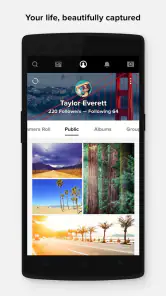
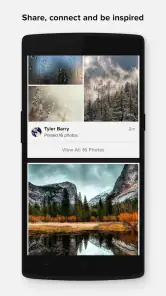
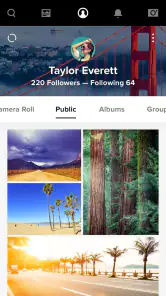
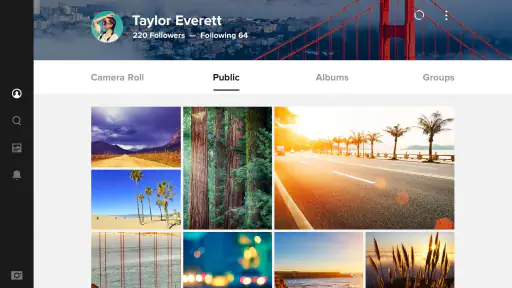
Analysis by Reviewed
Flickr sits in an interesting space between a phone gallery, a photo backup service, and a community built around sharing images. I approached it as a daily photography tool rather than just a place to browse pictures, and that distinction matters. The app is made by Flickr, Inc., belongs to the photography category, and is free to install, with optional purchases listed from $9.99 to $82.00 per item. Its main appeal is giving your photos a more deliberate home than the camera roll, but it asks you to develop a consistent way of organizing and sharing.
My first impression was that Flickr makes more sense when you already care about your pictures. If you only want automatic phone backup or quick social posting, a standard gallery app or a mainstream social network may feel more immediate. If you want to keep albums, add context, revisit older work, and show images to people who appreciate photography, this app becomes much more useful. It rewards a repeatable photo habit rather than occasional browsing.
How I built a practical Flickr workflow
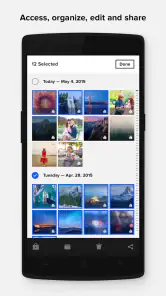
I found the smoothest approach was to treat each upload as the beginning of a small filing system. Instead of sending every image into one undifferentiated stream, I grouped photos by a trip, project, event, or visual theme. That simple decision made the app easier to return to later, especially when I wanted to find a particular image without scrolling endlessly through recent uploads.
For a normal day, my workflow was straightforward: select the strongest images, upload them, check how they look, then place them into an album or collection that reflects their purpose. I avoided uploading every near-duplicate. That took a little more judgment at the start, but it made the account feel like a curated library rather than a second camera roll.
The editing side is useful for making a picture presentable before sharing, but I would not treat it as a replacement for a dedicated professional editor. I prefer to do serious exposure, color, and retouching work elsewhere, then use Flickr as the place where the finished image is organized and shown. This keeps the app focused on its strongest role: managing and presenting photographs.
A realistic example is a weekend city walk. I might capture dozens of frames, keep only the images with different compositions, make small corrections in an editing tool, and then upload the final selection to an album named for the walk. Later, I can share that focused set instead of sending friends a long sequence of similar shots. That is a small habit, but it changes how useful the service feels over time.
Organizing photos so they remain findable
Albums work best when they answer a question. “Spring trip” is useful because it describes an event, while “black and white” describes a visual treatment. I found it helpful to use albums for complete sets and rely on descriptive titles or tags for details that cut across several sets. A single street portrait might belong to a location album while also being easy to identify by its subject or style.
I would not create a new album for every handful of images. Too many small containers make browsing almost as frustrating as having no organization. My preference is to wait until a group has a clear identity. This is especially important for people who photograph frequently; the time saved during upload can otherwise be lost later while cleaning up a cluttered library.
There is also a presentation benefit. A carefully selected album gives viewers a beginning, middle, and end, even if the images were taken at different moments. That makes Flickr more suitable for sharing a project, a family occasion, or a travel record than simply posting isolated pictures one after another.
What I check before sharing
Before sharing an image, I look at the crop, brightness, and overall context on the phone screen. A photo that looked fine in the camera app can feel too dark or too tightly framed after upload. I also check the title and album placement, because a good image becomes harder to appreciate when it is surrounded by unrelated files or described with an unhelpful name.
I am also careful about audience. A personal photo archive and a public photography portfolio do not need the same selection. Flickr’s Mature 17+ content rating is a reminder that the platform is not positioned as a child-focused gallery. I would think about who may see an image before uploading it, particularly when photographs include other people, private locations, or identifiable details.
Settings and habits worth checking
The most useful settings are the ones that reduce future cleanup. I recommend reviewing upload behavior before importing a large batch, especially if your phone contains screenshots, casual snapshots, or work images that do not belong in a public-facing photography account. A selective upload habit gives you more control than treating the app as an automatic dump.
I also pay attention to how much editing I do inside the app. Quick corrections are convenient, but I prefer to keep an original version elsewhere when an image matters. That is not a criticism of Flickr specifically; it is a sensible practice whenever a mobile editor is part of a larger workflow. If I experiment heavily with a picture, I want the option to return to the untouched file.
Notifications are another area where restraint helps. A photography community can become distracting if every interaction interrupts the day. I would keep alerts that help me respond to meaningful activity and turn down anything that encourages constant checking. Flickr is more enjoyable when I open it to review photographs, not because the phone repeatedly demands attention.
The app runs on Android 7.0 and later, which makes it accessible on a broad range of devices. Still, the experience will depend on the age of the phone, available storage, screen quality, and connection speed. Large photo libraries are naturally more comfortable on a modern device, while older hardware may make selecting, editing, or browsing a substantial collection feel less immediate.
Flickr’s current version is 5.0.2. I would keep it updated through the normal app store process, but I would not assume that an update removes the need for a good filing system. Version changes can improve reliability or presentation, yet the biggest improvement in my experience came from deciding what to upload and how to label it.
Making uploads faster without losing control
Experienced use is less about discovering a secret button and more about removing repeated decisions. I prepare a group before opening the upload screen, reject obvious duplicates first, and decide the album destination in advance. That turns uploading into a short routine rather than a long session of sorting while distracted.
For recurring projects, I use the same naming logic each time. A consistent pattern might include the subject and occasion, with extra detail added only when it helps. The exact wording is personal, but consistency matters more than cleverness. Months later, familiar labels are easier to understand than a collection of vague titles created in a hurry.
I also separate “archive” uploads from “showcase” uploads in my thinking. An archive can contain useful reference images, while a showcase should be selective. Mixing both without a plan can weaken the visual impact of an album and make it harder for viewers to understand what I wanted them to notice.
Another useful pattern is to review older albums occasionally instead of waiting for the library to become overwhelming. I remove weak duplicates, improve titles, and check whether an old set still represents the story I intended. This is not glamorous work, but it makes the account more valuable as a long-term photography record.
Where Flickr compares well with familiar alternatives
Compared with a basic phone gallery, Flickr is better suited to deliberate sharing and photography-oriented organization. A gallery is usually excellent for fast access to recent images, but it does not necessarily encourage you to present a coherent set to other people. Flickr gives the collection a more public, portfolio-like character.
Compared with a fast social feed, Flickr feels less dependent on immediate attention. A social network is often better for quick reactions, casual updates, and staying in touch with a broad circle. Flickr makes more sense when the photograph itself should remain the focus and when albums or longer-term discovery matter more than a rapidly moving timeline.
Compared with a dedicated cloud backup tool, I would be careful about expecting the same priorities. Backup services are designed around keeping copies safe and accessible, while Flickr is also concerned with presentation and community. I would use it as part of a broader photo routine rather than assuming that one service should be the only place an important image exists.
That difference explains both its strength and its weakness. Flickr feels more meaningful than a storage folder when I want to show work, but it requires more thought than an automatic backup system. People who want everything handled silently may find that extra involvement inconvenient.
Advanced limits that affect the decision
The average rating is 3.3 from around 34 thousand ratings, with roughly 2.4 thousand written reviews. I read that as a sign that the experience is useful but not universally smooth. My own view is similar: the app has a clear identity, yet it is not the simplest answer for every photography problem.
Its scale is substantial, with over one million installs, but popularity does not remove the need to understand the workflow. A large community can make the service feel alive, while the broader audience also means that a casual upload may disappear among many other images. If your goal is discovery, strong selection and clear presentation matter more than simply posting often.
The free entry point is welcome, but optional purchases can change the long-term calculation. I would start with the free experience and decide whether the organization and sharing tools fit my routine before spending money. The listed purchase range, from $9.99 to $82.00 per item, is wide enough that a potential subscriber should examine exactly which plan or feature is being offered rather than assuming every user needs the same upgrade.
I would also skip Flickr if my main requirement is effortless, invisible backup of every phone photo. The app can be part of a backup strategy, but my preferred approach for irreplaceable images is to keep another copy in a separate location. That protects against mistakes, account problems, or simple confusion about whether a picture was actually uploaded.
Likewise, people who mainly want advanced editing layers, detailed masking, or a full desktop-style retouching workflow should choose a specialist editor first. Flickr’s editing tools are useful in context, but the app’s value comes from what happens around the edit: selecting, organizing, and sharing the finished photograph.
Privacy and consent deserve practical attention. I would avoid uploading someone else’s private image without permission, and I would check each album’s intended audience before sharing. The convenience of posting from a phone can make these decisions feel too quick. A short pause before upload is worthwhile when a picture includes personal information or other people.
Questions I would answer before installing
If you are wondering whether Flickr is only for professional photographers, my answer is no. I think it works for anyone who wants to treat personal photography with more care, including travelers, hobbyists, families, and people documenting a long-term project. You do not need expensive equipment; the main benefit comes from being selective and organized.
If you are asking whether it can replace your phone’s gallery, I would say it should not be viewed that way. The gallery remains the fastest place to find a recent picture or browse local files. Flickr becomes valuable when you want a separate collection built around albums, presentation, and sharing.
If you are unsure whether editing happens inside the app or elsewhere, the practical answer is that both approaches can work. I use the built-in editing for quick improvements and another tool when the photograph needs careful treatment. Keeping those roles separate prevents disappointment and gives me more control over important images.
If you are deciding whether to pay, I would first upload a small, representative set and test your own habits. Can you find the images later? Do the albums make sense? Do you actually want the community and presentation features? If the answer is yes, an optional purchase may be easier to justify than paying immediately based only on the promise of extra capacity or tools.
Finally, if you are concerned about the age rating, the app is marked Mature 17+. I would take that seriously when choosing it for a younger user or when sharing images with a mixed-age audience. It is not a reason for every adult to avoid the app, but it is part of deciding whether the platform fits the people who will use or view it.
My verdict after using it as a photo habit
Flickr is strongest when you want your photographs to become a considered collection, not merely a pile of files. I like the way it encourages albums, selection, and a more patient form of sharing. The app feels especially appropriate for someone who photographs trips, creative projects, portraits, or everyday scenes and wants to revisit those images with some structure.
My recommendation comes with conditions. Start by choosing a small set of good images, create albums with a clear purpose, and keep another copy of anything important. Use the app’s editing for quick finishing touches, but do not expect it to replace a specialist editor. Most importantly, build a routine that separates private archive material from public showcase work.
For me, the best result came from combining simple settings with repeatable decisions: selective uploads, consistent titles, sensible albums, occasional library cleanup, and a pause before sharing. None of those habits is flashy, but together they make the service much easier to live with.
Flickr is a good choice for photographers who value organization and presentation more than instant social reactions. I would recommend it to a friend who wants a photography-centered home for finished work and is willing to participate in the process. I would point someone seeking automatic backup, intensive editing, or effortless social posting toward a different tool. For the right user, though, this free photography app offers a thoughtful middle ground between a phone gallery and a fast-moving social feed.
Pros
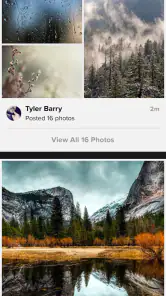
- Excellent photo discovery through communities
- groups
- and curated feeds.
- Supports high-resolution uploads and preserves detailed image quality.
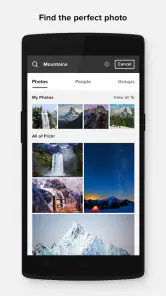
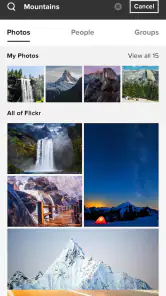
- Powerful search tools make finding specific photos and photographers easy.
- Useful metadata can include camera details
- locations
- and shooting settings.
- Web and mobile access keep your photo library available across devices.
Cons
- Free accounts have limited storage and may require careful library management.
- Some advanced organization and viewing features require a paid plan.
- The interface can feel crowded for users who prefer a simple gallery app.
- Public sharing settings require attention to avoid exposing personal photographs.
- Activity and community features may feel overwhelming for occasional users.

- Category
- Photography
- Version
- 5.0.2











