Figma: view. comment. mirror.
- 370.00
- 4.4
- Installs
- 5.00M
- Price
- Free

Screenshots





Analysis by Reviewed
Ever found yourself in the middle of a design brainstorm and wished you could just view, comment, and mirror your ideas instantly with your team? Well, let me introduce you to Figma: view. comment. mirror. If you're in the design world, you probably know Figma as a powerhouse, but this app takes it up a notch by enabling collaborative workflows on-the-go.
Design Collaboration Made Easy
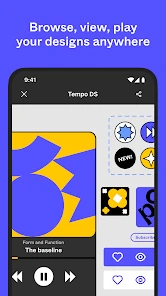
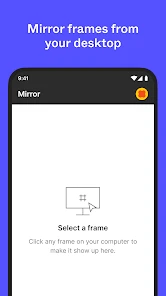
Imagine being able to mirror your designs directly on your mobile device. That's right, no more digging around for your laptop during a meeting or when inspiration strikes at a coffee shop. With Figma: view. comment. mirror., you can see your changes in real time, ensuring that your designs are always up to date and ready for review. This is particularly handy for those spontaneous design reviews or when you need to showcase your progress to clients.
Interactive Feedback
One of the features I love most is the ability to leave comments directly on the design. It’s like having a sticky note feature but digital and way more organized. You can tag team members and ensure your feedback is seen by the right people at the right time. This makes the whole design process not only interactive but also very efficient. No more back-and-forth emails that clutter your inbox!
Stay Connected and Updated
The app ensures you’re always connected with your team’s progress. Whether you’re on a break or traveling, you can keep tabs on the project’s development. This is a game-changer for freelancers and remote teams who might be working from different parts of the world. It’s like having your entire design studio in your pocket.
Plus, the app’s interface is clean and intuitive, which means you spend less time figuring out how to use it and more time creating stunning designs. It integrates seamlessly with the desktop version, so there’s a smooth transition between devices.
Final Thoughts
If you’re someone who thrives on collaboration and needs a tool that can keep up with your dynamic workflow, then Figma: view. comment. mirror. is definitely worth checking out. It brings your designs to life, literally at your fingertips, and ensures that you’re always in the loop. So why not give it a try? Your creative process will thank you.
Pros
- User-friendly interface for easy navigation
- Real-time collaboration enhances teamwork
- Cross-platform availability boosts accessibility
- Supports a wide range of design formats
- Frequent updates with new features
Cons
- Requires a stable internet connection
- Limited offline functionality
- Can be resource-intensive on older devices
- Some advanced features require a subscription
- Learning curve for beginners

- Category
- Art & Design
- Version
- 25.45.0











