Evoto-AI Photo Editor&Retouch
- 33.00
- 4.8
- Installs
- 100.00K
- Price
- Free

Screenshots
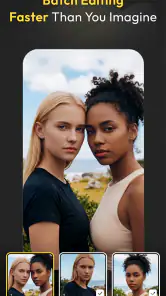
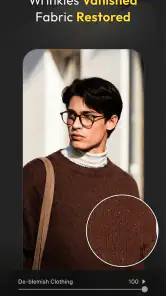
Analysis by Reviewed
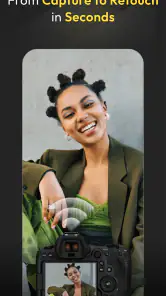
I opened Evoto-AI Photo Editor&Retouch with a very ordinary problem: I had a group of portraits that looked acceptable straight from the camera but needed different levels of cleanup before I could share them. Some faces needed a light touch, one background was distracting, and the colors did not look consistent from image to image. That is exactly the kind of situation where an AI photo editor can either save time or create more work. In my experience, Evoto is most interesting when it is treated as part of a complete editing workflow rather than as a one-tap filter app.
Developed by TRUESIGHT PTE. LTD., this free photography app combines portrait retouching, background removal, color adjustments, and batch editing in one place. It is rated for Everyone, works on devices running Android 9 or later, and the current version is 3.2.1. The app has built a strong audience, with a 4.8 average from roughly 1.6 thousand ratings and more than 100 thousand installs. Those figures suggest that the basic experience is landing well with users, although the real question is whether its workflow suits the way you handle photos.
From an untidy camera roll to a finished set
Choosing the right starting material
The first useful decision is not inside the editor at all: it is deciding which images deserve the same treatment. Evoto is better suited to a small collection of related portraits than to a completely random camera roll. If I select photographs with similar lighting, framing, and subject distance, the editing process feels much more coherent. A bright outdoor portrait and a dim indoor snapshot may both contain a face, but they do not necessarily need the same adjustments.
This matters because AI editing is good at identifying common visual elements, but it does not replace judgment about the purpose of the image. A profile picture, a family photograph, a product shot with a person in it, and a social post each need a different level of restraint. Before making changes, I would separate those jobs into groups. That simple preparation prevents the batch tools from applying a look that works on one photo but feels artificial on another.
For a casual user, the starting condition might be a handful of vacation portraits that need brighter color and a cleaner background. For a freelancer, it could be a folder of headshots that must look consistent. For a small business owner, the goal may be to remove a distracting setting without making the subject look cut out. Evoto can address all three situations, but the expected finish should be decided before touching the sliders.
Importing and inspecting the image
Once an image is selected, I recommend inspecting it at a comfortable size before applying a strong effect. Portrait retouching can look attractive when viewed small and become obvious when the image is enlarged. I pay particular attention to hair edges, glasses, earrings, loose clothing, and the transition between skin and background. These are the places where an automated selection or correction is most likely to need a human check.
The app’s appeal is that it brings several tasks into the same workflow. Instead of moving from a retouching app to a background-removal tool and then into a separate color editor, I can keep the main job together. That reduces the number of exports and reimports, which is more important than it sounds. Every handoff between apps creates another chance to lose the original, flatten an adjustment, or forget which version is the latest.
I would still keep an untouched copy of the original before experimenting. This is not because Evoto is unusually risky; it is simply good practice whenever an editor can make several changes at once. A clean original gives me an easy reference and makes it much easier to recognize when a correction has gone too far.
Retouching without losing the person
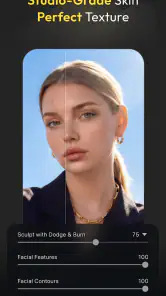
The portrait tools are most useful when I treat them as cleanup rather than reconstruction. Small distractions, uneven tones, and minor imperfections can often be reduced while leaving the subject recognizable. My preferred approach is to begin gently, inspect the eyes and mouth, and then compare the result with the original. If the face starts to look unusually smooth or flat, the correct move is to reduce the effect rather than add another adjustment to compensate.
A practical trick is to judge the image at two scales. At a smaller view, I ask whether the portrait feels balanced and natural. At a closer view, I look for texture that has disappeared, edges that have become soft, or details that appear repeated. This two-stage check is especially useful for people who want a polished professional image but do not want the familiar plastic appearance associated with aggressive beauty filters.
For a quick social post, a stronger edit may be acceptable if the picture will be viewed briefly on a phone. For a printed portrait or a professional profile, subtlety matters more. Evoto is not a substitute for careful photographic judgment, and its convenience can encourage over-editing if I accept the first attractive preview without checking the details.
Cleaning the background while protecting the subject
Background removal is another point where the workflow benefits from patience. A plain wall, a clean sky, or a clearly separated subject is an easy starting case. Hair, transparent objects, plants, and areas with similar colors are more demanding. I would not assume that a convincing first preview means every edge is perfect, especially if the cutout will be placed over a contrasting background.
The best use I found for this kind of tool is not always a dramatic replacement. Sometimes simply removing a cluttered setting and leaving a calmer background produces a more believable result. A portrait taken in a busy room can become much more useful for a profile, invitation, or small business page after the visual noise is reduced. The trade-off is that an overly clean replacement can also make the image feel less connected to the original moment.
When the background is important to the story, I would use the editor more conservatively. A travel photograph, for example, may lose its meaning if the location disappears completely. In that case, color and distraction control are more appropriate than total removal. This is one of the situations where a traditional editor with a manual selection tool may offer better control than an automated workflow.
Using color changes as a finishing stage
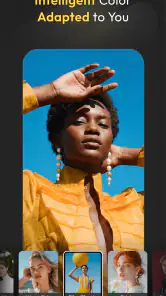
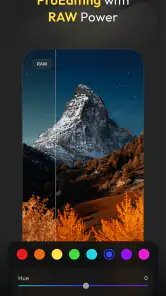
Color filters are most effective after the portrait and background decisions are settled. If I apply a strong style first, it can hide problems in skin tone, edge quality, or exposure. I prefer to establish a natural base, then test a few looks and compare them with the original. A filter should support the subject and the intended mood, not become the most noticeable part of the photograph.
Consistency is the bigger advantage when working with several related images. A set of portraits can feel disorganized when each photograph has a different warmth or contrast level. Applying a restrained color direction across the group makes the final collection look more deliberate. However, batch consistency should not mean identical treatment in every case. Images taken under different light may need small individual corrections before a shared style makes sense.
This is also where Evoto’s batch-editing focus becomes practical. I can establish a look on one representative image, review it carefully, and then use that direction for the rest of a matching group. I would not apply it blindly to every file in a folder. A batch process saves time only when the source images are genuinely similar; otherwise, checking and repairing exceptions can erase the time saved at the beginning.
Managing the handoffs between people and tools
A realistic editing job rarely ends with the person who makes the first adjustment. I might prepare portraits for a colleague, send cleaned images to a client, or create a set that another app will use for a post. That makes handoff discipline important. I would name or organize the finished files clearly, keep the original separate, and inspect a sample from the beginning, middle, and end of a batch before passing everything along.
For a small business workflow, the handoff could look like this: select a consistent group of staff portraits, retouch lightly, remove distracting backgrounds where appropriate, apply a restrained color direction, and then review the set as a whole. The person receiving the images should not have to guess which files are final or whether different versions contain different levels of retouching. Evoto helps by concentrating the visual work, but organization around the app still depends on the user.
I would also be careful when moving edited images into a messaging app or social platform. Those services may resize or recompress photographs, so the final appearance can differ from what I saw in the editor. For important images, I would inspect the exported result itself rather than assuming the preview represents the exact file that another person will receive.
What the finished result is good at
The strongest outcome is a faster path to a coherent, presentable set of portraits. Evoto is particularly helpful when the input images are already reasonably good and need several moderate improvements: a cleaner face, a less distracting background, and a more unified color direction. Combining those steps in one photography app is more convenient than collecting separate specialist tools for each task.
It is also approachable for someone who does not want to learn a full desktop editor. Traditional alternatives can provide deeper manual control, but they often require more knowledge about selections, masks, layers, and color correction. Evoto’s AI-led approach lowers that entry barrier. I can spend more time deciding what the image should communicate and less time learning how to isolate every individual element from scratch.
That convenience has a clear limit. If I need pixel-level control, complex compositing, detailed restoration, or a carefully matched commercial color grade, a more manual editor remains the better choice. Evoto is a practical middle ground: more capable than a basic filter app, but not something I would choose for every demanding retouching assignment.
Where the workflow starts to break
The first friction point is the gap between an attractive automated result and a genuinely finished image. AI can make a portrait look improved in seconds, but it may not understand why a particular detail matters. A distinctive skin mark, a small object in the background, or a strand of hair may be part of the image’s character rather than a defect. Reviewing the result is essential.
The second issue is the temptation to process too much at once. Batch editing is efficient with a controlled set, but a mixed folder can produce inconsistent faces, backgrounds, and colors. I would rather divide a large project into smaller visual groups than apply one broad treatment and spend the rest of the session correcting exceptions. This is a less obvious but important trade-off: the app can accelerate repetition, not eliminate the need for sorting.
There is also a financial consideration. The app is free to install, while in-app purchases range from $3.69 to $89.99 per item. That makes it easy to try the workflow without paying at the start, but anyone planning regular or professional use should examine the purchase prompts carefully and decide whether the available editing path fits their budget. A free entry point is useful; it does not automatically make every advanced workflow cost-free.
Device compatibility is another practical checkpoint. Since the minimum requirement is Android 9, owners of older Android phones should check compatibility before planning a project around the app. On a supported device, I would still expect larger image batches and detailed portraits to demand more patience than a single quick filter, particularly when the workflow includes several stages and repeated previews.
Who should use it, and who should choose something else
I would recommend Evoto to people who regularly prepare portraits for social profiles, small business pages, invitations, personal portfolios, or family collections. It is especially appealing if the main frustration is switching between separate apps for skin cleanup, background work, color styling, and repeated edits. Beginners can get a polished starting point without immediately learning the full vocabulary of professional photo editing.
I would be more cautious about recommending it to photographers who need complete manual control over every mask and adjustment. The same automation that saves time can feel restrictive when the desired result depends on a very specific edge, texture, or color relationship. I would also skip it for anyone who enjoys a purely manual editing process or who wants a simple camera filter with almost no decisions after capture.
Compared with a basic mobile filter editor, Evoto offers a broader portrait-centered workflow and more useful tools for preparing a group of images. Compared with a full desktop editor, it is easier to approach but less suited to intricate, precision-heavy work. That middle position is its real identity, and understanding it prevents disappointment: this is not merely a decorative filter collection, yet it is not a replacement for every professional editing suite.
My practical recommendation after using the full workflow
I would start with a small, representative set rather than importing an entire camera roll. Pick one image with a clear face, one with a difficult background, and one that is already close to finished. Test the retouching, background treatment, and color direction on those examples first. If the results look natural at both normal viewing size and close inspection, continue with the matching group.
For the most reliable outcome, I would follow this order: preserve the original, sort similar images together, correct the portrait lightly, inspect background edges, establish color, apply batch changes only to comparable files, and review the exported set before sharing it. This order avoids using color to disguise retouching problems and avoids discovering batch inconsistencies after the files have already been handed off.
My final view is positive, with a clear condition: Evoto works best when I use its automation as a first pass and keep responsibility for the final decision. The combination of portrait retouching, background removal, filters, and batch editing makes it a useful photography companion for everyday image preparation. It is free to begin, carries an Everyone age rating, and has earned a 4.8 average from around 1.6 thousand ratings, which matches my impression that the central workflow is approachable and effective.
The real strength is not a single dramatic effect; it is the shorter path from a messy group of portraits to a consistent set that is ready to share. If you are willing to inspect edges, moderate the retouching, and separate similar images before batch editing, I think Evoto is worth trying. If your work depends on exact manual selections or highly controlled professional finishing, I would use it as a convenient preparation tool at most and keep a more precise editor for the final stage.
Pros
- AI retouching produces polished portraits with minimal manual editing.
- Includes tools for skin
- face
- body
- hair
- and background adjustments.
- Batch editing helps apply a consistent look to multiple photos.
- Presets and filters make it easy to create a unified visual style.
- Supports detailed edits while keeping the interface relatively accessible.
Cons
- Some advanced AI tools require a subscription or paid credits.
- Processing can be slow with high-resolution images or complex edits.
- Results may look unnatural when enhancement strength is set too high.
- Certain features depend on uploading photos for cloud-based processing.
- Export options and image quality may vary depending on the selected plan.

- Category
- Photography
- Version
- 3.2.1











