Doodle Master - Glow Art
- 5.28K
- 4.7
- Installs
- 10.00M
- Price
- Free
Screenshots
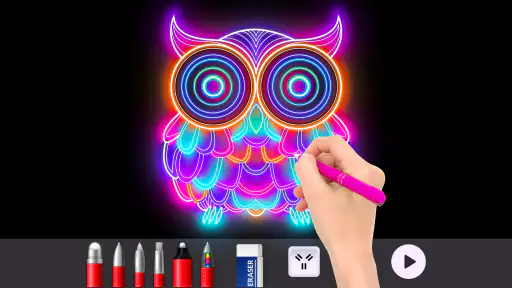
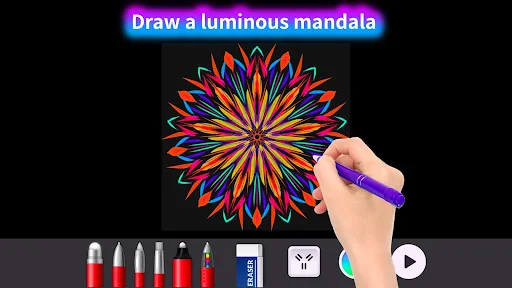
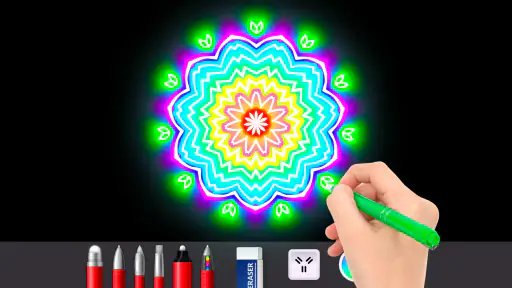
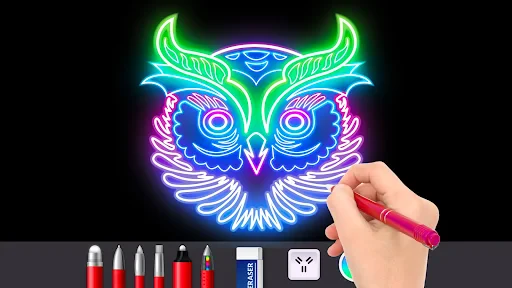
Analysis by Reviewed
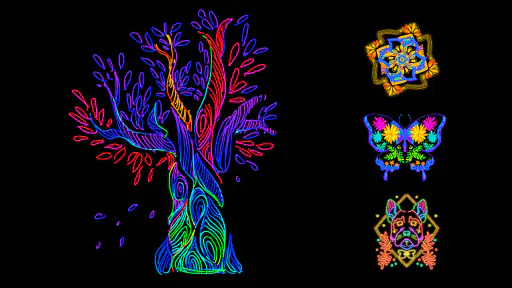
I usually judge a drawing app by how quickly I can get from opening it to making something satisfying. Doodle Master - Glow Art is built around a simple idea: draw with luminous-looking colors and enjoy the contrast against a dark canvas. It feels more like a playful digital sketchpad than a serious art workstation, which is exactly why I’d reach for it when I want a low-pressure creative break rather than a polished illustration project.
Quick to start, best for spontaneous sketches
The appeal is that the glow effect gives even a basic doodle a clear visual identity. I can imagine opening it while waiting for a friend or during a quiet moment at home, choosing a color, and making a few loose shapes without planning a finished piece. That short-session rhythm suits the app better than approaching it with a detailed drawing already in mind. A useful tip is to begin with a simple outline, then add only a few accent strokes; the bright treatment can make a compact idea feel more deliberate than a crowded page.
It is also a comfortable choice for someone who does not think of themselves as an artist. There is no need to learn a complicated illustration workflow before making something expressive. The trade-off is that people who want precise control, layered compositions, or a professional toolset may find a dedicated drawing app more suitable. I would treat this as a place to experiment, not as a replacement for a full digital art program.
Igniting Creativity with a Glow
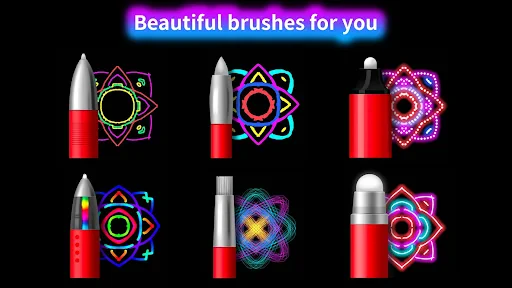
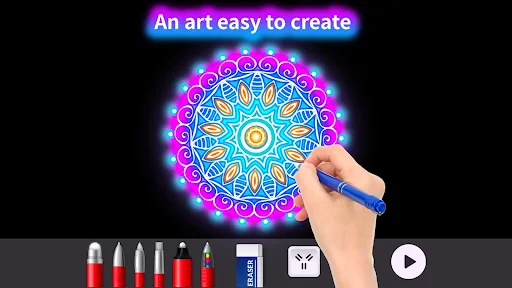
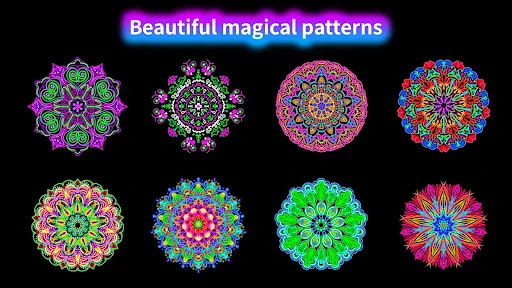
The first thing you’ll notice about Doodle Master - Glow Art is its vibrant, glow-in-the-dark aesthetic. It’s like stepping into a neon wonderland where your creativity can truly shine. The app offers a variety of brushes and colors that mimic the effect of glow sticks, making each stroke pop out brilliantly on your screen. Whether you’re a seasoned artist or just love doodling, the intuitive interface is designed for users of all skill levels to jump right in and start creating.
User-Friendly Features
One of the aspects I appreciate the most is how user-friendly the app is. The drag-and-drop functionality lets you pick your colors and brushes easily, and the undo button is a lifesaver for those of us who might get a little over-enthusiastic with our designs. Plus, the app’s smooth performance ensures that there’s no lag, which is crucial when you’re in the middle of crafting your masterpiece.
For a more satisfying result, I’d make a rough plan before filling the screen: a small motif, a name, or a repeating border is easier to manage than trying to rescue a busy drawing afterward. Undo is handy, but it works best as a correction tool rather than a substitute for pacing your strokes. If a child is using the app, that same forgiving flow makes experimentation less frustrating; the Everyone age rating is reassuring for families choosing an art activity, though adults may still want to supervise shared-device use as they normally would.
Another cool feature is the app’s ability to let you share your creations effortlessly. With just a tap, you can showcase your glowing artwork on social media, impressing friends and followers alike. There’s even an option to save your doodles to your device, making it easy to revisit past creations or use them as digital wallpapers.
You May Like

Clash of Clans Is Won Between the Battles

Android Auto Makes the Case for Quieter Car Software

MobiOffice: Transforming Mobile Productivity with Seamless Integration

EA SPORTS FC™ Mobile Soccer: Redefining Mobile Sports Gaming

How Microsoft OneDrive Became a Mobile Productivity Giant

How Google Translate Breaks Language Barriers Effortlessly
Everyday use, sharing, and the practical trade-offs
Saving a finished doodle gives the activity a second use: I could make a quick image for a phone background, a playful note to send someone, or a visual keepsake from a spare ten minutes. For a cleaner wallpaper, I’d leave open space around the main design so icons do not compete with the brightest marks. Sharing is convenient when I want to show a result, but anyone who prefers to keep drawings private can simply save them locally rather than posting them.
Compared with ordinary coloring apps, which usually guide you toward filling in prepared areas, this glow-focused approach feels freer and more improvisational. Compared with conventional drawing apps, it is less about building a complex image and more about enjoying the immediate look of each mark. That distinction matters: if you want templates and a calm coloring routine, a standard coloring app may be a better fit; if you want detailed illustration controls, choose a more advanced canvas. Here, the strongest reason to stay is the distinctive neon mood.
In practical terms, the app is free to download, while optional in-app purchases are listed at $5.99 per item. I’d start with the free experience and decide whether any paid extras are worth it only after seeing how often I actually use them. The app is from Happy coloring, has a 4.7 average from around 94,000 ratings, and has passed 10 million installs. Those figures suggest broad interest, but they do not tell me whether its particular style will suit every person; the glow aesthetic is a taste, not a universal advantage.
Performance, device fit, and reliability
In my experience, the simple drawing loop feels suited to quick use rather than heavy editing sessions. A short doodle is a reasonable expectation; I would be more cautious about treating it as a demanding art workspace, especially if I were making a dense design or repeatedly undoing and reworking details. Performance can vary with the device, so I would keep a complicated piece modest if the screen begins to feel less responsive instead of assuming every phone will behave identically.
The available version is 2.2.36 and it supports Android 5.0 or later. That makes it an option for many older Android devices, although an operating-system minimum alone cannot guarantee that every device will feel equally smooth. If you are using an older phone, try a small drawing first and see whether touch input feels comfortable before investing time in a detailed piece. On a small screen, short strokes and simple shapes are also easier to control than tiny decorative marks.
For recovery, the undo control is the practical safety net I would rely on while drawing. I would save a piece once I was happy with it rather than leave an important design only in progress, and I would avoid assuming that an interrupted session will always restore an unfinished canvas exactly as I left it. That cautious habit matters most when I am working on something I want to keep, rather than making disposable sketches for fun.
Who will enjoy it—and who may want another tool
I’d recommend it to casual doodlers, families looking for a creative screen activity, and anyone who likes bright, graphic effects more than realistic shading. A realistic use case is unwinding after work: I can sketch a simple starry pattern, save it, and be done without turning relaxation into a project. It is less suited to someone who needs fine control for commissions, wants a broad professional workflow, or dislikes high-contrast neon visuals. Knowing that difference before downloading helps set the right expectations.
Making a small idea feel finished
One practical way to get more from a short session is to give each doodle a simple boundary. I might decide to draw a badge, a tiny creature, or a border around a blank center instead of filling the whole canvas. That keeps the bright marks from competing with one another and makes it easier to stop at a natural point. If the result feels too busy, I would undo the last few strokes and leave more dark space; with a glow-led style, empty areas are part of the composition rather than wasted canvas.
This approach also helps when I am drawing with someone else. Rather than handing over an open-ended task, I could suggest a shared theme—each person adds one shape or color accent, then we save the result. It gives children room to invent without requiring them to copy a reference accurately. For adults, it can turn a brief break into a small collaborative activity. The trade-off is that the app’s visual identity remains strong, so it is not the right choice if the group wants a realistic sketch or a neutral canvas for planning.
When the glow style is the deciding factor
The choice between this and another art app comes down less to a long feature checklist than to what I want the drawing to feel like. A coloring app is more relaxing if I prefer to follow shapes that are already laid out. A general sketching tool makes more sense when I want to develop an illustration carefully, adjust many details, or keep work in a broader art workflow. This app sits between those options: it encourages freehand marks, but its neon appearance does much of the visual work for me.
That can be a strength for beginners who want a result that looks lively without mastering shading. It can also become repetitive if I use it for every idea, because the same luminous treatment will not suit every subject. I would keep it for playful graphics, decorative patterns, and quick personal images, then switch tools when the goal calls for subtle color, realistic texture, or more exact control. The best reason to choose it is not that it replaces other drawing apps, but that it makes a particular kind of doodle easy to enjoy.
Why It’s Worth Your Time
Let’s be real, in today’s fast-paced world, finding a moment to relax and unwind is essential, and Doodle Master - Glow Art makes that possible. It’s not just about creating art; it’s about enjoying the process. The app offers a meditative escape, whether you’re looking to kill time during a commute or wind down after a long day. The glow effect adds an extra layer of fun, making it a unique experience compared to traditional drawing apps.
My practical verdict is that it earns its place as a casual creative diversion, not as an all-purpose art studio. I would choose it when I want an immediate visual payoff, keep designs simple on a smaller or older device, and save anything I care about before leaving the session. If those boundaries sound fine, the focused glow style is a genuine reason to try it. If your priority is precision or an expansive set of illustration controls, a different drawing app will serve you better.
In conclusion, Doodle Master - Glow Art is a must-try for anyone looking to explore their creative side in a fun, vibrant way. Its blend of user-friendly features and visually stunning effects make it a standout choice in the app market. So why not give it a try? You might just discover a hidden talent, or at the very least, have a blast playing with glowing doodles!
Doodle Master - Glow Art Frequently Asked Questions
Is Doodle Master - Glow Art appropriate for family use?
Doodle Master - Glow Art has an Everyone content rating, and its straightforward drawing approach makes it accessible for a wide range of ages. Children can experiment with colorful glowing effects, while adults can use it for casual creative play. As with any app, parents may want to check its purchase options and supervise younger users as they explore.
Who makes Doodle Master - Glow Art, and what kind of app is it?
Doodle Master - Glow Art is an Art & Design app developed by Happy coloring. Its focus is casual glow-style doodling: users can draw on a mobile device and explore bright visual effects without needing traditional art materials. The store describes it as a glow doodle game, so it is aimed at playful creativity rather than professional illustration work.
Can I use Doodle Master - Glow Art on an older Android device?
The minimum operating-system requirement is Android 5.0, which means some older devices may be compatible if they run that version or later. The app’s current version is 2.2.36. Before downloading, check your device’s operating-system version and the compatibility details shown for your specific device, since performance and availability can vary across models.
Is Doodle Master - Glow Art free to download, and what does it cost?
Doodle Master - Glow Art is free to download and try, so you can explore its glow-art tools without paying upfront. Optional in-app purchases are available at $5.99 per item. You can begin with the free experience and decide whether you want to make any purchases as you use the app.
What devices and operating systems can run Doodle Master - Glow Art?
Doodle Master - Glow Art is an Art & Design app for mobile devices. Its minimum operating-system requirement is Android 5.0, so check that your device meets this requirement before installing. The app is developed by Happy coloring and has a current version of 2.2.36. Compatibility can depend on your device and operating system, so review the requirements shown for your device before downloading.
Pros
- Easy-to-use interface for beginners.
- Vibrant and glowing color options.
- Supports multi-touch drawing.
- Wide range of brush sizes.
- No internet connection needed.
Cons
- Limited advanced features for pros.
- Ads can be quite intrusive.
- Occasional app crashes.
- Limited export options.
- No layer support for complex art.
- Category
- Art & Design
- Version
- 2.2.36












