DScanner - Camera Scanner
- 516.00
- 3.8
- Installs
- 10.00M
- Price
- Free

Screenshots
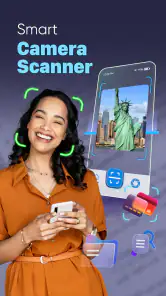
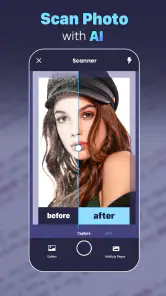
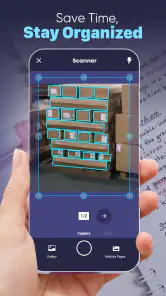
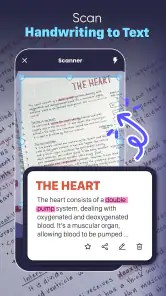
Analysis by Reviewed
When I need to turn a paper into a file while I’m away from a desk, a phone scanner is useful only if it saves time without making the result harder to read. DScanner - Camera Scanner is aimed at that everyday job: capturing documents on a phone and turning them into digital files. I see its strongest appeal in quick, practical tasks—keeping a receipt, sending a signed page, or saving notes before they get lost—rather than replacing a full office document system.
A practical place in the scanner category
There are two common alternatives: using a phone’s built-in camera or relying on a scanner feature bundled into another app. A regular camera is fine for a casual snapshot, but it can leave you with skewed edges, shadows, and a large image that is awkward to share as paperwork. A dedicated scanner app is more useful when you want a document-shaped result and a repeatable capture process. DScanner belongs in that second group, though I would still use a flatbed scanner for delicate originals, batches of pages, or work that demands consistent archival quality.
That distinction matters when deciding whether to install it. If you only photograph a page once in a while and do not care how the file is cropped or presented, your camera may be enough. If you often need a legible digital copy while travelling, studying, or handling household paperwork, having a scanner workflow ready on the phone can make the task less fiddly. My advice is to judge it by the documents you actually handle, not by the promise of a paperless life.
Where it fits in my routine
Picture a familiar errand: I receive a paper receipt, need to keep it for an expense, and do not want to carry it around until I get home. I can capture it while the paper is still flat, check that the date and total are readable, and save a copy with a name that will make sense later. The useful habit is to review the image immediately instead of assuming the first capture is good enough. A crease, a cast shadow, or a clipped corner is much easier to fix before I have put the receipt away.
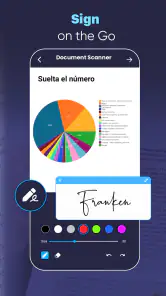
The same approach works for a permission slip, a page of class notes, or a form that needs to be sent back promptly. For several pages, I would scan them in order and inspect the finished document before sharing it; a missing page or an upside-down sheet can turn a quick job into an irritating back-and-forth. This is a small workflow tip, but it makes a bigger difference than rushing through the camera step.
Who is likely to appreciate it
I would recommend trying DScanner if you regularly deal with loose paper and want a phone-based way to keep readable copies close at hand. Students can use a scanner app to preserve handouts or notes, while freelancers and people working away from an office may value the ability to prepare a document for sending without waiting to reach a computer. It can also suit anyone who wants to reduce the pile of receipts and forms on a desk, provided they are willing to name and sort files as they go.
It is less compelling for someone who rarely scans anything, already has a dependable scanner built into a service they use every day, or needs advanced document control. A phone capture is also not a substitute for an original signed or certified paper when the recipient specifically requires one. I would keep the physical document whenever the consequences of losing it are significant, and use the digital copy as a convenient reference rather than assuming it has the same legal or archival status.
You May Like

Clash of Clans Is Won Between the Battles

Android Auto Makes the Case for Quieter Car Software

MobiOffice: Transforming Mobile Productivity with Seamless Integration

EA SPORTS FC™ Mobile Soccer: Redefining Mobile Sports Gaming

How Microsoft OneDrive Became a Mobile Productivity Giant

How Google Translate Breaks Language Barriers Effortlessly
Effortless Scanning at Your Fingertips
Right off the bat, what caught my attention was how Document Scan: PDF Scanner simplifies the scanning process. With just a few taps, you can capture high-quality scans of anything from invoices to handwritten notes. The app intelligently detects document edges, ensuring that your scans are perfectly aligned. It’s like having a personal assistant who’s always ready to help you get your paperwork in order.
Quality and Versatility
One of the standout features is the quality of the scans. The app offers multiple modes such as color, grayscale, and black & white, allowing you to choose the best option for your needs. Plus, you can adjust brightness and contrast to make your documents look just right. Whether you're scanning a colorful magazine article or a simple black and white contract, this app has got you covered.
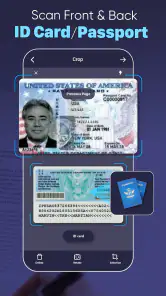
Moreover, the versatility extends to its ability to handle a variety of document types. From receipts to multi-page documents, Document Scan: PDF Scanner handles them all with ease. You can even scan your ID cards and passports, making it a handy tool for both personal and professional use.
Organization is part of the job
Once you've scanned your documents, the app makes it incredibly easy to organize and share them. You can create folders to keep everything tidy and use tags to quickly locate what you need. Sharing is also a breeze – you can send your scans via email, or upload them to cloud services like Google Drive or Dropbox directly from the app. It's like having a mini-office right in your pocket.
For me, the practical payoff comes from choosing a simple naming rule before a folder fills up: a document type followed by a useful detail, such as a month or project. That makes a later search more reliable than trying to remember whether I called a file “scan” or “new document.” I would also avoid keeping several nearly identical versions unless I need them; a clean folder is more helpful than a large one. Before sending anything, I’d open the exported file and make sure the pages are in the right order and the important text is still readable.
Privacy, cost, and day-to-day trade-offs
In today’s digital age, security is a top priority. The app doesn’t skimp on this front, offering robust security features to keep your documents safe. You can set up a password lock to prevent unauthorized access, ensuring that your sensitive information stays secure. It’s reassuring to know that your documents are protected while being easily accessible when you need them.
I would still treat a password lock as one layer of protection, not a reason to scan and keep every sensitive paper casually. Before sharing an ID or financial document, I’d check the recipient and destination carefully, and I would avoid leaving private files in a folder that is easy for other people using my device to open. A scanner makes copying convenient; deciding what deserves to be copied and where it should go remains the user’s responsibility.
DScanner is a free business app from TrustedOffice, and the version identified as current is 4.5.4. It has an average rating of about 3.8 from roughly 163,000 ratings, with more than 10 million installs. The app is rated for everyone and is available on Android 7.0 and later. Optional in-app purchases range from $0.99 to $49.99 per item, so I would check the purchase screen before committing to anything beyond the basic use I need. A free download is appealing, but it is sensible to distinguish that from any optional paid extras.
What its version history means for an existing user
The app first appeared on October 9, 2020, and the current version number gives existing users a concrete point of reference when checking whether their installation is up to date. That is useful context, but a version number by itself does not tell me which individual functions changed or whether an update altered a particular workflow. I would not assume that a newer build automatically improves every scan or changes how files are handled.
If you already use it, the sensible approach is to keep your routine simple: update through your usual app store, open a representative document after an update, and confirm that the capture and sharing steps you rely on still behave as expected. For important paperwork, retain the original until you have checked the saved copy. New users can take the same cautious approach with a test page before using the app for a deadline-sensitive form.
Where a phone scanner still has limits
Even with edge detection and image adjustments, capture conditions still matter. A glossy page can reflect a lamp, a curled receipt can cast a shadow, and faint handwriting may remain hard to read after processing. I get better results by placing the paper on a contrasting, uncluttered surface, keeping the phone parallel to it, and taking a moment to check the preview. For small print, I would prioritize sharp focus and legibility over making the page look unusually bright or polished.
There is also a practical difference between a scan that looks good on a phone and one that is easy to use later. If I need to search within the text, edit the document, or preserve a large archive with strict naming and backup rules, I would compare this workflow with a dedicated document-management tool or a desktop scanner setup. A scanner app is most convenient when capture and quick sharing are the main jobs; it is not automatically the best choice for every stage of document handling.
What I would watch before relying on it
For a prospective user, the first questions are straightforward: can I capture the kinds of pages I handle, can I get them out in a format the recipient accepts, and can I find them again later? I would test those points with an ordinary receipt and a multi-page document before making the app part of an important routine. If a recipient asks for a particular file format or a formal original, follow that requirement rather than assuming any phone scan will do.
I would also pay attention to the current app experience after installing it: whether the capture steps feel clear, whether the saved files are easy to locate, and whether optional purchases fit what I actually need. Those are more useful checks than expecting a scanner to solve filing habits on its own. A little care at capture time and a consistent folder system do much of the work.
My recommendation
In conclusion, Document Scan: PDF Scanner is more than just a scanning app; it’s a comprehensive tool that enhances productivity by making document management seamless and efficient. Whether you're a student, a professional, or just someone who likes to keep things organized, this app is well worth a try. So go ahead, give it a whirl, and watch as it transforms the way you handle documents. Trust me, once you start using it, you'll wonder how you ever managed without it!
DScanner - Camera Scanner Frequently Asked Questions
Who develops DScanner - Camera Scanner, and what is it designed for?
DScanner - Camera Scanner is a business app developed by TrustedOffice. It is designed to make document scanning and PDF conversion convenient using a phone camera, so it can help with everyday paperwork as well as work-related documents. Its focus is practical: capture a document, create a digital file, and use the app’s document tools to prepare it for later use or sharing.
Does DScanner - Camera Scanner cost anything to download?
The app is free to download, and it offers in-app purchases for users who want to access paid options. Those purchases range from $0.99 to $49.99 per item, so it is worth checking the purchase details shown in the app before buying anything. You can consider whether the free scanning and PDF features meet your needs before deciding to spend money.
Can I use DScanner - Camera Scanner to turn paper documents into PDFs?
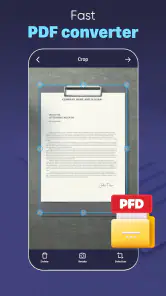
Yes. DScanner - Camera Scanner is designed to scan documents with a phone camera and convert images into PDFs. That makes it useful for keeping digital copies of paperwork or preparing files to share. The app’s summary highlights document scanning and PDF conversion, while the existing feature set also includes editing and sharing tools.
What features does Document Scan: PDF Scanner offer?
Document Scan: PDF Scanner offers a comprehensive range of features including scanning documents with your phone's camera, converting images to PDF, OCR (Optical Character Recognition) to extract text from images, and the ability to edit documents. It also supports sharing scanned files via email or cloud storage services, making it highly versatile for personal and professional use.
Is Document Scan: PDF Scanner free to use?
Document Scan: PDF Scanner is free to download, with in-app purchases ranging from $0.99 to $49.99 per item. The app’s core purpose is scanning documents and converting them into PDFs, while purchases may provide access to paid options. Check the available purchase details in the app before choosing whether any of them are useful to you.
Pros
- Fast scanning and processing times.
- Supports multiple file formats.
- User-friendly interface.
- High-quality output resolution.
- Cloud integration for easy access.
Cons
- Limited editing features.
- Occasional app crashes.
- Ads in free version.
- Subscription required for premium features.
- Privacy concerns with document storage.

- Category
- Business
- Version
- 4.5.4











