Creati:AI Image Video Maker
- 988.00
- 3.8
- Installs
- 10.00M
- Price
- Free

Screenshots
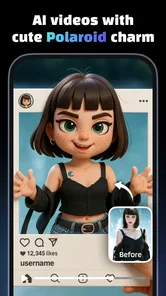
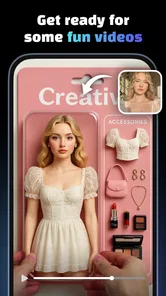

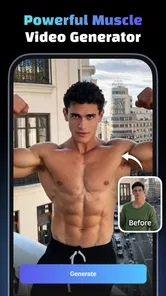
Analysis by Reviewed
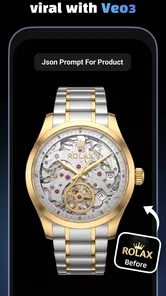
When I want a quick way to turn a product photo into a short-form video concept, I’m more interested in a ready-made starting point than a blank editing canvas. That is the central appeal of Creati AI Photo Generator: it is an art and design app from Mojio AI Photo Generator, built around templates for making product videos. I see it as a shortcut for people who need something presentable quickly, not a replacement for a full video editor or a careful studio shoot.
Why templates matter for product videos
The app’s focus is useful because a product clip often needs more than a nice image. It needs a visual rhythm and a clear focal point, and a template can give a beginner a structure to work from. With more than a thousand ready-to-use templates available, there is room to browse for a look that suits a product rather than inventing every design choice from scratch. That is especially helpful when I’m making a quick draft for a small shop post or trying to see whether an idea works before spending more time on it.
I would treat the template as a starting frame, not a guarantee of a finished campaign. The product still needs to be photographed clearly, and I’d check that the finished video keeps the item easy to recognize. A dramatic style may look lively on a phone screen but can distract from the actual color, shape, or details a buyer wants to see. My practical tip is to choose a template only after deciding what the viewer should notice first.
How I’d use it during an ordinary workday
Picture a seller who has taken a straightforward photo of a mug and has a few minutes between packing orders. Rather than opening a desktop editor, they could browse the template choices, try a suitable direction, and make a short product-focused piece for a social post. The value is not just speed: a prepared visual structure can help someone who knows the product well but has little experience arranging motion and design.
I’d still review the result before sharing it. Check that the item is not obscured, that any text remains readable on a small screen, and that the mood fits the shop. If the template’s styling changes how the product appears, I would favor a simpler option. For food, clothing, handmade goods, or accessories, accuracy matters more than a flashy effect when customers are deciding what they are looking at.
Choosing between Creati and other creative tools
Compared with a conventional photo editor, a template-led tool can get me to a designed result faster, but it gives me less reason to expect fine control over every visual decision. A general video editor is usually the better choice when I want to adjust a timeline carefully, build a specific sequence, or keep tight control over pacing. A graphics app is a better fit for a static poster or product listing image. I’d pick Creati when the job is specifically to turn product imagery into a quick video idea, rather than asking one app to handle every kind of creative work.
That distinction also helps set expectations. Templates are most useful when the format and look are close to what I need; they can feel restrictive if I already have a precise brand style or a detailed storyboard in mind. I would test a couple of directions before committing to a design, then compare them at the size where people will actually see the post. A layout that looks polished on a large screen may feel crowded on a phone.
More From Our News Desk

 Lark Player:Music Player & MP3
Switching to Lark Player: A Better Fit for Music Stored on Your Phone?
Lark Player makes sense if your music already lives on your phone. Here is what changes, what does not transfer by assumption, and how to test the switch without regret.

 Tile Master® - Matching Game
Tile Master Finds Its Place in the Gaps of a Noisy Phone
OS changes rarely transform a tile puzzle, but they reshape the small rituals around it. Tile Master’s appeal lies in how well its brief, tactile rounds fit the modern phone.

 Google Docs
 Shows What Mobile Writing Still Gets Wrong
Google Docs still makes a strong case for the shared document, but its real significance is how it exposes the gap between cloud convenience and genuinely capable mobile work.

 YouTube Studio
 Is Becoming a Creator’s Daily Control Room
As publishing turns into a daily, data-led habit, YouTube Studio is becoming the control room creators reach for between uploads—not another tool for making videos.

 Tiles Hop Music & Ball Game
Tiles Hop Review: When the Beat Is Clear, Every Miss Counts
Tiles Hop turns a simple bouncing-ball premise into a sharp test of timing. Its best design is immediate and readable; its weakest moments come when recovery feels less clear than the beat.

 Piano - Music Keyboard & Tiles
: Inviting Rhythm, Unproven Recovery
A tile-tapping piano game lives or dies by timing. This resilience-focused review separates what its format promises from what players still need to verify.
Latest News



Making product imagery work in practice
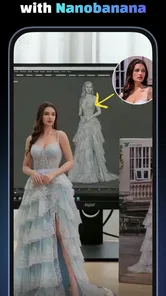
One of the coolest things about the Creati AI Photo Generator is how it utilizes AI technology to make photo editing a breeze. I remember the first time I opened the app, I was blown away by its ability to transform simple snapshots into professional-grade images. The app uses advanced algorithms to enhance colors, adjust lighting, and even add artistic effects that can make your photos look like they were taken by a pro.
It's super easy to use too! You don't need to be a tech wizard to navigate the interface. I found myself getting lost in creating beautiful images just minutes after downloading it. The app guides you through the process, offering suggestions and tips along the way, which is perfect for someone like me who is always on the go.
Creative choices that affect the result
Let me tell you, the features in this app are something else. First off, the variety of filters available is astounding. Whether you're going for a vintage look or something more modern, there's a filter for every vibe. And the best part? You can layer them! This means endless possibilities for creativity, and that's something that really excited me.
Another feature I absolutely love is the background removal tool. It's incredibly precise and works like a charm, allowing you to place your subject in any setting you desire. Gone are the days of struggling with clunky editing tools; this app does it all seamlessly.
Not to mention, there's a whole library of textures and overlays to experiment with. I had a blast trying out different combinations and seeing which ones complemented my photos the best. It's like having a mini design studio right in your pocket!
A practical workflow for a small shop
For a shop owner, I’d separate the work into two quick decisions: first, settle on what the product must communicate, then explore visual treatments that support that message. A handmade candle might need its label and finish to stay legible, while a piece of jewelry may benefit from a clean background that keeps attention on its shape. Trying a few looks is useful, but I wouldn’t keep adding effects just because they are available. Each extra treatment can pull the eye away from the thing the post is meant to sell.
A useful habit is to keep the original product photo available and compare it with the edited result before posting. This makes it easier to catch color shifts or an artificial-looking edge after background removal. I’d also check the image at the same small size people are likely to see in a feed. Fine details that look attractive when zoomed in may disappear on a phone, while strong contrast and a simple composition often remain clear.
For a one-person business, this can turn a spare moment into a low-stakes creative test. I could prepare one version for a product announcement and another with a calmer look for a listing or story, then decide which communicates the item more honestly. The key is to treat the app as a way to explore presentation, not as proof that a visual is ready to publish without checking it.
What to weigh before installing
I’d separate the app’s template-led product-video use from the photo-editing tools described in the sections below. If your main goal is to remove a background or try layered filters, those tools may be the draw; if you need exact control over a video’s timing and sequence, I’d reach for a dedicated editor instead. Matching the tool to the task saves time and avoids expecting a quick creative app to behave like a complete production suite.
The app is free to install and is rated for Everyone, though optional in-app purchases range from $4.99 to $99.99 per item. I’d explore the free experience first and check the purchase details in the app before committing to anything. That range makes it sensible to treat paid options as a decision to make only after you know which workflow you’ll actually use, rather than assuming every template or editing choice is included at no cost.
That approach is particularly helpful if you are only experimenting. Decide in advance what you want to accomplish with one image, and see whether the free experience is enough for that task before considering a purchase. If a paid choice appears, I’d pause to check its specific terms and whether it solves a real problem in my workflow. A broad creative toolkit can be tempting to explore, but a purchase makes more sense when you know which result you need and how often you will use it.
Who is likely to get the most from it?
Creati suits casual creators, small sellers, and anyone who wants a fast visual experiment without learning a complex desktop tool. It has a 3.8 average from around 75,000 ratings, with more than five million installs, so it has reached a broad audience while leaving room for mixed experiences. Version 2.76.0 is available for devices running Android 7.0 or later.
I’d skip it if your work depends on precise brand consistency, intricate manual edits, or a carefully controlled video timeline. Those jobs benefit from specialist software, even if the learning curve is steeper. But for someone testing a product-post idea on a phone, the combination of templates and photo-oriented creative tools offers a practical first step. My recommendation is to start with one clear product image, choose a restrained style, and judge the result by whether it makes the item easier—not harder—to understand.
When another app is the better choice
If you already know exactly how a video should unfold, a timeline-based editor is a more sensible home for the project. It is better suited to decisions such as the order of shots, precise pacing, and detailed adjustments. Creati’s template approach is more appealing when I need a prompt for the overall look and want to avoid building every element myself. The trade-off is straightforward: a quicker route to a designed concept can mean fewer opportunities to tailor every part of it.
For still product imagery, a dedicated photo editor or graphics tool may also be preferable. Those options make more sense when the final deliverable is a clean listing image, a poster with carefully placed text, or a series of assets that must follow strict brand rules. Creati’s appeal is strongest when the goal includes motion or a fast visual experiment, rather than when I need a single carefully composed still image.
I would also avoid using an AI-enhanced result as the only reference for details that matter to a buyer. If a product’s exact shade, texture, or proportions are important, compare the edited visual with the original and keep the presentation faithful. That small quality check is more valuable than choosing the most dramatic treatment, especially for shops where customers rely on images to understand what they will receive.
Now, you might be wondering if this app is worth a try. In my humble opinion, Creati AI Photo Generator is definitely worth checking out. It's perfect for anyone who wants to add a touch of creativity to their photos without spending hours learning complicated software. Plus, the results speak for themselves. I've already received compliments on the photos I've edited with this app, and I bet you will too.
In conclusion, if you're looking for an app that combines cutting-edge technology with user-friendly design, this is it. The possibilities are endless, and the ease of use makes it accessible to everyone. So why not give it a go? Download it today and unleash your inner artist!
Creati:AI Image Video Maker Frequently Asked Questions
What is Creati AI Photo Generator?
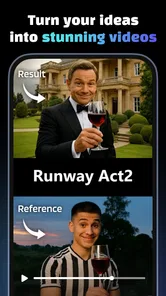
Creati AI Photo Generator is a cutting-edge application designed to transform your photos into stunning art pieces using advanced artificial intelligence algorithms. The app offers a variety of artistic styles and filters to enhance images creatively, making it ideal for both casual users and professional photographers looking to add a unique touch to their photos. Its store summary also highlights creating viral product videos in seconds with more than a thousand ready-to-use templates, giving the app a creative focus beyond photo transformations.
What can I create with Creati AI Photo Generator?
Creati AI Photo Generator is presented as an Art & Design app for creative image and video work. Its store summary emphasizes making product videos with ready-to-use templates, while its name and described features focus on AI photo generation and artistic effects. This makes it worth considering if you want a tool for quick visual experiments or promotional-style content, rather than a general-purpose photo gallery or social network.
How does Creati AI Photo Generator work?
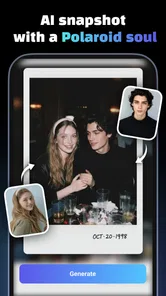
Creati AI Photo Generator utilizes AI algorithms to analyze and process your photos, applying artistic styles and filters to create unique visual effects. Users can upload images from their device, select from a variety of styles, and the app will generate a transformed image that reflects the chosen artistic influence, all within seconds. Its template-based product video creation is another advertised creative option, letting users start from a prepared design rather than building every visual element from scratch.
Is Creati AI Photo Generator free to use?
While Creati AI Photo Generator offers a free version with basic features, there are premium options available for users who want access to additional styles and enhanced editing tools. The premium subscription typically provides an ad-free experience and priority access to new features as they are released. The app is free to download, but it also offers in-app purchases ranging from $4.99 to $99.99 per item, so check the purchase details in the app before choosing any paid option.
What devices are compatible with Creati AI Photo Generator?
Creati AI Photo Generator is available for both Android and iOS devices. It requires a relatively modern smartphone or tablet to function smoothly, with recommendations for devices running on at least Android 8.0 or iOS 11.0 to ensure optimal performance and access to all features. On Android, the listed minimum operating-system requirement is version 7.0, so check your device’s software compatibility before downloading.
Pros
- Easy to use interface for beginners
- Generates high-quality images quickly
- Offers a wide variety of styles
- No prior art skills needed
- Regular updates with new features
Cons
- Occasional glitches in image rendering
- Limited free version features
- Requires internet connection
- Subscription needed for premium tools
- High battery consumption on some devices