Paramount+
- 217.96K
- 4.1
- Installs
- 10.00M
- Price
- Free

Screenshots

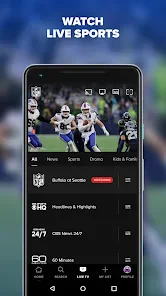


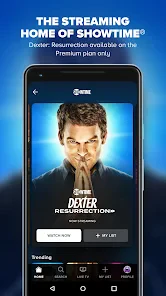
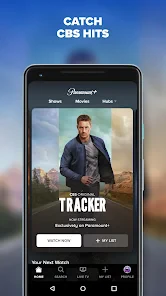
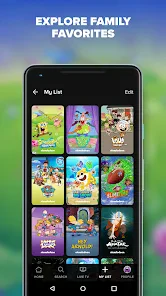
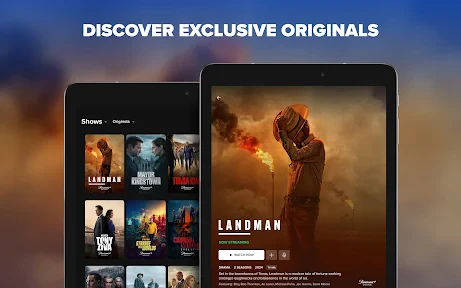
Analysis by Reviewed
When I open Paramount+ for a quick episode or a live event, I want to get to the thing I came for without wrestling with the app. Its biggest appeal is the mix: familiar shows and films sit alongside live sports and originals, so it can serve several different moods in one place. My impression is that it works best as a destination for particular titles and events, rather than as an app I open simply to browse endlessly.
Paramount+ is a free-to-install entertainment app from CBS Interactive, Inc., with a 4.1 average from around 513,000 ratings and more than 10 million installs. That audience gives it a substantial footprint, though popularity alone does not tell you whether its catalogue or viewing experience suits you. The useful question is whether the programs you want are here and whether you expect to watch often enough to justify any in-app spending.
Getting to a show without wasting your evening
When I’m deciding what to watch, I try to narrow the choice before I settle in: a particular series, a movie, or a live event. That makes Paramount+ easier to use than opening it with no plan and browsing until the evening disappears. I also treat a quick search as a practical check that the title I have in mind is available, rather than assuming it from the app’s broad mix.
Speed expectations: the route matters
For ordinary viewing, I find the best approach is to decide what I want before opening the app: a specific series, a movie, or a live event. That simple habit matters because a streaming service can feel slow even when the actual playback is fine, if I spend more time browsing than watching. Paramount+ offers several kinds of entertainment, but that breadth can also make browsing less direct when I have no particular plan.
I would not treat any streaming app as guaranteed to start instantly. The experience depends on the device, connection, and what I am trying to watch, especially when moving from browsing into a live stream. If a program takes a moment to begin, I first check whether other online activity is competing for bandwidth before deciding the app itself is at fault. That is a practical distinction: a slow start is frustrating, but it does not always point to a persistent app problem.
A helpful routine is to search for the title or event first, then settle in rather than repeatedly jumping between sections. On a small phone screen, this also reduces the number of menus I have to scan. If I am choosing a film with someone else, I narrow it to a couple of options before handing over the phone; that keeps the app from becoming the evening’s main activity.
Heavy-use moments: live viewing changes the stakes
Watching a recorded episode and following a live sports event are not quite the same test. With a show, a brief pause is an annoyance; during a match, a delay or interruption can mean missing the moment I wanted to see. I would therefore try a live event on the device and network I plan to use before relying on it for a big occasion. That is especially sensible if the phone is also handling downloads, video calls, or other demanding online tasks.
More From Our News Desk

Weather by Xiaomi Review: Clear at a Glance, Less Clear Up Close

X Under Pressure: Can It Recover When Posting Goes Wrong?

Clash of Clans Is Won Between the Battles

Android Auto Makes the Case for Quieter Car Software

MobiOffice: Transforming Mobile Productivity with Seamless Integration

EA SPORTS FC™ Mobile Soccer: Redefining Mobile Sports Gaming
For a realistic weeknight, imagine I have half an hour before bed and want one episode. I would open the app with a title in mind, start playback, and avoid switching apps repeatedly. For a weekend game, I would do the opposite of casual browsing: connect to a dependable network, close unnecessary activity, and start early enough to sort out any hiccup before the event matters. Those are not guarantees of flawless streaming; they are simple ways to reduce avoidable friction.
Long viewing sessions also make battery and data use worth considering. Video can consume more of both than reading or messaging, so I would use Wi-Fi and keep a charger nearby if I expect to watch for a while. I would not assume that a phone can comfortably handle an entire evening of streaming on a low battery, particularly if it is also being used for notifications, browsing, and calls.
Reliability: how I think about interruptions
My standard for a useful streaming app is not that nothing ever goes wrong; it is that a brief interruption does not turn into a long troubleshooting session. If playback stalls, I would first give it a moment, check the connection, and try returning to the title. If the same problem recurs, restarting the app or changing networks is a more sensible next step than repeatedly tapping play. This order helps distinguish a temporary connection wobble from a problem that persists on one device.
I would also avoid making a live broadcast my first test of the app. Trying an ordinary episode beforehand gives me a low-pressure way to check that the phone, account, and network are ready. If I plan to watch while travelling, I would be cautious about relying on uninterrupted mobile coverage; moving between weak and strong signal areas is an obvious risk for any live stream.
Paramount+ has been around since 2013, and its current version is 17.1.0. Those details provide context, not a promise that every handset will feel equally smooth. Updates can change how an app behaves, so if a problem begins after an update, I would check whether the issue is repeatable and whether other apps are also struggling before blaming one specific cause.
Device constraints and the real cost of watching
The app is rated Teen, which is useful context for households deciding whether it fits their viewing preferences. I would still make choices based on the actual program and who is watching, rather than treating the age label as a substitute for checking a title. For a family, it is worth agreeing on what children can watch and keeping the phone in an adult’s hands when browsing together.
The app itself is free to download, but in-app purchases range from $1.00 to $139.99 per item. I would treat installation as the first step, not assume that every viewing option is included without further cost. Before spending, check what the app is asking you to buy and whether that purchase matches how you intend to watch. If you only want to sample the interface or see what is available, avoid confirming a purchase until you understand the terms presented in the app.
Older devices deserve a little extra patience. The listed minimum operating-system requirement is 7.0, but meeting a software requirement does not guarantee a modern-feeling experience on every device. A handset with limited storage, an aging battery, or many apps running at once may feel less responsive than a newer one. If the app is sluggish, I would close unused apps, make sure the phone has room to operate, and test playback again before deciding the service is unusable.
Resource demands are easiest to notice when the phone is already busy. A live stream plus navigation, messaging, and a low battery is a more challenging combination than watching one episode over Wi-Fi with the screen left alone. I would not expect the app to make an older phone behave like a new one, and anyone whose device struggles with video generally may have a better experience on a more capable screen or a television they already use for streaming.
Where it fits among streaming alternatives
Compared with a service built mainly around a single kind of programming, Paramount+ has a broader mix of films, originals, and live sports. That is convenient if the same household wants different types of viewing, or if I want the option to switch from a series to an event without changing apps. The trade-off is that a wider menu is not automatically a better catalogue for every person; the titles that matter to me determine whether the service is worthwhile.
If I already rely on another streaming app because it has the shows I follow, Paramount+ is not an automatic replacement. It makes more sense as an additional choice when its particular originals, films, or live sports fill a gap. Someone who watches only one or two specific events may prefer to compare the available purchase options and viewing arrangements before committing money. Someone who wants a simple, focused catalogue may find a narrower service easier to navigate.
Its 4.1 average across roughly 513,000 ratings suggests many people find a reason to use it, while the number of ratings and reviews also means individual experiences can vary. I would read complaints with context: a playback issue on one older phone is not necessarily the experience on another, while a repeated problem on the same network deserves attention. What matters to me is whether the app handles my own routine reliably enough.
Who will get the most from it
I would recommend trying Paramount+ if you already have a show, film, or sports event in mind and want those kinds of viewing in one entertainment app. It is also a reasonable fit for a household that takes turns watching different types of content, provided everyone is comfortable checking what is available and understanding any costs before making a purchase. The free download makes it easy to examine the app, but it does not mean every way of watching is free.
I would skip it, or at least compare it carefully with alternatives, if your device is very old, your connection is unreliable, or you are looking for a service mainly because you assume it has a particular title. I would also hesitate if you dislike browsing mixed catalogues or do not want to consider in-app purchases. A live sports fan with weak mobile coverage should plan around that limitation rather than expect an app to solve it.
My performance verdict
For me, Paramount+ is most useful when I arrive with a clear reason to open it. Its blend of originals, movies, and live sports gives it a distinct role, but smooth viewing still depends on the phone, connection, and session. I would test a regular stream before an important live event, use Wi-Fi for longer watching when possible, and keep an eye on what any purchase actually covers.
That practical approach makes the app easier to judge than a quick browse alone. If its programming matches what you want and your device handles video comfortably, it can be a convenient place to settle in. If speed, stability, or a specific catalogue is your top concern, try it in your usual viewing conditions first. My recommendation is a measured one: worth considering for its particular mix, but not a universal replacement for every streaming service.
A useful way to decide before you spend
When I am weighing a streaming app, I separate two questions that are easy to blur together: whether I like the interface, and whether I have a reason to keep using it. I would use the first visit to look up a title I already care about and see how straightforward it is to reach. Then I would think about how often I expect to return for films, series, or sports. That small check is more useful than judging a service by how much it offers in general.
For a shared household, the decision can be less about one person’s favorite show and more about whether the range genuinely gets used. If one person wants live sports and another tends to choose films, the mixed selection may justify keeping the app in rotation. If everyone already watches the same narrow set of programs elsewhere, the extra choice can become another menu to manage rather than a practical benefit.
Making a live event less stressful
One detail I would plan around is the difference between a stream that is merely watchable and one that feels dependable at a particular moment. A live event has no convenient pause button for the action itself, so I would avoid starting setup at the last minute. Opening the app early, choosing the event, and checking the connection gives me time to respond calmly if playback hesitates. It will not improve a weak signal, but it prevents avoidable rushing.
If I am watching on mobile data, I would also consider where I will be during the event, not just whether the connection looks fine at home. A commute through areas with uneven coverage is a poor setting for something I do not want to miss. For that kind of trip, a recorded show on a more stable connection—or simply watching later—can be the more sensible choice. The distinction is not a flaw unique to this app; it is a practical limit of live streaming on a phone.
Who should choose another route
Paramount+ is not the right answer for someone who wants a guaranteed home for one specific program without checking first. Catalogues can be the deciding factor, and I would search for the exact show or event I care about rather than infer availability from the service’s broad entertainment mix. If that title is the only reason to install, confirming it before spending avoids disappointment and unnecessary purchases.
I would also lean toward a different viewing option if I mainly watch on an older handset that already struggles with video, or if I need a focused experience with very little browsing. A television or another device that handles streaming comfortably may be preferable for long sessions, while a more specialized service could suit someone with a single programming priority. The best choice is the one that fits the actual viewing habit, not the one with the longest list of content types.
My recommendation after weighing the trade-offs
My overall view remains practical rather than absolute: I would consider Paramount+ for its combination of entertainment and live viewing, especially when I can name the programs that make it useful to me. The app’s free installation makes an initial look easy, but I would still pay attention to what a purchase covers and how often I am likely to watch. Checking those points first turns a vague trial into a more informed decision.
If the app fits your catalogue needs and performs acceptably on your own device and connection, it can earn a place among your regular options. If not, there is little reason to keep forcing it into your routine just because it offers several types of programming. I would test a normal episode, consider a live event only after that, and choose based on the experience I actually get. That is the fairest way to decide whether it is a useful companion or simply another service to browse.
Paramount+ Frequently Asked Questions
What is Paramount+?
Paramount+ is a subscription streaming service with a mix of movies, TV series, live sports, news, and original programming. Its catalog includes content from brands such as CBS, Paramount Pictures, Nickelodeon, MTV, Comedy Central, and Showtime, although availability depends on your country and plan. The app is designed for watching on demand, and some markets also offer live channels or local programming.
Is Paramount+ free to use?
Paramount+ generally requires a paid subscription to watch its full catalog. Pricing, plan names, and included features vary by country, and the service may offer a free trial or promotional deal to eligible new subscribers from time to time. Check the offer terms before signing up: trials can convert to paid subscriptions automatically, and subscriptions purchased through an app store may need to be canceled through that store.
What can I watch on Paramount+?
The selection can include Paramount+ originals, popular series, films, children’s shows, reality and comedy programs, and live sports or news in supported regions. Exact titles and live events vary by location, licensing agreements, and subscription plan, so a show available in one country may not appear in another. If you are downloading the app for a particular series or sporting event, confirm that it is currently included in your local catalog.
Can I download Paramount+ shows to watch offline?
Offline downloads are available for eligible titles in supported regions and on certain subscription plans, but not every movie or episode can be saved. Downloads are typically made within the mobile app, may expire after a period, and can become unavailable if your subscription ends or a title leaves the catalog. Before traveling, download content while connected to Wi-Fi and check that it appears in the app’s downloads section.
Which devices support Paramount+, and can I share my account?
Paramount+ is available on many phones and tablets, web browsers, smart TVs, and streaming devices, but supported models and features can differ by country. The number of simultaneous streams, profile options, and household-sharing rules depend on the current plan and local terms. Before subscribing, check that your device is compatible and review the plan details if several people in your household expect to watch at the same time.
Pros
- Includes films and series from Paramount
- Nickelodeon
- MTV
- and other brands.
- Offers live access to CBS in supported plans and regions.
- Supports downloads for offline viewing on eligible plans and titles.
- Profiles and parental controls help tailor access for different viewers.
- Available on many smart TVs
- phones
- tablets
- and streaming devices.
Cons
- Catalog and features vary by country and subscription plan.
- Some plans include ads
- including during on-demand viewing.
- New releases and popular titles may require a higher-tier plan.
- Offline downloads can expire or become unavailable when titles leave the catalog.
- Streaming quality depends on your device
- connection
- and subscription tier.
- Category
- Entertainment
- Version
- 17.1.0













