CBS
- 8.01K
- 3.8
- Installs
- 5.00M
- Price
- Free

Screenshots
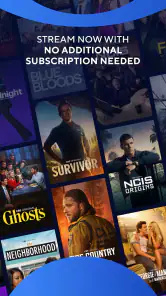

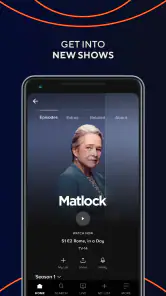
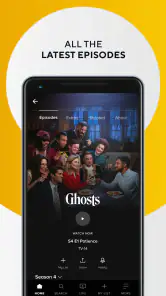
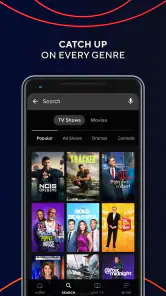
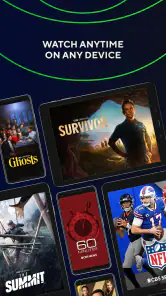
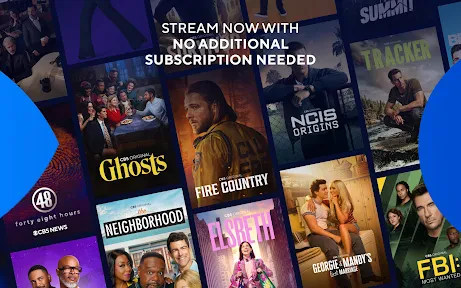

Analysis by Reviewed
I judge the CBS app most fairly as a focused way to follow CBS programming, not as a universal replacement for every streaming service. It is a free entertainment app from CBS Interactive, Inc., with an average rating of 3.8 from around 22,000 ratings and more than 5 million installs. That reach suggests plenty of viewers find it useful, while the rating also hints that the experience may not satisfy everyone equally.
Where it fits into a viewing routine
The app makes the most sense when you already know you want CBS shows, live TV, or related programming. If you are choosing between it and a broad subscription service, think about what you actually watch: a general service is often better for a wide mix of studios, while CBS is the more direct destination for people who want to check in on this network’s programming. Its Teen content rating is another useful point for households deciding whether the app suits younger viewers; I would still check individual programs rather than assume every title is appropriate for the same age.
A practical way to use it is to treat it as a specific stop in your evening, not an endless browsing destination. For example, after dinner I might open the app to see whether a familiar show or live broadcast is available, then switch to another service if I’m looking for something outside CBS. That habit makes the app’s narrower focus a strength: it can reduce the time spent searching across a huge catalogue. The trade-off is that it is less compelling if your viewing tastes rarely overlap with CBS.
Your Entertainment Hub
The CBS app is like having a personal entertainment hub right at your fingertips. From the moment I opened it, I was greeted with a clean, user-friendly interface that makes browsing a breeze. Whether you're into drama, comedy, or reality TV, the app has a way of showcasing its vast library without overwhelming you.
Streamlined Navigation
One thing that really stood out to me is how streamlined the navigation is. I could easily switch between live TV, full episodes, and even exclusive content that's only available on the app. It’s like having a TV guide and a streaming service rolled into one!
For a smoother session, I’d decide first whether I’m looking for a particular episode or something live, then use the relevant area rather than browsing every section. That small choice matters on a phone: it keeps a quick viewing break from turning into a long search. If you are comparing options, this combined live-and-episode layout is more useful than a channel-only app when you want both kinds of viewing in one place, but a service with a broader catalogue is the better pick for browsing across many networks.
Exclusive Content and Features
Now, let's talk about the exclusive content. The app doesn't just offer what's currently airing on CBS. Oh no, it also gives you access to an array of original series and shows that you won't find anywhere else. It's honestly a dream come true for anyone who loves getting a sneak peek into new series before they hit the big screen.
More From Our News Desk

Clash of Clans Is Won Between the Battles

Android Auto Makes the Case for Quieter Car Software

MobiOffice: Transforming Mobile Productivity with Seamless Integration

EA SPORTS FC™ Mobile Soccer: Redefining Mobile Sports Gaming

How Microsoft OneDrive Became a Mobile Productivity Giant

How Google Translate Breaks Language Barriers Effortlessly
Another feature I found super handy is the ability to download content for offline viewing. Imagine being on a long flight or commuting without data, and still being able to catch up on your favorite episodes. It’s a lifesaver!
Offline viewing is especially useful when you can plan ahead: I’d pick an episode before leaving home and confirm it is ready on the device before relying on it during a trip. That avoids the awkward discovery that a title you expected to watch is not available offline at that moment. Downloads also make more sense for a commute than live viewing, since a live stream depends on a connection and can be harder to fit around patchy reception.
Live Sports and News
For those who, like me, can't get enough of live sports, the app provides extensive coverage of major sports events. From NFL games to NCAA tournaments, the app has got you covered. Plus, if you're a news junkie, CBSN offers live streaming news to keep you in the loop 24/7.
Live programming suits viewers who want to follow an event as it unfolds, but it is not always the most flexible option. If you are joining a game late or only have a short break, an episode you can start on your own schedule may be a better fit. I would also choose a stable connection for live viewing and save downloads for journeys, rather than expecting one mode to work equally well in every situation.
User Experience
From my experience, the app runs smoothly on both Android and iOS. I didn't encounter any major glitches or buffering issues, which is a huge plus in my book. The video quality is top-notch, and the app's performance didn't falter, even when I switched between devices.
Setting up an account was straightforward, and the personalized recommendations based on viewing habits were spot-on. It's like the app knew exactly what I wanted to watch next!
Recommendations are a helpful shortcut, but I would treat them as suggestions rather than a complete guide to the catalogue. If the first row does not match your mood, switching to a specific show or the live area is likely more efficient than waiting for the recommendations to change. For existing viewers, the latest listed version, 15.5.0, gives a clear reference point when checking whether their installed app is current; the app first appeared on February 25, 2021, and supports Android 5.0 or later. Those details speak to its ongoing presence, but they do not by themselves tell me what changed between releases, so I would judge an update by whether the app behaves better on my own device.
What an update means for regular viewers
For someone who already uses the app, the version number is most useful as a practical troubleshooting clue, not a promise of a particular new feature. If a familiar section behaves differently or playback becomes unreliable, checking that the app is up to date is a sensible first step before changing your routine. I would also avoid assuming that an update will alter what programs are available: the viewing choice still depends on the shows and live broadcasts offered through CBS.
That distinction matters because streaming apps can change over time, while a version label alone does not explain the details of each change. I’d keep expectations modest and focus on the outcome I can observe: whether navigation remains easy, whether the program I want opens, and whether a download is ready when I need it. For an established viewer, a stable familiar route to an episode may be more valuable than chasing every change in the interface.
Who will get the most from it
I’d recommend trying it if CBS is already part of your regular TV routine, especially if you want one app for live viewing and episodes rather than jumping between separate destinations. It is also a sensible option for someone who wants to catch up during travel and can prepare downloads in advance. If your priority is a large cross-network library, highly tailored recommendations across many studios, or a viewing choice that is not tied to CBS, another streaming service will probably serve you better. The free price makes it easy to explore, but the right choice still depends on whether its programming matches your habits.
A useful fit for particular households
In a shared home, I’d think about the app as one part of the household’s viewing mix rather than assuming it will suit everyone. A person who follows CBS broadcasts can use it for that specific interest, while someone wanting films or shows from many networks may prefer a broader service. The Teen rating gives families a starting point for judging the app as a whole, but it is still worth checking the individual program before handing over the device. A rating cannot replace a parent’s decision about what a particular viewer should watch.
It can also work well for a viewer who has a predictable routine: perhaps checking a familiar program after work, then saving an episode before a day of travel. That is a more realistic strength than expecting the app to supply an answer for every viewing mood. If you mostly watch on a large shared television, the phone app may still be a convenient way to browse or catch up, but it should not be your only reason to choose the service if the content itself is not a match.
What to keep in mind
The main limitation is the natural one for a network-focused app: its value depends on the shows and broadcasts you want being part of its offering. Live sports and news can be appealing, but they are occasion-driven, while offline episodes are more dependable for planned viewing. I would not install it expecting every title to be available in every format or at every moment; instead, check the specific program you care about and use the app for the parts of CBS viewing it handles well. That keeps expectations realistic without dismissing the convenience of having live and on-demand options together.
There is also a difference between convenience and breadth. Having live viewing and episodes together reduces app-switching when both are relevant, but it does not turn a network-focused library into a general-purpose catalogue. If you often browse without a particular show in mind, you may reach the edge of what you want more quickly here than in a large multi-network service. On the other hand, a viewer who arrives with a clear CBS program in mind may value direct access more than endless choice.
Before relying on the app for a specific evening, I’d check that the title or live event I care about is actually available in the form I want. That simple habit helps avoid a common mismatch: planning around an episode when the immediate need is a live broadcast, or counting on a live stream when I’ll be away from a reliable connection. For travel, I’d prepare a download in advance and open it once before leaving, rather than waiting until the connection has disappeared.
Choosing between CBS and other viewing options
Compared with a cable or channel-only viewing option, the app’s combination of live programming and episodes can be more convenient when I want to move between watching now and catching up later. Compared with broad subscription platforms, its appeal is narrower and more dependent on CBS being part of my viewing life. Neither comparison makes one approach universally better: the right choice comes down to whether I value a direct route to CBS or a wider mix of providers.
If I were helping a friend decide, I’d ask what they want to watch in an ordinary week. Someone who names CBS programs or live coverage has a clear reason to try the free app. Someone who mostly wants an expansive library, or expects one service to cover nearly every taste in a household, should start with a broader alternative and treat CBS as a supplement only if its programming fills a real gap. That keeps the decision grounded in viewing habits rather than in a feature list.
In conclusion, whether you're a die-hard CBS fan or just someone looking for a reliable streaming service to diversify your entertainment options, the CBS app is definitely worth checking out. It combines the best of live TV and on-demand content in a seamless package. So, why not give it a whirl and see for yourself? Happy streaming!
CBS Frequently Asked Questions
Who develops the CBS app?
The CBS app is developed by CBS Interactive, Inc. It is an entertainment app centered on watching new episodes and live TV, so it may suit viewers who want to explore CBS programming on a mobile device. Before downloading, consider whether its viewing options fit the way you prefer to watch television and what you expect to access through the app.
What operating system does my Android device need to run the CBS app?
The CBS app supports Android devices running version 5.0 or later. Checking your phone or tablet’s Android version before downloading can help you know whether it meets that basic compatibility requirement. The app is also available for iOS devices, giving viewers another mobile option for exploring CBS programming and live TV.
Is the CBS app free to download, and are all shows free to watch?
The CBS app is free to download and is an entertainment app for watching new episodes and live TV. Downloading the app does not necessarily mean every program is available to watch without signing in or subscribing. What you can access may depend on the show and your viewing access, so it is worth checking the app’s options before you settle in to watch.
Will the CBS app work on my Android device?
The CBS app supports Android devices running version 5.0 or later. If your device meets that requirement, you can look for CBS in Google Play and install it from there. The app is also available for iOS devices, so viewers can use a compatible phone or tablet to explore CBS programming and live TV.
What is CBS and what can I watch on it?
CBS is a popular streaming app that offers access to a wide range of television shows, live TV, news, sports, and original content. It features popular series from the CBS network, including dramas, comedies, and reality shows. Users can also watch live broadcasts of their favorite CBS shows as well as sporting events like NFL games, so it’s perfect for those who want to keep up with current programming.
Pros
- High-quality streaming content
- Wide variety of TV shows and movies
- User-friendly interface
- Live TV streaming available
- Offline viewing option
Cons
- Requires a subscription for full access
- Limited content compared to competitors
- Ads included in some content
- Occasional streaming issues
- App can be slow to load
- Category
- Entertainment
- Version
- 15.5.0