CBS News - Live Breaking News
- 21.00
- 3.9
- Installs
- 1.00M
- Price
- Free

Screenshots
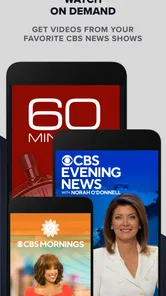
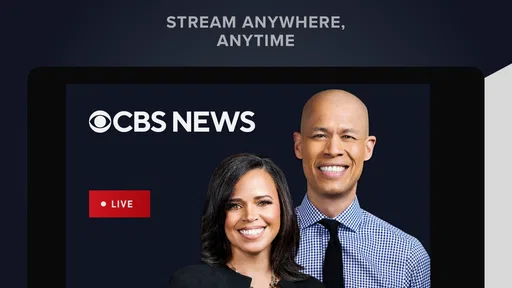
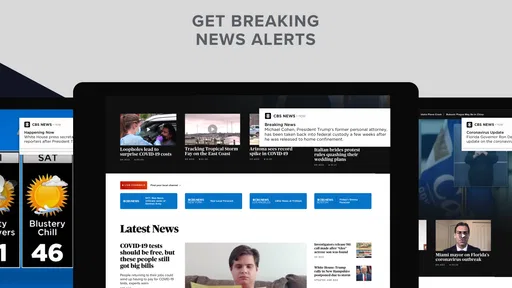
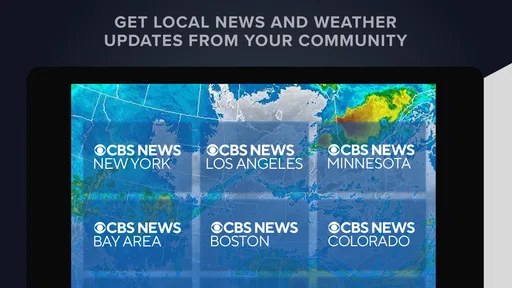
Analysis by Reviewed
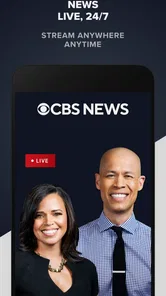
When I want a quick sense of what is happening beyond my own feed, I prefer a news app that gets me to live coverage without making the first few minutes feel like homework. CBS News is built around that straightforward purpose: it gives you a way to watch the network’s coverage and follow developing stories from a phone. My first impression is that it works best as a convenient live-news option, rather than as a complete replacement for every news source you already use.
A low-pressure way to try live news
If you are opening CBS News - Live Breaking News for the first time, I would keep the goal modest: find out whether CBS’s live reporting fits the way you actually check the news. You do not need to set aside a whole evening or make it your default source. A few minutes with a developing story is enough to tell whether listening to a broadcast feels more useful to you than scrolling through headlines.
That first test also helps answer a practical question: can you give the app your attention when you need it? Live coverage is most rewarding when you can hear or watch for long enough to follow the context. If you are in a quiet room, doing a light chore, or waiting at home, that may be easy. If you are switching between messages and work, a short written update is probably a better fit.
What to expect from CBS News
CBS News - Live Breaking News is a free news and magazines app from CBS Interactive, Inc. Its central appeal is access to CBS News programming, including live coverage, alongside reporting that can help put a breaking story in context. If you are used to reading headlines in short bursts, the app asks you to make room for a different habit: listening to or watching the news unfold instead of scanning a list and moving on.
That distinction matters. A live stream can be useful when an event is still changing and a written headline feels incomplete. It is less convenient when you want a precise answer in a few seconds, need to check a story silently in a queue, or are looking for a highly customized set of topics. I would treat this as a practical way to keep CBS coverage close at hand, not as a promise that every visit will be faster than reading.
The app has an average rating of 3.9 from around 1.2 thousand ratings, and it has passed a million installs. Those figures suggest that many people use it, while the rating also leaves room for mixed experiences. It is free, rated for Everyone, and its current version is 8.5.0-1778611338. It was released on October 6, 2016, and runs on Android 5.1 or later. These basics make it accessible to a broad range of Android users, though the experience can still depend on how well live video fits your connection and routine.
Why live coverage changes the way you use it
With a conventional headline app, I usually open a story, skim the first few paragraphs, and decide whether I need more. A live news stream reverses that pattern: I can let coverage run while I listen, then pay closer attention when a segment becomes relevant. That is helpful during major developing events, when a report may gain meaning from explanation and updates rather than one isolated notification.
More From Our News Desk

Weather by Xiaomi Review: Clear at a Glance, Less Clear Up Close

X Under Pressure: Can It Recover When Posting Goes Wrong?

Clash of Clans Is Won Between the Battles

Android Auto Makes the Case for Quieter Car Software

MobiOffice: Transforming Mobile Productivity with Seamless Integration

EA SPORTS FC™ Mobile Soccer: Redefining Mobile Sports Gaming
There is a trade-off, though. A broadcast follows its own pace, so you may have to wait for the subject you care about or listen through material that is not immediately relevant. If you need a quiet, searchable reference or want to compare several outlets’ written accounts, a text-first news reader may suit you better. I find the CBS app more compelling when I have a few minutes to watch or listen than when I need to extract one fact instantly.
Getting started without overthinking setup
After installing it, I would begin with one simple goal: open the app and see whether the live coverage is useful in the setting where I normally check news. There is no need to build an elaborate routine before trying it. Start when you have a stable connection and a little time, then decide whether watching, listening, or returning to the app later fits your day.
On a first visit, focus on the main news experience rather than tapping through every available item. A common first-time mistake is to assume that a live stream behaves like a short clip: you press play, get the answer, and leave. Broadcast coverage is more like joining an ongoing conversation. Give it a moment to establish what is being discussed, and judge it by whether the reporting helps you understand the story—not by whether it immediately lands on the exact detail you had in mind.
It is also worth thinking about where you will use it. If you are at home, live video may be an easy way to follow coverage while doing something else. On a commute or in a shared space, sound and screen attention may be inconvenient. I would save the live-viewing habit for moments when you can listen comfortably, and use a text-based source when you need discreet, quick checking.
Your first useful session
A realistic first success is simple: open CBS News when a major story is developing, spend a few minutes with the live coverage, and come away with a clearer sense of what is known so far. You do not need to watch for an entire broadcast to get value. If the segment is relevant, stay; if it has moved on or does not answer your question, switch to another source or return later.
For example, imagine hearing that an important event is unfolding while you are preparing dinner. Rather than repeatedly refreshing a stream of short headlines, you can put the app on and listen while you work. The benefit is not that every detail arrives instantly; it is that the story can be presented as a continuing report, which may make the sequence of developments easier to follow. If you need to verify a specific claim afterward, checking another reputable outlet is still sensible.
One useful habit is to decide what you want from the session before pressing play. “I want a broad update” is a good fit for live coverage. “I need the exact wording of a policy change” is better suited to a focused article or official source. That small distinction prevents the frustration of expecting a broadcast to behave like a searchable reference tool.
Where first-time users can get confused
The biggest point of confusion is the difference between live news and on-demand reading. A stream is not necessarily arranged around your personal question, and breaking coverage can evolve while you are watching. If a report sounds provisional, treat it as an update in progress rather than a final account. Revisit the story later or compare it with written reporting when accuracy and detail matter more than immediacy.
Another possible mismatch is expecting a personalized feed to be the app’s main strength. CBS News is most naturally approached as a way to access CBS reporting and live coverage. People who want to tune every headline around niche interests, mute broad topics, or assemble a cross-publication briefing may be happier with a news aggregator. That does not make this app ineffective; it means its value is tied more closely to the coverage it presents than to building a custom news system.
Video also changes the practical cost of checking in. It asks for more attention than reading a headline and may be a poor choice when you are conserving mobile data, in a noisy place, or unable to use audio. I recommend treating the stream as an intentional option rather than leaving it running by default. When you only have a moment, a quick written update elsewhere can be the more efficient tool.
How it compares with other news choices
Compared with a general news aggregator, CBS News offers a more direct route into one broadcaster’s reporting rather than a broad mix of publishers. That can be an advantage if you want a familiar editorial source and live coverage without first sorting through a crowded set of headlines. It is a limitation if your priority is comparing perspectives side by side or tailoring a feed around many subjects.
Compared with a newspaper-style app, the experience is more suited to listening in real time than reading deeply at your own pace. A written article is easier to revisit, quote, and scan for a particular point. Live reporting, in turn, can convey the unfolding shape of an event in a way that a short headline may not. I would keep both kinds of sources available and choose based on the task rather than expecting one format to do everything.
That makes the app particularly useful as a companion, not necessarily as your sole news habit. If CBS is already a source you trust, this is a convenient mobile route to its coverage. If you prefer a compact, highly customized digest or want every story compared across outlets, a dedicated aggregator will likely feel more efficient.
Who will get the most from it
I would recommend trying CBS News if you often want to follow major developments by watching or listening, and you have moments in the day when a live report can play without getting in your way. It is also a reasonable choice for someone who wants a free way to access CBS coverage on an Android device that meets the minimum system requirement.
I would skip it, or at least avoid making it your only news app, if you rarely watch video, need a highly tailored feed, or prefer to read quietly and search for details. People who need a fast answer during work, school, or travel may find a text-first source less distracting. And anyone following a consequential story should compare accounts and look for later updates instead of treating a single live segment as the whole picture.
Making it part of a sensible news routine
A useful way to keep the app in perspective is to give it a defined job. I would use it for a broad, real-time overview, then switch to written reporting when I want details I can revisit or compare. That division keeps the broadcast from becoming an all-purpose answer machine and makes it easier to decide when another source is the better tool.
For a first-time user, the easiest next step is to install it, open the live coverage when you have a few uninterrupted minutes, and see whether the broadcast format suits you. If it helps you understand a developing story, keep it as a regular option; if you find yourself waiting for a specific written answer, reach for a text-based outlet instead. Its clearest strength is making live CBS reporting easy to try, while its best use depends on having time and attention for a broadcast.
CBS News - Live Breaking News Frequently Asked Questions
What is CBS News – Live Breaking News?
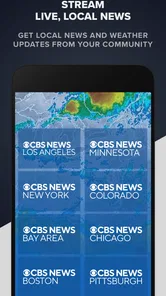
CBS News – Live Breaking News is a news app for following current events through articles, live coverage, video, and other reporting from CBS News. It can help you keep up with breaking stories and browse news by topic, though the selection and presentation may change as events develop. Availability of particular features, such as live streams, can vary by location and app version.
Can I watch live news in the CBS News app?
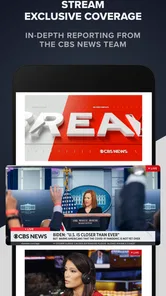
The app may offer live news streams and video coverage, including reporting around major developing stories. Open the live or video section to see what is currently available on your device. Streams require a reliable internet connection and may use a significant amount of mobile data. Programming, access, and availability can differ by region, time, and version of the app.
Is CBS News – Live Breaking News free to download and use?
The app is generally available to download without a purchase, and many news articles and video features may be accessible at no charge. However, the exact experience can depend on your location, the content you select, and the app’s current terms. Check the listing in the official Google Play or Apple App Store for current pricing, in-app purchases, and any access restrictions before installing.
Does the CBS News app send breaking-news notifications?
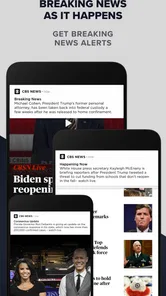
The app may let you receive alerts about breaking news and other important developments. Notifications are useful if you want timely updates, but frequent alerts can be distracting, so review the notification settings after installation and choose what suits you. You can also manage permissions through your phone’s system settings. The types and frequency of alerts may vary over time.
What should I check before downloading CBS News – Live Breaking News?
Before downloading, confirm that the app is offered for your device and that your operating system meets the current requirements shown in its official store listing. Consider whether you are comfortable with its requested permissions, notifications, and use of an internet connection for news and video. For streaming, Wi‑Fi can help avoid mobile-data charges; also review the developer and listing to ensure you select the official app.
Pros
- Live streams make it easy to follow major events as they unfold.
- Customizable alerts can help you keep up with developing stories.
- Video reports add context beyond headlines and article summaries.
- Coverage spans national news
- world events
- politics
- and more.
- The app is free to download and use.
Cons
- Frequent breaking-news alerts may feel distracting.
- Some video content may require a stable
- fast internet connection.
- Coverage and story selection may reflect CBS News editorial priorities.
- Ads can interrupt browsing or video playback.
- Live streams may not be available for every story or in every region.













