CoinIn – Coin Scan Identifier
- 1.66K
- 4.5
- Installs
- 1.00M
- Price
- Free

Screenshots

Analysis by Reviewed
So, I recently stumbled upon this app called CoinIn – Coin Scan Identifier, and I have to say—it’s a game-changer for anyone who's into numismatics or just happens to have a pile of mysterious coins lying around. Let me take you through my little adventure with it and why I think it deserves a spot on your phone.
What is CoinIn All About?
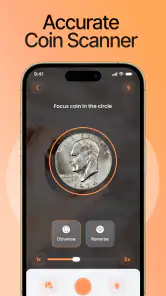
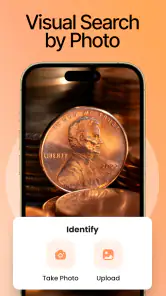
Imagine this: you find an old coin, but you have no idea what it is, where it’s from, or if it's even worth anything. This is where CoinIn – Coin Scan Identifier swoops in to save the day. It’s an app that lets you scan coins to identify them instantly. The app uses advanced image recognition technology to give you details about the coin, including its origin, denomination, and value. It’s like having a personal coin expert in your pocket!
Getting Started with CoinIn
Getting started was a breeze. After downloading the app, I was greeted with a simple and intuitive interface. The app doesn’t bog you down with unnecessary features—just what you need to dive right into identifying your coins. I was impressed with how quickly it loaded and how user-friendly it is.
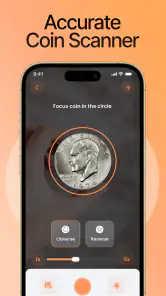
To use the app, you just need to point your phone’s camera at the coin you want to identify. The app then does its magic, scanning the coin and pulling up information about it. The scanning process is surprisingly quick, and the accuracy is pretty spot-on.
The Features That Stand Out
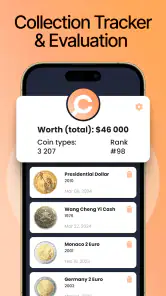
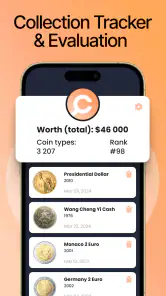
One of the standout features for me was the coin collection manager. This is perfect for organizing and keeping track of your collection. You can save coins in the app, add notes, and even categorize them. It’s a nifty feature for any serious collector.
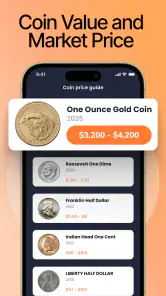
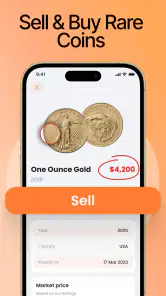
Another feature I found particularly useful is the market value estimator. This tool gives you an idea of how much your coin is worth in today’s market. It pulls data from various online sources to give you a fairly accurate estimate. This is perfect if you’re thinking about selling or trading your coins.
Why CoinIn is a Must-Have
Now, you might be wondering, "Is this app really worth the download?" Well, let me tell you why I think it is. First off, the convenience factor is huge. Instead of flipping through books or scouring the internet, you get instant information with just a tap. Plus, the app is continually updated with new data, so you’re always in the loop with the latest coin info.
The app also caters to both amateurs and seasoned collectors. Whether you’re just starting or have been collecting for years, CoinIn – Coin Scan Identifier provides valuable insights and tools to enhance your collecting experience.
Room for Improvement
While I’m overall impressed, there are a couple of areas where I think CoinIn can improve. For instance, the app currently requires a stable internet connection to pull up data, which might be a downside if you’re somewhere without Wi-Fi. It would be great if they could allow for offline use in future updates.
Additionally, while the scanning feature is fantastic, there were a few instances where it struggled with heavily worn coins or those with intricate designs. A little tweak to the image recognition capabilities could make this app even more unbeatable.
Final Thoughts
All in all, CoinIn – Coin Scan Identifier is a fantastic tool for anyone interested in coins. It’s simple, effective, and incredibly useful for identifying and managing your collection. Despite a few minor hiccups, it offers a wealth of information right at your fingertips. So, if you’re curious about the coins in your possession or looking to organize your collection, give CoinIn a try. It might just become your new favorite app.
Pros
- Intuitive interface for easy navigation.
- Accurate coin identification results.
- Extensive database of global coins.
- Quick scan feature saves time.
- Offline mode for on-the-go use.
Cons
- Limited free features available.
- Occasional ads affecting experience.
- Requires frequent database updates.
- High battery consumption during scans.
- Not suitable for currency collectors.

- Category
- Tools
- Version
- 1.19.0











