Change my hair color
- 126.00
- 3.6
- Installs
- 1.00M
- Price
- Free
Screenshots
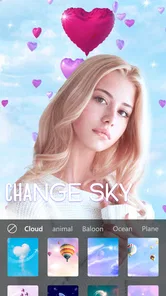
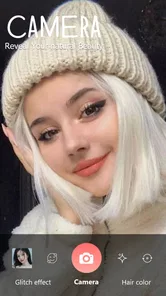
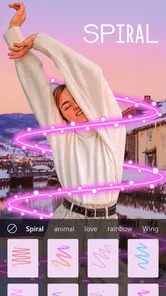
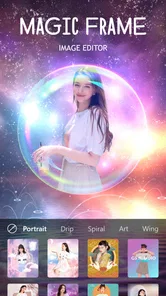


Analysis by Reviewed
For me, a hair-color preview is most useful when it helps answer a real question: will a warmer shade suit me, or am I only drawn to it in a picture? Change my hair color is a free photography app from GKV Studio for trying different hair shades on photos, so I see it as a quick visual aid rather than a replacement for a stylist or a salon consultation. It has an Everyone content rating, and its current version is 22.0, with Android 6.0 as the minimum operating system. The app has a 3.6 average from around 3K ratings, and has passed 1M installs. That makes it easy to try, though I’d keep expectations grounded: an edited selfie can suggest a direction, but it cannot promise exactly how dye will look in person.
Readability and navigation
The main appeal is that the task is easy to understand: choose a photo, preview hair colors, and compare the results. That straightforward setup is helpful if you want to explore an idea without learning a full photo editor. The screen-based experience also lets me take a moment between choices instead of making a decision in front of a mirror or under salon lighting. Still, people who rely on very large text, screen magnification, or a highly structured interface may find photo controls harder to use; I would test the basic flow before relying on it for a longer session.
Motor and sensory considerations
Trying shades on a still photo avoids the need to hold a phone steady while filming or to perform a complicated editing routine. That can make a quick check more comfortable for some users. On the other hand, tapping through color choices and judging fine edges around curls or flyaways can demand precise visual attention and hand control. I’d start with a clear, well-lit portrait and make small comparisons rather than rapidly cycling through many options. If bright colors or busy screens are tiring, shorter sessions are likely to be easier than treating this as an extended styling appointment.
Situational access
This kind of preview is handy at home when you’re weighing a change, or before a salon visit when you want a picture to help explain the direction you have in mind. It can also make a low-stakes conversation with a friend more concrete: instead of describing a shade, you can show a visual example. The app is free to download, while in-app purchases are listed at $1.49 per item, so I’d check the purchase prompt carefully if you reach an option that costs extra. For a quick experiment, the free starting point may be enough; anyone planning to use it often should decide whether paid items are worth it to them.
One useful habit is to compare colors on the same photo rather than changing both the image and shade at once. That makes it easier to notice what the color itself is doing. Try a front-facing picture with hair visible against a contrasting background; a dark shirt behind dark hair, for example, can make the outline harder to judge. I’d also treat previews as inspiration, not a promise: natural hair color, texture, lighting, and the dyeing process all affect the real result. A stylist can give advice about those practical factors in a way an image preview cannot.
Who will get the most from it
I’d recommend it to someone who is curious, undecided, or collecting visual references before choosing a new look. It is less suitable if you need a precise color simulation for a professional decision, or if photo editing itself is uncomfortable. Compared with a general-purpose photo editor, a dedicated hair-color app keeps the goal focused and the first step simple; compared with a salon consultation, it is convenient but cannot assess your hair or recommend a dye formula. That distinction matters: use it to narrow your preferences, then bring your favorite idea to someone who can assess your actual hair.
The Magic of Virtual Hair Transformation
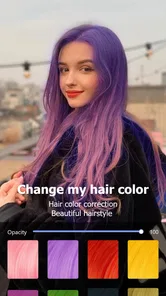
So, here's the deal: the Change my hair color app lets you virtually experiment with a plethora of hair colors. From fiery reds to icy blondes, and even those bold shades like electric blue or pastel pink, the choices are endless! The app uses cutting-edge technology to ensure that the colors blend seamlessly with your current look, providing a result that's both realistic and fun.
More From Our News Desk
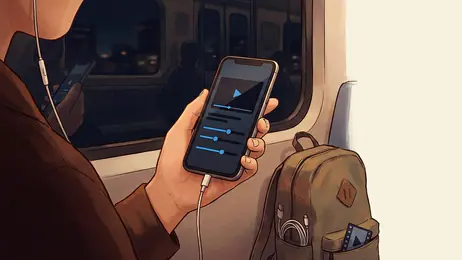
 MX Player
 and the Small, Private Rituals of Mobile Viewing
A practical video player reveals how mobile viewing has become private, portable, and woven into the spare minutes of ordinary life.
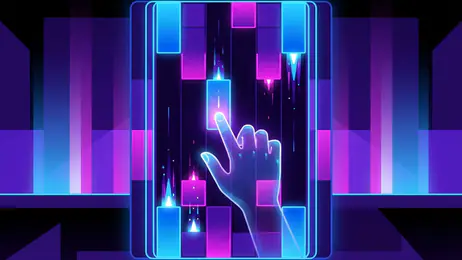
 Piano Fire: Edm Music & Piano
Piano Fire Tested: How Well Does It Recover When a Run Breaks?
A rhythm game lives or dies by recovery as much as reflexes. Piano Fire makes a brisk, colorful loop, but its rough edges matter most after a missed note or interrupted run.

 Ludo King®
Ludo King Turns Quick Matches Into a Lasting Social Ritual
A close look at how quick matches, private rooms and familiar rivalries turn this digital Ludo game into a small, durable social ritual—and where that community has limits.
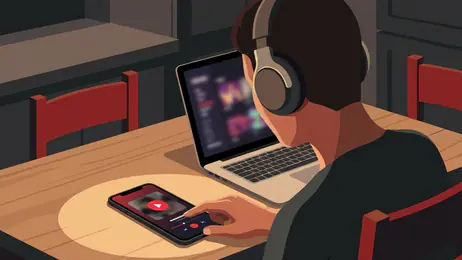
 YouTube Music
 Turns Video Discovery Into Listening Power
A capable music service with an unusually strong route into discovery, YouTube Music shows how Google can turn a video habit into control over what listeners hear next.

 Netflix
 Is Building a Daily Habit Beyond Its Biggest Shows
A familiar streaming app is gaining new weight as Netflix pushes games, live programming, and discovery into the same daily habit. The growth is real, but so are the limits.

 Ramp Car Games: GT Car Stunts
Ramp Car Games: The Risk-and-Reward of Every Jump
A stunt racer built around one deceptively rich decision: how much speed to carry into a jump, and how much control to keep for the landing.
Latest News



Easy Peasy Interface
Now, I’m not the most tech-savvy person around, and I’m sure some of you can relate. But fear not, the interface is super user-friendly. All you need to do is upload a selfie, and the app does the rest. It's as easy as pie! You can swipe through the color options and see the magic happen in real-time. Plus, if you're feeling adventurous, you can even mix two colors for a unique look!
Sharing Your New Look
Once you find that perfect shade and can’t stop staring at your fabulous new look, what’s next? Share it, of course! The app makes it a breeze to post your transformations on social media. Whether it’s for feedback or just to show off, your friends are going to be amazed. And who knows, you might just inspire someone else to try something new!
Perfect for the Indecisive
If you're like me and struggle to make decisions, especially about something as significant as hair color, this app is a lifesaver. You can try as many colors as you want without any pressure. It’s like having endless free trials but for your hair. And if you’re ever unsure, you can always save your favorite looks and come back to them later.
For an everyday example, I’d use it before booking a color appointment: take a clear selfie in daylight, compare a few plausible shades, and save the one that feels closest to the look I want. That gives me a starting point for discussing the change, while leaving room for a professional to explain what is achievable with my current hair. If the preview looks uneven around strands or doesn’t resemble how I look in different lighting, I wouldn’t treat that as a reason to rule out a color; I’d use another photo or ask for an in-person opinion.
Where a preview has limits
The most important trade-off is that convenience can make a simulated result feel more certain than it is. Hair edges, curls, and shadows are difficult visual details, and a selfie cannot show how a shade will behave across the full head or after a real dye process. I’d avoid choosing an expensive or dramatic change solely from one image. People who want to compare subtle tones should use a consistent photo and view the result in ordinary room light as well as on the phone; people who need a realistic plan for color correction are better served by a stylist.
A practical, inclusive verdict
For everyday experimentation, this is an approachable way to make a vague idea more visible, especially if you are comfortable working with photos and tapping through choices. Its focused purpose is an advantage over a broad editor when all you want is a hair-color mock-up, but its visual nature may be a barrier for anyone who has difficulty seeing small details or controlling precise taps. I’d start with a simple portrait, take breaks if comparing shades becomes tiring, and keep the result as a conversation aid rather than a verdict. If that matches what you need, it is worth trying; if you need hands-on advice or dependable color planning, choose a salon consultation instead.
Getting a more useful comparison
A preview becomes more useful when I decide what I am trying to learn before opening the color choices. If I am choosing between warm brown and copper, I keep the question narrow and compare those options on one photo. If I am deciding whether to go noticeably lighter, I focus on the overall impression rather than treating a screen image as a reliable guide to how much bleaching might be involved. This keeps the exercise from turning into a long scroll through shades that do not relate to the decision I actually need to make.
I’d also take the photo with the result in mind. Hair should be visible rather than hidden behind a shoulder, and a simple background helps me judge where the hair ends. A portrait with strong backlighting may make the outline difficult to read, while a filter or heavy makeup can distract from the color comparison. These are small choices, but they help separate a useful visual reference from an image that looks appealing for reasons unrelated to the hair shade.
Choosing the right tool for the job
For a quick, playful preview, a dedicated hair-color app is more direct than opening a general editor and trying to recolor strands by hand. That convenience is the point: I can spend my attention on comparing possible looks instead of learning layers, brushes, and selections. The trade-off is control. A full editor may suit someone who wants to refine a mock-up carefully or adjust a particular part of an image, while this app is better for a casual first pass. Neither approach replaces advice about what a real colorist can achieve with a person’s starting shade and hair condition.
There is also a difference between browsing for inspiration and making a practical appointment decision. If I am simply curious about a new look, the app can make experimentation feel low-pressure. If I need to budget for a major color change, correct a previous dye job, or decide whether a subtle tone will work with my complexion under different lighting, I would not rely on a photo edit alone. In those situations, bringing a couple of reference images to a stylist is a more useful next step than trying to make the preview answer a technical question.
Who may want to skip it
I would skip this kind of tool if I rarely use photos on my phone, find small visual adjustments frustrating, or want a highly dependable forecast of a salon result. It is also not the right choice for someone who would rather get tailored advice than browse options independently. The app is aimed at experimenting with appearance on pictures; it cannot inspect the texture or condition of hair through that picture. Knowing that boundary makes it easier to enjoy the playful side without mistaking a mock-up for a recommendation about treatment.
For users who do find photo-based exploration comfortable, it can be a helpful way to articulate a preference that is hard to describe in words. A saved image may communicate “a little warmer” or “less dramatic than this” better than a list of color names. I would still bring more than one possible reference to a consultation, especially if the desired shade is far from my current one. That leaves room for a professional to suggest a realistic route rather than treating one edited image as a fixed demand.
Small decisions that improve the experience
One practical approach is to make a short shortlist instead of trying to identify a single perfect shade immediately. I would keep one conservative option, one more noticeable alternative, and perhaps a color that is only for fun. Then I can compare the mood each creates without letting the most dramatic result dominate the decision. If I am unsure, I can revisit the options later with fresh eyes; a quick pause often makes it easier to notice whether I genuinely like a shade or was simply reacting to novelty.
When showing a result to someone else, I’d explain what the image is meant to communicate. A friend may focus on whether the picture looks flattering, while I may be asking whether the color feels like me. Those are different questions. Framing the conversation around the quality I want—warmer, softer, brighter, or more unconventional—can make feedback more helpful and prevent a rough simulation from being judged as though it were a finished salon photo.
A practical, inclusive verdict
For everyday experimentation, this is an approachable way to make a vague idea more visible, especially if you are comfortable working with photos and tapping through choices. Its focused purpose is an advantage over a broad editor when all you want is a hair-color mock-up, but its visual nature may be a barrier for anyone who has difficulty seeing small details or controlling precise taps. I’d start with a simple portrait, take breaks if comparing shades becomes tiring, and keep the result as a conversation aid rather than a verdict. If that matches what you need, it is worth trying; if you need hands-on advice or dependable color planning, choose a salon consultation instead.
In conclusion, the Change my hair color app is a must-try for anyone looking to experiment with their look without the commitment. It’s fun, easy to use, and incredibly versatile. Whether you’re planning to actually dye your hair or just want to play around with different colors, this app has got you covered. So go ahead, give it a whirl, and unleash your inner hair color chameleon!
Change my hair color Frequently Asked Questions
Can I use Change My Hair Color without an internet connection?
Change My Hair Color is a photography app for trying hair-color ideas on photos, so it may be useful when you want to experiment privately or while away from a connection. Whether every feature works offline can depend on how the app handles your device and its available tools. Before relying on it without internet, open the app and check whether the photo and color options you want are available.
What is the "Change My Hair Color" app?
The "Change My Hair Color" app is a mobile application designed to help users virtually try different hair colors using their smartphone camera. Users can experiment with a variety of shades and styles to see how they would look with a new hair color before making a permanent change. It's perfect for those curious about a new look without the commitment.
How does the app work?
The app uses advanced augmented reality technology to overlay virtual hair colors onto the user’s real-time image or photo. By detecting the contours and texture of the hair, the app provides a realistic preview of how different hair colors will appear on the user. The app is user-friendly and requires no special skills to operate.
Can I try different hairstyles as well as hair colors?
Yes. Change My Hair Color is presented as a way to try trendy hairstyles for men and women on photos, as well as explore hair-color changes. This makes it useful if you are considering a broader look rather than just a new shade. The results are a visual preview to help you compare ideas, not a guarantee of how a real haircut or dye job will look.
Is the "Change My Hair Color" app free to use?
The app offers a free version with basic features, allowing users to try a limited range of hair colors. For those interested in a wider selection and additional features such as saving and sharing their new looks, a premium version is available through in-app purchases. This ensures that users can choose the level of access that best suits their needs.
Pros
- Realistic color simulations
- Wide range of color options
- User-friendly interface
- Quick processing time
- No internet needed after download
Cons
- May not suit all hair types
- Limited editing tools
- Ads in free version
- Occasional app crashes
- High battery consumption