ChackTok -Photobooth Event App
- 61.00
- 4.4
- Installs
- 100.00K
- Price
- Free
Screenshots
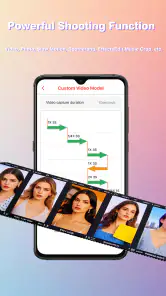
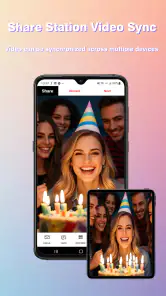
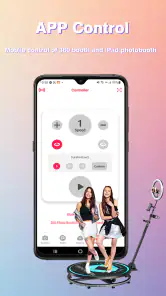
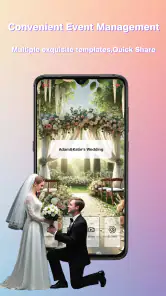
Analysis by Reviewed
I approached ChackTok -Photobooth Event App as a practical photography tool rather than a normal camera replacement. Its focus is the event photo-booth workflow: preparing a visual setup, capturing moments through a 360 or iPad-based booth, and getting those moments ready to share. That makes it a very different proposition from a standard selfie camera or a social network with a camera attached.
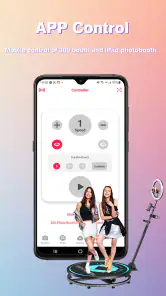
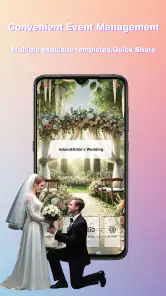
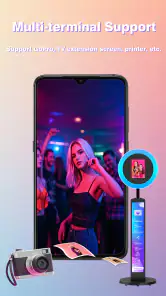
My first impression is that the app is aimed at people who want the booth experience to feel organized and branded without building every part of the process from scratch. The store summary presents it as an all-in-one tool for 360 and iPad photo booths, with templates, event support, and instant sharing. In practice, that combination matters most when several guests need to use the setup during a busy gathering and the operator cannot spend every minute adjusting the experience manually.
The app sits in the Photography category and is developed by 360 photo booth. It is free to download, carries a Teen content rating, and supports devices running iOS or Android system software from version 9 onward. Its current version is 1.9.5. The public listing shows an average score of 4.4 from around 500 ratings, with over 100K installs, so it has attracted a meaningful audience without being as familiar as the largest general-purpose camera apps.
How the free access and paid value fit together
The most important cost detail is easy to overlook: the app itself is free, while in-app purchases are listed in a range from $19.99 to $599.99 per item. That is a very wide span, and it changes how I would evaluate it. I would not treat “free” as a promise that every professional event workflow is free. I would treat the download as a way to inspect the experience, test compatibility with a planned booth, and decide whether the paid options match the scale of the event.
That distinction is especially important for a casual user. If I only wanted to take a few playful pictures at home, I would be cautious about paying for a specialized booth service when a regular camera app could do the basic job. The value becomes easier to justify when the app is supporting an event where presentation, repeatability, and quick guest sharing matter more than simply taking a picture.
I also would not assume that the lowest purchase level is suitable for every situation, or that the highest level is automatically necessary. The listed range indicates that different purchase choices exist, but it does not by itself tell me which one fits a wedding, a school function, a business gathering, or a private party. My advice is to begin with the free installation, identify the exact workflow you need, and only then consider a purchase. That approach avoids paying for a level of service that the event will never use.
The free download is best understood as an evaluation step; the real value depends on whether its paid options solve a genuine event problem. If the app saves an operator from repeatedly preparing layouts, organizing a sharing process, or rebuilding the same setup for each guest, the cost can be easier to defend. If those tasks are not part of the plan, the specialized features may not earn their place in the budget.
What I found useful in the actual workflow
The strongest idea here is the combination of templates and event-oriented operation. A template is not merely decoration when a booth is being used repeatedly. It can help create a consistent look across a stream of guests, which is useful when the photos are meant to feel like part of the occasion rather than random snapshots. I would prepare the visual style before guests arrive, then keep the capture process as simple as possible so people do not need a long explanation.
The 360 focus also gives the app a different role from an iPad camera app. A normal camera is built around a person holding the device or standing in front of it. A 360 booth is more about the movement around the subject and the feeling of a short event attraction. That is valuable at celebrations where guests want something interactive, but it also means the physical setup and operator attention remain important. The software cannot compensate for a cramped space, poor positioning, or guests who do not understand where to stand.
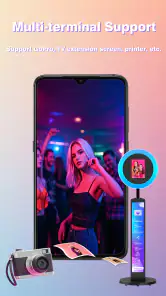
The iPad support makes the concept more approachable for smaller events. An iPad is easier to recognize and handle than a dedicated booth system, and it may be a practical starting point for someone testing the format. I would still plan the entire flow around the device: where it will sit, how guests will see the screen, who will supervise it, and how the finished media will be shared. A technically capable app can still feel awkward if the hardware is placed too low, too far away, or in a busy walkway.
Instant sharing is another feature that sounds simple but has real event value. At a party, guests often care more about receiving their moment quickly than about a complicated editing process. A fast handoff can also reduce the queue because people are less likely to keep returning to the booth to ask what happened to their picture. I would test the sharing flow before the event, especially if the booth will be used by people with different phones and varying comfort with technology.
Three practical ways to get more from it
My first practical tip is to separate the creative decision from the event-day decision. Choose the template and overall visual direction before guests arrive, then avoid changing it casually during the session. Frequent changes can create inconsistent results and slow down the line. A stable setup gives guests a clearer experience and makes the resulting collection feel connected.
Second, I would run a short rehearsal with the actual device and physical location. This is more useful than simply opening the app at home. Check whether the screen is visible, whether people can move safely around the capture area, and whether the operator can reach the controls without stepping into the guest space. With a 360 booth, the environment is part of the result, so the rehearsal should include movement rather than only a stationary test.
Third, I would decide in advance who owns the sharing responsibility. At a small gathering, the host may be able to help. At a larger one, a dedicated operator is more sensible. If nobody is watching the process, guests may interrupt one another, leave before their media is ready, or become unsure about what to press. The app can support an event workflow, but it does not eliminate the need for a clear human workflow.
A fourth useful habit is to treat instant sharing as a convenience rather than the only copy of an important memory. For a major event, I would make sure the operator understands how the chosen setup handles the finished media and would avoid relying on a guest’s phone as the sole destination. That is not a criticism of this particular app; it is a sensible precaution whenever a live event depends on a digital handoff.
Where the app is stronger than ordinary alternatives
Compared with a standard phone camera, this app is more event-specific. A phone camera is excellent when one person wants control over framing, lighting, and timing. It is less naturally suited to a queue of guests who need a repeatable booth experience. ChackTok’s appeal is the attempt to bring templates, booth capture, event use, and sharing into one place instead of making the organizer combine several unrelated tools.
Compared with a general iPad photo-booth app, the 360 emphasis is the key difference. Someone who wants a simple still-photo station may find a conventional booth application easier to understand. Someone who wants movement and a more theatrical guest experience may prefer this approach. The trade-off is that the 360 concept demands more attention to room layout and guest direction than a simple front-facing portrait station.
Compared with a fully dedicated professional booth service, the app may offer more hands-on control and a lower barrier to experimenting with the format. On the other hand, a service that supplies equipment, staff, and event support may be a better choice for an important occasion when the organizer does not want to troubleshoot anything. The app is not automatically the cheaper option once paid purchases, equipment, preparation time, and supervision are considered together.
Trade-offs I would consider before using it
The broad purchase range is the clearest point of friction. A free app is attractive, but an event organizer needs to understand what level of access is required before promising a particular experience to guests. I would not build the entire event around an assumed feature until I had tested it on the intended device and reviewed the purchase choice carefully.
The app also appears better suited to planned use than spontaneous photography. Its strengths make sense when there is a booth, a location, a template, and a person responsible for the flow. If I simply wanted to capture a quick group photo while walking around town, opening the normal camera would be faster and less complicated.
Hardware and space are another trade-off. A 360 setup can be memorable, but it needs room for movement and sensible supervision. An iPad-based arrangement may be easier to start with, yet it still requires thoughtful placement and a reliable process for guests. Anyone expecting the app alone to turn a small corner into a polished professional booth may be disappointed.
The Teen content rating is also worth keeping in mind when the app is being considered for a family or school setting. It does not tell me that the app is unsuitable for every younger guest, but it does mean I would check the event’s audience and supervision expectations rather than assuming it is designed specifically for children.
Who will get the most value from it?
I see the best fit in event organizers, party hosts, photographers, and small booth operators who want a structured 360 or iPad experience without immediately committing to a full external service. It can be useful for someone who regularly attends gatherings and wants a repeatable setup, particularly when the visual style and fast sharing are important parts of the attraction.
Imagine a birthday party where guests arrive in waves. I would place the iPad or booth where the activity is visible but not blocking the entrance, prepare one template that matches the party, and have one person explain the movement to each group. After the capture, guests could receive the result through the sharing process instead of waiting for the host to edit and send everything later. In that situation, the app’s value comes from reducing friction across many small interactions, not from replacing a professional camera.
A wedding organizer could also consider it for a relaxed reception area, but I would be more cautious about using it as the only photography solution. It is better as an additional guest activity than as a substitute for a photographer responsible for formal portraits and important moments. The same logic applies to business events: it may create a lively branded station, but it should not be expected to cover every documentation need.
I would recommend skipping it if your priority is manual camera control, advanced editing, or quiet portrait photography. A dedicated camera app, a normal phone camera, or a professional photographer will be a better match in those cases. I would also skip it if you do not have time to test the equipment and rehearse the guest flow. The event-oriented design rewards preparation, and a rushed setup can cancel out its convenience.
Questions I would answer before committing
If you are wondering whether the app works for a small event, my answer is yes, provided you have a suitable device and a clear physical setup. You do not need a huge gathering for a booth workflow to make sense. A small party can benefit from a shared activity, but the organizer should still decide who supervises it and how guests receive their media.
If you are asking whether the free installation is enough for professional use, I would say it is enough to begin testing, not enough to assume that every professional requirement is covered. Because purchases range from $19.99 to $599.99 per item, the responsible approach is to evaluate the exact paid option needed for the planned workflow before advertising the service or setting a final event budget.
If you are unsure whether an iPad is preferable to a 360 booth, the answer depends on the experience you want. The iPad route is a more approachable starting point for a straightforward station. The 360 route is more distinctive and interactive, but it places greater demands on space, positioning, and supervision. I would choose the simplest setup that delivers the atmosphere I want rather than selecting 360 merely because it sounds more impressive.
If you are concerned about sharing, I would test it with several people before the event rather than relying on a single successful attempt. Try different phones, ask a guest unfamiliar with the setup to follow the process, and observe where they hesitate. That rehearsal will reveal more about the practical experience than reading a feature summary.
My final recommendation
My opinion is positive but specific: ChackTok -Photobooth Event App is worth trying when you genuinely need a 360 or iPad photo-booth workflow, especially one built around repeatable templates and quick guest sharing. Its free entry point makes experimentation reasonable, while the paid range means I would make the purchase decision only after matching the option to the event.
I would not recommend it as a universal camera app, and I would not treat it as a complete replacement for professional event photography or a staffed booth service. Its best use is narrower and more practical: prepare a consistent visual experience, guide guests through an interactive capture, and make the result available without turning the host into a full-time editor.
For a prepared organizer, that focus can be genuinely useful. For someone who wants instant, casual pictures with no equipment planning, it is probably more app than necessary. I would download it for a test, rehearse the intended setup, check the cost of the relevant purchase, and proceed only if the booth experience adds something that a normal camera cannot.
Pros
- Quickly turns a phone into a convenient event photo booth.
- Supports branded photo experiences for weddings
- parties
- and business events.
- Guests can capture and share photos without specialized booth equipment.
- Useful for creating a shared visual record of an event.
- Can help event organizers offer an interactive guest activity.
Cons
- Photo quality may depend heavily on the phone camera and venue lighting.
- Requires a stable internet connection for some sharing or event features.
- Guests may need instructions before using the app at busy events.
- Extended use can drain the host device’s battery quickly.
- Privacy settings should be checked before collecting or sharing guest photos.
- Category
- Photography
- Version
- 1.9.5











