Cartoonify Me – Toon Photos
- 762.00
- 3.9
- Installs
- 10.00M
- Price
- Free
Screenshots
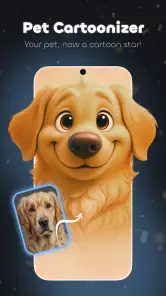
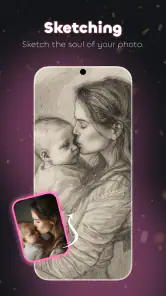
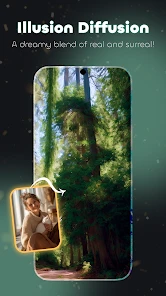
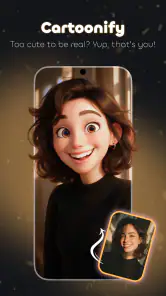
Analysis by Reviewed
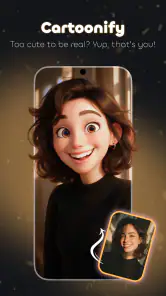
Ever wondered how you’d look like if you were a cartoon character? Well, with the magic of Cartoonify Me – Toon Photos, you can transform your photos into delightful cartoon versions in just a few taps! I've been playing around with this app, and let me tell you, it’s as fun as it sounds.
Unleashing Your Inner Cartoon
Once you dive into Cartoonify Me – Toon Photos, you’re greeted with a user-friendly interface that’s as colorful as a Saturday morning cartoon show. The app is super intuitive, making it easy even for the least tech-savvy among us to navigate. You don’t need to be an artist to create something that looks like it belongs in a comic strip; just upload your photo, and the app does the rest. It’s like having your own personal cartoonist on standby!
Features That Make It Pop
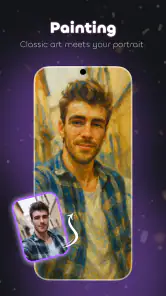
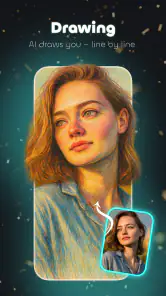
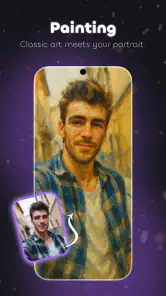
What really sets this app apart is the variety of styles you can choose from. Whether you want to look like a character from a vintage comic book or a modern animation, there’s something for everyone. Plus, the real-time preview is a neat touch, allowing you to see the transformation as it happens. It’s almost addicting to watch your face morph into different cartoon styles with just a swipe.
Another cool feature is the ability to adjust the level of cartooniness. You can go subtle with just a hint of cartoon flair or go all out with exaggerated features. I found myself playing around with these settings for longer than I care to admit. It’s just that engaging!
Sharing and Saving Your Toon Creations
Once you’ve perfected your cartoon look, sharing it with friends is a breeze. The app makes it simple to upload directly to your favorite social media platforms or save it to your device. I shared mine on Instagram, and the feedback was overwhelmingly positive. People couldn’t believe how cool the cartoon version looked!
Whether you’re looking to spice up your social media profile or just have some fun, Cartoonify Me – Toon Photos is a fantastic tool. It’s like having a digital playground where you can experiment with your creativity. The app is not only entertaining but also incredibly easy to use, making it a must-try for anyone looking to inject a little fun into their photo editing routine.
In conclusion, if you’re on the lookout for a fun and easy way to cartoonify your photos, this app should definitely be on your radar. It’s not just about creating funny pictures; it’s about exploring a new way to express yourself. So go ahead, give it a whirl, and see yourself in a whole new light!
Pros
- User-friendly interface
- High-quality cartoon effects
- Fast processing time
- Wide range of filters
- No ads in premium
Cons
- Limited free features
- Occasional crashes
- High battery usage
- Requires internet connection
- Limited customization options

- Category
- Photography
- Version
- 5.3.0











