Capital One Mobile
- 644.68K
- 4.5
- Installs
- 10.00M
- Price
- Free

Screenshots

Analysis by Reviewed
Have you ever found yourself juggling multiple banking apps, wishing there was a simpler way to manage your finances? Well, I’ve got news for you. I recently tried out the Capital One Mobile app, and let me tell you, it’s been a game-changer for my financial peace of mind.
Streamlined Banking at Your Fingertips
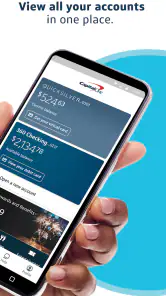
Alright, let’s dive right into it. The first thing that struck me about the Capital One Mobile app is how user-friendly it is. From the moment I logged in, the clean interface put me at ease. No more fumbling around trying to find the balance or recent transactions. Everything is laid out in a way that just makes sense. Seriously, it’s like they’ve taken all the frustration out of mobile banking.
A World of Features
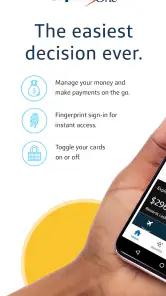
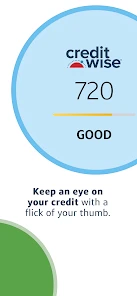
Now, I’m not going to lie, I was a bit skeptical about how much a mobile app could do. But this app has a ton of features packed into it. Need to pay a bill? No problem. Want to transfer money to a friend or family member? Easy peasy. They’ve even got a nifty feature that helps you track your credit score. And if you’re like me and sometimes forget your card at home, their virtual card numbers are a lifesaver for online shopping.
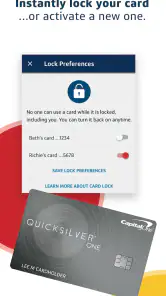
One of the standout features for me is the ability to lock your card directly from the app. Let’s face it, we’ve all had those moments of panic when we can’t find our card. With this feature, you can instantly freeze your card with a tap, giving you some much-needed peace of mind until you locate it.
Security You Can Trust
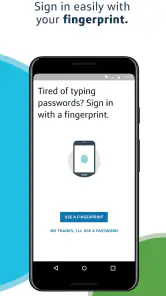
In today’s world, security is non-negotiable, and Capital One seems to understand that. The app uses biometric login options like fingerprint and facial recognition, which makes it not only secure but also super convenient. Gone are the days of remembering yet another password.
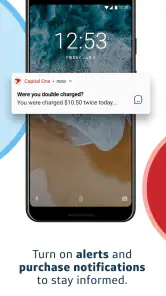
Moreover, they have real-time alerts that keep you informed about any suspicious activity. So, if there’s anything fishy going on with your account, you’ll be the first to know. It’s like having a personal security guard for your finances.
And for those of us who love to travel, the app allows you to set travel notifications, so you don’t have to worry about your card getting declined just because you’re exploring new places.
The Bottom Line
So, what’s the verdict? The Capital One Mobile app is a must-have for anyone looking to simplify their financial life. Whether you’re a tech-savvy millennial or someone who just wants to keep things simple, this app covers all the bases. It’s reliable, easy to use, and packed with features that cater to everyday banking needs.
In conclusion, if you’re tired of the hassle that comes with managing your finances, give this app a try. You might just find yourself wondering how you ever lived without it. Now, if only it could make my morning coffee too!
Pros
- User-friendly interface
- Comprehensive account management
- Secure login features
- Real-time alerts
- Budgeting tools
Cons
- Occasional app crashes
- Limited customer support
- Slow updates
- Complex navigation for new users
- Needs internet for full functionality

- Category
- Finance
- Version
- 6.35.2











