Mondly: Learn 41 Languages
- 14.15K
- 4.5
- Installs
- 10.00M
- Price
- Free

Screenshots
Analysis by Reviewed
I usually recommend a language app for a modest, practical reason: it can make it easier to begin when you have only a few spare minutes and no conversation partner nearby. Mondly: Learn 41 Languages is an education app from Mondly by Pearson, built around short interactive practice rather than a textbook-style course. That makes it approachable, though it works best as a regular practice tool, not a shortcut to fluency.
Getting Started with Mondly
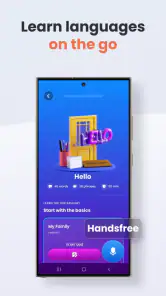
The first thing you’ll notice when you open Mondly is its sleek and user-friendly interface. It doesn’t matter if you’re a tech wizard or someone who’s just picked up a smartphone for the first time; Mondly is designed to be intuitive and easy to navigate. You start by selecting the language you want to learn, and from there, it’s a journey through interactive lessons that are both fun and engaging.
Where learners can get stuck
Choosing a language is simple; deciding what to do after a missed day or a confusing exercise can be less so. My advice is to treat each session as a small rehearsal, not a test of how quickly you can move through material. If a phrase catches you out, pause and say it aloud before continuing. Rushing to complete a lesson can create the feeling of progress without giving the words enough attention to stick.
Speech recognition can also feel inconsistent in ordinary use. A noisy room, a quiet voice, or an unfamiliar pronunciation can make speaking practice awkward, so I wouldn’t treat one unsuccessful response as proof that you said the phrase incorrectly. Try speaking clearly at a natural pace and repeat the attempt in a quieter moment. If you mainly want silent study on a bus or in a waiting room, the spoken exercises may be less convenient than reading or listening practice.
Interactive Learning Experience
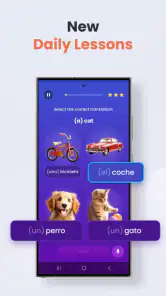
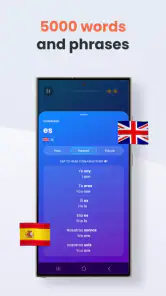
What sets Mondly apart from other language learning apps is its focus on interaction. You’re not just passively reading or listening; you’re actively participating. The app uses a combination of text, audio, and speech recognition technologies to create a comprehensive learning experience. You’ll find yourself speaking into your phone, repeating phrases, and getting instant feedback on your pronunciation. It’s like having a native speaker there with you, nudging you towards fluency.
A useful way to get more from those exercises is to notice the whole phrase, not just the answer the task is asking for. I like to repeat the complete line after finishing, then try to recall its meaning without looking. This adds a little effort but helps turn a tap-through activity into deliberate practice. It also makes clear where a sentence is still fuzzy, which is easy to miss when you focus only on getting the current prompt right.
Augmented Reality and Chatbot Features
Now, here’s where Mondly gets really cool. It incorporates augmented reality (AR) to make learning even more immersive. Imagine seeing virtual objects in your real world, labeled in the language you’re learning. It’s a feature that makes vocabulary stick because you’re associating words with visual elements around you.
More From Our News Desk

Weather by Xiaomi Review: Clear at a Glance, Less Clear Up Close

X Under Pressure: Can It Recover When Posting Goes Wrong?

Clash of Clans Is Won Between the Battles

Android Auto Makes the Case for Quieter Car Software

MobiOffice: Transforming Mobile Productivity with Seamless Integration

EA SPORTS FC™ Mobile Soccer: Redefining Mobile Sports Gaming
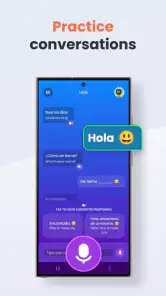
Plus, Mondly’s chatbot feature is a game changer. You can practice real-life conversations with an AI that’s designed to simulate human interaction. It’s perfect for those moments when you’re too shy to practice with another human. The chatbot will throw questions at you, and you need to respond as if you’re in a genuine conversation. It’s a fantastic way to build confidence and improve your conversational skills without any judgment.
I see AR and the chatbot as optional ways to vary practice, rather than reasons to expect a full substitute for real conversation. AR can help make a word memorable through a visual association, while chatbot exchanges let you rehearse responding without the pressure of another person waiting. For a more useful session, say your reply aloud and then make a second attempt without reading it first. The trade-off is that simulated exchanges can’t provide the unpredictability or personal feedback of a human conversation partner.
Tracking Progress and Setting Goals
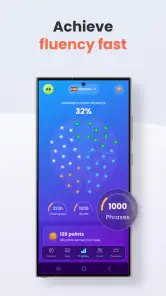
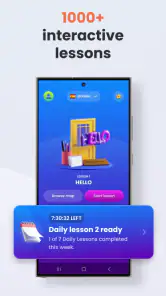
Mondly keeps you on your toes by allowing you to set daily goals and track your progress. There’s something incredibly satisfying about seeing your streaks and milestones. It motivates you to keep going, even on days when you might not feel like it. Plus, the app sends you friendly reminders to practice, ensuring that you don’t lose momentum.
A realistic routine might be to complete a short practice session while waiting for the kettle, then revisit one difficult phrase later instead of trying to fit in a long study block. The daily goal is most helpful when it supports a habit you can sustain; a streak is a nudge, not a measure of language ability. If a reminder arrives at a poor time, it’s reasonable to choose a more convenient moment rather than letting the notification turn study into a chore.
Setup checks and sensible expectations
Mondly is free to start, with optional in-app purchases ranging from $0.49 to $249.90 per item. I’d begin by exploring the available practice before deciding whether a purchase suits your needs; the range makes it worth checking the exact offer and terms shown in the app rather than assuming every learner needs to pay. Its average rating is 4.5 from around 918,000 ratings, and it has been installed over 10 million times, but popularity can’t tell you whether its lesson style fits your routine.
The app is rated for Everyone, runs on Android 10 or later, and its current version is 10.32.0. If you’re setting it up and something feels off, first check that your device meets that system requirement and that the app is up to date. For spoken exercises, move somewhere quieter and make sure the phone’s sound is at a usable level. These simple checks are sensible first steps; they won’t solve every problem, but they can rule out common sources of friction without guessing at a cause.
Choosing the right tool for your goal
Compared with flashcard-focused study, Mondly asks you to engage with phrases through audio and speaking, which can make it feel more like rehearsal than reviewing a word list. Compared with a class, tutor, or language exchange, it is easier to fit into a spare moment but offers less personal correction and spontaneous back-and-forth. I’d use it to build a starting routine or refresh familiar material, then look for human conversation when my goal is to handle unscripted exchanges confidently.
It may not suit someone who wants a carefully guided grammar course, detailed explanations of every mistake, or a strong replacement for speaking with people. Learners who need to prepare for a formal exam may also prefer a course tied closely to that exam’s format. Mondly makes more sense if you want approachable, repeatable practice and are comfortable adding other resources when you reach the limits of app-based learning.
When the app may not be the problem
If a lesson feels difficult, I’d first separate a technical snag from a learning snag. A misunderstood phrase calls for slower review; a voice response that doesn’t register calls for a quieter setting and a clear attempt; a session that feels repetitive may mean it’s time to vary the practice or take a break. Repeating the same action in frustration rarely makes the language clearer. A short pause and a return to the exact phrase that caused trouble is often a more useful recovery plan.
For an everyday example, imagine preparing for a trip and wanting to recognize basic greetings or rehearse a simple exchange before leaving home. A brief Mondly session can give you a low-pressure first pass, and repeating the spoken line helps you notice whether you can produce it rather than merely recognize it. I’d still keep expectations grounded: app practice can help you get started, but a real person may speak faster, phrase things differently, or ask an unexpected question.
Making practice useful beyond the lesson
One small habit I’d add is to keep a note of phrases that are useful to you personally, rather than trying to retain every new expression equally. If you’re learning for travel, that might mean greetings, asking for directions, or making a simple request. If you’re studying for family or work, choose phrases connected to the conversations you actually hope to have. Returning to a handful of relevant lines gives practice a purpose and makes it easier to notice what you still need to work on.
There’s also a useful distinction between recognizing a prompt and being able to produce a response. A multiple-choice or listening exercise can feel comfortable because the answer is in front of you; speaking from memory is a tougher check. After a lesson, I’d close the prompt mentally and try to say one phrase without looking. If it doesn’t come, that’s not a failure—it tells you which line deserves another pass, rather than prompting you to repeat the entire session.
For a busy day, I’d use the app in two short moments instead of forcing one longer session. A quick lesson during a break can introduce or refresh material, while a later attempt at the trickiest phrase can test whether anything stayed with you. That split is especially practical if you’re often interrupted. It also avoids making a missed day feel like a reason to abandon the routine; restarting with one manageable exercise is more useful than trying to compensate with an exhausting catch-up session.
Who will get the most from it
I think Mondly is best for beginners, casual learners, and people returning to a language who want a low-pressure way to get moving again. The short, interactive format can suit someone who feels unsure about speaking and wants to rehearse privately before trying a phrase with another person. It can also serve as a practical companion for someone who already has a class or tutor and wants to keep basic vocabulary active between lessons.
On the other hand, I wouldn’t choose it as my only resource if I needed systematic grammar instruction, detailed correction, or preparation built around a particular exam. A learner who already understands the basics but needs to debate, tell stories, or follow fast conversation will eventually need richer material and real interaction. The app can help make first attempts less intimidating, but confidence with a lesson prompt and confidence in an unpredictable conversation are different things.
Practical verdict
Overall, I’d suggest Mondly to beginners and returning learners who want a convenient way to practise language in small sessions, especially if speaking aloud feels easier to attempt on a phone than in front of another person. The app is free to try, and its mix of text, audio, speech practice, AR, and chatbot activities gives you several ways to engage. The main limitation is that an app’s guided exercises can’t replace the nuance of a teacher or live conversation, and the purchase options deserve a careful look before spending.
In conclusion, if you’re serious about learning a new language but want to do it in a way that’s engaging and interactive, give Mondly a whirl. It’s not just about memorizing words; it’s about truly understanding and using a language in real-world situations. With its innovative features, Mondly: Learn 41 Languages transforms the daunting task of language learning into an enjoyable adventure. So, are you ready to embark on this linguistic journey? Trust me, it’ll be worth every minute!
Mondly: Learn 41 Languages Frequently Asked Questions
Is Mondly appropriate for children and families?
Mondly is rated Everyone, so its age classification is suitable for a broad audience. Families can consider it as an education app for language learning, while keeping in mind that learners may benefit from choosing lessons that match their age, interests, and current ability. The app’s focus on practical language exercises can make it approachable for people studying on their own or together.
Does Mondly offer speaking practice, or is it mainly about reading and vocabulary?
Mondly’s store summary highlights real-world speaking exercises, so speaking is part of the learning experience rather than an afterthought. This can be useful if your goal is to practice using a language in everyday situations, not just recognize words on a screen. The app is designed around interactive language learning, giving learners a way to engage actively with the material.
Is Mondly free to download, and what might require payment?
Mondly is free to download, so you can try the app before deciding whether to spend money on additional content. It includes in-app purchases, with options ranging from $0.49 to $249.90 per item. The free experience gives you a way to explore language learning in the app, while purchases can unlock further features or learning material.
What devices can run Mondly?
Mondly is available for Android and iOS devices, making it possible to study on a phone or tablet. Check that your device meets the minimum operating-system requirement before downloading: the app requires version 10 or later. Mondly is an education app, and its age rating is Everyone, so it is suitable for a broad audience.
What languages can I learn with Mondly?
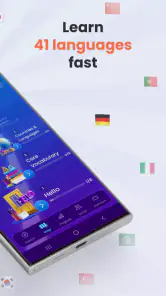
Mondly offers the opportunity to learn 41 different languages, making it one of the most diverse language learning apps available. Whether you're interested in Spanish, French, Chinese, or even less commonly studied languages like Finnish or Hebrew, Mondly has a course for you. The app provides interactive lessons that cater to both beginners and advanced learners.
Pros
- Offers 41 languages to learn
- catering to diverse interests.
- User-friendly interface makes navigation effortless.
- Adaptive learning adjusts to individual pace and style.
- Includes speech recognition for pronunciation practice.
- Daily lessons are quick
- making learning manageable.
Cons
- Some languages lack advanced levels and content.
- Free version offers limited features and lessons.
- Occasional bugs in speech recognition feature.
- Requires internet connection for most features.
- Ads can be intrusive in the free version.
- Category
- Education
- Version
- 10.32.0











