BestPlay: Play Games & Earn
- 24.39K
- 4.6
- Installs
- 10.00M
- Price
- Free

Screenshots

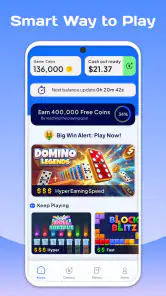
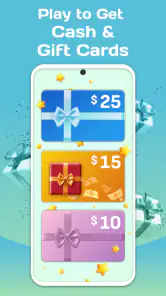

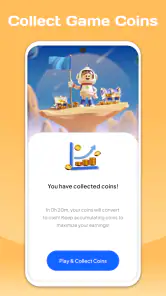
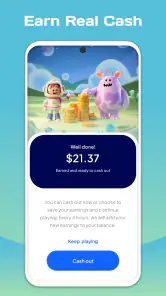

Analysis by Reviewed
I see BestPlay as a casual-gaming app with a practical extra: play short games and work toward rewards you can redeem through PayPal or gift cards. That changes the appeal. I wouldn’t open it expecting a deep game to get absorbed in for hours; I’d reach for it when I want a little entertainment and like having a possible reward attached. The important distinction is that the games are the activity, while earning is an incentive—not a dependable way to make money.
Rewards give casual play a different purpose
BestPlay is an entertainment app from Bestplay, and its central idea is easy to grasp: spend time playing casual games, then cash out through one of the listed reward options. I find that premise more useful than a vague promise of “earning” because it tells me how to judge the experience. If I enjoy the games on their own, rewards can make a spare moment feel more satisfying. If I don’t, the prospect of a payout may not be enough to make the play worthwhile.
The app is free, which makes it straightforward to try without paying an entry fee. That doesn’t make time costless, though. I’d treat each session as entertainment first and any reward as a bonus, rather than calculating an hourly return or planning around a particular payout. Casual reward apps are best approached with modest expectations: the fun should carry the session even if progress feels slower than hoped.
The reward angle also gives BestPlay a different feel from a standard collection of phone games. A typical casual game asks me to beat a level, improve a score, or pass a few minutes. Here, the stated purpose adds a second reason to keep playing. That can be motivating, but it can also make me notice every interruption or slow stretch more sharply. A game that is merely pleasant may feel less compelling if I’m focused on what I think it should earn me.
There is a substantial audience for the app: it has a 4.6 average from around 448,000 ratings and has passed 10 million installs. Those figures suggest many people have tried it, but they don’t tell me whether its rhythm or reward approach will suit an individual player. I’d use them as context, not as a promise that my experience will match everyone else’s.
What to expect when you start playing
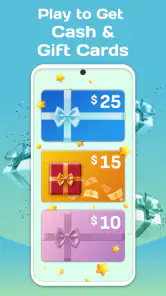
The basic workflow is simple in concept: choose from casual games, play, and work toward rewards that can be redeemed as PayPal cash or gift cards. That is enough to understand the appeal without treating the app like a job. I’d first look at what the app presents as available to play and what reward route it shows, then decide whether a session fits the time I actually have.
One practical tip is to check the redemption route before settling into a long session. If PayPal is the option you prefer, make sure that is the outcome you are aiming for; if you would rather have a gift card, keep that preference in mind instead. The point is not to assume that every reward choice behaves identically, but to avoid spending time toward an outcome you would not use.
More From Our News Desk

Weather by Xiaomi Review: Clear at a Glance, Less Clear Up Close

X Under Pressure: Can It Recover When Posting Goes Wrong?

Clash of Clans Is Won Between the Battles

Android Auto Makes the Case for Quieter Car Software

MobiOffice: Transforming Mobile Productivity with Seamless Integration

EA SPORTS FC™ Mobile Soccer: Redefining Mobile Sports Gaming
I’d also test the experience in short bursts before making it part of a routine. A brief first session helps me answer the questions that matter in practice: Do I like the games being offered? Is the path toward a reward understandable? Does opening the app feel relaxing, or do I find myself checking progress instead of enjoying play? Those answers are more personal and useful than deciding from the concept alone.
BestPlay is rated Mature 17+, so it is intended for older users rather than children. That matters even if the app’s headline idea sounds light and casual. I wouldn’t hand it to a younger family member on the assumption that simple games automatically make an app suitable for every age; the age guidance is part of deciding whether it belongs on a shared device.
A good fit for small gaps in the day
The strongest everyday use case, in my view, is a short break when I already want something light to do. Imagine waiting for a delayed appointment or sitting through a quiet stretch between tasks. I can open BestPlay, try a casual game, and stop when the break ends. If I also make progress toward a reward, that is an added incentive, but it doesn’t need to dictate how long I stay.
This framing helps avoid a common trap in reward-based apps: letting the target stretch a five-minute diversion into an unwanted commitment. I’d set a natural stopping point before I begin—when the bus arrives, when my break is over, or after I’ve had enough of a particular game. That keeps the app in the role of entertainment instead of turning every spare moment into a task.
It can also work for someone who likes sampling casual games but doesn’t want to buy a dedicated game just to fill a few gaps. BestPlay is free to install and play, so the first decision is mainly whether the available experience is enjoyable enough to keep using. Still, “free” should not be confused with “valuable for everyone”: attention is a resource, and a reward is only worthwhile if the process feels fair and pleasant to the person doing it.
Compared with ordinary casual games, BestPlay offers a reward-oriented reason to return. Compared with a dedicated rewards or survey app, it makes play the central activity rather than asking me to focus on questionnaires or other tasks. That difference is appealing if I would choose a small game anyway. If I want a game with a carefully developed story, a persistent world, or a particular genre, I would be better off choosing a specialist title instead of expecting a rewards hub to satisfy that preference.
The trade-offs behind the incentive
The main trade-off is that rewards can reshape how I judge the games. Without an incentive, I can quit a game the moment it stops being fun. When a reward is attached, I may be tempted to continue just because I have already spent time on it. I think it helps to ask a simple question during play: would I still choose this activity if there were no reward attached? If the answer is consistently no, the app may be taking more attention than it gives back in enjoyment.
Another point to keep in mind is that a reward app should not be treated like reliable income. The app’s premise is playing for rewards, not replacing paid work. I wouldn’t budget around a cash-out, promise myself a particular amount, or use it to justify extra screen time. A healthier approach is to see any redemption as a small perk that may make leisure feel more worthwhile, while keeping ordinary entertainment value as the main test.
There can also be a mismatch between a player’s preferred kind of game and what a casual collection offers. If I’m picky about controls, challenge, art style, or a specific genre, I may find the reward connection less important than finding exactly the game I want. BestPlay is a weaker choice for someone who already has a favorite standalone game and wants its progression, polish, or long-term depth. Its appeal rests on accessible casual play paired with an incentive, not on being the best possible home for every gaming taste.
I would avoid installing it solely because the word “earn” sounds like an easy shortcut. That expectation can make ordinary play feel disappointing, especially if I measure every minute against a financial return. The more sensible comparison is with other ways I spend idle time: a casual game I already enjoy, a short video, or simply putting my phone away. BestPlay wins only if the games are enjoyable enough and the reward option adds something I genuinely value.
Small habits that make the experience more useful
A practical way to decide whether to keep using the app is to review the experience after a few sessions rather than judging it by one game. I’d note whether I naturally want to come back, whether I understand what I’m working toward, and whether the time spent fits comfortably into my day. This is not about tracking every minute; it’s a check against letting a reward target quietly change a harmless break into a routine I don’t enjoy.
I’d also keep reward expectations separate from game choice. Pick an activity because it seems appealing, then treat progress toward redemption as a secondary benefit. That small change in mindset makes it easier to stop when the game is no longer fun and reduces the temptation to chase a milestone simply because it is visible. It is especially helpful for people who are naturally competitive or who dislike leaving progress unfinished.
When choosing between PayPal and a gift card, I’d think about what I would actually use rather than picking whichever sounds more exciting in the moment. A cash option can feel flexible; a gift card can be useful if it matches a regular purchase. The right choice depends on the person, and the app’s reward concept is only valuable when the eventual reward is relevant to that person’s life.
The age guidance deserves the same practical attention as the reward choice. At 17+, BestPlay is not a child-friendly substitute for a family game simply because its activities are casual. For an adult or older teen who meets the rating, it may be a low-commitment way to add a little structure to phone gaming. For a household looking for games suitable for younger children, I’d choose an app explicitly intended for that audience.
Who I’d recommend it to
I’d suggest BestPlay to someone who already enjoys bite-sized casual games, has small periods of downtime, and likes the idea of working toward a modest reward without treating it as a source of income. It is particularly suited to players who can stop when they want, enjoy trying different casual activities, and are comfortable letting the reward remain a bonus rather than the whole point.
I’d skip it if I were looking for a premium-feeling game with one focused experience, if I disliked incentive-based play, or if I tend to spend longer than intended when progress bars or goals are involved. It is also the wrong choice for younger children given its Mature 17+ rating. In those situations, a standalone game chosen for its gameplay—or a non-gaming way to pass time—may be a better match.
The app was released on February 14, 2025, and its current version is 3.6.3, with Android 7.0 as the stated minimum operating system. Those details are useful when checking basic compatibility, but I’d still make my decision based on how the games and redemption options feel in use. The high rating and broad adoption show that many people have been willing to try it; they don’t remove the need to decide whether its particular trade-off suits me.
My overall view is that BestPlay makes the most sense when I want casual play first and a reward second. The PayPal and gift-card angle gives ordinary downtime a clear extra purpose, but it works best with a light touch: try it, see whether the games hold your interest, and stop when the break is over. If the reward is a pleasant addition to time you would have spent gaming anyway, the app has a sensible place on your phone. If you need the reward to justify every minute, or want a deep game rather than a casual diversion, I’d look elsewhere.
BestPlay: Play Games & Earn Frequently Asked Questions
What is BestPlay: Play Games & Earn?
BestPlay is a rewards app that lets users discover and try mobile games, then earn points or other rewards for completing eligible activities. The exact games, tasks, and reward options can vary by location and over time. Before getting started, review the current offers and the app’s terms so you understand which actions qualify and what is required to receive credit.
How do you earn rewards in BestPlay?
Typically, you choose a game or offer listed in BestPlay, install or open it as instructed, and complete the stated milestones. Offers may require reaching a level or playing for a specified period, and they can have deadlines or eligibility rules. Follow each offer’s instructions carefully; using a different installation route or missing a requirement may prevent progress from being tracked.
Can you withdraw BestPlay rewards as real money?
BestPlay may provide reward options such as gift cards or other payout methods, but availability and redemption requirements can depend on your country and account. Check the rewards section in the app for current choices, minimum redemption thresholds, and any verification steps before spending time on offers. Rewards are not guaranteed income, and processing times or options may change.
Why might a game or offer not track in BestPlay?
Tracking can fail if an offer’s installation or permission instructions are not followed, if the game was previously installed, or if the device or account does not meet the offer’s eligibility requirements. Network interruptions and privacy settings may also affect attribution. Keep the offer details, allow the requested tracking where appropriate, and contact BestPlay support with relevant screenshots if a completed task is not credited.
Is BestPlay safe, and what should I check before downloading it?
Download BestPlay only from an official app store or another source you trust, and inspect its current store listing, developer information, permissions, privacy policy, and user reviews. The app may involve advertising, analytics, or data sharing needed to operate rewards and track offers. Avoid sharing unnecessary sensitive information, and remember that game offers and payout terms can differ by region.
Pros
- Offers several games in one app
- so there are options to explore.
- Rewards provide an extra incentive to try new games.
- Simple layout makes it easy to browse available activities.
- Can be a casual way to pass time between other tasks.
- Getting started does not require specialized gaming knowledge.
Cons
- Reward rates and availability may vary by game or region.
- Earnings can take time and may require substantial play.
- Some offers may require installing or trying additional apps.
- The app may collect usage data to operate and personalize offers.
- Reward redemption rules and eligibility can limit how you cash out.
- Category
- Entertainment
- Version
- 3.6.3











