ArtCanvas: Learn how to draw
- 194.00
- 4.8
- Installs
- 1.00M
- Price
- Free
Screenshots
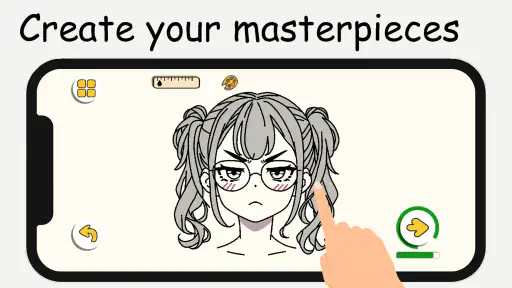
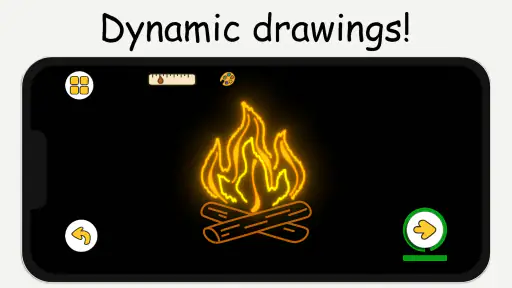
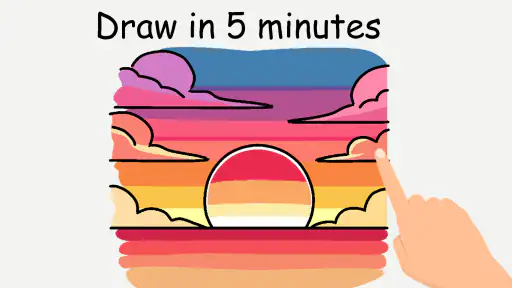
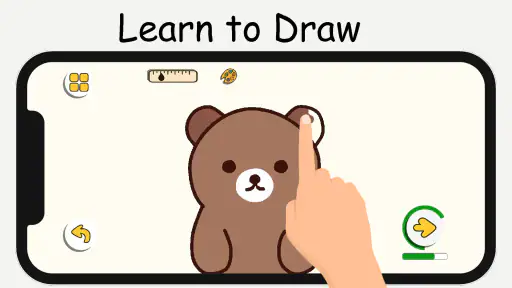
Analysis by Reviewed
Step-by-step drawing lessons are most useful when they make a blank page feel manageable, rather than promising instant talent. That is the appeal I see in ArtCanvas: Learn how to draw: it puts guided practice at the center, so a beginner can focus on one part of a drawing at a time. I’d treat it as a way to build a regular drawing habit, not as a shortcut to polished work.
Why guided steps can help
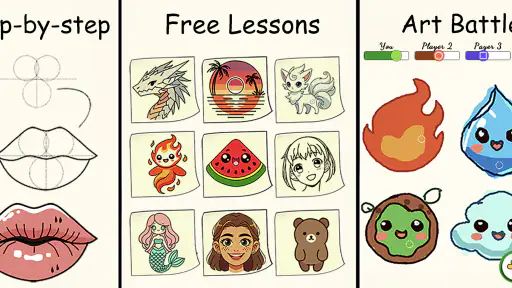
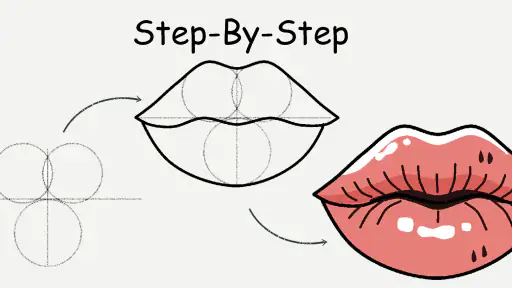
Drawing tutorials often ask you to watch a demonstration and then remember what happened when you try it yourself. ArtCanvas takes a more lesson-based approach, breaking a subject into smaller stages. That can make it easier to notice how a finished image is built, and to pause when a particular shape or line needs more attention.
A useful way to work through a lesson is to keep your first attempt deliberately simple. Follow the sequence once without worrying about making it look perfect, then repeat the parts that felt awkward. The value is not only in copying the example; it’s in learning to recognize which step you tend to rush or misunderstand.
Unleashing Your Inner Artist
When I first downloaded ArtCanvas: Learn how to draw, I was skeptical. I mean, could an app really teach me to draw better than my high school art teacher? Spoiler alert: it totally can. The app offers a slew of tutorials that cater to all levels, from absolute beginners like myself to more seasoned artists looking to refine their skills.
Interactive and Engaging Tutorials
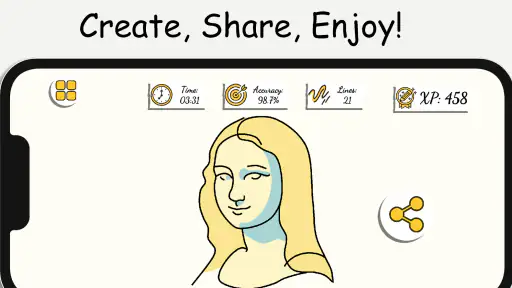
One of the coolest features of ArtCanvas is its interactive tutorials. The app doesn’t just throw a bunch of videos at you and hope for the best. No, it engages you with step-by-step lessons that adapt to your pace. If you’re like me and need to see something a couple of times before it sticks, you’ll appreciate the replay option that’s so conveniently placed.
The app breaks down complex drawings into manageable parts. It’s like having a friend who’s really good at art guide you through the process, minus the judgmental stares when you mess up. Plus, the real-time feedback is a lifesaver. You get instant critiques that help you improve on the spot.
Making a lesson fit real life
For a practical routine, I’d pick one lesson before a short break in the day, complete a first pass, and then return later to redraw the section that gave me trouble. That small loop is more useful than racing through several examples: it turns replay into deliberate practice and gives me a clearer sense of whether I’m improving at a specific shape or technique.
More From Our News Desk

Clash of Clans Is Won Between the Battles

Android Auto Makes the Case for Quieter Car Software

MobiOffice: Transforming Mobile Productivity with Seamless Integration

EA SPORTS FC™ Mobile Soccer: Redefining Mobile Sports Gaming

How Microsoft OneDrive Became a Mobile Productivity Giant

How Google Translate Breaks Language Barriers Effortlessly
The guided format also changes how I’d use the app alongside paper and pencil. I’d keep the screen nearby as a reference, but avoid tracing every line mechanically. Looking away between steps forces me to recall the sequence, which is a better test of learning than simply matching the screen. This is a small habit, but it helps keep a tutorial from becoming passive copying.
Tools and Features to Enhance Creativity
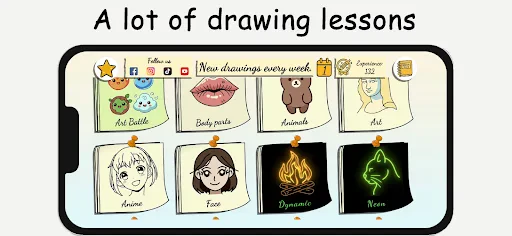
ArtCanvas isn’t just about learning; it’s also about creating. The app boasts a variety of tools that let your creativity run wild. Whether it’s brushes, colors, or textures, you name it, ArtCanvas has it. The interface is super intuitive, so you won’t find yourself fumbling around trying to find the right tool. It’s all laid out nicely, making the creative process flow seamlessly.
And for those who love to share their artwork, ArtCanvas makes it ridiculously easy to export your masterpieces. Whether you want to impress your Instagram followers or just keep a digital portfolio, the app has got you covered.
Choosing it over other ways to learn
Compared with searching for a free drawing video, a guided lesson can be easier to follow because the stages are organized around one task rather than scattered across unrelated clips. That structure is especially helpful when I want a clear starting point. On the other hand, a general-purpose drawing app may be a better fit if I already know what I want to create and mainly need a flexible canvas, while a live class offers direct human coaching that an app cannot replace.
There is a trade-off between following instructions and finding my own style. A lesson can help me get past the intimidating blank page, but copying examples alone won’t teach me how to invent subjects or make every drawing feel personal. I’d use the tutorial as scaffolding: finish the guided version, then change a detail or draw the subject from memory. That second attempt is where I can see what I actually learned.
Community and Support
Another aspect worth mentioning is the community support. ArtCanvas has a built-in community feature where you can connect with fellow artists. It’s a fantastic way to get inspired, share tips, and even collaborate on projects. The app also offers customer support that’s quick to respond, ensuring you never feel stuck or frustrated.
The multiplayer drawing option gives the app another reason to open it with a friend rather than practice alone. I’d use that for a relaxed drawing challenge or to compare interpretations of the same subject, not as a substitute for careful solo practice. If you prefer private, uninterrupted work, the social side may not matter much; if friendly participation keeps you drawing, it could be a welcome nudge.
Who will get the most from it
I’d recommend this art and design app to beginners who want structure, people returning to drawing after a long break, and anyone who learns better by doing than by watching. It can also suit a casual household activity: after dinner, one person picks a lesson, everyone follows the stages at their own pace, and nobody has to be good at drawing for the exercise to be enjoyable.
It is less suited to someone seeking advanced, individualized critique or a fully open-ended professional workspace. Guided instruction is most helpful when you want a prompt and a sequence; it can feel restrictive if you already have a precise workflow. The app is free to download, with optional in-app purchases priced at $0.99 per item, so I’d explore the learning experience before deciding whether anything extra is worth paying for.
Practical details and lasting value
LifeIsGame makes ArtCanvas, which has a 4.8 average from around 34,000 ratings and over a million installs. It is rated for Everyone, runs on Android 6.0 and later, and its current version is 1.7.02. It was released on September 28, 2024. Those details make it easy to judge basic fit, but the more important question is whether the lesson format suits how you like to learn.
If you’re wondering whether it can replace a traditional art class, I wouldn’t expect that: it can guide practice, while a teacher can respond to your work in a more personal way. If you simply want to start drawing without planning a curriculum, though, the stepwise approach offers a low-pressure first move. I’d give it a try when I wanted a clear prompt and a bit of company, then keep using it only if the lessons helped me draw more often.
So, if you’ve ever dreamed of creating art that’s more than just doodles in the margin of your notebook, give ArtCanvas a shot. It’s user-friendly, packed with features, and genuinely fun to use. Who knows, you might just discover a hidden talent. Happy drawing!
A small practice plan that makes the lessons stick
I’d get more from the guided format by choosing a lesson for a specific reason instead of browsing until something looks appealing. For example, if drawing faces feels intimidating, I’d focus on a subject with shapes I can observe and repeat, then keep a quick note of which stage caused me to hesitate. That gives the next session a clear purpose without turning a relaxing hobby into homework.
It also helps to separate practice from judging the result. I’d keep the first attempt as a record of how I followed the steps, then make a second version with one deliberate change, such as adjusting the size or position of a feature. That comparison is more revealing than deciding whether the drawing is simply “good.” It shows whether I understood the construction or only copied the sequence.
What to expect from feedback and shared drawing
Instant feedback can be encouraging, but I wouldn’t treat it as the same thing as a teacher examining the whole drawing and explaining why a choice works. It is best viewed as a prompt for the next adjustment, not a final verdict on my ability. If a lesson’s guidance doesn’t make a point clear, I’d slow down, replay the stage, and check the proportions against the reference rather than rushing to finish.
For multiplayer drawing, I’d agree on a simple shared prompt before starting. A short, familiar subject makes it easier to compare approaches without turning the activity into a contest. It can be a nice way to make practice social, especially for friends who are reluctant to draw alone, but people who want quiet concentration can ignore that appeal and use the lessons individually.
Picking the right tool for the job
The main choice is between learning a sequence and having a blank digital workspace. ArtCanvas is the more natural starting point when I need direction and want a subject broken into steps. A broad drawing app is preferable when I already have a plan and need room to experiment with my own composition. Free videos can be useful for sampling different teachers, but they often require more effort from me to pause, organize, and repeat the useful parts.
Paper and pencil remain a sensible companion rather than a competing option. They make it easy to practice away from a screen and to focus on the movement of a line. I’d use the app to understand the order of a drawing, then try the same idea on paper from memory. If I wanted detailed correction tailored to my own work, I’d look for a human instructor instead; the app’s strength is guided repetition, not personal coaching.
Everyday fit and sensible expectations
A realistic use might be a few minutes while waiting for dinner or settling in after work: choose a lesson, draw one pass, and stop at the stage that needs another try. That is a more forgiving routine than expecting a finished picture every time. If I only have a phone and prefer drawing with a stylus or finger, I’d first see whether the on-screen workspace feels comfortable; anyone who finds a small display cramped may prefer following the guidance while drawing on a larger surface.
One question I’d consider before installing is whether I want lessons or an all-purpose art studio. ArtCanvas makes the most sense for the first need, and its creative tools may add room to play after a lesson. But a person looking for a highly specialized professional workflow should compare it with software built around that work. Likewise, someone who wants critique on anatomy, composition, or technique should not expect a guided tutorial to replace a teacher or a focused peer review.
Who should try it, and who may not need it
I think it is a strong fit for a curious beginner who freezes at an empty page, a returning hobbyist who wants a prompt, or a parent or friend looking for a low-pressure activity to do together. The sequence gives those users a concrete first move, while the option to revisit a difficult part supports practice at an individual pace. The multiplayer element can add a social reason to return, provided the user enjoys drawing with other people.
I’d skip it if I already know exactly how I like to work and mainly need a custom canvas, or if my priority is rigorous, personal instruction. It may also disappoint someone who expects a lesson to produce polished art without repetition. Drawing still takes observation and patience; the app can organize a practice session, but it cannot make every line land the way I want on the first attempt.
Overall, I’d use ArtCanvas as a friendly entry point and a source of structured prompts, then take what I learn into independent sketches. Its best contribution is not a promise that everyone will become an artist, but a practical way to make starting less daunting. If a guided sequence helps you pick up a pencil more often, that is a worthwhile result; if you need freedom, professional tools, or individualized critique, another approach will suit you better.
ArtCanvas: Learn how to draw Frequently Asked Questions
What kind of drawing activities can I expect from ArtCanvas?
ArtCanvas focuses on learning through step-by-step tutorials and fun lessons, with multiplayer drawing also included. This mix may suit someone who wants guidance while practicing, as well as someone looking for a more social creative activity. It is an Art & Design app, so its main appeal is drawing and learning rather than serving as a general-purpose productivity tool.
Who develops ArtCanvas, and how can I make sure I choose the right app?
ArtCanvas is developed by LifeIsGame. When choosing it in an app store, check the app name and developer so you can distinguish it from other drawing apps with similar names. It is listed under Art & Design and has a short store description of “ArtCanvas.” Those details can help you identify the app you intend to download.
Is ArtCanvas free to download, and what should I know about its cost?
ArtCanvas is free to download, so you can try its drawing lessons and tools without paying upfront. The app also offers in-app purchases priced at $0.99 per item. That means some optional content or features may involve a separate payment. Check the purchase details shown in the app before confirming any transaction, especially if you are downloading it for a child.
What is ArtCanvas and how does it help users learn to draw?
ArtCanvas is a comprehensive digital drawing app designed to help users of all skill levels improve their artistic abilities. The app provides a variety of tools such as step-by-step tutorials, customizable brushes, and interactive exercises. Each feature is crafted to enhance artistic skills, making it an ideal choice for both beginners and experienced artists who want to refine their techniques. Its stated focus also includes fun lessons and multiplayer drawing, giving users more than one way to approach practice.
Is ArtCanvas suitable for beginners or is it designed for more advanced users?
ArtCanvas is suitable for artists of all levels, including beginners. The app offers beginner-friendly tutorials that break down complex drawings into manageable steps. Additionally, for advanced users, ArtCanvas provides a range of sophisticated tools and features that allow for intricate and detailed artwork. This makes it a versatile app catering to a wide range of artistic needs.
Pros
- User-friendly interface for beginners
- Wide variety of drawing tools available
- Interactive tutorials enhance learning
- Regular updates with new features
- Offline mode for uninterrupted use
Cons
- Limited free version features
- Occasional app crashes reported
- Ads can be intrusive
- High battery consumption
- Requires a stable internet connection for tutorials

- Category
- Art & Design
- Version
- 1.7.02











