AR Draw Sketch: Trace & Paint
- 225.00
- 4.1
- Installs
- 10.00M
- Price
- Free
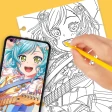
Screenshots
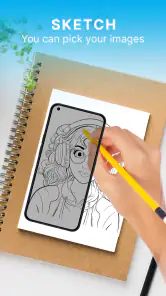
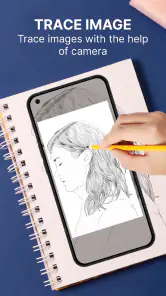
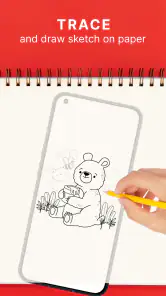
Analysis by Reviewed
Ever found yourself lost in the world of art, wishing you could sketch like a pro? Well, that's exactly where AR Draw Sketch: Trace & Paint steps in, and boy, does it deliver! This app is like having an art teacher right in your pocket, guiding your shaky hands to create something truly spectacular. Let’s dive in and see what makes this artistic app a must-have for both budding artists and seasoned sketchers.
Your Artistic Journey Begins
With AR Draw Sketch: Trace & Paint, starting your artistic journey is as simple as picking up your phone. The app's intuitive interface makes it incredibly easy to navigate, even for those who are more comfortable with a pen than a smartphone. The first thing you’ll notice is the plethora of sketch templates available. From simple doodles to intricate designs, there’s something for everyone, and that’s just scratching the surface.
Augmented Reality Magic
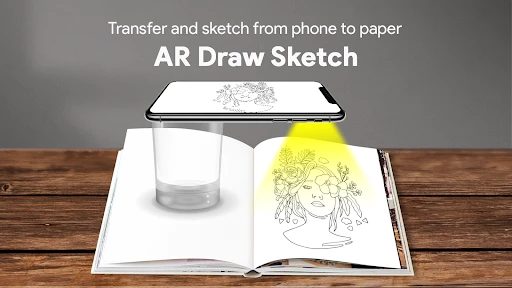
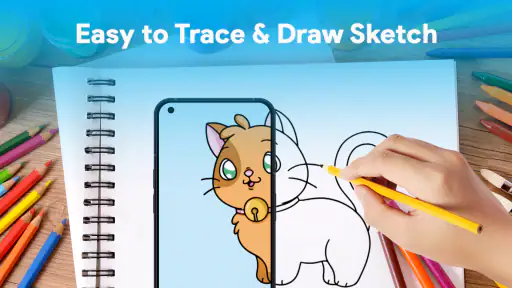
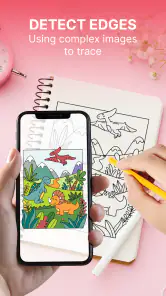
One of the standout features of this app is its use of augmented reality (AR). Honestly, it feels like stepping into the future. You simply point your camera at a piece of paper, and voila! The app overlays the sketch template right onto it. This feature is not only fun to use but also incredibly helpful for visual learners who need to see their work in real-time. It’s like the app is whispering, "You got this," as you trace along.
Tools of the Trade
Now, let's talk about the tools. The app provides a variety of brushes and colors, making it feel like you have your own personal art studio on hand. Whether you’re into pencil sketches or watercolor-like effects, AR Draw Sketch: Trace & Paint has got you covered. The color selection is vast, and the brush sizes are customizable, which means your creativity knows no bounds. It’s like having an entire art supply store condensed into a nifty app.
Sharing Your Masterpieces
Once your masterpiece is complete, sharing it with the world is just a tap away. The app makes it super easy to post your creations on social media or send them directly to friends and family. This feature is perfect for those looking to get feedback or just wanting to showcase their skills. Plus, the community aspect can be incredibly motivating, pushing you to create more and improve with each sketch.
In conclusion, AR Draw Sketch: Trace & Paint turns the daunting task of drawing into a fun and engaging experience. It’s perfect for anyone looking to dip their toes into the world of art or for those who want to hone their skills further. With its user-friendly interface, innovative AR feature, and comprehensive toolset, this app is a game-changer for artists everywhere. So, if you’re ready to unleash your inner Picasso, this app is definitely worth a shot. Happy sketching!
Pros
- Easy to use for beginners.
- Enhances drawing skills.
- Versatile tracing options.
- User-friendly interface.
- Supports various art styles.
Cons
- Requires a stable surface.
- Limited free features.
- Ads interrupt usage.
- Needs adequate lighting.
- Not suitable for complex art.
- Category
- Art & Design
- Version
- 1.0.3











