Anime AI - Photo Maker
- 869.00
- 3.5
- Installs
- 5.00M
- Price
- Free

Screenshots
Analysis by Reviewed
I would approach Anime AI - Photo Maker as a small creative tool for reimagining a portrait, not as an all-purpose photo studio. Its appeal is easy to understand: choose a face, explore an anime-inspired version, and see whether the result feels fun enough to share or keep. That focused idea makes it approachable, though it also means the app is best judged by the quality and comfort of that one particular workflow rather than by the breadth of a full editing suite.
Turning a portrait into a personal anime experiment
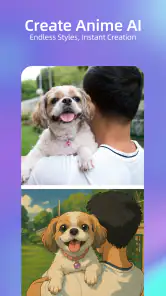
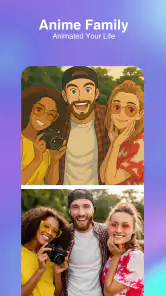
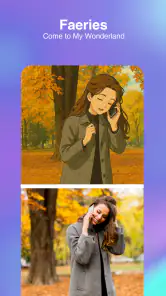
Anime art often exaggerates familiar features, so seeing a recognizable selfie translated into that visual language can be amusing and surprisingly personal. I like the idea most when I treat the result as a playful interpretation rather than a faithful likeness. That expectation matters: if you want to see yourself in a different style, a little creative drift can be part of the fun; if you need a precise portrait, it can feel like a flaw.
As an art and design app from Brilliant Games Private Ltd., Anime AI - Photo Maker has a narrower purpose than a general photo editor. I would reach for it to make a lighthearted chat avatar, test a new look, or create a small surprise for a friend who enjoys anime. I would not choose it to fix a photograph, prepare detailed artwork, or make a carefully controlled image for professional use.
Readable, straightforward navigation
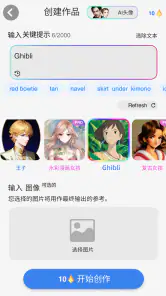
The app greets you with a clean and intuitive interface. Even if you're not tech-savvy, navigating through Anime AI - Photo Maker is a breeze. Everything is laid out with simplicity in mind, allowing you to get to the fun part without much hassle. Uploading a photo is easy, and within moments, you can see your anime alter ego staring back at you. That direct route from portrait to transformed image is useful when you want a quick result rather than a full editing session.
Its short path from choosing a portrait to seeing an image can suit someone who feels overwhelmed by editors that present many sliders, layers, and menus at once. I would still take a moment to check what each visible option does before tapping through, especially around purchase prompts. The simpler layout helps with orientation, but it does not mean every choice is automatically obvious or that every available option is free.
It is an art and design app from Brilliant Games Private Ltd., and its focus is narrower than a general photo editor: the appeal is turning a personal image into anime-style art. I would use it for a playful profile image, a chat avatar, or a lighthearted gift idea, not for detailed retouching or professional illustration. The app is free to install, though it offers in-app purchases from $0.99 to $29.99 per item, so I would check any purchase prompts before treating every option as included.
Motor and sensory considerations
The most comfortable way to explore a photo transformation is to work in short rounds rather than trying to perfect everything in one sitting. I would choose a portrait, view the outcome, and pause to decide whether the change is appealing before making another selection. This reduces repetitive tapping and makes it easier to notice which choice actually improved the result.
More From Our News Desk

Weather by Xiaomi Review: Clear at a Glance, Less Clear Up Close

X Under Pressure: Can It Recover When Posting Goes Wrong?

Clash of Clans Is Won Between the Battles

Android Auto Makes the Case for Quieter Car Software

MobiOffice: Transforming Mobile Productivity with Seamless Integration

EA SPORTS FC™ Mobile Soccer: Redefining Mobile Sports Gaming
That approach can also help anyone who finds prolonged screen viewing tiring. Stylized images may use strong colors and enlarged facial features, so I would take breaks if repeated comparisons become uncomfortable. People with limited hand control may want to test the basic flow before investing time in detailed adjustments; a simple interface can reduce clutter, but it cannot guarantee that every control is easy for every person to use.
One useful habit is to keep a clear original portrait available and compare it with the finished image after a brief visual break. Looking back and forth continuously can make small changes harder to judge. If color is important to your choice, focus on the overall mood and shape as well as hue, since a style that relies on color alone may not communicate the same way to everyone.
Customization at Its Best
One of the standout features is the level of customization available. You can tweak your anime character's hair color, eye size, and even the background setting. It's like having a mini anime studio at your fingertips. I spent a good chunk of time playing with different styles, and let me tell you, it was addictive!
A practical tip is to start with a clear, well-lit portrait where your face is easy to distinguish, then compare variations against the original rather than judging each result alone. That makes it easier to spot whether a change still feels like you or has drifted into a generic character. For a group photo or an image with a busy background, I would try a simpler portrait first; a clean input gives you a more useful sense of what the transformation itself is doing.
Rather than changing several things at once, I would alter one visible choice and look at the result before moving on. That makes the process less confusing and helps identify which detail creates the look you prefer. It is also a practical way to avoid spending time polishing an image whose overall interpretation already feels wrong. If the face no longer resembles the person, starting over with a different source photo may be more effective than fine-tuning the background.
This is also where the app differs from a standard filter editor. A conventional editor gives you precise control over exposure, color and cropping, while an anime transformation is more about reinterpretation than faithful correction. If you need exact facial retouching, layered illustration tools or predictable print-ready output, a traditional editor is likely the better choice. I see this app as a quick creative detour, not a replacement for those tools.
Situational access and sharing
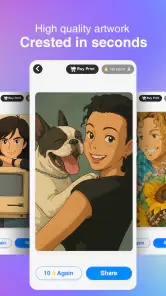
Once you've created your masterpiece, sharing is a breeze. The app integrates with social media platforms, so you can show your anime self with a tap. I posted mine on Instagram, and the reaction was overwhelmingly positive. It's a fun way to engage with friends and showcase your creative side.
In an everyday situation, I can imagine making a new avatar while waiting for a friend or during a quiet break: choose a usable selfie, explore a few looks, and save the one that feels right for that particular profile. If the first image misses the mark, trying another portrait is a more sensible next step than spending ages adjusting details. I would also keep the original photo, so the stylized version remains an optional, playful alternative rather than the only copy.
For a gift or a shared joke, I would make the image with the other person's comfort in mind. A transformation can be funny to one person and unwelcome to another, especially if it changes recognizable features. I would ask before posting a friend’s image, and I would check the finished crop at the size where it will actually appear; a face that looks clear on a phone may be harder to make out as a tiny profile icon.
For accessibility, the simple sequence of choosing an image and viewing a result may feel more approachable than a busy editor packed with tools. Still, photo-based creative apps can demand precise taps and visual comparison. Anyone with low vision, color-vision differences, limited hand control, or sensitivity to strong visual effects should take their own pace and see whether the controls and results suit them. The app is rated for Everyone, runs on Android 6.0 and up, and its current version is 1.7.0.
Remaining barriers and the right audience
If you're an anime fan or just someone looking to add a touch of whimsy to your photos, this app is worth a shot. Not only does it offer a distinctive way to play with your appearance, but it can also spark ideas about how you might present yourself online. The key trade-off is that the result is an artistic interpretation, not a precise portrait edit, so people who want subtle, realistic changes may prefer a regular photo editor.
It has an average rating of 3.5 from around 22,000 ratings, with roughly 869 written reviews and over 5 million installs. Those figures suggest plenty of people have tried it, but they don't guarantee that every style or workflow will suit you. I would treat a first session as a low-stakes test: see whether the output looks appealing, whether the process is comfortable, and whether any paid options matter to your use.
The app is free, so trying its basic creative approach need not mean committing to a purchase; paid items are available if you want to explore beyond what is included. It was released on December 10, 2022, and its Everyone age rating makes it suitable for a broad audience, though younger users should still have an adult's guidance around purchases and sharing personal photos. I would skip it if you need guaranteed likeness, extensive manual controls, or a workflow designed for accessibility needs that the interface does not meet for you.
A different kind of app is a better fit when your goal is to repair a dim photo, remove a distracting object, or make an exact crop. Those jobs depend on deliberate, predictable edits, whereas this experience is about turning a portrait into something stylized. Likewise, someone drawing a character from scratch may prefer an illustration program with direct control over lines, layers, and composition. The useful distinction is not that one approach is better overall, but that each solves a different problem.
If you are deciding whether to install it, I would ask two practical questions: do you already have a portrait you are comfortable using, and would an imaginative result still be valuable if it did not look exactly like you? A “yes” to both makes the experiment more likely to feel worthwhile. If you need a reliable likeness for identification, business use, or a formal profile, I would choose a conventional image editor instead.
Because the app includes paid items, I would also decide in advance whether I am only testing the free experience or willing to spend on additional options. That small boundary can keep a casual creative session from turning into an impulse purchase. For a younger user, an adult can help review purchase choices and decide which personal images are appropriate to share.
Why You Should Try It
If you're an anime fan or just someone looking to add a touch of whimsy to your photos, this app is worth a shot. Not only does it offer a unique way to play with your appearance, but it sparks creativity and offers a new perspective on how you see yourself. Anime AI - Photo Maker is more than just an app; it’s a gateway into a whimsical world where you can reimagine yourself as an anime character.
In conclusion, Anime AI - Photo Maker is a delightful app that combines the wonder of anime with AI-powered photo transformations. It's a good fit for anyone who wants a quick, playful creative experiment, and less suitable for someone seeking exact editing control or a polished illustration workflow. I would try it with a portrait I am comfortable transforming, compare the result with the original, and decide from there whether its style earns a place in my regular creative toolkit.
Anime AI - Photo Maker Frequently Asked Questions
Can I use Anime AI - Photo Maker to create profile pictures?
Yes. Anime AI - Photo Maker is designed to turn photos into anime-style images, which can make the results useful as profile pictures or personal creative projects. You can start with a photo from your gallery or take one through the app, then review the transformed image before saving or sharing it. Choose a photo you are comfortable using.
What devices can I install Anime AI - Photo Maker on?
Anime AI - Photo Maker is an app for Android, and it requires Android 6.0 or later. Before downloading, check your device’s operating system version to make sure it meets that requirement. The app is free to download, though some features may involve in-app purchases. Its content rating is Everyone, so it is intended for a broad audience.
Does Anime AI - Photo Maker need an internet connection?
A stable internet connection is recommended for smooth operation and access to the latest updates and features. Since the app uses AI to process photos, having a reliable connection can help you move through the transformation process more comfortably. If you plan to create images while away from a dependable connection, consider that before downloading.
What is Anime AI - Photo Maker?
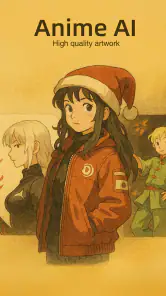
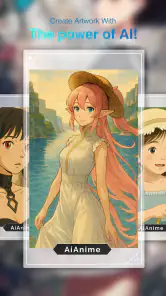
Anime AI - Photo Maker is a cutting-edge application designed to transform your regular photos into stunning anime-style images. Leveraging advanced AI technology, the app allows users to create personalized anime avatars or images from their own photos, offering a unique blend of creativity and technology. It's perfect for anime enthusiasts looking to see themselves in a new light.
How do I use Anime AI - Photo Maker?
Using Anime AI - Photo Maker is straightforward. Simply upload a photo from your gallery or take a new one directly through the app. Once uploaded, the AI processes the image and provides various anime-style options for you to choose from. You can then customize your anime avatar with additional features or effects before saving or sharing your creation.
Pros
- User-friendly interface for seamless navigation.
- High-quality AI-generated anime images.
- Wide variety of anime styles to choose from.
- Customizable features for personalized images.
- Fast processing with quick export options.
Cons
- Requires in-app purchases for premium features.
- Limited free version capabilities.
- Occasional ads can disrupt user experience.
- May require internet connection for best results.
- Some styles may not suit all preferences.
- Category
- Art & Design
- Version
- 1.7.0











