Animagic: Anime Art Generator
- 805.00
- 3.1
- Installs
- 1.00M
- Price
- Free

Screenshots
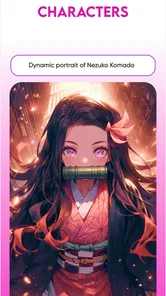
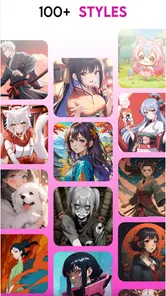
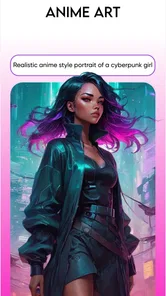
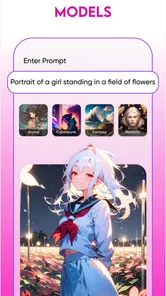
Analysis by Reviewed
I like the idea of an anime-art app that can turn a casual family moment into a small creative project, rather than asking everyone to learn a full digital painting program first. Animagic: Anime Art Generator is aimed at making anime-style images with AI, so it can suit a shared tablet or phone passed around at home. The key is to treat it as a playful art tool, not as a substitute for a proper drawing course or a carefully controlled family account.
A shared creative session, with realistic expectations
Picture a quiet afternoon when one person chooses a photo or an idea and everyone takes turns suggesting what the anime version should feel like: cheerful, dramatic, or softly colored. That kind of activity gives the app a practical use beyond making a single image. I would keep the prompt or source-image choice simple at first, then compare a few approaches instead of expecting the first result to match the group’s exact vision. AI output is a starting point; deciding what works and what to change is part of the fun.
For a household, the easiest way to coordinate is to agree whose image is being made and who gets to save or share the finished result. I would avoid treating a shared device as a shared identity: people may have different preferences about which personal photos or creations are used. A quick check before uploading or sharing is a sensible habit, especially when several people are taking turns.
Where it fits among art apps
Animagic sits between a conventional drawing app and a one-purpose image filter. Compared with a blank-canvas art program, it lowers the barrier to getting an anime-inspired result, which is useful if you have an idea but little drawing experience. Compared with a basic filter, the AI approach is more about generating an interpretation than merely placing an effect over a picture. The trade-off is control: people who want precise linework, repeatable character details, or a carefully composed illustration may prefer a traditional drawing tool where each mark is deliberate.
A useful workflow is to separate exploration from finishing. First, try a clear subject and a short description; then decide whether the result has the mood or composition you want. If it is close, use the available art tools to personalize it rather than repeatedly changing everything at once. This makes it easier to tell which adjustment helped. For a polished piece, I would also keep an original photo or sketch separately so the generated version is not the only copy of the idea.
Household boundaries and age context
The app is free to install, with in-app purchases ranging from $4.25 to $59.99 per item, so I would make the purchase boundary clear before handing a device to a child. That is a household decision rather than a reason to assume there are family controls built into the app. Its Everyone content rating makes the general age context broad, but it does not replace an adult’s judgment about image sharing, spending, or how a particular child uses creative tools.
Magic AI is the developer behind this art and design app. It has a 3.1 average from around 17,000 ratings, with over 1 million installs, so I would approach it as a popular experiment rather than a guaranteed fit for every artist. It was released on May 12, 2023, and version 1.4.1 requires Android 6.0 or later. Those details help set expectations for compatibility, but the more important question is whether its AI-led workflow suits the person using it.
More From Our News Desk

 Lark Player:Music Player & MP3
Switching to Lark Player: A Better Fit for Music Stored on Your Phone?
Lark Player makes sense if your music already lives on your phone. Here is what changes, what does not transfer by assumption, and how to test the switch without regret.

 Tile Master® - Matching Game
Tile Master Finds Its Place in the Gaps of a Noisy Phone
OS changes rarely transform a tile puzzle, but they reshape the small rituals around it. Tile Master’s appeal lies in how well its brief, tactile rounds fit the modern phone.

 Google Docs
 Shows What Mobile Writing Still Gets Wrong
Google Docs still makes a strong case for the shared document, but its real significance is how it exposes the gap between cloud convenience and genuinely capable mobile work.

 YouTube Studio
 Is Becoming a Creator’s Daily Control Room
As publishing turns into a daily, data-led habit, YouTube Studio is becoming the control room creators reach for between uploads—not another tool for making videos.

 Tiles Hop Music & Ball Game
Tiles Hop Review: When the Beat Is Clear, Every Miss Counts
Tiles Hop turns a simple bouncing-ball premise into a sharp test of timing. Its best design is immediate and readable; its weakest moments come when recovery feels less clear than the beat.

 Piano - Music Keyboard & Tiles
: Inviting Rhythm, Unproven Recovery
A tile-tapping piano game lives or dies by timing. This resilience-focused review separates what its format promises from what players still need to verify.
Latest News



Discovering the Magic of Anime Art
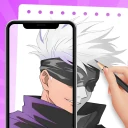
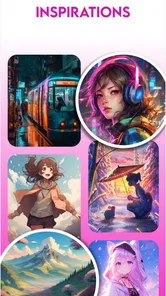
So, let me break it down for you. Animagic: Anime Art Generator is an app that lets you create anime-style artwork with just a few taps on your screen. It's available for both Android and iOS, which means you can unleash your creativity whether you're on the go or just chilling at home. The interface is super user-friendly, which, as someone who isn't exactly tech-savvy, I greatly appreciate.
Unleashing Your Inner Artist
Once you open the app, you're greeted with a sleek and modern design that's easy on the eyes. The navigation is straightforward, so you won't find yourself lost in a maze of menus. What I love about this app is how it caters to both beginners and seasoned artists. Whether you're starting from scratch or just want to tweak an existing piece, the tools are intuitive and fun to use.
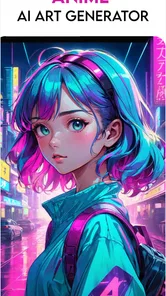
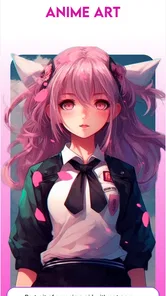
One of the standout features has to be the AI-powered art generation. You can either upload a photo or start fresh with a blank canvas. The AI then works its magic, transforming your input into a vibrant anime-style image. It's almost like having a mini art assistant in your pocket!
A Toolbox Full of Artistic Possibilities
Now, let's talk tools. Animagic comes packed with a variety of brushes, colors, and effects that let you customize your artwork to your heart's content. The color palette is expansive, and the brush options mimic real-life textures, making it feel like you're painting on a digital canvas. I found myself spending hours just experimenting with different styles and techniques.
And for those who love to add a personal touch, the app offers layers and blending modes that give your creations depth and dimension. It's these little details that can turn a simple sketch into a masterpiece. Plus, you can easily share your creations on social media or with friends right from the app.
Why You'll Love Animagic
In conclusion, if you're looking for a way to dive into the world of anime art, Animagic: Anime Art Generator is a fantastic starting point. It's accessible, fun, and packed with features that make creating art a breeze. Whether you're an aspiring artist or just want to dabble in digital art, this app offers something for everyone.
So, why not give it a whirl? Who knows, you might just discover a hidden talent for anime art you never knew you had! Until next time, keep creating and stay inspired!
Making a small project rather than chasing a perfect result
For a more satisfying first session, I would give the group a simple brief: make an anime-style portrait with one shared mood, then let each person suggest one change. That keeps the activity collaborative without turning it into a contest over who can write the longest prompt. A short description focused on the subject and feeling is easier to judge than several competing instructions, and it gives everyone a clear reason to compare outcomes.
This approach is especially useful when younger users are involved. They can participate by choosing a color direction, expression, or general atmosphere, while an adult handles decisions about which photo to use and whether the result should leave the device. The app becomes a conversation starter, not just a button that produces an image. I would also set a stopping point: once the group finds a version they like, save it and move on rather than endlessly trying to force a perfect match.
Picking source material with care
Photo-based generation is an inviting way to begin, but not every image makes a good starting point. A clean, uncluttered subject is easier to assess than a busy photo with several people, small details, or a distracting background. If the conversion changes an expression or loses an important feature, that is not necessarily a sign that the whole idea failed; it may simply mean the source is asking the AI to preserve too much at once.
For a household project, I would start with a non-sensitive image or an original idea rather than someone else’s personal photo. Before sharing an output, check that everyone pictured is comfortable with it. That small pause matters more on a shared device, where one person’s casual experiment can involve another person’s face or preferences. If the goal is a character concept rather than a portrait, beginning from a blank canvas can avoid that issue and leave more room for imagination.
When the drawing tools become useful
The AI generation is the quick route to a first image, while brushes, colors, layers, and blending modes make more sense after you have decided what you want to keep. I would not try to learn every tool at once. Pick one area to adjust—perhaps color balance or a small detail—and see whether that improves the result. This is a practical way to avoid losing a feature you liked while trying to fix something unrelated.
There is also a useful distinction between making an image and learning to draw. Animagic can help someone explore composition and anime-inspired looks, but generated output does not teach the same hand skills as drawing each shape from scratch. A beginner who wants to understand anatomy, perspective, or inking would get more direct practice from a dedicated drawing app and tutorials. Someone who wants a quick visual starting point, then a chance to make modest edits, is more likely to enjoy this hybrid approach.
Who is likely to enjoy it—and who may not
I can see this app working well for casual anime fans, families looking for a low-pressure creative activity, and people who want to turn an idea into an image without beginning with a blank page. It may also suit someone making a playful avatar concept or a mood-board image, provided they are comfortable with an AI-generated interpretation rather than a precise commission. The appeal is speed and experimentation, not guaranteed consistency.
I would steer away from it if your main goal is professional illustration, exact character continuity across a series, or detailed control over every stroke. A conventional art app is a better fit for deliberate drawing and repeatable edits; a simple filter may be quicker if you only want to apply a preset look to a photo. Animagic occupies the middle ground, and that position is useful only if you actually want both generation and some room to personalize.
Keeping the household session organized
On a phone or tablet used by several people, I would keep a simple verbal routine: ask before choosing someone’s picture, say who is responsible for the current creation, and agree before sharing it. These are not technical controls, but they reduce confusion about whose work is whose and prevent an enthusiastic group from treating every saved image as communal property. If the device is used by children, an adult can also handle purchase decisions before the app is passed around.
For a longer activity, it helps to make each turn distinct. One person can choose the subject, another can suggest the mood, and a third can decide whether the result needs a small edit. That gives everyone a role without requiring several people to operate the screen at once. If a result is worth keeping, make sure the original source or sketch is preserved separately, as the generated image may be only one interpretation of the idea.
What to expect before installing
Animagic is free to try, but its in-app purchases make it worth agreeing on spending limits before children use it. I would also think about the device’s operating system before planning a shared session: the Android version listed for the app is 1.4.1, and it requires Android 6.0 or later. The app’s broad Everyone rating is a useful starting point for age context, but it is not a substitute for supervision around photos, sharing, or purchases.
The overall rating is a reason to keep expectations measured. A 3.1 average from around 17,000 ratings suggests a mixed public response, so I would approach the app with curiosity rather than assume every generation will be satisfying. If an image comes out awkwardly, I would try changing the source or simplifying the idea before deciding whether the tool is a poor fit. But if repeated attempts still do not give you enough control, moving to a conventional drawing app is a sensible choice, not a failure to use Animagic correctly.
A household-friendly verdict
My recommendation is conditional: I would try Animagic for a relaxed, supervised art session where the goal is to explore anime-inspired images together, not to produce a finished illustration on demand. Its mix of AI generation and hands-on art tools gives a family more to do than tapping a single filter, while its limits around precision make it a less obvious choice for serious drawing practice. Treat the shared device as a shared workspace, not a shared account or a reason to skip consent.
If you keep prompts simple, choose source images thoughtfully, and agree on saving, sharing, and purchases, it can be an enjoyable creative experiment. If your household needs strict control over accounts, expects consistent professional results, or wants structured drawing lessons, I would choose a different tool. For everyone else, it is best approached as a playful way to make a first draft together—and then decide what, if anything, is worth polishing.
Animagic: Anime Art Generator Frequently Asked Questions
Is Animagic: Anime Art Generator suitable for children?
Animagic: Anime Art Generator is rated for Everyone, so it is listed as suitable for users of all ages. It is an art and design app focused on generating anime-style images, drawings, and paintings. As with any creative app, parents may want to explore its features with younger users and discuss how they plan to use the images they create.
What does Anime Diffusion mean in Animagic?
Animagic’s store summary describes using Anime Diffusion to generate anime art, drawings, and paintings. In practical terms, this is the app’s AI-based approach to creating images in an anime-inspired style from creative input. It is intended for users who want to explore that look without needing to produce every part of an image by hand.
Who develops Animagic: Anime Art Generator, and when was it released?
Animagic: Anime Art Generator is developed by Magic AI. It was released on May 12, 2023, and its current version is 1.4.1. Those details can help you identify the app when browsing for it and check that you are looking at the intended product before downloading. Its focus is anime-style image creation, rather than a general-purpose drawing toolkit.
Can I use Animagic: Anime Art Generator if I have no drawing experience?
Yes. Animagic: Anime Art Generator is an Art & Design app for creating AI-generated anime-style images, so you do not need to be able to draw by hand to get started. Its focus is on turning creative input into anime art, making it approachable for people who want to explore the style as well as those with more art experience.
What is Animagic: Anime Art Generator, and who might enjoy it?
Animagic: Anime Art Generator is a creative application designed to generate anime-style art, drawings, and paintings using Anime Diffusion. It may appeal to anime fans who want to experiment with AI art, as well as users looking for a quick way to explore anime-inspired visuals. The app is developed by Magic AI and is listed for users of all ages.
Pros
- Generates high-quality anime art quickly.
- User-friendly interface for easy navigation.
- Offers a wide variety of anime styles.
- Regular updates with new features.
- Lightweight app with fast performance.
Cons
- Limited free features; premium needed.
- Requires internet for full functionality.
- Occasional ads may disrupt workflow.
- Limited customization options.
- Compatibility issues on older devices.