Ancestry: Family History & DNA
- 31.19K
- 4.6
- Installs
- 10.00M
- Price
- Free

Screenshots
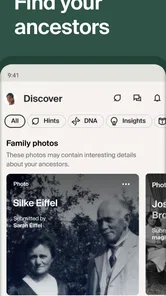
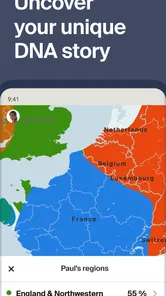
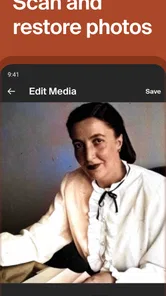
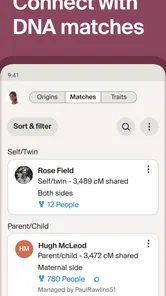
Analysis by Reviewed
I’d treat a family-history app as a place to organize clues, not as an automatic source of truth. Ancestry: Family History & DNA is built around names, records, family connections, and DNA discovery, so it can turn a casual question about a grandparent into a longer research project. That makes it appealing, but it also means the details you enter and the choices you make deserve care. I’d approach surprising matches or record suggestions as leads to check, rather than proof on their own.
What I’d check before adding family details
Before entering information about living relatives, I’d decide how much I’m comfortable recording and sharing. Family research can involve sensitive subjects—adoption, unknown parentage, health concerns, or relatives who prefer privacy—and not everyone in a family wants those details explored in the same way. A practical starting point is to build around information you already have permission to share, then discuss less straightforward discoveries with the people involved.
The app is free to download, and Ancestry.com is its developer; optional in-app purchases range from $0.99 to $169.99 per item. That distinction matters if you’re testing the experience: I’d set a personal spending limit before following prompts to unlock more, and check what a purchase covers before committing. The app is rated for Everyone, but that age label doesn’t make every family conversation or DNA result emotionally simple.
Delving into Your Past
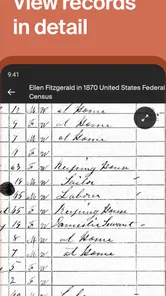
Once you fire up the app, you're greeted with a sleek interface that's surprisingly easy to navigate. The first thing you'll want to do is start your family tree. It's like piecing together a massive jigsaw puzzle, but instead of cardboard pieces, you've got digital records and historical documents. The app provides a vast database filled with census data, birth and death certificates, and military records, making it easier than ever to track your lineage.
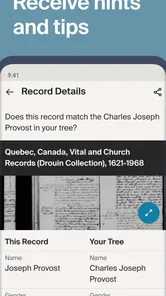
One useful habit is to keep a note of why you believe each relationship is correct, especially when names repeat across generations. A record that looks like a match can belong to someone else with a similar name, so I’d compare dates, places, and relatives before attaching it to the tree. If a clue seems promising but incomplete, recording the uncertainty is better than turning a guess into a confident family fact.
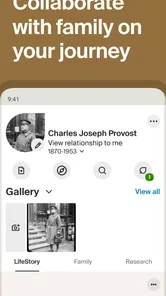
One of the standout features is the ability to connect with other users who might share a branch on your family tree. This social aspect is a game-changer, as it allows you to collaborate and share insights with distant relatives who might have information you don't. It’s a bit like social media but with a genealogical twist.
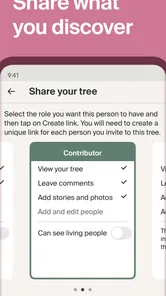
That collaboration works best when both sides bring something concrete: a photograph with a name on the back, an old address, or a family story that can be checked against records. I’d ask relatives to explain where a detail came from before copying it into my own tree. It’s also sensible to think through what you’re comfortable making visible when sharing family information; a shared discovery can be exciting, but it may reveal something another relative would rather keep private.
More From Our News Desk

Weather by Xiaomi Review: Clear at a Glance, Less Clear Up Close

X Under Pressure: Can It Recover When Posting Goes Wrong?

Clash of Clans Is Won Between the Battles

Android Auto Makes the Case for Quieter Car Software

MobiOffice: Transforming Mobile Productivity with Seamless Integration

EA SPORTS FC™ Mobile Soccer: Redefining Mobile Sports Gaming
Unlocking Your DNA Secrets
The DNA testing feature is where things get really exciting. With a simple at-home saliva test, the app can provide you with an ethnicity estimate and connect you with potential relatives you never knew existed. It's fascinating to see the breakdown of your genetic makeup and to learn more about the regions your ancestors hailed from. The app does a fantastic job of making the science behind the DNA testing accessible, even for those who might have slept through high school biology.
I’d treat an ethnicity estimate as a broad clue, not a precise map of identity or a complete account of family history. DNA results can also raise questions that a tree search alone won’t answer, so it helps to decide beforehand whether you’re ready to hear from genetic relatives or encounter unexpected connections. If your main goal is simply documenting known ancestors, you can make meaningful progress with records and conversations without making DNA the center of the project.
Plus, the app provides health insights based on your DNA results, giving you a glimpse into genetic health risks. It's like having a personal health advisor who knows your history inside out.
I wouldn’t use those insights as a diagnosis or as a substitute for advice from a qualified health professional. Genetic findings can be personal and may affect how you think about relatives as well as yourself, so I’d pause to consider who should see them and how I’d handle a result that causes concern. If health information is the primary reason you’re considering the app, a clinician can help you decide what kind of testing and follow-up is appropriate.
A Journey Worth Taking
Exploring the Ancestry: Family History & DNA app feels like embarking on a journey through time. With its user-friendly interface and comprehensive database, it opens up a world of discovery. Whether you're a seasoned genealogist or just starting out, the app offers tools and resources that make tracing your family history both fun and informative.
For a realistic first session, I’d pick one question—such as the name of a great-grandparent or the place a family branch lived—and gather what relatives already know before searching. On a quiet evening, you might add a few confirmed relatives, check a record clue, then message a family member to resolve a spelling or date. Keeping the goal narrow helps prevent an appealing hint from sending you down several unrelated branches at once.
Choosing the right research approach
The app is especially well suited to someone who wants to move between a family tree and historical evidence, rather than merely draw a chart. I’d use it when a relative’s story gives me a specific lead to investigate, or when I want a shared place to keep a growing family project. Someone who already enjoys comparing records and following questions across generations is likely to get more from it than a person who just wants a quick list of ancestors.
For a family gathering, for example, I might use a relative’s recollection to identify a town or a spelling variation, then return to the app later to see whether records support it. That division of labor matters: conversation supplies context, while documents can help test a memory. I wouldn’t treat either one as infallible. Older relatives can misremember dates, and an official-looking record can still refer to a different person with the same name.
Compared with a notebook or a basic family-tree tool, this app brings record searching, tree-building, and DNA-related discovery into one place, which is useful when you want those threads together. A spreadsheet or paper chart may suit someone who wants a private, low-tech record and doesn’t need discovery features. Likewise, if you only want a simple tree, the breadth of research options may feel like more than you need; if you’re focused on DNA results, remember that genetic matches and historical documents answer different kinds of questions.
There’s also a practical trade-off between convenience and control. Keeping records, relationships, and research activity together can make a project easier to pick up after a break, but it can encourage you to add details before you have checked them. I’d maintain a separate note of unresolved questions and the source behind each important claim. That gives me a way to revisit a decision without mistaking a promising hint for a verified connection.
Working carefully with clues and choices
When a suggested record appears to fit, I’d compare more than the person’s name. Place, timing, relatives listed nearby, and the broader family pattern can help distinguish two people who otherwise look alike. If those details don’t line up, I’d leave the connection unresolved rather than forcing the record into the tree. That small pause can save a lot of cleanup later, especially once other relatives begin building on the same branch.
I’d also separate what I know from what I suspect in conversations with family. A gentle question such as “Do you remember where this story came from?” is more useful than presenting a new match as a settled fact. If a discovery could affect someone personally, I’d consider whether sharing it is welcome before sending a message or adding it to a shared discussion. Curiosity is a good reason to research; it isn’t automatically permission to disclose another person’s private history.
If you’re deciding whether to try the app, the key question is what kind of discovery you actually want. A person who wants to preserve known names, dates, and family stories can begin without making DNA testing the focus. Someone hoping for genetic relatives should be prepared for results that may complicate a familiar account of the family. And if you prefer not to handle personal information in a digital research project, a paper tree or private notes are a reasonable alternative rather than a lesser way to remember relatives.
Cost, expectations, and a good starting point
Because optional purchases can appear alongside a free download, I’d make the first session an evaluation, not a commitment. Decide what task you want to complete, explore the available experience, and read the terms attached to any purchase prompt before paying. The range of optional items makes it especially important not to assume that one purchase covers every part of a research project. If you’re only curious, setting a budget in advance can keep a compelling clue from turning into an impulsive expense.
Ancestry is a Books & Reference app with a 4.6 average from around 165,000 ratings, and it has been installed over 10 million times. Version 17.22.1 requires Android 9 or later. Those figures suggest a widely used, established product, but they don’t guarantee that every record will fit your family or that every suggested connection is correct. I’d judge it by whether it helps you organize evidence and ask better questions, not by how quickly it fills a tree.
In conclusion, this app isn't just about finding names and dates; it's about uncovering the stories that shaped your family and, ultimately, you. It's an engaging way to learn more about where you come from and how your ancestors' journeys have influenced your own. So, if you're ready to dive into your past and uncover the secrets of your family history, this app is a fantastic place to start.
My cautious recommendation is to start with a small, specific research goal, keep uncertain relationships clearly marked in your own notes, and think carefully before sharing details about living relatives or pursuing DNA discoveries. It suits curious researchers who enjoy checking clues and piecing together family stories. If you’d rather avoid sensitive discoveries, ongoing research, or optional spending, a simple offline tree may be a better fit. For me, the app is most worthwhile when it supports careful investigation rather than replacing it.
Ancestry: Family History & DNA Frequently Asked Questions
Can I browse Ancestry before creating a family tree?
Ancestry is designed for exploring family history as well as building a family tree, so you can start by looking into the app’s family-history and ancestry discovery tools. How much you can access may depend on whether a feature is free or requires a subscription. If you are mainly interested in historical records or more advanced research, check the access terms for those features before deciding how to use the app.
Can I use Ancestry without taking a DNA test?
Yes. Ancestry’s family-tree and family-history features can be useful even if you are not using a DNA test. The app brings together ways to explore heritage, ancestors, and historical records, while DNA-related tools are another part of its offering. If you are downloading it primarily for genealogy research, you can focus on building a tree and exploring records rather than treating a DNA test as a requirement.
What can I do if I am new to genealogy?
Ancestry can be a starting point for organizing what you already know and exploring family history further. You can build a family tree and look into ancestry and heritage, with historical records and other research tools available for deeper investigation. It may help to begin with details you can confirm through relatives, then use the app to keep discoveries together and decide which research features are useful to you.
Does Ancestry work for researching family history in different countries?
Ancestry is intended for exploring family history, heritage, origins, and ancestors, so it can be relevant to people researching connections across different places. The usefulness of any particular record depends on what is available for the family and history you are tracing. If you have a specific research goal, explore the app’s record and family-tree tools to see whether they suit the sources and information you want to work with.
Can I keep my family tree organized as I discover new information?
The app lets users build detailed family trees, making it a place to organize family connections as research develops. You can add discoveries and, where appropriate, work with relatives to compare family knowledge and historical details. For a more reliable tree, keep track of which information you have confirmed and review new findings before treating them as established facts. Access to some research tools may require a subscription.
Pros
- Comprehensive family tree building
- Access to vast historical records
- DNA matching for relatives
- User-friendly interface
- Regular updates and improvements
Cons
- Subscription required for full access
- DNA test sold separately
- Mobile app lacks some features
- Potential privacy concerns
- Complex for genealogy beginners












