AliExpress - Shopping App
- 207.93K
- 4.4
- Installs
- 500.00M
- Price
- Free

Screenshots







Analysis by Reviewed
Let me tell you about my latest dive into the world of online shopping with the AliExpress - Shopping App. If you’re anything like me, the thrill of scoring a good deal is unbeatable. So, when I heard about this app offering a plethora of products at competitive prices, I just had to check it out.
For a first-time user, I’d treat it as a place to browse and compare rather than a shortcut for anything urgently needed. It is a free shopping app from Alibaba Mobile, and its enormous catalogue is the main draw: you can look for a specific accessory, then discover related items from sellers you might not encounter in a local shop. The trade-off is that a broad marketplace asks you to judge individual listings, not just the app itself. I find it most useful when I have a clear idea of what I need and enough time to check the options.
The Shopping Experience
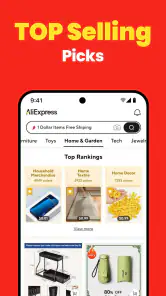
From the moment I opened the AliExpress - Shopping App, I was met with a user-friendly interface that made it super easy to navigate. You know those apps that seem to require a manual just to find the search bar? Yeah, this isn’t one of them. The layout is intuitive, with well-organized categories and a powerful search function that lets you find exactly what you’re looking for in seconds.
The Latest on AliExpress - Shopping App
When setting up for a first purchase, I’d start with one modest, non-urgent item instead of filling a basket during the first browsing session. Search for the exact object, compare several listings, and read the description closely; photos alone may not show the size, materials, or what is included. Check the seller and the delivery information shown for that item before deciding. This small routine makes the first order a more useful test of whether the marketplace suits your expectations.
One thing I particularly appreciated was the range of products available. Seriously, it’s like walking into a vast digital mall. From electronics and fashion to quirky gadgets you didn’t know you needed, AliExpress has it all. And the best part? The prices are incredibly competitive. I found myself scrolling for hours, adding items to my cart like I was Oprah on a shopping spree.
That variety works especially well for small accessories, craft supplies, and unusual household bits that can be awkward to find nearby. For example, if I need a particular cable organizer, I can compare styles and listing details in one sitting rather than visiting several shops. I still resist buying something just because the displayed price looks appealing: delivery timing, item specifications, and whether it actually solves the problem matter more than an eye-catching deal. For groceries or a last-minute replacement, a local retailer is usually the more sensible choice.
Features That Stand Out
What sets AliExpress apart from other shopping apps is its array of unique features. First off, the app offers a personalized shopping experience with recommendations tailored to your preferences. It feels like having a personal shopper who actually knows what you like.
More From Our News Desk

X Under Pressure: Can It Recover When Posting Goes Wrong?

Clash of Clans Is Won Between the Battles

Android Auto Makes the Case for Quieter Car Software

MobiOffice: Transforming Mobile Productivity with Seamless Integration

EA SPORTS FC™ Mobile Soccer: Redefining Mobile Sports Gaming

How Microsoft OneDrive Became a Mobile Productivity Giant
Recommendations are handy for discovering alternatives, but I wouldn’t use them as a substitute for deliberate searching. When I’m comparing similar products, I keep the key requirements in mind—such as dimensions or compatibility—and return to the listing details rather than assuming two items that look alike are interchangeable. A useful habit is to save a promising option for later, then compare it with another listing before committing. That pause helps curb impulse purchases when browsing turns into entertainment.
Another nifty feature is the buyer protection program. I know, online shopping can sometimes feel like a gamble, but AliExpress has got your back. They ensure that you receive your goods as described, or you get your money back. Now, that’s the kind of peace of mind we all need, right?
I see protection as reassurance, not a reason to skip careful shopping. Keep an eye on the order details and messages, and if something seems wrong, use the app’s purchase and support process rather than relying on assumptions about how a case will be handled. I also wouldn’t order a time-sensitive gift until the delivery estimate feels acceptable to me. People often ask whether a marketplace app can make every purchase risk-free; my answer is no, but taking time to check the listing and keeping the order information accessible makes the experience less stressful.
Additionally, the app regularly hosts sales events and offers discounts that are hard to resist. Trust me, keeping up with those flash sales is almost a sport in itself!
My practical tip is to decide what I am willing to spend before browsing a sale. I compare the final item and delivery details, not just the discount language, and I leave anything nonessential in the cart while I think it over. This is a better fit for patient shoppers who enjoy comparing choices than for anyone who wants one familiar retailer, predictable local delivery, and a quick checkout with minimal decisions.
Final Thoughts
Overall, my experience with the AliExpress - Shopping App has been nothing short of fantastic. It’s easy to use, offers a mind-boggling range of products, and provides excellent customer protection. Sure, the delivery times can sometimes be a bit longer than local options, but the savings and product variety make it worth the wait.
There is also a learning curve in judging a huge range of listings: I need to read carefully, compare like with like, and accept that the lowest displayed price is not automatically the best choice. That makes the app less appealing if I dislike browsing or need an item on a firm deadline. On the other hand, for non-urgent purchases where selection matters, I can see why shoppers keep returning. The app has an average rating of 4.4 from around 16 million ratings, and it has passed 500 million installs; those figures suggest broad use, though they don’t replace my own checks on an individual listing.
If you’re looking for a reliable and exciting shopping app that doesn’t break the bank, I’d definitely recommend giving AliExpress a go. Who knows, you might just find yourself joining the ranks of happy shoppers who’ve bagged a bargain or two!
My best advice for a newcomer is to make the first visit purposeful: search for one useful, low-stakes item, compare its description and seller details, and place an order only if the timing and terms suit you. The app is free, rated for Teen users, and its current version is 8.147.2 for devices running Android 5.0 or later. If that patient, comparison-led style sounds right for you, it is worth exploring; if convenience and immediate availability matter most, I’d choose a nearby shop instead.
AliExpress - Shopping App Frequently Asked Questions
Does AliExpress work on both Android and iOS?
AliExpress is a shopping app from Alibaba Mobile. For Android, it requires version 5.0 or later, so check your device’s operating system before downloading. The app is rated Teen, which is worth considering for younger users and families. If you use an iPhone or iPad, check the relevant app store for compatibility with your device before installing.
How much space or setup does the AliExpress app need?
AliExpress is free to download, and you can begin browsing after installing it. Before you get started, make sure your phone or tablet has enough available storage for the app and its updates. You may also want to use a reliable internet connection while browsing listings, viewing product photos, or completing checkout. The app’s Android requirement is version 5.0 or later.
Do I need to create an account to browse products?
You can explore product listings before deciding what you want to buy, which is useful if you are still comparing options. An account becomes helpful when you want to manage purchases, check order updates, or contact sellers about a listing. If you plan to order, review the information requested during sign-in and checkout so you are comfortable with how your account will be used.
How can I search for an item in AliExpress?
You can browse product categories or search by an item’s name or description. AliExpress also offers image search, which can be useful when you have a photo of the type of product you want. Search results may show similar products from different sellers, so open the listings and compare their descriptions, photos, seller feedback, and shipping options before choosing.
Can I change the app’s language or currency?
AliExpress supports multiple languages and currencies, which can make browsing more convenient for shoppers in different regions. Check the app settings and the product information displayed to choose options that suit you. Before confirming an order, review the checkout details carefully so you understand the displayed total and the terms that apply to your purchase.
Pros
- Wide variety of products available.
- Affordable prices for most items.
- User-friendly interface.
- Regular discounts and promotions.
- Secure payment options.
Cons
- Long shipping times for some items.
- Customer service can be slow.
- Occasional product quality issues.
- App notifications can be excessive.
- Limited language support.
- Category
- Shopping
- Version
- 8.147.2