AI Photo Editor - PhotoArt
- 808.00
- 4.2
- Installs
- 1.00M
- Price
- Free

Screenshots





Analysis by Reviewed
If you’re anything like me, you’ve probably scrolled through your gallery wishing you could give some of your photos a little extra oomph. Enter the world of AI Photo Editor - PhotoArt, an app that promises to transform your everyday snaps into stunning works of art. But does it live up to the hype? Let’s dive in and find out!
Unleashing Creativity with AI
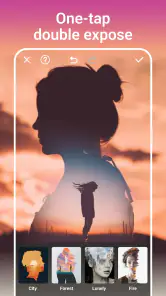
The first thing I noticed when opening AI Photo Editor - PhotoArt is its sleek, user-friendly interface. No need to spend hours trying to figure out where everything is—everything is just a tap away. The app offers a plethora of filters and effects, each powered by AI to intelligently enhance your photos. Whether you want to add a splash of color, adjust the lighting, or completely change the mood of your photo, this app has got you covered.
Features That Stand Out
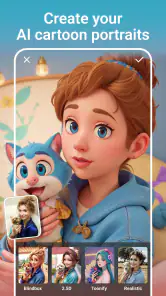
What truly sets this app apart is its impressive array of AI-driven features. The Magic Retouch tool is a game-changer, effortlessly smoothing out imperfections and making your selfies pop. And if you’re into more artistic edits, the Cartoonizer effect can transform any portrait into a comic book character with just one click. It’s like having a personal digital artist at your fingertips!
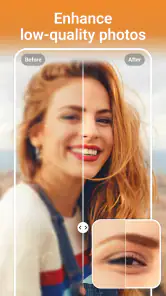
Another feature I loved was the Background Changer. With a few simple taps, you can transport yourself from your messy bedroom to a serene beach or a bustling cityscape. It’s seamless and, more importantly, fun to play around with. The app also supports high-resolution editing, so your enhanced photos are always crisp and ready for sharing on any platform.
Performance and Usability
Now, let’s talk about how the app performs. During my time using it, I found it to be incredibly responsive. The AI processes edits quickly, meaning you won’t be left twiddling your thumbs waiting for your masterpiece to render. The app runs smoothly without draining your device’s battery, which is always a plus. Compatibility-wise, it supports both Android and iOS, so no one’s left out of the fun.
However, like most apps, it does come with in-app purchases. While the free version is quite generous with its offerings, unlocking the full suite of features does require some investment. If you’re someone who loves to tweak and perfect your photos, it might just be worth it.
Final Thoughts
So, is AI Photo Editor - PhotoArt worth downloading? If you’re looking for an easy-to-use, feature-packed photo editing app with a touch of AI magic, then absolutely. It’s perfect for both casual users and photography enthusiasts looking to spruce up their photos without the hassle of complicated software. Go ahead, give it a try, and watch your photos transform before your eyes!
Pros
- User-friendly interface for easy navigation.
- Wide variety of artistic filters available.
- Quick processing and export times.
- High-resolution output enhances photo quality.
- Compatible with both Android and iOS devices.
Cons
- Limited free features; many require purchase.
- Occasional ads may disrupt editing flow.
- Requires internet for full functionality.
- No batch editing for multiple photos.
- Some features may overwhelm beginners.

- Category
- Photography
- Version
- 1.8.01











