AI Face Aging - Photo Editor
- 28.00
- 4.2
- Installs
- 5.00M
- Price
- Free
Screenshots
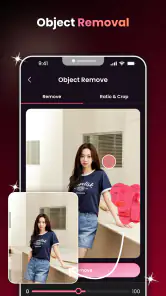
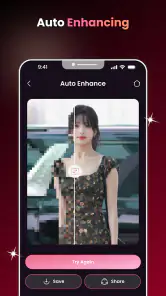
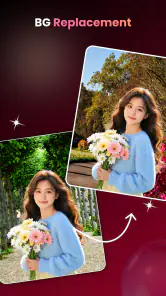
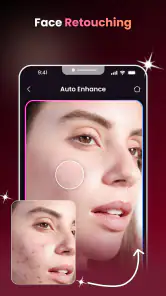
Analysis by Reviewed
I would try AI Face Aging for a quick bit of curiosity: take a portrait, see how an age transformation changes its feel, and decide whether the result is amusing, thoughtful, or simply not convincing. That kind of edit can be fun to share, but it is rarely a daily need. The more useful question is whether this photography app offers enough repeat value to keep around after the first round of experiments. My take is that it makes most sense as an occasional creative tool, not as the editor I would rely on for every photo.
From first-week curiosity to everyday usefulness
The appeal is immediate, but the portrait matters
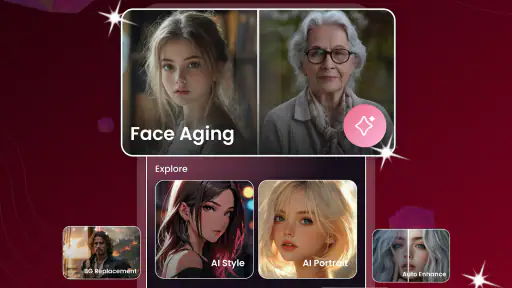
There is a low-effort pleasure in seeing a familiar face presented differently. A casual selfie, a family portrait, or a picture saved for a birthday joke can become a small conversation starter. The app’s focus is specifically AI face aging, so I would approach it with one clear purpose rather than expect a broad photo-editing workspace. Its appeal is the transformation itself: a quick change that invites comparison with the original.
For a first experiment, choose a photo where the face is easy to see, the lighting is even, and the expression is relaxed. This is a practical way to give an AI portrait tool a fair chance. A face partly hidden by hair, glasses, a hand, or a dramatic shadow gives the editing system less visual information to work with. If the result looks strange, I would test a clearer image before deciding the app is at fault. That simple check can save time and avoid judging the effect from a difficult source photo.
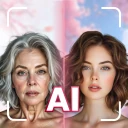
One useful workflow is to keep the original and transformed images side by side rather than treating the edited version as a replacement. That makes it easier to spot what changed and whether the transformation still resembles the person. It also keeps the edit in perspective: this is a playful interpretation, not a forecast of someone’s actual appearance. I would be especially careful about presenting an age-altered image as if it were a real prediction, since the creative effect should not be confused with a reliable view of the future.
The app is called AI Face Aging - Photo Editor, and its short description points to AI Face Aging. Willson Studio develops it. It is a free photography app rated for Everyone, so it is approachable for casual family use. That said, I would still ask before editing or sharing another person’s portrait, particularly if the image is going into a public post. A broad age rating does not remove the ordinary need to handle people’s photos thoughtfully.
What makes a good first session
I would begin with a familiar face rather than a carefully staged portrait. An everyday selfie makes the result easier to judge because I already know the person’s features well. Then I would try a second image with different lighting or a different angle. The comparison is more revealing than repeatedly editing near-identical pictures: it helps show whether a result feels tied to the person or mostly to the source image’s conditions.
For a family gathering, the app could work as a short shared activity. Someone can pick a clear photo, make an age-themed edit, and invite the group to react to it. I would keep the mood light and avoid using the result to tease someone who may not enjoy the joke. In that setting, the value is less about producing a polished portrait and more about giving people something specific to talk about.
There is also a practical distinction between an image made for a private laugh and one meant to represent someone publicly. If I wanted a profile picture, a professional headshot, or a carefully retouched keepsake, I would reach for a conventional photo editor instead. Those tools are a better fit when I need control over cropping, color, blemishes, and other deliberate adjustments. An aging effect can be entertaining without being the right finishing touch for a serious image.
Does it earn a place month after month?
The answer depends on how often I enjoy making novelty portraits. AI Face Aging has a clear, narrow reason to open it, which is a strength when I want that particular effect and a limitation when I need variety. If I only want to try the transformation once, the novelty may fade quickly. If I like making themed images for friends, family chats, or personal experiments, I can imagine returning now and then without needing it to become part of a daily routine.
Its scale suggests that plenty of people have tried it: it has over five million installs, an average rating of 4.2, and around 5,200 ratings. Those figures are useful context, but they cannot tell me whether I will like my own results or how well a particular photo will work. I would treat them as a sign of broad interest, not proof that every edit will look natural.
For repeat use, I would make the app serve a small, real purpose. For instance, I might use it when preparing a playful birthday message or comparing how the same portrait changes under different source conditions. That is more satisfying than opening it without a reason and hoping it will keep producing surprises. A narrow tool can stay useful when I know the occasions for which it is worth the extra step.
There is a trade-off between convenience and control. A focused AI effect can be quicker than rebuilding the same look manually in a general editor, but it gives me less reason to keep the app open once I have completed that particular edit. If I want to craft a whole visual style, combine several edits, or fine-tune a portrait, a more versatile editor is likely to become the better long-term companion. I would use this app alongside one, not necessarily instead of one.
Keeping the effort low without lowering expectations
The maintenance burden appears modest in the everyday sense: this is the sort of app I would open for a specific edit, rather than something that needs a regular workflow. It runs on Android from version 8.0, and the current release is 1.1.1. Those details help establish whether it fits an older device, but they do not guarantee that every phone will handle every image in exactly the same way. I would start with a single photo and see whether the process suits my device and patience before building a larger project around it.
My best advice is to avoid spending too long trying to rescue a weak source picture. If the face is blurry or covered, switching to a clearer portrait is usually a more sensible next move than repeatedly testing the same one. This is a useful distinction for any AI portrait effect: the output can only be judged fairly when the input gives it a decent chance. It also prevents the app from turning a quick experiment into a fiddly editing session.
Another small habit that helps is to decide what the image is for before editing. A private joke can tolerate an exaggerated or imperfect result; a portrait intended for a keepsake deserves a more careful comparison with the original. Saving the untouched photo separately is sensible whenever I am experimenting, because it preserves the option to use the original later. I would not let a novelty transformation become the only copy of an image that matters to me.
As a free app, it is easy to test without making a purchase decision first. Still, “free” does not mean it will suit every workflow. I would think of the cost in attention: a focused app earns its place when it saves effort or creates a result I genuinely enjoy. If I find myself opening it only because I have forgotten why I installed it, that is a sign the novelty has run its course.
Where repetition can start to feel thin
The central risk is that a single-effect photography app can become repetitive. Once I have seen the aging treatment on a few familiar faces, I may have little reason to repeat the same kind of experiment unless I enjoy sharing the results or have a new occasion in mind. That is not necessarily a flaw; it is the natural limit of a specialized tool. But it matters if I am choosing between this and a general editor that can serve many different photo needs.
I would also keep expectations grounded. AI-created changes can look more like an artistic interpretation than a believable portrait, and different source images may produce results that feel uneven. A transformation that looks amusing on one selfie may not suit a group photo or a face with unusual lighting. I would not assume that a convincing result on one person guarantees the same outcome for someone else.
Privacy is worth considering whenever I use a portrait app. I would choose images I am comfortable using in an editing service and avoid uploading sensitive photos casually. I would also be cautious with pictures of children or people who have not agreed to be part of the experiment. That is not a special accusation about this app; it is a sensible boundary for any tool that works with personal faces.
There is a broader emotional consideration too. An age transformation can be funny, but it can touch on appearance and aging in ways that not everyone finds comfortable. I would not surprise a friend with an edited portrait if I were unsure how they would take it. The most successful use is usually the one where the person in the image gets to enjoy the joke as much as everyone else.
Who should keep it, and who should move on?
I would recommend giving AI Face Aging - Photo Editor a try if you want a straightforward way to experiment with aging effects and understand that the result is creative rather than predictive. It is particularly suited to people who enjoy sharing lighthearted edits or making occasional personalized images. The free price lowers the barrier to trying it, while the focused purpose makes it easy to decide whether the effect itself is enough for you.
I would skip it if my main goal were detailed portrait retouching, dependable professional output, or a flexible editor for many kinds of image work. A general photography app is a better choice for those needs because I can make deliberate adjustments beyond a single themed transformation. I would also move on if the first few results do not feel fun; there is little point in maintaining an app whose main appeal does not land for me.
Overall, I see this as a useful occasional install rather than an app that automatically deserves permanent space. The first session can be engaging, and a good source portrait makes the experiment more rewarding. Its month-to-month value depends on whether I have a reason to revisit the effect, while its main sources of fatigue are repetition and the limits of a narrow tool. If I want a quick, playful aging edit, I would keep it in mind; if I want an everyday photo editor, I would choose something broader.
AI Face Aging - Photo Editor Frequently Asked Questions
What is AI Face Aging - Photo Editor?
AI Face Aging - Photo Editor is a photo-editing app designed to apply age-related effects to faces in pictures. Depending on the version available on your device, it may offer filters that show a simulated older or younger appearance, along with other portrait effects. The results are intended for entertainment and should not be treated as an accurate prediction of how someone will look in the future.
How do I create an aging effect with the app?
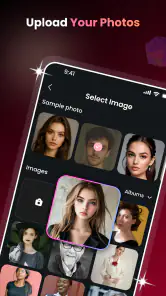
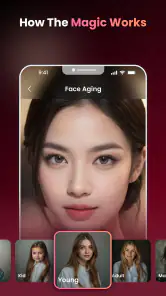
Typically, you select a photo from your device or take a new one, choose an aging filter, and let the app process the image. Clear, well-lit portraits with the face unobstructed generally make it easier for a filter to produce a visible result. The exact steps and available effects can vary by app version, so check the on-screen instructions before editing or saving a picture.
Is AI Face Aging - Photo Editor free to use?
The app may be available to download without an upfront charge, but some features could be limited or offered through advertisements, in-app purchases, or a subscription. Pricing and access can differ by platform, region, and version. Before using a paid feature or starting a trial, review the purchase screen carefully, including the renewal terms, cancellation steps, and any restrictions on exporting or saving edited images.
Does the app upload my photos, and is my data private?
Photo handling depends on how the current version performs its editing and on the app’s privacy policy. Some effects may be processed on your device, while others may require an internet connection or remote processing. Before selecting personal photos, review the developer’s privacy disclosures and the permissions requested. Avoid uploading sensitive images unless you are comfortable with the stated collection, storage, and sharing practices.
Can I share or use the edited images anywhere?
You can generally save an edited result to your device or share it through supported apps, but available options may depend on your device, app version, and permissions. Check whether the image includes a watermark and whether any export restrictions apply. Because aging filters create fictional edits, consider labeling them as edited when sharing, especially if viewers might otherwise mistake the result for a real photograph.
Pros
- Simple interface makes aging effects quick to apply.
- Works with portraits from the camera or photo library.
- Useful for playful edits and sharing with friends.
- Lets you preview an aged look without changing the original photo.
- A straightforward option for experimenting with age transformations.
Cons
- Results can look artificial
- especially with low-quality photos.
- Best results generally require a clear
- front-facing portrait.
- Facial details or accessories may be altered unexpectedly.
- Some features or exports may require payment or contain ads.
- Uploading face photos may raise privacy concerns; check the app's data policy.
- Category
- Photography
- Version
- 1.1.1











