AI Baby Generator: BabySu
- 56.00
- 4.3
- Installs
- 500.00K
- Price
- Free

Screenshots
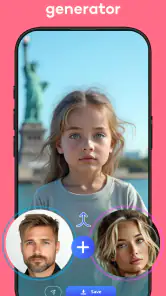
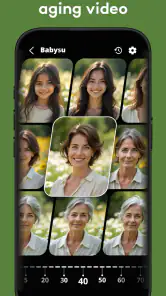
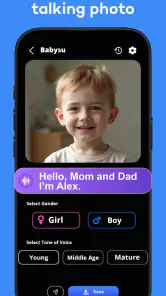
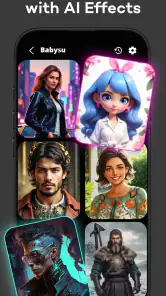
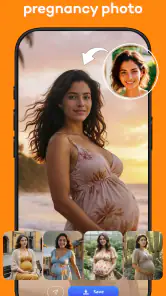
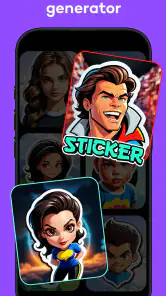
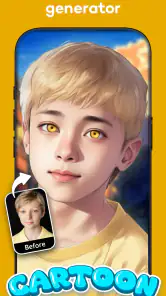
Analysis by Reviewed
I see AI Baby Generator: BabySu as a playful photo app, not a serious attempt to predict a child’s appearance. Its appeal is the quick “what if?” moment: you provide two faces, get an imagined result, and have something to laugh about or compare. That makes it easy to recommend for a casual bit of fun, as long as you go in expecting a novelty image rather than genetics.
A lighthearted use for a shared moment
A realistic use is a relaxed evening when you and your partner are browsing photos together, or a family gathering where people are happy to join in on a silly guessing game. I’d treat the result as a conversation starter, not as a promise about what a future child will look like. That distinction matters most if someone in the group is taking the result personally or hoping for a meaningful prediction.
It can also work for friends who simply want a playful image to share. If you’re choosing photos, I’d use clear, front-facing pictures with faces that are easy to see; that gives the app a more sensible starting point than a distant group shot or an image with a face partly hidden. Try to keep the comparison fair by picking photos with similar visibility and lighting. This is a practical way to avoid blaming the app for a strange-looking result when the inputs themselves are difficult to read.
Where it fits among photo apps
Compared with a standard photo editor, BabySu is built around one specific kind of transformation rather than general retouching or creative control. A regular editor is the better choice if you want to adjust a portrait precisely, make a polished collage, or decide exactly how an image should look. BabySu makes more sense when the fun is in seeing what its interpretation produces, even if the result is unexpected.
That trade-off is part of the experience: the app’s simplicity keeps the process approachable, but it also means you shouldn’t expect the control you’d get from a full-featured editor. If your goal is an accurate family portrait, a professional-looking edit, or a reliable biological forecast, I’d skip this and choose a tool or source suited to that purpose. Its strongest use is brief entertainment, not careful planning.
Worth trying, with sensible expectations
BabySu is a free photography app from EXXE Dijital Teknoloji A.Ş., with optional in-app purchases ranging from $2.49 to $39.99 per item. I’d check the purchase details before confirming anything, especially if you’re only opening the app for a one-off experiment. The free entry point is appealing, but it’s worth deciding in advance whether you want to spend money on a novelty rather than letting curiosity make that decision for you.
The app is rated for Everyone, and its current version is 1.5.17, with Android 9 as the minimum operating system. Its average rating is 4.3 from around 19,000 ratings, and it has more than 500,000 installs. Those figures suggest that plenty of people are interested in the idea, but popularity doesn’t change the basic limitation: an AI-generated face is still an imaginative output, not a dependable preview of a real child.
More From Our News Desk

Weather by Xiaomi Review: Clear at a Glance, Less Clear Up Close

X Under Pressure: Can It Recover When Posting Goes Wrong?

Clash of Clans Is Won Between the Battles

Android Auto Makes the Case for Quieter Car Software

MobiOffice: Transforming Mobile Productivity with Seamless Integration

EA SPORTS FC™ Mobile Soccer: Redefining Mobile Sports Gaming
Choosing photos and judging the result
One useful way to approach a face generator is to treat photo selection as part of the experiment rather than as a minor setup step. A close, unobstructed portrait gives the app a clearer visual reference than a snapshot with sunglasses, strong shadows, a turned head, or several people in the frame. If the first result looks odd, I’d change one input photo and try again rather than changing both at once. That makes it easier to see whether the difference came from the image or from the app’s interpretation.
There is a trade-off here: using the most flattering photos may make the result more enjoyable, but it also turns the exercise into a polished fantasy rather than a fair comparison. For a laugh with friends, that may be exactly what you want. If you’re curious about how the app handles everyday faces, use ordinary pictures with similar framing instead. Either way, I’d avoid reading small visual details as clues about inheritance; generated resemblance can feel convincing without being evidence.
I’d also keep expectations flexible about repeat attempts. A generated face is an interpretation, not a fixed answer, so a surprising result does not mean one parent’s features have been “chosen” or ignored. The value is in the image and the conversation it starts. If the group begins debating which traits are accurate, I’d bring it back to the fact that the app is making a playful visual rather than calculating a family outcome.
A small-group activity, not a keepsake maker
BabySu is best when everyone involved understands the joke. Imagine a couple showing a generated image to relatives after dinner: the fun comes from guessing whose eyes or smile the image seems to suggest, then moving on. It works less well if someone wants a sentimental portrait to save for a major life event. For that, a real family photograph, a commissioned illustration, or a carefully edited image gives you more control and a more personal result.
The same distinction helps when deciding whether to share an output. A generated face can be amusing in a private chat, but a public post may invite other people to treat it as a serious announcement or prediction. I’d add a little context if sharing it, especially with relatives who might take the image literally. That keeps a harmless experiment from creating an awkward misunderstanding.
What the simple workflow does—and does not—offer
The appeal of a focused app is that it asks you to concentrate on one idea instead of learning a broad editing toolkit. That makes the experiment approachable for someone who rarely edits photos. The flip side is that a focused workflow leaves less room to adjust the output to your taste. If you want to tune a face, blend images manually, or build a design around the result, a conventional editor is the more useful tool.
I would not choose this app as a replacement for a portrait editor or a way to make a family keepsake. Its premise is narrower: submit two faces and enjoy what comes back. That can be enough for a quick novelty, but it is not the same as having controls for crop, color, composition, or retouching. Knowing that boundary before downloading makes the decision much clearer.
It is also worth considering who is in the source photos. I’d only use pictures with the permission of the people shown, particularly if the resulting image might be shared. A playful app does not make someone else’s portrait yours to upload or post. Keeping the activity to consenting friends or a partner is a simple way to make the experience comfortable for everyone.
Who will get the most from it
I’d recommend BabySu to curious adults and couples who enjoy lighthearted image experiments and do not need the output to be accurate. It can also suit a group of friends looking for a quick conversation piece, provided everyone is comfortable with their photos being used. The app’s narrow purpose is a strength for those users: there is no need to learn general editing before trying the central idea.
I’d steer away from it if you are looking for guidance about having a child, a scientifically grounded inheritance estimate, or a dependable likeness for a future family portrait. It is also a poor fit for anyone who wants precise creative control or is uncomfortable putting personal portraits into an image app. In those cases, skipping the novelty is more sensible than hoping it will serve a purpose it was not built for.
Because it is free to start but offers paid items, I’d make the first session a deliberate test: decide what you want to learn from the experience, try the basic idea, and pause before any purchase prompt. That avoids spending simply because the first image has made you curious about another attempt. Optional spending makes more sense for someone who genuinely enjoys the novelty, not for someone expecting a meaningful prediction.
Ever wondered what your future child might look like? Enter AI Baby Generator: BabySu, an app that’s piquing the curiosity of parents-to-be and curious minds alike. This app, with its quirky promise to generate a visual representation of your potential offspring, has become a popular choice for those intrigued by the wonders of artificial intelligence.
Turning Dreams into Visuals
With BabySu, you can create a digital image of your future baby with just a few taps. The app uses advanced AI technology to analyze the photos of two individuals and conjure a visual prediction of their child. It’s like a modern-day crystal ball, but instead of a mystical orb, you’re using your smartphone.
The interface is incredibly user-friendly. Once you've downloaded the app, simply upload photos of the two prospective parents. The app does the rest. Within moments, it generates an image that blends your features with those of your partner. The results can be both amusing and fascinating, sparking conversations and laughter among friends and family.
A Peek into the Future
What sets BabySu apart from similar apps is its use of cutting-edge machine learning algorithms. It doesn’t just mesh two photos together; it considers various facial features, complexion, and even subtle characteristics to produce a more realistic depiction. This attention to detail makes it a favorite among users looking for more than just a novelty app.
While the app is fun and engaging, it’s important to remember that the images are purely speculative. The app doesn’t account for genetic complexities or environmental factors. It’s all in good fun, making it a light-hearted way to imagine the future.
Engaging and Easy to Use
One of the standout features of BabySu is its simplicity. The developers have prioritized user experience, ensuring that even the least tech-savvy individuals can navigate the app with ease. The clean design and straightforward instructions guide you through the process without any hiccups.
For those who love to share, BabySu offers seamless social media integration. You can post your generated images directly to platforms like Instagram and Facebook, making it a hit for social butterflies eager to showcase their "future family." The app also allows you to save the images to your device, keeping those adorable predictions just a tap away.
Final Thoughts
In a world obsessed with technological advancement, AI Baby Generator: BabySu offers a playful glimpse into the future. It's an app that combines humor, curiosity, and a touch of science to deliver a unique user experience. Whether you're planning for a family or just having fun with friends, BabySu is an entertaining tool that’s worth exploring.
So, if you’re in the mood for some light-hearted fun and a sneak peek into what your offspring might look like, give BabySu a try. Who knows? The next big trend in baby photos might just start with a few clicks on this delightful app.
AI Baby Generator: BabySu Frequently Asked Questions
What should I know about the app’s age rating before downloading it?
AI Baby Generator: BabySu is rated Everyone, so its listed content is suitable for a broad audience. The app centers on making playful baby-face images from photos. If a child will use it, an adult may want to help choose appropriate pictures and discuss whether generated images should be shared with others.
Will AI Baby Generator: BabySu work on my device?
The Android version requires Android 9 or later. Before downloading, check your device’s operating system to make sure it meets that requirement. The app is also available for iOS devices, so users can look for it in the Apple App Store. Availability and compatibility can depend on the specific device and store.
Is AI Baby Generator: BabySu free to download, and are there optional purchases?
AI Baby Generator: BabySu is free to download, so you can try its baby-image generation without paying upfront. The app also offers in-app purchases, which can unlock additional options or features. Check the purchase details in your device’s app store before confirming anything, especially if you share a device or payment method with family members.
What kind of photos should I use to get the best results?
For a more useful comparison, choose clear photos where each person’s face is easy to see. Well-lit, front-facing images can make facial features more recognizable to the generator, while heavy filters, shadows, or faces turned away may affect the result. The generated image is still an AI-created possibility rather than a dependable prediction of a future child’s appearance.
Is AI Baby Generator: BabySu suitable for children?
The app is rated Everyone, making its listed content suitable for a broad audience. Its central idea is playful: combining photos to imagine what a future baby might look like. Parents may still want to guide younger users when they select or share personal photos, and should review any purchase prompts together if the device uses a shared account.
Pros
- Generates realistic baby images
- Easy-to-use interface
- Fast processing time
- Includes customization options
- Free to download
Cons
- May require in-app purchases
- Requires internet connection
- Limited free features
- Privacy concerns with image data
- Ads can be intrusive
- Category
- Photography
- Version
- 1.5.17











