AI Art Magic - Photo Creator
- 0.00
- 0.0
- Installs
- 1.00M
- Price
- Free

Screenshots
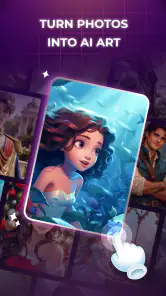
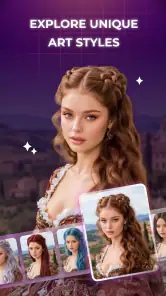
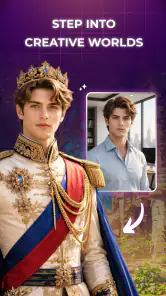

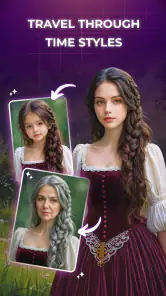
Analysis by Reviewed
I can see the appeal of AI Art Magic - Photo Creator straight away: it gives a casual photo-editing session a clear creative purpose. Rather than asking me to spend time adjusting every detail, it invites me to try a different visual treatment and see whether an ordinary picture can become something worth sharing. That makes it an easy app to sample when I have a few spare minutes, though the more important question is whether it stays useful after the first round of novelty wears off.
What makes the first week appealing
In the photography category, AI Art Magic is aimed at people who want to play with their pictures, not necessarily learn a full editing workflow. Its focus is creative styles and effects alongside straightforward editing tools. I think that combination matters: a striking treatment can make a photo feel fresh, while basic adjustments help bring the result back toward something that still feels like your own image.
For a first try, I would choose a photograph with a clear subject and a simple background. A portrait, a pet looking toward the camera, or a colorful object on a table gives a style treatment room to show its character. A busy image with several competing subjects can be harder to judge, because the effect may change the whole scene rather than emphasize the part you care about. Starting with a simple picture also makes it easier to decide whether the transformation is genuinely appealing or merely surprising.
The everyday use case is easy to imagine: I take a quick photo during a walk, then later try an art treatment to make it feel more personal before sending it to a friend. That is a different job from correcting a dim photo for a family album or carefully preparing an image for a client. This app makes the most sense when the goal is expression and experimentation, not faithful restoration or exact control.
The app is free, has an Everyone age rating, and is made by SSon Studio. It has over a million installs, which suggests it has reached a broad audience, but popularity alone does not tell me whether its style choices will suit yours. The current version is 1.1.0, and it runs on Android 7.0 or later. Its release date is May 17, 2026. Those practical details help set expectations: it is accessible to a wide range of Android users, while the experience itself is best judged by trying the kind of photos you actually take.
Choose photos with the result in mind
One useful habit is to keep an untouched copy of any photo you may want to use again. A creative effect can be fun in the moment, but your original gives you a reliable reference if you later want a more natural edit or a different treatment. This is especially sensible for pictures with sentimental value: experiment on a duplicate rather than treating the stylized version as your only copy.
I would also compare results at the size they will actually be seen. An effect that looks dramatic on a phone screen may feel too strong when used as a profile image or sent in a conversation. Before deciding that a treatment works, look at the subject’s face, the edges of the image, and any small details that matter. The app’s approachable creative premise encourages quick choices; taking a moment to inspect the result helps keep those choices intentional.
Where it can earn a place month to month
After the first week, an app like this needs a repeatable reason to open it. For me, the strongest case is occasional variety: making a themed image for a group chat, giving a favorite snapshot a more illustrative feel, or creating a playful version of a photo when a plain edit would be forgettable. Those are modest tasks, but they recur naturally without requiring the app to become part of a daily routine.
The editing tools may also help bridge the gap between a bold effect and a usable picture. Rather than keeping every result exactly as generated, I would treat the style as a starting point and make a restrained finishing pass if the controls suit the job. The practical trade-off is that a more creative look can sacrifice detail or realism. If you need a clean, accurate image for documentation, an unaltered photo or a conventional editor is the safer choice.
Compared with a traditional photo editor, the appeal here is less about precise control and more about reaching an expressive result without building one adjustment at a time. Compared with a social app’s built-in filters, a dedicated photography app can feel like a separate space to experiment before deciding whether to share. Neither comparison makes AI Art Magic the automatic winner: detailed editors are better when you need exact corrections, while built-in filters are more convenient if you only want a quick finishing touch inside a social feed.
A useful recurring workflow is to choose one photo for a specific purpose, make a small number of variations, and keep only the version you would genuinely use. That avoids turning experimentation into an endless scroll through effects. It also gives you a simple test of lasting value: if you return because you have a picture and an idea, the app is serving a real need; if you open it only to browse, its novelty may be doing most of the work.
How much upkeep the habit asks for
AI Art Magic appears suited to short, occasional sessions rather than a demanding editing routine. You do not need to reserve an evening to get something out of it; a spare moment and a suitable photo can be enough to decide whether a creative direction works. That low commitment is a strength for casual users, particularly anyone who finds a full-featured editor intimidating or simply does not want to adjust a long chain of settings.
Still, low effort does not mean every result is ready to keep. I would make a quick quality check before sharing: does the main subject remain recognizable, are important details still visible, and does the overall treatment fit the person or moment in the photo? This small review step is more useful than applying an effect automatically to every image. It helps prevent a playful tool from becoming a source of pictures that look striking at first glance but do not communicate what you intended.
For people who take many photos, keeping the process selective is important. Applying a creative treatment to every snapshot can make a personal collection feel visually inconsistent and make the special edits less special. I would reserve the app for images that benefit from a stronger mood, then leave everyday records alone. That division keeps a practical camera roll and a creative collection from competing with each other.
When experimentation starts to feel tiring
The main risk is that effects can become interchangeable after the initial excitement. If you find yourself trying one treatment after another without knowing what you want the final picture to say, the session may stop being creative and start feeling like browsing for its own sake. A simple prompt helps: should this image feel more playful, more dramatic, or more like an illustration? If no treatment supports that intention, keeping the original is a good outcome, not a failure.
Another limitation is the inherent tension between a stylized transformation and photographic accuracy. The more a picture changes, the less suitable it may be for a task where people need to see exactly what was there. For a product listing, a record of damage, or a straightforward work image, I would choose a conventional editor that prioritizes faithful color and detail. AI Art Magic is better approached as a creative option, not as a universal replacement for editing tools.
It may also be the wrong fit for someone who wants fine-grained manual control or a consistent professional look across a large set of images. A quick creative result and a carefully repeatable editing workflow are different needs. If your priority is precise correction, batch consistency, or a natural finish, a more specialized editor is likely to save frustration. If you mainly want to see a familiar photo interpreted in a new way, this app’s narrower focus is easier to appreciate.
My long-term recommendation
I would keep AI Art Magic - Photo Creator for occasional creative sessions, not make it the center of my photo library. Its best lasting value is as a low-pressure way to give selected pictures a different character, especially when I have a specific sharing or personal project in mind. The free price makes trying that role straightforward, while the simple editing angle keeps the app approachable for people who do not want a technical learning curve.
My advice is to install it if you enjoy playful photo transformations and have a few images you would like to reinterpret. Start with a clear subject, preserve the original, and judge the finished picture at the size where you plan to use it. Skip it if you need dependable restoration, strict realism, or detailed professional controls. For everyone else, it can earn a place as an occasional creative tool—provided the results keep serving your ideas after the first-week excitement has passed.
AI Art Magic - Photo Creator Frequently Asked Questions
What is AI Art Magic - Photo Creator?
AI Art Magic - Photo Creator is an image-making app designed to turn text prompts or photos into artwork with the help of AI. Depending on the tools available in your version, you may be able to choose a visual style, create a new image from a description, or transform an existing picture. Results can vary with the prompt, selected settings, and app version, so it is best viewed as a creative tool rather than a guarantee of a particular image.
How do I create artwork with AI Art Magic - Photo Creator?
Start by opening the app and selecting the option to create from a text description or use a photo, if that feature is offered. Enter a clear prompt describing the subject, setting, and look you want, then choose from any available styles or settings before generating. Short, specific descriptions are often easier to refine than complicated ones. Once the image is ready, review it and use the app’s available save or sharing options.
Is AI Art Magic - Photo Creator free to use?
The cost and available features can depend on the app’s current version and the store listing for your device. Some creative apps offer limited free generations, while placing additional styles, faster processing, or more creations behind in-app purchases or a subscription. Check the price, trial terms, and renewal details shown in Google Play or the App Store before confirming a purchase, and review the app’s own billing information for any usage limits.
Does AI Art Magic - Photo Creator require an internet connection, and what happens to my photos?
AI image generation may require an internet connection because the request can be processed by online services; some editing or viewing functions may still work offline, but this depends on the app. If you upload a personal photo, check the privacy policy and permission requests to understand how images and prompts are handled, stored, or shared. Avoid uploading sensitive pictures unless you are comfortable with the stated data practices.
Can I use images made with AI Art Magic - Photo Creator for commercial purposes?
Do not assume that every image created in the app is automatically cleared for commercial use. Your rights may depend on the app’s terms, the service’s licensing rules, the content of your prompt, and any third-party material or recognizable people in the result. Before using an image in advertising, products, or other commercial projects, read the current terms and check relevant copyright, privacy, and publicity requirements in your location.
Articles Related to AI Art Magic - Photo Creator
Clash of Clans Is Won Between the Battles
Its raids are quick; its community is a long-term project of coordination, teaching, rivalry, and shared responsibility—with all the friction that entails.
Android Auto Makes the Case for Quieter Car Software
The car interface is no longer judged by how much it can do, but by how quietly it helps. Android Auto shows what drivers now expect—and what still gets in the way.
MobiOffice: Transforming Mobile Productivity with Seamless Integration
MobiOffice: Word, Sheets, PDF is redefining mobile productivity with a surprising blend of functionality and innovation.
EA SPORTS FC™ Mobile Soccer: Redefining Mobile Sports Gaming
Dive into EA SPORTS FC™ Mobile Soccer, where immersive gameplay and strategic depth transform mobile sports gaming.
Pros
- Quickly turns text prompts into original images.
- Offers multiple styles for varied creative results.
- Simple controls make it approachable for beginners.
- Useful for creating social posts and profile images.
- Lets you explore ideas without drawing skills.
Cons
- Results may not match the prompt precisely.
- Image quality can vary between generations.
- Some styles or features may require payment.
- Generating images may take time during busy periods.
- AI images can contain odd details or distorted text.

- Category
- Photography
- Version
- 1.1.0











