ABCmouse: Kids Learning Games
- 1.24K
- 4.6
- Installs
- 5.00M
- Price
- Free

Screenshots

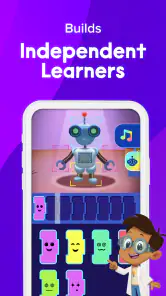
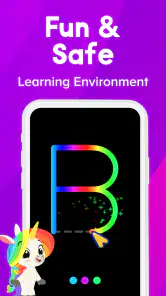
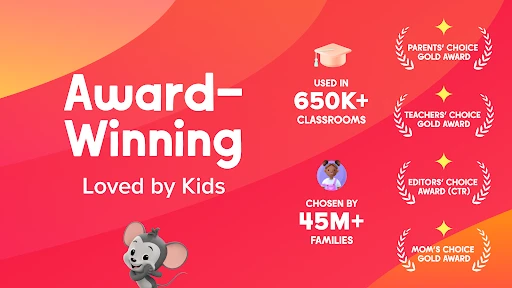
Analysis by Reviewed
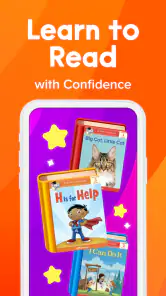
What stands out to me about ABCmouse is the way it brings early reading and math practice into a game-like routine. For a young child, a lesson can feel less like sitting down to study and more like completing a small activity. That shift can make practice easier to start, especially on days when a workbook would be met with a quick “no.” It does not make learning effortless, and a parent still needs to help steer the experience, but it gives families a playful place to begin.
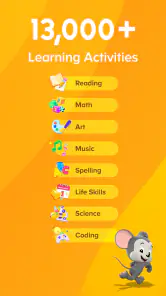
Made by Age of Learning, Inc., this is an education app aimed at children from toddler age through eight. Its central appeal is the mix of phonics, reading, and math games rather than one isolated skill. I see it as a structured supplement for short sessions at home, not a substitute for a teacher, reading aloud together, or hands-on play.
Why the game format matters
Practice feels like a series of small invitations
Early learners often need repetition: recognizing a letter, hearing its sound, or trying a simple number task more than once. ABCmouse puts that kind of practice into activities that children can approach as play. In practical terms, the format can help a child stay willing long enough to revisit a skill instead of treating every repeat as a correction.
The useful distinction is that “game-like” does not automatically mean “educational.” What matters is whether the activity gives a child a reason to pay attention to the skill. With phonics and reading, that means listening and connecting sounds with print; with math, it means engaging with basic number ideas. I would sit nearby at first and notice whether my child is thinking through the task or simply tapping quickly to get to the next screen.
This is also where expectations matter. A digital activity can introduce or reinforce a concept, but it cannot tell me everything about a child’s understanding. If a child guesses repeatedly, becomes frustrated, or finishes without being able to explain what they did, I would pause and try the same idea with a book, toys, or a conversation. The app works best as one part of a broader learning routine.
How I would use it in an ordinary day
Imagine a child has a little time before dinner and is restless after preschool. I would offer one short session rather than handing over the device indefinitely: choose a reading activity when the child is alert, stay close enough to help with a tricky instruction, then stop while the experience is still going well. A few minutes of shared attention can make the activity more useful than leaving a young child to navigate everything alone.
A practical tip is to treat the first session as an orientation, not a test. Watch how the child responds to the instructions, what they can do without help, and where they need you to explain a word or model a response. That gives a parent a clearer sense of whether the app is matching the child’s current level. If the child is already comfortable with a task, move on; if the activity is too difficult, take the pressure off rather than turning screen time into a battle.
You May Like

Clash of Clans Is Won Between the Battles

Android Auto Makes the Case for Quieter Car Software

MobiOffice: Transforming Mobile Productivity with Seamless Integration

EA SPORTS FC™ Mobile Soccer: Redefining Mobile Sports Gaming

How Microsoft OneDrive Became a Mobile Productivity Giant

How Google Translate Breaks Language Barriers Effortlessly
I would also vary the follow-up. After a phonics activity, ask the child to find an object beginning with the sound they practiced. After a math game, count a few pieces of fruit or toys together. These quick transitions help connect an on-screen lesson with things the child can see and touch, while making it easier for a parent to judge what actually stuck.
Where it fits among learning options
Compared with free letter or number games, ABCmouse offers a broader learning setting that brings multiple early-school subjects together. A collection of simple games may be quicker to open when a child wants one specific activity, and a physical book can be better for sustained attention, shared reading, and conversation. ABCmouse’s advantage is having several kinds of practice in one child-focused app; its trade-off is that a screen can become the default if adults do not set boundaries.
For a family choosing between a digital tool and a workbook, I would not treat them as replacements for each other. The app may be more inviting for a child who resists paper exercises, while a workbook makes it easier to slow down, write, and see a child’s working process. If the goal is specifically to build a daily read-aloud habit, a library book and an engaged adult are the better core choice. If the goal is to add playful practice across reading and math, ABCmouse is a more relevant companion.
The app is free to download, though it includes in-app purchases ranging from $3.99 to $104.99 per item. I would check the purchase details before a child uses it independently and decide in advance whether any paid option makes sense for the household. That is particularly important with a young child, who may not understand the difference between starting an activity and making a purchase.
The trade-offs parents should plan around
The broad age range is both a strength and a reason to supervise. A toddler and a child approaching eight do not need the same pace, vocabulary, or level of challenge. I would not assume that one setting or routine will suit siblings equally well. Let each child try activities with an adult nearby, then pay attention to whether the work feels engaging, appropriately challenging, and understandable.
There is also a real difference between keeping a child occupied and helping them learn. If a child moves rapidly from one activity to another without pausing, the game format may be rewarding movement through the app more than careful thought. My fix would be to keep sessions short, ask the child to describe what they just practiced, and stop if attention has faded. An adult’s small amount of involvement can turn passive screen time into a more deliberate learning moment.
ABCmouse is not the right choice for every family. I would skip it if I wanted a completely screen-free routine, if the child is more interested in physical play, or if I needed a focused tool for a specific difficulty that calls for individual instruction. It is also not an ideal “set it and forget it” babysitter: younger children may need help understanding prompts and staying on task, and parents should manage the device and purchases themselves.
Who is most likely to benefit
I think the strongest fit is a family with a child who enjoys tapping through activities and could use a gentle nudge toward regular reading and math practice. It may also suit a parent looking for a shared activity on a rainy afternoon or during a quiet stretch at home, provided the adult is willing to help select an activity and talk about it afterward. The app’s Everyone content rating reflects its broad intended audience, but adult judgment remains important when choosing what is appropriate for an individual child.
Children who learn best by moving, building, drawing, or talking may need those approaches alongside the app, not instead of them. A child who already has a strong reading routine may gain more from fresh books and conversation than from additional screen practice. Likewise, if a child is struggling persistently with a skill, I would use the app as a low-pressure way to practice, not as the only response or a way to diagnose the problem.
For scale, ABCmouse has a 4.6 average from around 34,000 ratings and more than five million installs. Those figures suggest that many families have tried it, but they cannot tell me whether it will suit a particular child. I would make that decision from the child’s response during a supervised trial: Are they listening, making attempts, and willing to return, or are they tapping through and asking to stop?
A sensible way to decide
The app is currently at version 1.71.0 and requires iOS 7.1 or later. The release date is February 14, 2025. Those details are useful when checking whether an older device can run it, but the more important question for most parents is whether the app fits the child’s routine and the family’s screen-time boundaries.
My recommendation is to try ABCmouse as a short, shared practice option rather than promising a child unlimited access. Start with the skill the child is most open to, stay close enough to notice confusion, and connect one activity to something away from the screen. If that pattern feels enjoyable and manageable, the app can earn a place in the week. If it creates arguments, encourages hurried tapping, or crowds out books and play, a simpler alternative may be better.
Overall, I find ABCmouse most convincing when its game format helps a young child willingly return to early reading and math. That is a useful role, but a modest one: the app can support practice, while parents supply context, encouragement, and sensible limits. For families looking for a playful supplement and prepared to guide its use, it is worth considering; for those seeking a fully hands-off tutor or a screen-free solution, I would look elsewhere.
Making the first few sessions useful
One detail I would keep in mind is that a child’s first reaction may be more about the device and novelty than about the learning itself. I would avoid judging the fit from a single excited session. Try the same calm routine on another day, with the adult nearby but not answering every prompt. That reveals whether the child can listen, make a choice, and stay with an activity once the newness wears off.
It can also help to choose a stopping point before opening the app. For example, agree that the child will complete one activity and then tell you what they remember, rather than negotiating screen time after attention has already faded. This is not a special setting; it is a simple household routine that prevents a playful learning tool from becoming an open-ended reward. If the child objects strongly to stopping, that is useful information about whether the current format is encouraging more screen time than your family wants.
What parents should expect from the learning
Parents may wonder whether the app can replace a lesson or provide a clear measure of progress. I would not rely on it for either. Its value is in offering practice opportunities, while a parent or educator still has to notice whether a child understands the idea and can use it away from the screen. A correct answer in a game is encouraging, but asking the child to explain a sound or count real objects gives a fuller picture.
That distinction matters most when a child is having difficulty. Repeating an activity may make a familiar task feel easier, but it does not establish why a skill is hard or what kind of support would help. I would keep sessions positive and share persistent concerns with the child’s teacher or another appropriate professional rather than expecting an app to identify the cause. For everyday reinforcement, though, a short activity followed by a real-world example can make practice feel less abstract.
Choosing it for a household
With siblings, I would resist making the app a shared competition. Children at different stages may need different amounts of help, and comparing speed or scores can turn practice into pressure. A better arrangement is to let each child have a brief turn suited to their attention and then ask each one a simple question about what they tried. If the younger child needs constant prompting while the older one wants to move ahead, separate turns may be calmer than trying to manage both at once.
For caregivers deciding whether the cost is worthwhile, the free download makes it possible to inspect the experience before committing to an in-app purchase. I would involve the adult who manages the device, review the purchase choices together, and avoid letting a child make that decision in the moment. The listed range—from $3.99 to $104.99 per item—covers a substantial spread, so the important question is not simply whether the app is free to install, but whether a paid choice fits your budget and the way your child actually uses it.
Overall, I would choose ABCmouse for a child who is receptive to playful screen activities and for an adult who wants a ready-made way to add early literacy and number practice to home life. I would choose books, blocks, conversation, or a more targeted form of help instead when those better match the child’s needs. Its strongest contribution is not replacing those options, but making a short practice moment easier to begin—provided the family keeps the session purposeful and the screen in its proper place.
ABCmouse: Kids Learning Games Frequently Asked Questions
What is ABCmouse: Kids Learning Games?
ABCmouse is an educational app for young children that offers lessons and activities across subjects such as reading, math, science, art, and music. Its learning path combines videos, games, books, puzzles, and other interactive activities. The app is designed to make practice feel playful while giving parents a structured way to explore early-learning content with their child.
What age group is ABCmouse designed for?
ABCmouse is primarily aimed at children from preschool through the early elementary years, commonly around ages 2–8. Activities vary in difficulty, so the experience can suit different stages of early learning, though a parent may need to help younger children navigate the app. Check the current app listing and content details to confirm suitability for your child’s age and needs.
Is ABCmouse free to download and use?
The app may be available to download without an upfront charge, but access to its full library generally requires a paid subscription. Trial offers, prices, billing periods, and cancellation terms can change by region or over time, so review the current details shown in the app store or during sign-up before subscribing. A free download should not be mistaken for unlimited free access.
Does ABCmouse work offline, and does it require an internet connection?
Some content may be available for offline use if it has been downloaded or saved in advance, but many activities and features may need an internet connection. Availability can depend on the specific content, device, and current app version. If your child will use ABCmouse while traveling or away from Wi-Fi, test the desired activities beforehand and check the app’s download options.
Is ABCmouse safe and useful for children, and can parents track progress?
ABCmouse is built for children and includes educational activities, but parents should still review its privacy information, age guidance, and device permissions before setting up an account. The app offers parent-facing tools, such as access to learning progress, although features can change with updates or subscription plans. Try the experience together at first, and use device settings to manage screen time and purchases.
Pros
- Lessons span early reading
- math
- science
- art
- and music.
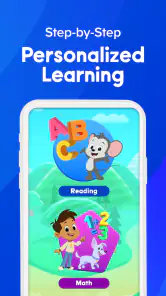
- A guided learning path helps children know what to try next.
- Activities use games
- songs
- books
- and videos to vary practice.
- Progress tracking lets parents follow a child’s learning activity.
- Multiple child profiles support families with more than one learner.
Cons
- A paid subscription is required for full access.
- The large activity catalog can feel overwhelming at first.
- Some lessons may be too easy or too difficult for a child’s level.
- Many activities require an internet connection to load.
- Rewards and virtual items may distract some children from lessons.

- Category
- Education
- Version
- 1.71.0












