Word Spells: Puzzle for Adults
- 3.61K
- 4.8
- Installs
- 10.00M
- Price
- Free
Screenshots
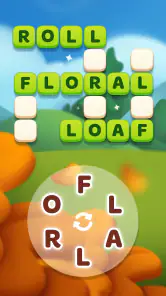
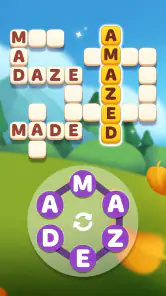
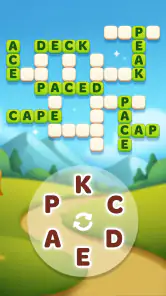
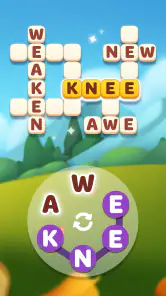
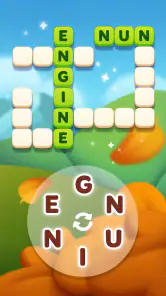
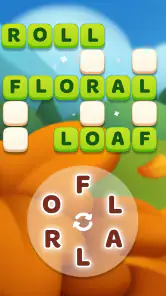
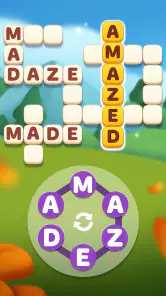
Analysis by Reviewed
I like the idea of a word game that can sit on a shared living-room tablet without needing to turn the evening into a group competition. Word Spells is a free word puzzle game from Malpa Games, built around forming words from letters and wrapped in a gentle magical theme. It suits the small gaps in a day: a few minutes while someone else finishes dinner, a quiet break between chores, or a turn passed around when people want a low-pressure activity.
One device, different kinds of players
In a household, the appeal is that the basic activity is easy to understand: look at the letters, try combinations, and see what words fit. A parent can play a puzzle while a child watches, then swap roles and let the child suggest possibilities. That makes it a more natural shared activity than a fast-paced game where one person’s reflexes decide who gets to participate.
I’d still treat it as a shared game rather than assume it has separate household profiles or a built-in way to keep everyone’s progress apart. If several people use the same device, agree whose game is open before starting. That small habit avoids confusion if one person wants to continue a puzzle later. It also helps to remember that a shared screen does not automatically mean shared accounts or shared progress; keep personal app-store purchases and device settings under the account holder’s control.
How it fits into an ordinary day
For me, the best use is a short, flexible session rather than a planned marathon. Imagine waiting for a meal to finish cooking: you can attempt a few words, pause when you need to check the oven, and pick the game back up when you have another spare moment. Word puzzles are also a nice alternative to scrolling when you want something that asks for attention without demanding a long commitment.
A useful habit is to try the obvious short words first, then look again at the remaining letters instead of repeatedly rearranging the whole set at random. If a puzzle starts feeling like a test rather than a break, it is fine to stop and return later. That is a better fit for a relaxing word game than turning every unsolved combination into a reason to keep tapping.
Choosing it over other word games
Compared with a crossword, this style of play is more immediate: you can begin from a set of letters without needing a clue or a broad store of trivia. Compared with a head-to-head word game, it is a calmer choice when you do not want to coordinate with another player or keep score. The trade-off is that people who love long clues, deep language challenges, or direct competition may find this format too simple or solitary.
It is also not my first choice when I want a structured vocabulary course. Playing with words can prompt you to notice spellings and think of alternatives, but I would not treat that as a substitute for lessons or a dictionary. Its value is in making a short pause more engaging, not in promising a particular learning result.
More From Our News Desk

Weather by Xiaomi Review: Clear at a Glance, Less Clear Up Close

X Under Pressure: Can It Recover When Posting Goes Wrong?

Clash of Clans Is Won Between the Battles

Android Auto Makes the Case for Quieter Car Software

MobiOffice: Transforming Mobile Productivity with Seamless Integration

EA SPORTS FC™ Mobile Soccer: Redefining Mobile Sports Gaming
What to expect from a quick session
One small advantage of this format is that it gives you an easy way to share the thinking without passing the device constantly. A person holding the tablet can enter suggestions while others call out possible words; if the group is comfortable taking turns, you can hand it over after a puzzle or whenever someone wants to try alone. That keeps the activity cooperative without pretending it is a dedicated multiplayer game.
There is a useful trade-off in that arrangement: the person entering letters has the final say over what gets tried, so a child or less confident player can end up watching rather than participating. I’d make a point of asking for suggestions before tapping, or let each person have a turn controlling the screen. That simple routine makes the game more welcoming without needing any special family settings.
A Magical Word Quest Awaits
First off, can I just say how much I adore the concept of this game? The idea of combining word puzzles with a magical theme is just brilliant. The game throws you into a mystical realm where every puzzle you solve feels like casting a spell. Sounds enchanting, right?
The Gameplay
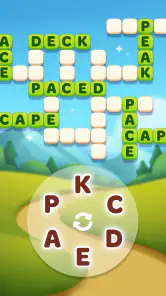
Now, let's dive into the gameplay. When you first start, you’ll notice how intuitive the interface is. You don’t need to be a tech wizard to navigate through the game. It’s all about connecting letters to form words, and trust me, it’s as satisfying as it sounds. Each level presents a different set of challenges, and as you progress, the puzzles get trickier, keeping your brain engaged and your fingers tapping.
Visuals and Soundtrack
Let’s talk about the aesthetics for a moment. The visuals in Word Spells are simply enchanting. The developers have done a fantastic job in creating a magical atmosphere that’s both inviting and immersive. The soft, mystical background music complements the visuals perfectly, enhancing the overall gaming experience. You might find yourself humming along as you play!
Why You’ll Love It
One of the things that really makes this game stand out is its ability to cater to all ages. Whether you’re a youngster just getting into word games or a seasoned wordsmith, there’s something here for everyone. Plus, it’s a great way to improve your vocabulary while having fun, which is always a win-win in my book.
Another highlight is the social aspect. You can connect with friends, share your progress, and even compete in friendly word battles. It adds a layer of excitement and keeps the competitive spirit alive.
Playing together without turning it into a contest
For a quieter shared session, I’d use the game as a prompt for conversation rather than a score-based challenge. When someone spots a possible word, ask how they noticed it: perhaps the beginning letters stood out, or they recognized a familiar ending. This makes the puzzle useful for mixed skill levels, because a younger player can contribute one idea while an adult helps consider spelling or alternate arrangements.
It also helps to agree in advance whether the group is solving together or taking turns. A shared puzzle can become frustrating if one person keeps tapping quickly while others are still thinking. I prefer a loose rule—give everyone a moment to suggest a word, then try it—because it preserves the relaxed feel and makes the screen less of a race.
Living with its limits
The simple letter-connecting format is also the main constraint: once you understand the rhythm, some sessions may feel repetitive, especially if you prefer clues that lead to a definite answer or a head-to-head match. I would choose this when I want a gentle solo puzzle, not when the group is looking for a lively party game. The magical presentation adds mood, but it does not change the fact that the central task remains word-making.
For a shared device, I would keep expectations modest around coordination. Friends can make the experience more social, but I would not assume that everyone’s progress, preferences, or purchases are automatically separated. Before handing over the phone, check that the right player is using it and that any purchase decision stays with the device’s account holder. Those are ordinary household boundaries, not a reason to avoid the game.
When another format is a better fit
If your household enjoys solving a clearly defined clue together, a crossword or clue-based word puzzle may give you more to discuss than a letter set does. If everyone wants an even playing field and visible competition, a turn-based word battle is a better match, provided the players are happy to coordinate. I see Word Spells as the option for the in-between moment: it offers a puzzle to focus on, but it does not ask the group to organize a match or make a long commitment.
I would also skip it when the main goal is a reliable learning routine. It can encourage attention to spelling and word patterns, but the experience is still a game, not a structured course with a lesson plan. For a child who needs guided practice, I’d choose a learning tool designed for that purpose and keep this as optional entertainment.
Age, cost, and trust
The game is rated Everyone, so its stated age context is broad; I would still let younger players use a shared device with the usual adult oversight around app-store purchases. The game is free to install, while optional in-app items range from $0.99 to $99.99 each, so I would keep purchase approval with an adult rather than treating “free” as a promise that every extra is free.
It has a 4.8 average from around 164,000 ratings, and more than 10 million installs. Those figures suggest that plenty of people have tried it, but they do not tell me whether its pace or puzzle style will suit a particular household. The current version is 2.26, and it runs on Android 8.0 or later. Word games are not usually chosen for cutting-edge visuals, so compatibility and whether the basic letter puzzles feel enjoyable matter more than chasing the newest device.
A sensible setup for a household
Before a child uses a shared phone or tablet, I’d check the device’s account and purchase approval settings rather than relying on the game itself to manage family boundaries. This is especially worthwhile because an install can be free while optional items are available to buy. I would make the rule clear: the adult account holder handles purchases, and anyone else asks first. That is more dependable than assuming a game will separate players or prevent accidental spending.
For progress, the easiest low-tech approach is to choose one main player if someone wants to continue a session later. If the device is passed among family members, agree whether people are taking turns in the same game or simply playing when it is free. This avoids a common source of irritation: one person expecting to resume exactly where they left off after another person has used the same app.
The Verdict
So, is Word Spells: Word Puzzles worth a download? Absolutely! It’s a delightful blend of fun and learning, wrapped up in a magical package. Whether you’re looking to kill some time, improve your language skills, or simply enjoy a beautifully crafted game, this app has got you covered. Grab your wand, or in this case, your phone, and dive into the enchanting world of word magic!
My household verdict is more measured: I’d recommend it to someone who wants a calm, approachable word game that can be picked up in spare moments, especially if a gentle fantasy look sounds appealing. I’d skip it for a family seeking firm child profiles, a guaranteed educational program, or energetic multiplayer sessions. If you install it, try a short session first, decide whose progress is being used on a shared device, and keep purchases intentional. That gives this little puzzle game the best chance to be a relaxing fit rather than another source of screen-time friction.
Who I’d hand it to
I’d suggest trying it if you enjoy word searches and simple letter puzzles but want something you can play without setting up a match. It makes sense for someone who likes to think in short bursts, or for a household where one person wants to solve while another offers occasional ideas. The strongest case is not that it replaces every other word game; it is that its light structure can fit neatly around ordinary routines.
I’d steer away if you need carefully separated profiles on one device, want a competitive game with clear shared rules, or expect a dependable vocabulary curriculum. Those are different needs, and choosing a game built around them will save frustration. For this one, I’d start with a brief session, see whether the letter-forming loop stays enjoyable, and decide from there whether its relaxed pace belongs in your regular rotation.
Word Spells: Puzzle for Adults Frequently Asked Questions
Is Word Spells: Puzzle for Adults a relaxing game or a difficult one?
Word Spells: Puzzle for Adults is presented as a relaxing word game, but its puzzles can still ask you to think carefully. You form words from letters and look for the words hidden in each level, with the challenge increasing as you progress. It may suit players who enjoy a calm pace alongside vocabulary-based puzzles rather than a game with no mental challenge.
Can Word Spells: Puzzle for Adults help me practise vocabulary?
The game centers on finding and forming words, so playing involves using your vocabulary and thinking about how letters can be combined. That makes it a word-focused pastime for people who enjoy language puzzles. It is best approached as entertainment rather than a formal learning course: the main goal is to complete each puzzle and move through the game.
Is Word Spells: Puzzle for Adults suitable for short play sessions?
Its level-based word-puzzle format makes it easy to focus on a puzzle at a time, which can work well for a brief break or a longer stretch of play. You can take on the letters in a level, search for the hidden words, and stop when it suits you. The relaxing word-game style is intended for casual play.
Does Word Spells: Puzzle for Adults have hints if I get stuck?
Yes. Word Spells: Word Puzzles includes hints and power-ups to help when a level becomes difficult. You can first try rearranging the available letters and searching for words on your own, then use help if you need it. These options can make tougher stages more manageable, although the game also offers in-app purchases for players who choose to spend money.
Can I play Word Spells: Puzzle for Adults without paying?
Yes. Word Spells: Word Puzzles is free to download and play, so you can try its word puzzles without an upfront payment. Optional in-app purchases are available, including items intended to help with play or progression. You can decide whether those extras are useful to you; spending is not required to begin playing.
Pros
- Engaging word puzzles to enhance vocabulary.
- User-friendly interface with intuitive design.
- Daily challenges keep players motivated.
- Supports offline play
- perfect for travel.
- Regular updates with new levels and features.
Cons
- In-app purchases can be costly over time.
- Ads may disrupt gameplay experience.
- Limited hints can cause frustration.
- Higher levels become repetitively difficult.
- Requires internet for some features.
- Category
- Word
- Version
- 2.26













