Word Search - Word Puzzle Game
- 16.05K
- 4.8
- Installs
- 100.00M
- Price
- Free

Screenshots
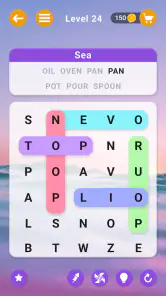
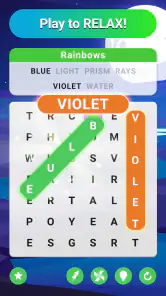
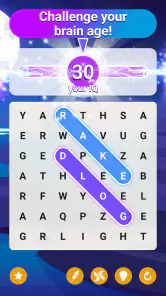
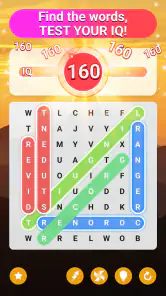
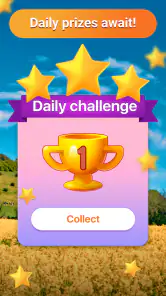
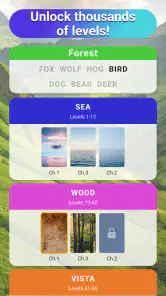
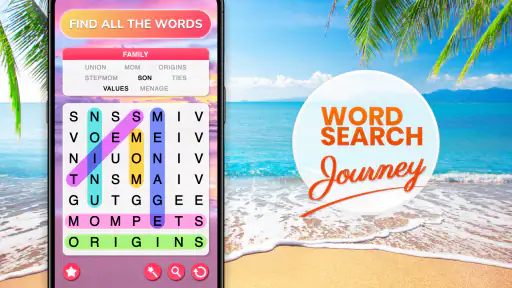
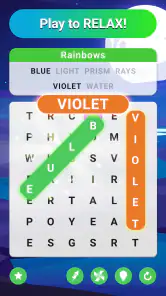
Analysis by Reviewed
When I want a puzzle that can fit around an ordinary day, I look for one I can start without a tutorial and leave without losing track of a complicated plan. Word Search - Word Puzzle Game suits that habit: it is a free word game from Bluetile built around spotting listed words in a letter grid. I find its appeal less in novelty than in the small reward of noticing a word that had been hiding in plain sight.
A quick test for whether the grid suits you
Before settling into it, I’d ask myself whether searching a grid feels restful or visually tiring. If you enjoy scanning for patterns, the simple objective is easy to pick up. If dense blocks of letters tend to blur together on a phone screen, or you want each puzzle to demand a different kind of reasoning, this may not be the most comfortable choice. That difference matters more than the game’s broad appeal: the central activity stays a word search.
A familiar puzzle in its current form
The game’s basic premise is easy to understand, even if you have not played a word search in years. You look through a grid for the words you are given, tracing each one when you spot it. That makes it accessible to a broad range of players, including people who want a low-pressure break and anyone who prefers word games that do not require quick reactions or specialist knowledge.
Its current version is 4.7.0, and the game has been available since November 14, 2020. Those details put it in the well-established end of the mobile puzzle market, rather than making it a brand-new experiment. With an average rating of 4.8 from around 779,000 ratings and more than 100 million installs, it has clearly found a large audience. That popularity is useful context, but I would not treat it as a guarantee that every player will enjoy the format: word searches are repetitive by nature, and whether that is soothing or dull depends on what you want from a game.
The age rating is Everyone, which suits the straightforward word-puzzle concept. It is also free to download, with optional in-app purchases priced from $0.99 to $19.99 per item. I would go in expecting a free entry point, while remembering that optional purchases can affect how the experience feels if you prefer a completely purchase-free game. The developer is Bluetile.
What the format does well
A word search rewards patient visual attention rather than speed or complicated planning. I find that makes it a good fit for a short pause between tasks, a quiet commute when it is safe to use a phone, or a wind-down moment before bed. You can focus on one word at a time instead of keeping track of a chain of moves. The pleasure comes from spotting a pattern that was hiding in plain sight.
There is a modest vocabulary benefit, too, although I would keep expectations realistic. The game gives words a visual setting and encourages you to notice their spelling, which can reinforce familiarity. It is not a substitute for reading, writing, or a structured language course: searching for a word you already know is different from learning how to use it. Still, if your goal is to give your attention and word recognition a gentle workout, the format makes sense.
More From Our News Desk

Weather by Xiaomi Review: Clear at a Glance, Less Clear Up Close

X Under Pressure: Can It Recover When Posting Goes Wrong?

Clash of Clans Is Won Between the Battles

Android Auto Makes the Case for Quieter Car Software

MobiOffice: Transforming Mobile Productivity with Seamless Integration

EA SPORTS FC™ Mobile Soccer: Redefining Mobile Sports Gaming
One practical way to make a session more engaging is to change how you scan. Instead of repeatedly sweeping across the whole grid, pick a distinctive starting letter or look for uncommon letter pairs in the word list, then trace likely paths from there. This reduces aimless searching and gives the puzzle a small strategy layer without turning it into a demanding challenge. It is especially helpful when a familiar word seems impossible to find because your eyes keep following the same rows.
How it fits alongside other word games
Compared with crosswords, a word search asks less of your general knowledge. You do not need to infer an answer from a clue; the task is to locate a visible spelling among other letters. That makes it easier to start when you are tired, but it also means it may not satisfy someone who wants to solve definitions, test trivia, or build an answer from scratch.
Compared with word-building games, this is a calmer kind of challenge. There is no need to rearrange letters into new words or make a sequence of tactical choices. If you like constructing words from a rack of letters, a word-building title will probably hold your attention longer. If you want to search at your own pace, the simpler grid is a strength. I see this game less as a replacement for every other word puzzle and more as a choice for a particular mood.
That distinction matters for families and casual players. A clear, familiar objective can make it easier to hand the game to someone who does not want a tutorial-heavy experience. On the other hand, players seeking a competitive match, a narrative campaign, or a deep progression system should look elsewhere. The appeal here is the puzzle activity itself, not a broader game world.
A low-effort routine, with a useful stopping point
Picture a spare few minutes while waiting for an appointment. A crossword might ask you to hold clues in mind, and a word-building game may invite repeated decisions; here, you can choose one listed word and search until the moment passes. I like that the activity can be paused naturally between targets. If I have only a brief break, I can stop without needing to finish a long chain of tasks or remember a complex strategy.
For a more comfortable session, I’d keep the phone at a steady distance and avoid trying to scan every row at once. Pick one target, note its unusual letter pair, and check likely lines in several directions. If the display starts to feel crowded, a short pause is more useful than speeding up. This is a general searching technique, not a special option in the game, but it makes the basic loop less frustrating.
What has changed, and what that means for regular players
The release date and current version offer a useful, limited picture of the game’s evolution: it has been on the market for several years, and the currently identified build is 4.7.0. I would not infer particular new modes or mechanics from a version number alone. What I can say is that anyone installing the current build is getting the present form of a long-running word-search game, rather than an early release that has only just reached players.
For returning users, the practical question is whether the familiar search loop still suits them, not whether a version label promises a dramatic overhaul. If you enjoyed word searches before, the core activity should be immediately recognizable. If you stopped because the format felt repetitive, a new version number by itself is not a reason to expect that preference to change. I would judge it by trying a few puzzles and noticing whether the pace feels relaxing or monotonous.
For a new player, the large audience and long availability can make the game feel like a safe starting point in the category, but they do not answer every personal question. The most useful test is simple: do you enjoy scanning a letter grid and getting satisfaction from finding each listed word? If yes, the game’s central loop has a good chance of working for you. If you need frequent changes of objective to stay interested, you may want a more varied puzzle app.
What a version number can—and cannot—tell you
The version number is a concrete marker of the build available now, but it is not a changelog. I would not use it to assume that familiar puzzles have been redesigned or that a particular convenience has been added. For someone who already plays, the sensible approach is to update through the usual store process and judge the experience on what is actually present, rather than expecting a specific overhaul.
That distinction is useful when deciding whether to return. If you left because you wanted richer clue-solving or more varied mechanics, a later build number alone does not address that preference. If you simply want the same kind of quiet grid hunt, the current release is a reasonable place to try again. In other words, the strongest evidence of fit is still your response to the core puzzle, not the history implied by a number.
Where the experience may fall short
The main trade-off is inherent to word searches: the same kind of visual hunt repeats. A player can enjoy that consistency as a calming ritual, while another may feel that each session plays much like the last. I would not choose it as my only game if I wanted varied problem-solving every time I opened my phone. The very simplicity that makes it approachable also limits how much strategic depth the format can offer.
There is also a difference between vocabulary practice and vocabulary growth. The game can help keep familiar spellings in view, but simply locating words does not necessarily explain meanings or teach usage. If your priority is learning a new language, I would pair it with reading or a dedicated learning tool. For a child or beginner, it can be a light word activity, but I would not expect it to provide the structure of a lesson.
Another point to consider is the purchase model. The game is free to download, but it includes in-app purchases in a range from $0.99 to $19.99 per item. That does not make it a poor choice, but it is worth being mindful if you share a device or are trying to avoid accidental spending. I recommend checking purchase controls on the device before handing any free-to-play game to a child, even when the content is rated for everyone.
Useful expectations for shared play
If I were sharing a puzzle with a child or another casual player, I would make it cooperative rather than turning it into a race. Taking turns selecting a target word lets each person contribute at a comfortable pace, and it avoids making speed the measure of success. The Everyone age rating fits the broad, uncomplicated premise, but adults should still manage purchase settings on a shared device if avoiding accidental spending is important.
For solo play, I’d also decide in advance whether I want a quick pause or a longer session. One puzzle can be a tidy stopping point; continuing only because the next one is available can make a soothing activity feel like a chore. This small boundary is particularly useful if I reach for mobile games during breaks that are already short.
Small habits that make a session better
I get more from a word-search session when I set a modest stopping point before I start: one puzzle or a short break, rather than opening the game with no limit. That helps preserve its relaxing quality and prevents a simple pastime from becoming another task to finish. It is also a useful way to tell whether you are enjoying the activity or only continuing out of habit.
When a word is hard to spot, I avoid staring at the entire grid. I compare its first and last letters against the board, then check likely lines in multiple directions. This approach is a general word-search technique rather than a special game feature, but it turns frustration into a manageable search. If the puzzle still feels like visual clutter, taking a brief pause often works better than scanning faster.
For a shared session, I would suggest taking turns choosing a target word rather than racing to finish. That keeps the game suitable for different ages or experience levels and shifts the focus from speed to observation. It also makes the puzzle a more social activity without requiring everyone to have the same vocabulary or play at the same pace.
Who I would recommend it to
I would recommend Word Search - Word Puzzle Game to someone who wants an uncomplicated word puzzle for brief, low-stakes sessions. It is a sensible pick if you like spotting patterns, want a familiar activity that is easy to begin, or enjoy word games without clues and time pressure. Its free download makes it easy to try, while the Everyone rating reflects the accessible nature of the concept.
I would steer away from it if your main goal is a substantial vocabulary course, a competitive challenge, or a puzzle game that constantly introduces new mechanics. Crossword fans may prefer richer clues; word-building fans may want more decision-making; players who tire quickly of repeated formats may find the grid hunt wears thin. Those are not defects so much as limits of the word-search style, and it is better to know them before installing.
What I would watch as it continues
Because the game has a mature release history and a current version number, the most useful thing to watch is whether future updates make the basic routine more comfortable or varied without losing its simplicity. I would look for clear improvements that help regular players stay engaged, while avoiding assumptions about features that have not been established. For now, the reliable reason to try it is the straightforward activity at its center, not a promise of a particular future change.
My overall take is that this is a good fit for a specific, common need: a quiet word puzzle you can approach without preparation. It is not the deepest option in the category, and the repeated search pattern will not suit everyone. But if you find scanning a grid satisfying, the game offers an approachable way to spend a few spare minutes and give your attention a gentle workout. I would try it when I want a calm break, and choose a crossword or word-building game when I want more variety or a tougher mental challenge.
Word Search - Word Puzzle Game Frequently Asked Questions
What is Word Search - Word Puzzle Game?
Word Search - Word Puzzle Game is a casual puzzle app built around finding hidden words in a grid of letters. Players typically receive a word list or theme, then swipe across adjacent letters to mark each matching word. It is easy to understand and can suit quick play sessions, though the available modes, themes, and progression features may vary by version.
How do you play Word Search - Word Puzzle Game?
Start a puzzle and look for the listed words among the mixed letters. Depending on the puzzle, words may appear horizontally, vertically, diagonally, or in reverse. Drag your finger across the letters in sequence to select a word; correctly found entries are usually highlighted or removed from the list. If you get stuck, check whether the game offers hints or other assistance.
Is Word Search - Word Puzzle Game free to download and play?
The app may be available to download without an upfront charge, but that does not necessarily mean every feature is free. Some versions of word-search games include advertisements, optional in-app purchases, or paid options such as removing ads or unlocking content. Check the store listing for the specific version, including its pricing and purchase details, before downloading.
Can I play Word Search - Word Puzzle Game offline?
Many word-search puzzles can be played without a continuous internet connection once the app and relevant content are installed. However, features such as ads, cloud saves, leaderboards, daily challenges, or downloading additional puzzle packs may require internet access. Offline availability can differ between versions, so check the app description and test the features you care about before relying on them without a connection.
Is Word Search - Word Puzzle Game suitable for children, and what should I check before downloading?
Word-search gameplay is generally straightforward and can be suitable for a wide range of ages, but the exact experience depends on the app’s content and settings. Before downloading, review the age rating, ad and in-app purchase disclosures, privacy information, and any online features. Parents may also want to check whether the game includes themes or interactions appropriate for the intended player.
Pros
- Easy-to-learn rules make it suitable for quick
- casual play.
- Multiple difficulty levels offer options for different skill levels.
- Offline play lets you enjoy puzzles without an internet connection.
- A broad range of themes keeps word lists varied.
- Hints can help when you get stuck on a difficult grid.
Cons
- Ads may interrupt play
- depending on the version.
- Small letters can be difficult to read on compact screens.
- Some word lists may feel repetitive after extended play.
- Hints can reduce the challenge for players seeking a tougher puzzle.
- The game may offer limited appeal to players who dislike word puzzles.
- Category
- Word
- Version
- 4.7.0