Word Search Sea: Offline Games
- 5.83K
- 4.9
- Installs
- 10.00M
- Price
- Free
Screenshots

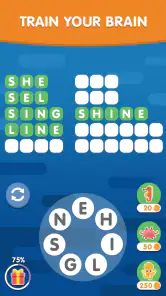


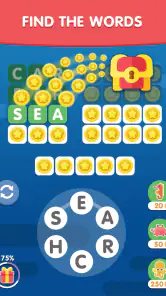
Analysis by Reviewed
When a shared phone is doing double duty as a map, a music player, and a way to fill a quiet pause, I like having a game that does not ask everyone to create a routine around it. Word Search Sea: Offline Games is a word-search game from Malpa Games, and its appeal is the simple act of finding words in a grid. I would reach for it when someone has a few spare minutes, not when the household is looking for a big group activity. Because its puzzles can be played offline, it is also a practical choice for waiting rooms or journeys where a connection may be unreliable.
Easy to pass around, with a few boundaries to keep in mind
I find this kind of word search easiest to share when everyone agrees that taking turns matters more than finishing quickly. One person can hold the device while others suggest where to look, which keeps the grid steady and gives quieter players a way to join in. That simple routine is useful, but it also makes the limits of a shared installation worth considering before the game becomes part of a household’s regular device rotation.
A low-friction game for shared moments
On a shared phone or tablet, a word search has an advantage over games that depend on a personal account, a detailed save file, or a long match: another person can take a turn without needing to understand someone else’s strategy. I would use this for a short, informal break rather than as a family competition. The appeal is in looking over a letter grid and spotting words at your own pace, not coordinating a team or comparing elaborate progress.
That makes it a natural fit for a waiting room, a quiet stretch during a journey, or the few minutes before everyone sits down to eat. It can also give an adult a calmer alternative to a fast-action game when a child is nearby. Still, a shared device means the next player may encounter whatever screen the previous person left open. I’d make a habit of checking the screen before handing the device over, rather than assuming the game will create separate experiences for each person.
The practical upside of offline play is straightforward: once it is available on the device, a connection is not needed for the core puzzle activity described for the game. That can help when reception is poor or a household is trying to keep a device usable during a network interruption. Offline access does not, by itself, tell you how purchases or other device-level settings behave, so I would handle those through the normal controls on the phone or tablet rather than relying on the game as a household-management tool.
Shared device does not mean shared boundaries
I would treat this as a game for whoever has access to the device, not as a multi-profile family hub. If several people take turns, the simplest approach is to agree on ordinary habits: finish the current puzzle before passing the device, avoid changing settings casually, and ask before spending money. Those are useful boundaries for any shared app, especially when children use a device that also belongs to an adult.
There is a meaningful distinction between free entry and a completely purchase-free experience. The game is free to download, while in-app purchases are offered, with individual items ranging from $0.99 to $47.99. That spread makes it sensible to check the device’s purchase-confirmation settings before letting a child play unsupervised. I would not assume that “free” means there is no purchase consideration; I would simply make the device’s normal purchase safeguards part of the setup.
More From Our News Desk

Weather by Xiaomi Review: Clear at a Glance, Less Clear Up Close

X Under Pressure: Can It Recover When Posting Goes Wrong?

Clash of Clans Is Won Between the Battles

Android Auto Makes the Case for Quieter Car Software

MobiOffice: Transforming Mobile Productivity with Seamless Integration

EA SPORTS FC™ Mobile Soccer: Redefining Mobile Sports Gaming
For a household with one tablet, a useful routine is to decide who is using it and for how long before opening the game. That is not a special feature of Word Search Sea; it is just a way to avoid one person’s play interrupting another’s. If preserving each person’s separate progress is important, I would first check how the installed game behaves rather than promise that a shared-device setup will keep everyone’s activity distinct.
Taking turns without turning it into a contest
The game’s word-search format lends itself to informal coordination. One person can scan one area while another looks elsewhere, or players can alternate who gets the next attempt. I find that kind of casual turn-taking better suited to this experience than a strict scorekeeping system. It lets younger and older players participate at different speeds, without making a quick puzzle feel like a test.
A small practical tip for shared play is to let one person hold the device and have the other suggest a word or point to a possible location. That keeps the screen from being tugged between players and makes it easier for someone with less confidence to join in. If the group is more interested in direct collaboration than taking turns, a paper word search may actually work better: everyone can mark the same page and see the whole puzzle without passing a touchscreen around.
There is also a trade-off in how the game fits into a household routine. Its offline nature suits spontaneous use, but the puzzle format is quiet and individual enough that it will not automatically create conversation. I would use it as a shared activity when people are happy to take turns or think aloud, not as a substitute for a game designed around active group interaction.
Age context and a sensible level of trust
Word puzzles are a broadly approachable form of play, and this game carries an Everyone age rating. That makes it easier to consider for a mixed-age household than a title aimed at mature audiences, but a rating does not replace a parent’s judgment about a particular child or the device they use. The practical concern I would pay attention to here is not puzzle difficulty alone; it is also the shared device’s purchase settings and whether an adult wants to supervise screen time.
For an adult, the game can be a light way to occupy the mind without committing to a story or a long session. For a child, it may offer practice noticing letter patterns, though I would avoid presenting it as a full learning program. It is still a game first. If a child needs structured reading instruction or an app with adult-managed profiles and clear learning reports, I would choose a dedicated educational product instead.
A high average rating of 4.9, based on around 636,000 ratings, suggests that many players respond well to the experience, and the game has passed 10 million installs. Those figures are useful context for its reach, but they are not a guarantee that it will suit every person in the home. I’d still try it with the actual player in mind: someone who enjoys scanning letters may settle in quickly, while someone who prefers action, stories, or spoken interaction may lose interest.
How it compares with other word games
Compared with a crossword, a word search asks less of a player’s general knowledge and more of their ability to spot letter sequences. That makes it easier to dip into when you are tired or distracted. Compared with a spelling or vocabulary game, it is less obviously instructional; I would choose it for relaxed pattern-finding rather than lessons or progress tracking. And compared with a multiplayer party game, its quiet puzzle focus is a strength for one or two people but a limitation for a lively group.
Paper puzzles remain a good alternative if you want no screen, no device handoff, and a format several people can mark at once. Other mobile word games may suit you better if your priority is a deep campaign, a competitive online mode, or a structured learning path. I would choose Word Search Sea when the priority is a simple letter puzzle that can be played offline, not when I need those additional layers.
For a more comfortable shared session, I’d agree on a simple handoff before anyone starts: one player controls the screen, and everyone else offers suggestions rather than tapping over them. That small arrangement keeps the puzzle readable and prevents the quickest person from taking over by accident. It also makes the game easier to include someone who wants to participate without being the one holding the device.
If you are deciding whether it belongs on a child’s device, I would separate the age question from the spending question. The Everyone rating speaks to broad audience suitability, while the purchase controls belong to the device setup and the adult supervising it. For a child who can follow those household rules, it can be a quiet pastime; for a child who needs a tightly managed learning environment, an educational app with explicit adult tools is a more suitable choice.
Where the experience may not fit
The simplicity that makes the game approachable can also make it feel limited. If I wanted a narrative, varied mechanics, or a sense of progression beyond solving word puzzles, I would look elsewhere. Likewise, someone seeking a robust shared-family setup should not choose it on the assumption that it includes separate household accounts or coordination tools. It is better approached as a straightforward game that people can take turns playing on a device.
There is also a difference between “offline” and “friction-free in every situation.” Offline puzzle play is useful, but it does not settle questions about purchases, device restrictions, or how multiple people share the same installation. Parents may want to set purchase controls at the operating-system level, while adults using a common tablet may want a simple agreement about whose turn it is. Those small steps matter more than expecting the game itself to manage household boundaries.
If a player dislikes visual scanning or has trouble distinguishing letters on a small screen, a larger display or a printed puzzle may be more comfortable. I would also skip it for someone who wants a highly social game that gives everyone a clear role at once. Its best use is narrower and more practical: an accessible puzzle to fill a short pause, with enough flexibility to work when internet access is not part of the plan.
One useful way to judge the fit is to think about what the player wants from a word game. If the pleasure comes from spotting familiar letter patterns without having to recall clues or race another person, this format makes sense. If the player wants to build vocabulary deliberately, solve cryptic clues, or compete against friends, the familiar word-search grid may feel too limited. I’d choose based on that distinction rather than on the broad label of “word game.”
My household verdict
I’d recommend Word Search Sea: Offline Games to a household that wants an uncomplicated word puzzle for spare moments and is comfortable sharing a device with ordinary ground rules. It suits adults who enjoy quiet letter-searching, and it can be an easy option for a child when an adult has already considered screen time and purchase settings. Its offline play is a real convenience, not just a slogan, because it makes the core activity useful away from a reliable connection.
I would not make it the family’s only game or expect it to handle accounts, learning plans, or group play. The free download is appealing, but the available in-app purchases deserve a quick look at the device’s safeguards before a child uses it. For a home that values simple puzzles and casual turn-taking, that is a manageable trade-off. For families who need stronger separation between users or more active group interaction, a different kind of game will be a better fit.
The game is free, and its current version is 5.22.02. It was released on May 17, 2017, and the listed minimum operating-system requirement is version 9. Those details make it easier to judge basic compatibility, especially before installing it on an older device. Malpa Games is the developer; the game’s long-standing availability and broad audience are reassuring context, though I would still check the device itself for enough room and a compatible system before downloading.
For the right household, I see its role as a dependable little time-filler rather than a centerpiece: open it when there is a pause, let one person guide the screen, and put it away when the moment has passed. That modest expectation is what makes the game easy to recommend. It is strongest when you want an uncomplicated offline puzzle, and much less compelling if you are looking for family profiles, structured lessons, or lively multiplayer play.
Word Search Sea: Offline Games Frequently Asked Questions
What is Word Search Sea: Offline Games?
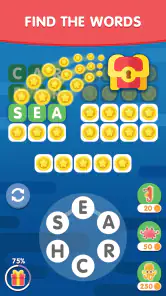
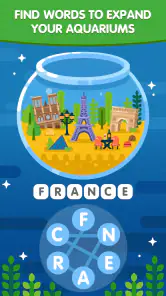
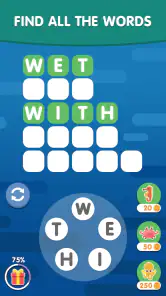
Word Search Sea: Offline Games is a word-search puzzle game built around a relaxing ocean theme. Players look for listed words hidden among rows of letters, typically connecting letters in different directions to complete each puzzle. The game is designed for casual play, with straightforward controls and levels that can suit both quick breaks and longer sessions. Puzzle layouts and available features may vary between versions.
Can I play Word Search Sea: Offline Games without an internet connection?
The game is presented as an offline word-search experience, so its core puzzles are intended to be playable without a constant internet connection. This makes it a practical choice for travel or places with limited connectivity. An internet connection may still be needed for initial installation, updates, or optional online features such as ads and purchases, if those are included in your version.
Is Word Search Sea: Offline Games suitable for children and beginners?
Word-search puzzles are generally easy to understand, and the basic activity—finding words from a list—can be approachable for beginners. The ocean-themed presentation may also appeal to younger players, though difficulty can increase as levels progress. Before handing the game to a child, check its store listing and in-app settings for advertising, purchases, age guidance, and any features that may require adult supervision.
Is Word Search Sea: Offline Games free to download, and does it include ads or in-app purchases?
The price and monetization details can differ by platform, region, and app version. A game may be free to install while showing advertisements or offering optional purchases, such as ad removal or other extras. Check the Google Play Store or Apple App Store listing before downloading, and review the purchase prompts and device settings if you want to prevent accidental spending.
What should I check before downloading Word Search Sea: Offline Games?
Check that your phone or tablet meets the app’s current operating-system and storage requirements, which are shown on its official store page. Also confirm that you are selecting the correct game from a trusted developer listing, review recent updates and user feedback, and examine the requested permissions. If offline play is important to you, test the game after installation to see which features remain available without a connection.
Pros
- Works offline
- so you can play without Wi-Fi or mobile data.
- Simple controls make puzzles easy to start and play.
- Word-search gameplay offers a relaxing break from faster games.
- Suitable for short sessions whenever you have a few spare minutes.
- The familiar puzzle format is easy for new players to understand.
Cons
- Word searches may feel repetitive after extended play.
- Players looking for a story or varied gameplay may find it limited.
- Small letters can be difficult to read on compact screens.
- Puzzle difficulty may not satisfy experienced word-game fans.
- Frequent hints or mistakes can make puzzles less rewarding.
- Category
- Word
- Version
- 5.22.02













