Sweet Home: Games for kids
- 2.76K
- 4.6
- Installs
- 10.00M
- Price
- Free

Screenshots
Analysis by Reviewed
When I’m deciding whether a children’s game deserves a regular spot on a device, I look beyond the first burst of curiosity. The more useful question is whether a child can return to it without needing a new reward, lesson, or surprise every time. Sweet Home Stories is built for pretend play in a digital home, so its staying power depends largely on whether a child enjoys inventing family scenes and revisiting familiar routines. I see it as a gentle option to try together, rather than an automatic screen-time solution.
What the First Visits Offer
On an early visit, the pleasure comes from exploring the home and testing what can be touched. A child might move between rooms, try out household activities, and decide what the characters are doing. That open-ended setup makes a short play session feel complete: there is no need to finish a level before putting the device down. The game is free to start, rated for Everyone, and developed by SUBARA; those basics make it approachable for families looking for a gentle first step into digital role-play.
A useful way to introduce it is to give a small prompt rather than demonstrate every interaction: “What could the family do before dinner?” A child can take the story in a different direction, and the adult can follow along without turning play into a lesson. I find that approach more rewarding than tapping through the rooms on the child’s behalf. The point is not to discover a hidden correct answer, but to let the child make choices and build a little narrative from them.
Setting the Scene
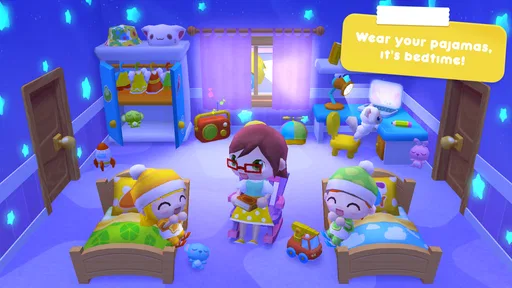
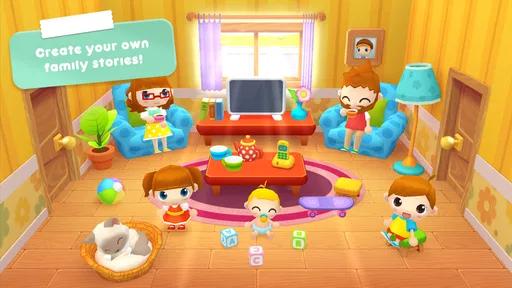
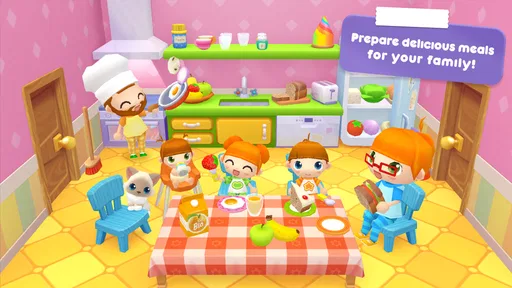
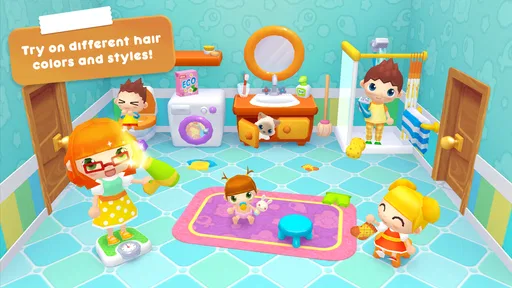
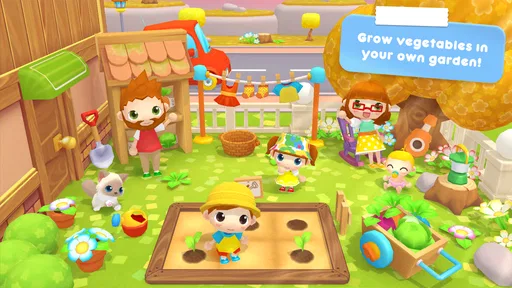
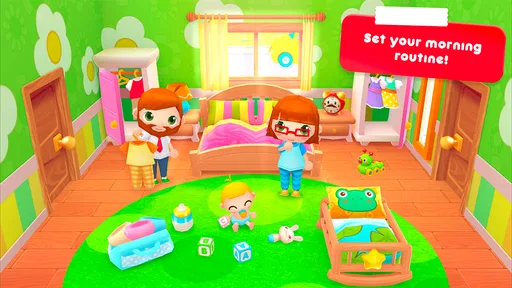
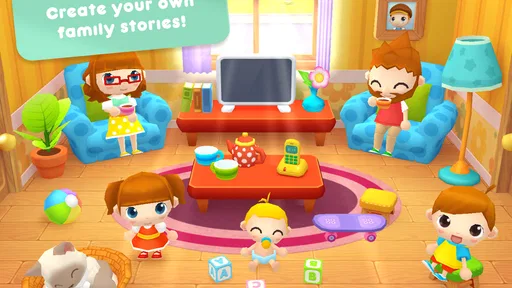
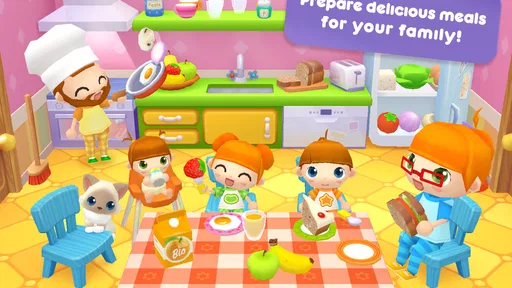
Imagine stepping into a colorful, interactive dollhouse where kids can let their imaginations run wild. That’s exactly what Sweet Home Stories offers. This app turns your device into a miniature world filled with vibrant characters and cozy rooms just waiting to be explored. The graphics are bright and cheerful, making it an inviting space for children to play and learn.
From Household Actions to Small Stories
The app offers various rooms to explore, each with its own set of activities. From cooking in the kitchen to playing in the backyard, there’s something for every child’s interest. One of the coolest features is that kids can interact with almost everything in the house. Want to turn on the TV or wash the dishes? Go for it! It's all about creating your own stories and adventures.
That flexibility is also the best way to make repeat visits feel less aimless. I’d suggest choosing one everyday situation—a meal, getting ready to go out, or tidying up—and letting the child decide who does what. It gives the play a starting point without imposing a rigid task list. For a child who likes role-playing familiar routines, this can be a comfortable way to explore sequence and responsibility; for a child who wants clear goals and rewards, the same openness may feel like too little direction.
What “Educational” Means Here
What I love about this app is that it seamlessly blends fun with education. While kids are busy playing chef or gardener, they’re also learning valuable life skills like cooperation, responsibility, and creativity. The app encourages kids to think creatively and solve problems in a fun and engaging way.
More From Our News Desk

Weather by Xiaomi Review: Clear at a Glance, Less Clear Up Close

X Under Pressure: Can It Recover When Posting Goes Wrong?

Clash of Clans Is Won Between the Battles

Android Auto Makes the Case for Quieter Car Software

MobiOffice: Transforming Mobile Productivity with Seamless Integration

EA SPORTS FC™ Mobile Soccer: Redefining Mobile Sports Gaming
I’d treat those benefits as opportunities for conversation, not as a promise that the game teaches a formal curriculum. An adult can ask why a character is doing something or what might happen next, while leaving the child in charge of the story. That makes it useful during a quiet stretch at home or as a shared activity while waiting for a meal to finish. It is less suited to families specifically seeking structured lessons, quizzes, or measurable progress; a dedicated learning app will serve that purpose better.
A Better Fit for Some Children Than Others
The game’s strongest audience is a child who already enjoys toy houses, dolls, or acting out what happens at home. A sibling or parent can join by suggesting a situation and taking turns deciding what the characters do, but the game also works as a short solo activity if the child is comfortable making up their own direction. It can be a handy choice during a calm indoor break when there is no room for a large toy setup and an adult wants to stay nearby without leading every move.
For a realistic routine, I’d try a brief session after a child has finished one real-world task, such as putting toys away, and invite them to invent what the family does next. That connects the familiar setting to an ordinary day without making the app a reward that must be earned. If the child cannot get started, offer one simple prompt and then step back. If they keep asking what they are supposed to do, that is useful evidence: a more guided game may fit them better.
Simple Interaction, With a Parent Check
From a user’s perspective, Sweet Home Stories is incredibly intuitive. The interface is designed for little fingers, so even the youngest users can navigate with ease. Parents will appreciate the fact that the app doesn’t have any ads or in-app purchases, creating a safe environment for children.
One practical point for parents: the game is free, but it does include in-app purchases priced from $1.99 to $2.99 per item. I would check the purchase settings on the device and explain in simple terms that buying something is an adult decision. That small bit of preparation matters more than a child-friendly interface, particularly if a child plays independently. The game’s Everyone age rating is reassuring as a broad guide, but it doesn’t replace a parent’s judgment about screen time or whether the style suits a particular child.
That purchase detail also affects how I’d introduce the game: I would explore it with the child first, make clear that optional purchases are not part of the play routine, and avoid letting a request to buy something become the session’s main event. The game is free to begin, while individual in-app purchases cost between $1.99 and $2.99. Families who prefer a one-time payment with no purchase prompts may find another title easier to manage, even if this one’s basic style appeals to their child.
How It Compares With Other Learning Games
What makes Sweet Home Stories stand out in the sea of educational apps is its ability to engage kids without overwhelming them. The app provides a balanced mix of guided activities and free play, allowing kids to learn at their own pace. Plus, the charming animations and sound effects add an extra layer of fun to the experience.
Compared with puzzle games, letter-learning apps, or digital coloring books, this is much more about acting out a scene than completing a task. That distinction is important for choosing it well: children who enjoy dolls, family stories, and make-believe are more likely to return to it, while children who prefer a visible challenge may lose interest once they have explored the setting. Its average rating is 4.4 from around 94,000 ratings, and it has passed 10 million installs, so it has reached a broad audience, though popularity alone cannot predict whether your child will connect with its particular kind of play.
The trade-off is not simply “free play versus learning.” It is a choice between different kinds of attention. A puzzle or alphabet game usually tells a child what to try next and makes progress easy to recognize; a coloring app offers a clear creative task; this home-play game asks the child to supply the reason for each action. I’d pick it when imaginative storytelling is the goal, and choose a more structured alternative when I need a focused practice activity or when my child is frustrated by having to invent the next step.
Keeping It in the Rotation
The game’s longer-term value depends on whether a child keeps inventing new situations, not on how quickly they unlock or complete content. A good habit is to use it as one option in a varied play routine: a brief pretend-play session, then a break from the screen or a real-world activity like helping set the table. That comparison can even give a child ideas for the next story. If they only want to repeat the same taps, or if they need frequent novelty and explicit goals, it may be better as an occasional choice than a fixture.
One practical way to check for lasting interest is to notice what happens after the first few sessions. Does the child create a different reason for a character to move from one room to another, or do they repeat the same actions and then ask for something else? There is no need to turn that into a test; it simply helps a parent decide whether the game is still serving imaginative play or has become a familiar set of taps. Rotating it with physical toys, drawing, or helping with a small household task can keep screen use from replacing the kinds of play it resembles.
For families considering compatibility, the current version is 1.4.5 and the minimum operating system is 7.0. The game was released on February 24, 2017, and its appeal rests on a familiar kind of imaginative play rather than a complicated learning system. I would choose it for relaxed, child-led storytelling, not as a substitute for hands-on play or a structured educational program. The main trade-off is clear: the freedom that makes it easy to revisit can also leave some children unsure what to do without a prompt.
It is also worth matching the game to the moment. When a child has only a few minutes, an open-ended house can be easier to leave than a level-based game that encourages finishing “just one more” stage. But if the child needs the device to hold attention while an adult is occupied, the lack of a strong next objective may mean they call for help instead of continuing independently. I’d treat it as a shared or nearby-play option, not assume that an intuitive interface guarantees a long stretch of uninterrupted play.
Where the Novelty Can Wear Off
Open-ended play can feel fresh at first because nearly every room invites exploration, but familiarity can expose its limits. A child who has already tried the obvious household actions may need a new scenario from an adult, and the same home setting will not appeal equally to every child. I would not keep prompting endlessly to make the game seem more engaging. If the child’s stories have stopped changing, a break is a sensible choice; returning later may work better than trying to turn it into a daily habit.
For parents wondering whether it can replace a learning app, my answer is no: it is better understood as imaginative play with everyday themes than as a way to practice a specific school skill. If the priority is counting, reading, or a sequence of guided challenges, choose a game designed around that purpose. If the priority is making up a family scene without a score to chase, this one has a clearer reason to be in the rotation. That distinction helps avoid disappointment and keeps expectations fair.
My Long-Term Take
In conclusion, Sweet Home Stories is a delightful game that turns screen time into a productive and imaginative experience. It’s perfect for parents looking to provide their children with an educational tool that doesn’t feel like learning. So, if you’re ready to embark on a digital adventure with your kids, give this app a try. You won’t be disappointed!
I’d keep it available for the child who naturally turns a household scene into a story and enjoys returning to familiar places with a new idea. I would skip it if I wanted direct instruction, competitive play, or a steady stream of goals to hold attention. SUBARA’s game has enough room for gentle, repeated make-believe, but lasting value comes from the child’s imagination and the way a family fits it into screen time. Used that way, it can earn a place in the rotation without needing to become the whole routine.
Sweet Home: Games for kids Frequently Asked Questions
What devices and software does Sweet Home Stories support?
Before downloading, check that your device meets the game’s operating-system requirement. Sweet Home Stories requires Android 7.0 or later, so older Android devices may not be compatible. The game is also available on iOS, making it an option for families using Apple devices. Keeping your device’s software current can help you avoid compatibility problems when installing apps.
What does the Everyone age rating mean for Sweet Home Stories?
Sweet Home Stories carries an Everyone age rating, which indicates that its content is intended to be suitable for a broad audience. The game’s family-home setting and pretend-play focus make it especially relevant to younger children, though parents can still decide whether its style and activities are a good fit for their child. Playing together can also be a helpful way to introduce the game.
Is Sweet Home Stories free to download, and what might cost extra?
Sweet Home Stories is free to download, so families can try the game without paying upfront. It also offers optional in-app purchases, with items priced from $1.99 to $2.99. Since children may encounter purchase options while playing, it is sensible for parents to review device purchase settings and decide whether buying extra content is appropriate.
What kind of play can children expect in Sweet Home Stories?
The game invites children to create their own life story in a play house with an adorable family and kids. Its home setting offers open-ended pretend play, giving young players room to imagine everyday situations and make up their own scenarios. That makes it a relaxed choice for children who enjoy family-themed play rather than a game focused on competition.
What is Sweet Home Stories?
Sweet Home Stories is an interactive game designed for children, allowing them to explore and interact with various elements in a virtual home setting. The app aims to foster creativity and imagination by letting kids play with characters, decorate rooms, and engage in everyday activities. It's a safe, educational environment for children to learn and have fun.
Pros
- Engaging and educational gameplay.
- Colorful and interactive graphics.
- Easy for kids to navigate.
- Promotes creativity and imagination.
- Safe
- ad-free environment for children.
Cons
- Limited free content available.
- Requires in-app purchases for full access.
- No multiplayer or social features.
- May not appeal to older kids.
- Occasional crashes reported.













