Central Hospital Stories
- 2.07K
- 4.5
- Installs
- 50.00M
- Price
- Free

Screenshots
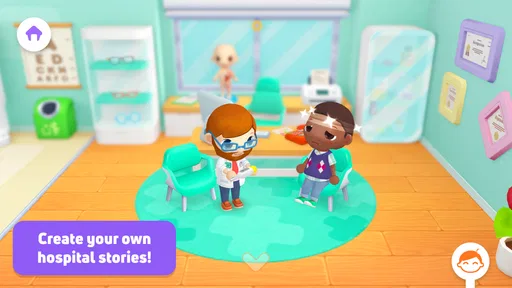
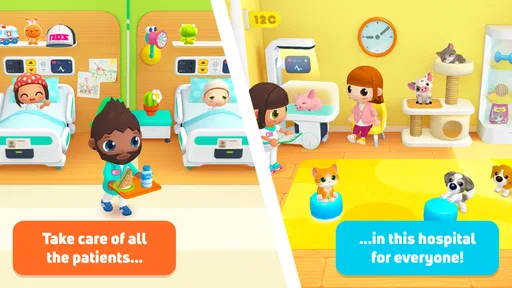
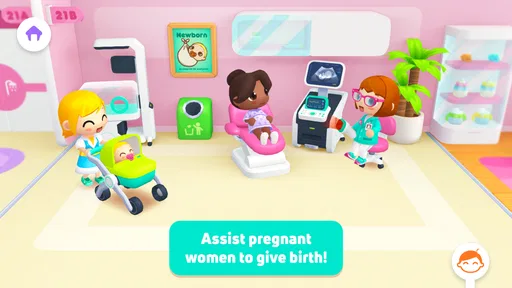
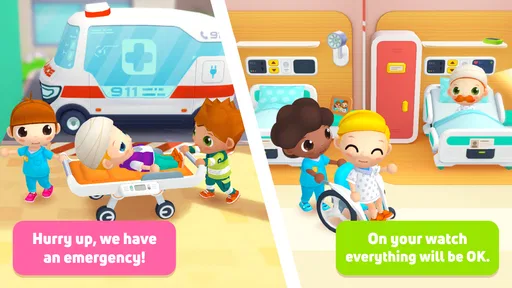
Analysis by Reviewed
If you’re opening a hospital role-playing game for the first time, it helps to know what kind of play you’re signing up for. Central Hospital Stories is an educational game from SUBARA built around pretend medical life: characters, hospital spaces, and the little scenes you make up as you move between them. I’d approach it as imaginative play rather than a lesson plan or a realistic medical simulator. That distinction makes the first session easier to enjoy, especially if you’re choosing it for a child who likes inventing stories.
What to expect from a hospital role-play game
The game is free to download and is rated for everyone. It has a 4.4 average from around 138,000 ratings, and has been installed over 50 million times. Those figures suggest it has reached a broad audience, but they don’t tell you whether its style suits your household. The bright, child-friendly presentation is a better clue: this is intended for playful exploration, not tense emergency-room strategy. If you want detailed medical instruction or a challenging management game, I’d look elsewhere.
Its appeal is the freedom to turn a hospital setting into a story. A child might invent a check-up for a toy, move a character through a day at work, or create a conversation between people in different parts of the building. I find this kind of open-ended play useful when a child wants to lead the activity rather than follow levels or compete for a score. It can also give a parent an easy way to join in: ask what the character is doing next, then let the child decide.
That freedom makes the game a better fit for some moments than others. It can be a gentle choice while waiting at home for dinner, or when a child wants to return to a familiar pretend theme without setting up toys around the room. It is less suited to a quick session where an adult needs a predictable stopping point or a child expects a task to announce when it is complete. I’d think of it as a digital play space, not a short lesson with a defined finish.
Getting started without making it complicated
When I first opened Central Hospital Stories, I was greeted with a vibrant and welcoming interface. The graphics are playful and engaging, which immediately drew me in. You start by choosing your character, and let me tell you, the customization options are a delightful touch. From quirky doctors to diligent nurses, you can create a team that feels uniquely yours.
Make the first session manageable
Rather than trying to explore everything at once, I’d begin with one character and one simple pretend scenario. For example, after a busy afternoon, a child could choose a doctor, imagine a patient arriving for a routine visit, and narrate what happens next. This gives the game a clear starting point without turning play into a set of instructions. If the child loses interest in that story, switching roles or making up a new one is a natural reset.
That approach is also a useful way to see whether the game fits. Some children enjoy choosing characters and inventing scenes; others prefer a clear goal, visible progress, or puzzles with right answers. The former are more likely to settle into this kind of role-play. For the latter, a structured educational game may be a better pick than expecting a hospital setting alone to hold their attention.
More From Our News Desk

Weather by Xiaomi Review: Clear at a Glance, Less Clear Up Close

X Under Pressure: Can It Recover When Posting Goes Wrong?

Clash of Clans Is Won Between the Battles

Android Auto Makes the Case for Quieter Car Software

MobiOffice: Transforming Mobile Productivity with Seamless Integration

EA SPORTS FC™ Mobile Soccer: Redefining Mobile Sports Gaming
For an especially easy first try, I’d let the child choose the character rather than choosing one for them, then offer a small opening prompt: “Who has come to the hospital today?” This gives them a starting point without deciding the whole story. If they take the idea in a different direction, follow it. The useful test is not whether they act out a realistic appointment; it’s whether they become interested enough to keep making choices.
Finding a first satisfying moment
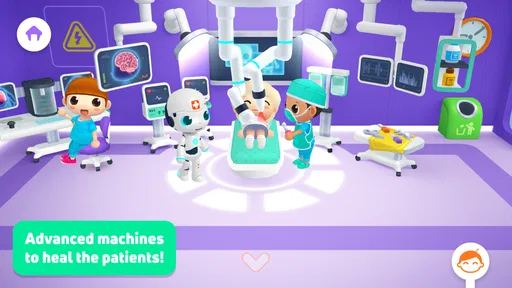
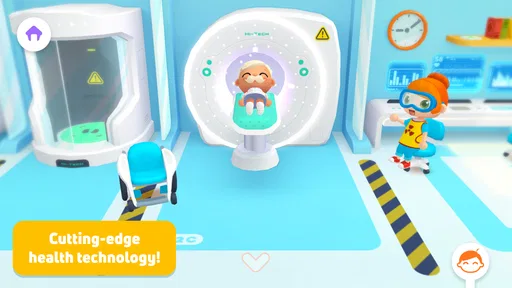
The gameplay is where the app truly shines. You get to navigate through different floors of the hospital, each with its own set of challenges and patients. From diagnosing illnesses to performing surgeries, every task is a mini-adventure. What I love is the freedom to explore and interact with various elements in the game. It's not just about treating patients; it's about creating stories and building relationships.
One practical tip is to treat each area as a scene rather than rushing around to see everything. A child can decide who is working, what the patient needs, and where the story goes after the visit. That simple sequence—choose a role, set up a situation, and continue the story—creates a clear first success without needing to master the whole game. It also makes short play sessions feel complete, which is handy when the game is being used as a break between everyday activities.
A useful variation is to give the child a tiny story arc rather than a long list of things to discover: a character arrives, gets attention, and then decides what to do next. That structure helps a player who enjoys pretend play but gets overwhelmed by too many possible directions. It also gives a parent an easy stopping cue. When the character has finished that visit, you can pause without suggesting that the child has failed to see everything.
How the hospital play unfolds
One moment, you're in the ER handling a critical case, and the next, you're in the cafeteria sharing a meal with your team. The transitions are seamless, and the attention to detail is commendable. Each character has their own personality, and it's amusing to see how their stories unfold as you progress.
Open-ended scenes can be a strength, but they also require the player to supply some of the direction. A child who asks, “What do I do now?” may need an adult to suggest a small prompt, such as giving a character a new role or inventing a reason to visit another part of the hospital. I’d offer one idea and let the child take over rather than trying to turn the session into a lesson. That keeps the imaginative part in the child’s hands.
When the play starts to feel scattered, I’d use a simple “before and after” question: what is happening now, and what might happen once this character leaves? It gives a child a way to connect separate scenes without imposing a plot. If they prefer to jump around instead, that is also a perfectly reasonable way to play. The game’s loose structure rewards curiosity, but it may not satisfy children who want every action to build toward a clear objective.
Playful learning, with sensible expectations
Now, here's the kicker: while you're having fun, you're also learning. The app subtly incorporates educational elements about medicine and healthcare. For instance, I found myself picking up tidbits about different medical conditions and treatments without even realizing it. It's like getting a mini-med school experience right on your phone!
I’d keep that learning claim in perspective. Pretend medical play can introduce healthcare settings and spark questions, but it shouldn’t replace advice from a qualified professional or be treated as a reliable guide to diagnosis and treatment. If a child asks a real health question during play, I’d answer plainly and separately from the game. That boundary lets the story stay fun while avoiding confusion between make-believe and real care.
It can also be a handy way to talk about a visit to a clinic if a child is curious or a little unsure, provided an adult keeps the explanation grounded in real life. I would not promise that playing will remove a child’s worries, and I would avoid presenting the game as preparation for a particular procedure. Instead, use any questions it brings up as a chance to explain what you know in calm, simple language, and check with a healthcare professional when the question needs expert advice.
The app also encourages creativity and problem-solving. Whether you're figuring out the best treatment plan or organizing the hospital staff, every decision you make has an impact. It's a fantastic way to flex those decision-making muscles while enjoying a captivating storyline.
Where it fits—and where another game may work better
Compared with many educational games that teach through quizzes, fixed tasks, or correct-answer feedback, this one is better suited to shared storytelling and role-play. I’d choose it for a child who likes pretend professions, familiar settings, and making up dialogue. If your priority is practicing a specific school skill, or you want a game with a clearly measurable sequence of goals, a focused learning app will likely be more useful. Likewise, adults looking for realistic hospital operations may find the playful approach too loose.
A realistic use case is a quiet stretch at home when a child wants to play independently but still enjoys occasional company. You can sit nearby, let them assign you a character, and follow their lead for a short story. Another is easing into imaginative play with a child who likes doctors but is unsure what to do with a blank space: the hospital setting gives them a starting theme. I wouldn’t rely on it to keep every child occupied without interaction, since open-ended play can work best when someone helps get the story moving.
There is a practical difference between this and a box of doctor toys. Physical props can be easier for two children to share face-to-face, and they let kids decide how the objects work. The app, by contrast, supplies a ready-made hospital environment and characters, which can make it easier to begin when there is little time or space for setup. Neither option is automatically better: choose the game for a child who enjoys screen-based scenes, and choose toys or a guided activity when hands-on play or a clear learning target matters more.
I’d also skip it if the child tends to get frustrated when a game does not explain the next step, or if you need an activity with a definite end and little adult involvement. A story prompt can help, but it cannot turn a free-form role-play game into a guided curriculum. If a child enjoys deciding who everyone is and what happens next, that freedom is the point; if they want a steady sequence of challenges, a more structured alternative is likely to be a better use of their time.
Small practical details before you continue
The game is free, with optional in-app purchases priced from $2.99 to $4.49 per item. Since a child may encounter purchase options while using a free game, I’d check the device’s purchase controls before handing it over, especially if the child plays without an adult nearby. The current version is 1.8.3 and it requires Android 7.0 or later, details worth checking if you’re installing it on an older device. It has an Everyone age rating, but that doesn’t mean every child will find the play style engaging; interest in pretend play matters more than the label.
If you are deciding whether to install it for a shared device, I’d first consider who will be playing and how independently. A child who can make choices and invent a scene may be content to explore, while a younger or less confident player might get more from having an adult nearby to start the story. Checking purchase controls before the first handover is a small bit of preparation that can prevent an unexpected interruption during play.
The game was released on April 13, 2019, and its current version is 1.8.3. That makes the version requirement worth checking before choosing an older device for a child. The game is also available on iOS, so households using Apple devices can consider it there; I’d still check the requirements shown for the particular device before installing. For a free game with optional purchases, the important practical choice is not just whether it downloads, but whether the device is set up for the way your child will use it.
For a first-time user, I’d keep the initial try simple: choose a character, make up one patient visit, and see whether the child naturally invents what happens next. If they do, the game has found its strongest use. If they keep looking for instructions or a win condition, there’s no need to force it—another educational game with guided activities may be a better fit. I like that this hospital setting can support casual, child-led stories, as long as families approach its medical theme as play rather than instruction.
Replay value and the trade-off of freedom
In terms of replayability, the game scores high marks. With so many characters and scenarios to explore, you can easily dive back in and discover something new each time. It's the sort of app that keeps you coming back, eager to see what happens next.
That replay value depends on the child, though. Someone who enjoys returning to familiar characters and reshaping a story may find plenty of reasons to open it again, even without a new objective each time. A player who measures progress by unlocking stages or finishing tasks may feel that the freedom becomes repetitive. I’d give it a short trial with a simple prompt before deciding; a child’s reaction to the open-ended format is more informative than the hospital theme alone.
My recommendation for the right player
In conclusion, if you're looking for an app that offers a perfect blend of fun and learning, this game should be on your radar. It's a delightful escape into the world of medicine, complete with charming characters and engaging gameplay. Whether you're a fan of medical dramas or just in need of a new adventure, this app has something for everyone. So why not give it a whirl? You might just find yourself hooked on the hospital life!
My recommendation is a little more specific: try it with a child who likes inventing characters, assigning roles, and turning small choices into a story. Start with one visit, keep the prompt light, and let the child decide when the scene is finished. If that feels enjoyable, the game can be a convenient way to revisit hospital pretend play. If the child needs clearer goals or you want structured medical learning, I’d choose a different kind of activity instead.
Central Hospital Stories Frequently Asked Questions
Who makes Central Hospital Stories, and what kind of game is it?
Central Hospital Stories is an educational role-playing game developed by SUBARA. It invites players to pretend to be doctors, nurses, patients, and other people in a hospital, using familiar medical settings for imaginative play. The focus is on exploring scenes and acting out everyday hospital roles rather than managing a real medical service.
What is the main objective of Central Hospital Stories?
Central Hospital Stories is an interactive simulation game that allows players to explore a bustling hospital environment. The main objective is to manage various hospital activities, from patient care to staff management. Players can engage in role-playing as doctors, nurses, or even patients, offering a fun and educational experience about hospital life.
Is Central Hospital Stories suitable for children?
Yes, Central Hospital Stories is designed to be family-friendly and suitable for children. It offers a safe environment where kids can explore hospital scenarios, enhancing their understanding of medical care in a playful manner. The game uses bright, engaging graphics and simple controls, making it easy for children to navigate and enjoy.
What device software does Central Hospital Stories need?
Central Hospital Stories requires Android 7.0 or later on Android devices. Before downloading, check your device’s software version in its settings to make sure it meets that requirement. The game is also available for iOS devices, but the supported iOS version is not stated here, so iOS users should check compatibility in their device’s app store before installing.
Does Central Hospital Stories require an internet connection to play?
Central Hospital Stories can be played offline, which means you don't need an internet connection to enjoy the game. This makes it convenient for users who want to play on-the-go without worrying about connectivity issues. However, certain features or updates might require an internet connection to access.
Pros
- Engaging medical scenarios for kids.
- Fosters creativity and role-play.
- No in-app purchases required.
- Diverse character options available.
- User-friendly interface for children.
Cons
- Limited free content available.
- Occasional repetitive tasks.
- Requires internet for some features.
- Might be too simplistic for older kids.
- Limited educational depth.













