Coloring and Drawing For Kids
- 50.00
- 4.7
- Installs
- 10.00M
- Price
- Free

Screenshots

Analysis by Reviewed
I’d treat Coloring and Drawing For Kids as a handy creative activity for a quiet stretch of the day, rather than a replacement for a sketchbook or a full-featured art program. It’s a free educational game from Toy Tap LLC, rated for Everyone, and its simple premise makes sense for young children: choose a page to color or start drawing. The challenge with any children’s art app is keeping the experience inviting without making it feel like a lesson, and this one is most appealing when a child can explore at their own pace.
What to expect from the pace
Coloring is naturally a stop-and-start activity, so I wouldn’t judge this game by how quickly it moves. Its appeal is that a child can settle into a page, make a few marks, and take a break without needing to follow a complicated sequence. That makes it better suited to a short calm-down moment than to a child looking for fast rewards or a constantly changing game. If your child enjoys choosing colors and filling spaces, the unhurried format is a strength; if they want action and challenges, it may feel too quiet.
When a drawing session gets busy
A useful way to make the app last longer is to give the child a small creative prompt instead of simply handing over the device: “make the animal look ready for rain” or “draw something for someone at home.” Prompts encourage decisions about color and composition without turning play into a test. I’d also let the child finish one picture before switching to another. That creates a natural stopping point and avoids a session becoming a rapid tour through pages with little time spent drawing.
The app’s coloring and free-drawing approach offers a different kind of play from a typical children’s game built around levels, scores, or timed tasks. It leaves more room for the child to decide what to make, but that freedom can also mean a younger user may need a grown-up nearby to help choose an activity or keep the session focused. It is a better fit for relaxed, creative play than for a child who needs clear goals to stay engaged.
Reliability and everyday use
For a family, reliability also means knowing when the app is useful: a quiet spell at home, a wait in a public place, or a trip where bringing paper and crayons would be awkward. The game is listed with an offline mode, making it a practical option when internet access is unavailable. I’d still open it before leaving home if the outing matters, so the child can get comfortable with the activity while you’re not under pressure to keep them occupied.
On a shared phone or tablet, I’d set up the session first and agree on a simple boundary, such as choosing one page or making one drawing before handing the device back. That small routine helps the app serve as a creative break rather than an open-ended screen-time default. The app has an average rating of 4.6 from around 2,300 ratings, and more than 5 million installs; those figures suggest broad interest, though what matters most is whether your child enjoys its particular style of play.
Unleashing Creativity
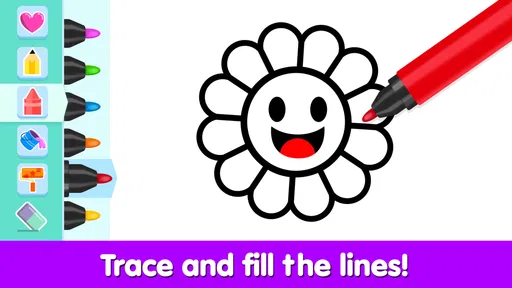
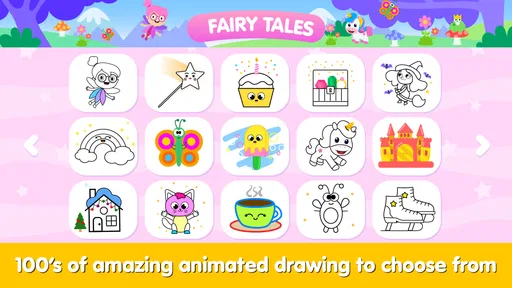
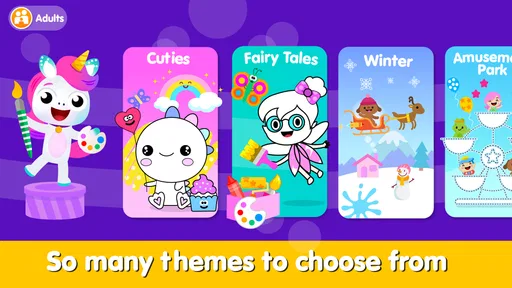
When you first open the app, you're greeted with a vibrant and intuitive interface that even the youngest of users can navigate with ease. Coloring and Drawing For Kids offers a delightful variety of coloring pages, from cute animals to whimsical landscapes, perfect for sparking your child's imagination. And the best part? There are no annoying ads popping up every few seconds to disrupt their creative flow.
More From Our News Desk

Weather by Xiaomi Review: Clear at a Glance, Less Clear Up Close

X Under Pressure: Can It Recover When Posting Goes Wrong?

Clash of Clans Is Won Between the Battles

Android Auto Makes the Case for Quieter Car Software

MobiOffice: Transforming Mobile Productivity with Seamless Integration

EA SPORTS FC™ Mobile Soccer: Redefining Mobile Sports Gaming
Interactive and Educational
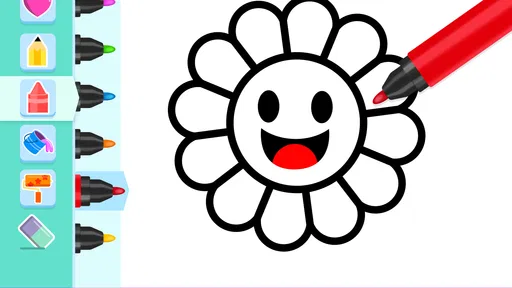
What sets this app apart is its interactive elements. Not only can your child color pre-designed images, but they can also draw their own masterpieces from scratch. This feature is fantastic for developing fine motor skills and hand-eye coordination. Plus, there are educational aspects woven into the app, like learning colors and shapes, which makes it a double win for parents looking to sneak a bit of learning into playtime.
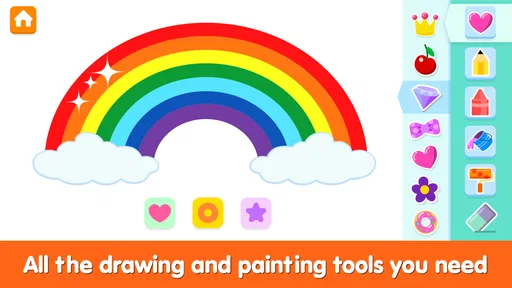
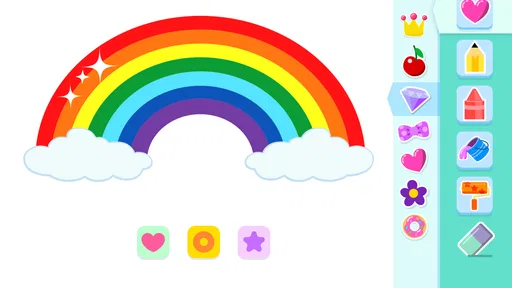
The app provides a variety of tools to aid creativity—think of it as a digital art box. There are different brush sizes, a spectrum of colors, and even fun stickers to add a bit of flair to their creations. It's like having a full-blown art studio at your fingertips!
Fun for All Ages
While it's primarily designed for kids, I have to admit, I found myself getting lost in the coloring pages too. There's something incredibly soothing about filling in those intricate designs, and it's a great way to bond with your child over a shared activity. Plus, the app allows you to save your child's artwork, which is perfect for preserving those digital masterpieces.
Another feature worth mentioning is the app's offline mode. This means your child can enjoy coloring and drawing even when you're out and about without internet access. Whether you're on a long car ride or waiting at a doctor's office, having this app on hand is a real lifesaver.
My Final Thoughts
In a world where screen time is often frowned upon, Coloring and Drawing For Kids offers a guilt-free way to entertain and educate your child. It's a beautifully designed app that provides hours of creative fun without any of the mess that usually accompanies traditional coloring books and crayons. If you're on the hunt for an app that's both fun and educational, this one definitely ticks all the boxes. Give it a try, and watch your child's creativity bloom!
Device fit and practical trade-offs
The game runs on Android version 5.1 or later, and its current version is 3.8. On an older or shared device, I’d keep expectations modest: drawing apps are generally less demanding than graphically intensive games, but performance can still depend on the device and what else is running. I wouldn’t promise identical responsiveness on every phone or tablet. If a page feels slow, closing other open apps and restarting the drawing session is a sensible first step; avoid assuming a child’s artwork has saved until you have checked the saved-work area.
Digital drawing also changes the feel of coloring. A screen can be tidier and easier to carry than crayons, but it doesn’t provide the same tactile practice as pressing a pencil onto paper. For a young child learning to control a real pencil, I’d use this as a complement, not the only art activity. And for older children who want layers, precise editing, or more control over a finished illustration, a dedicated drawing app is likely a better choice than a deliberately simple children’s game.
Costs, age fit, and who should pass
The game is free to start, with in-app purchases listed at $2.99 per item. Since children can tap around quickly, I’d check purchase settings on the device before handing it over and decide whether any optional spending is appropriate. Its Everyone age rating makes it broadly suitable, but age labels don’t tell you whether a particular child will enjoy the format: a child who prefers storytelling, puzzles, or physical crafts may not stay interested in coloring and drawing alone.
It is also worth separating the app’s creative value from its educational promise. Choosing colors and practicing controlled movements can support useful skills, but I wouldn’t rely on an app by itself to teach art or replace hands-on guidance. The strongest use is shared or lightly supervised play: ask your child to explain their choices, then let them make the picture their own. That keeps the experience personal without turning every drawing into a lesson.
My performance verdict
For its intended role, I see this as a low-pressure option to keep available for short creative breaks, especially when an offline activity is useful and bringing art supplies is inconvenient. I would not choose it for advanced digital illustration, guaranteed engagement on every device, or a substitute for paper-based practice. The most sensible approach is to try a brief session together, see whether the child enjoys moving between coloring and drawing, and make it part of a varied routine rather than the default answer to boredom.
Coloring and Drawing For Kids Frequently Asked Questions
Is Coloring and Drawing For Kids free to download, and what does it cost to unlock extras?
Coloring and Drawing For Kids is free to download, so families can try the game without paying upfront. It also offers in-app purchases priced at $2.99 per item. If a child may make purchases on your device, review the device’s purchase settings together before handing it over, and decide whether any optional extras fit your family’s needs.
What devices can run Coloring and Drawing For Kids?
The game requires Android 5.1 or later, so check your device’s software version before downloading. It is an educational game from Toy Tap LLC, and its current version is 3.8. If your device meets the minimum requirement, you can then decide whether its coloring and drawing activities are a good fit for your child.
What age group is Coloring and Drawing For Kids suitable for?
Coloring and Drawing For Kids is designed specifically for children aged 3 to 8 years old. The app offers a user-friendly interface with vibrant colors and simple navigation to ensure young children can easily engage with the educational content, enhance their creativity, and improve their fine motor skills, all in a safe environment.
Does the app require an internet connection to work?
No, Coloring and Drawing For Kids does not require an internet connection for most of its features. Once downloaded, children can enjoy coloring, drawing, and exploring various interactive elements offline. However, for updates or additional downloadable content, an internet connection may be necessary.
Is there any parental control feature in the app?
Yes, Coloring and Drawing For Kids includes parental control features to ensure a safe experience for children. Parents can set time limits for app usage, restrict access to certain features, and monitor their child's progress. These controls help provide a secure environment while allowing children to explore their creativity.
Pros
- User-friendly interface for kids
- Wide range of colors and brushes
- Encourages creativity
- No ads or in-app purchases
- Supports offline use
Cons
- Limited advanced features
- No option for custom palettes
- Requires storage space
- No multi-device sync
- Limited brush textures













