Coloring and Drawing For Girls
- 88.00
- 4.6
- Installs
- 10.00M
- Price
- Free

Screenshots

Analysis by Reviewed
During the first few sessions, Coloring and Drawing For Girls has the easy appeal of a paper coloring book without needing to gather pencils or clear a table. I can see it working well during a quiet stretch at home, while waiting for an appointment, or as a low-pressure activity for a child who enjoys choosing colors. The key question, though, is whether that initial novelty turns into something worth returning to.
Who gets the most from it
This is an educational coloring and drawing game from Toy Tap LLP, aimed at a broad audience: its content rating is Everyone, and it is free to download. The name suggests a particular audience, but the practical appeal is simpler: anyone who likes coloring, drawing, or experimenting with visual ideas may find a comfortable starting point here. It has a 4.7 average from around 5.9 thousand ratings and over 10 million installs, which suggests that many people have tried it, though popularity alone cannot tell you whether its style suits your household.
For a realistic everyday use, I would keep it as an option for a short, settled break rather than promise it will occupy a child for a long stretch. A parent could offer it after homework or during a quiet moment, then let the child choose whether to color or draw. That small choice matters: coloring can feel more guided, while a blank canvas is better for someone who already has an idea. If a child gets frustrated by drawing on a screen, paper and crayons may be the kinder option.
A Splash of Creativity
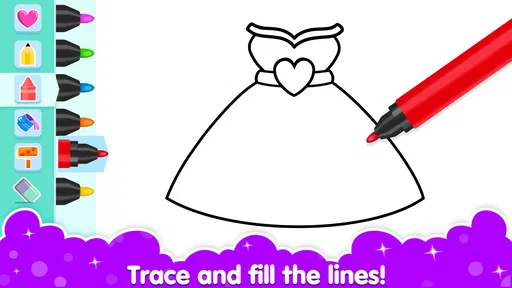
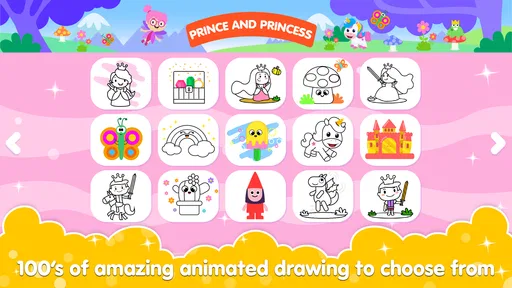
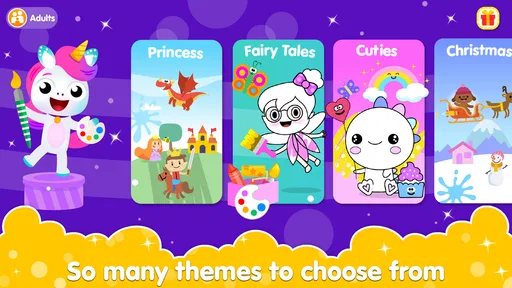
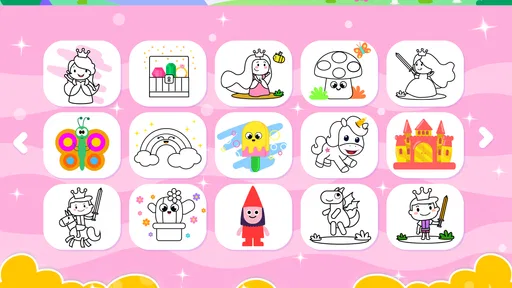
When I first opened Coloring and Drawing For Girls, I was greeted with a vibrant palette of colors and a wide range of templates that made my inner artist jump with joy. The interface is super user-friendly, so you can dive straight into your artistic journey without any hassle. From intricate designs to simple doodles, the app offers a variety of options to cater to different moods and styles.
Features That Stand Out
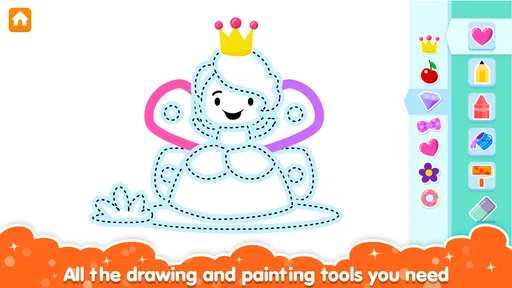
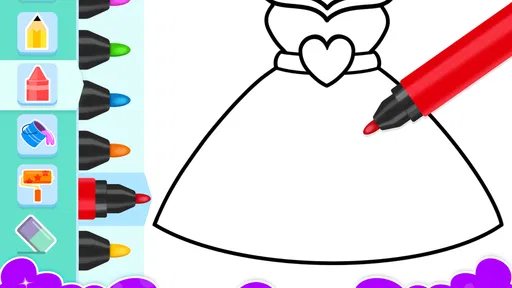
One of the coolest features is the app's ability to let you create your own designs. You can start from a blank canvas or modify existing templates to suit your vision. The tools are intuitive, with options to adjust brush sizes, change colors, and even add textures. It's like having a mini art studio in your pocket!
For more satisfying sessions, I would treat the blank canvas and templates as different activities instead of rushing between them. A template gives a child an immediate goal; starting from nothing invites experimentation but can be intimidating if they are not sure what to draw. Changing brush size before filling a small area can also help keep the marks deliberate. Since finger drawing takes more care than working with a pencil, a stylus may feel easier for someone who wants finer control, but it is not essential.
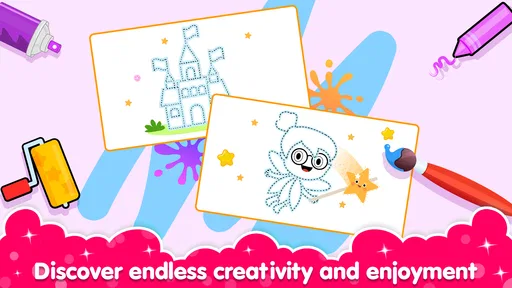
What really caught my attention was the social aspect of the app. You can share your creations with a vibrant community of fellow artists. It's incredibly motivating to see different styles and get inspired by others' work. Plus, participating in challenges and contests adds a fun competitive edge to the experience.
More From Our News Desk

Weather by Xiaomi Review: Clear at a Glance, Less Clear Up Close

X Under Pressure: Can It Recover When Posting Goes Wrong?

Clash of Clans Is Won Between the Battles

Android Auto Makes the Case for Quieter Car Software

MobiOffice: Transforming Mobile Productivity with Seamless Integration

EA SPORTS FC™ Mobile Soccer: Redefining Mobile Sports Gaming
Keeping the habit enjoyable
Shared work and challenges can give a session a reason to continue after the first few pictures, especially for a child who enjoys seeing what others make. I would keep that social element optional, though: some users want a private, quiet drawing activity, not a public-facing one. A parent choosing the game for a younger child should look at the sharing experience together and decide what feels comfortable before making it part of a routine.
The app runs on Android 6.0 or later, and its current version is 3.1. I would check that the device meets the operating-system requirement before installing, particularly on an older tablet. It is free to start, with in-app purchases priced at $2.99 per item, so I would make the purchase settings clear to a child and treat paid extras as optional rather than necessary to enjoy a drawing session.
When another option is better
Compared with a basic coloring app, the drawing tools and community angle give this one more ways to engage; compared with a dedicated drawing program, it is better suited to casual creativity than serious illustration work. The trade-off is that templates and challenges can begin to feel repetitive if a user wants more control, structured art instruction, or a longer-term project. In that case, paper supplies or a full-featured art app may be a better fit. I would also skip it for someone who dislikes touch-screen drawing or mainly wants a game with action and clear win conditions.
Features That Stand Out
One of the coolest features is the app's ability to let you create your own designs. You can start from a blank canvas or modify existing templates to suit your vision. The tools are intuitive, with options to adjust brush sizes, change colors, and even add textures. It's like having a mini art studio in your pocket!
What really caught my attention was the social aspect of the app. You can share your creations with a vibrant community of fellow artists. It's incredibly motivating to see different styles and get inspired by others' work. Plus, participating in challenges and contests adds a fun competitive edge to the experience.
Why You'll Love It
If you're looking to improve your drawing skills, the app includes tutorials and step-by-step guides. These are fantastic for beginners who want to learn the basics or for seasoned artists eager to refine their techniques. It’s like having a personal art tutor available anytime, anywhere.
Why You'll Love It
The tutorials and step-by-step guides can make the game more useful than a collection of pictures to fill in, particularly for someone who wants a prompt to practice with. I would approach them as a starting point rather than a complete art course: a short guided activity can help build confidence, while independent practice is still important for anyone hoping to develop drawing skills over time. If lessons and technical control are the main reason you are looking, a dedicated learning resource may suit you better.
Another highlight is the relaxation aspect. Coloring and drawing are known for their therapeutic benefits, and this app makes it easy to unwind and de-stress. I found myself getting lost in the colors, and it was a wonderful way to clear my mind after a busy day.
Will it earn a regular place?
Its lasting value depends on what keeps the user curious. Templates offer a quick way back in, while making an original design can feel more personal; tutorials, sharing, and challenges provide additional reasons to revisit. Those options make the game more flexible than a coloring-only alternative, but they do not guarantee that every child will stick with it. I would try a few short sessions and see whether the child chooses to return without prompting, rather than assuming a large install count means it will become a lasting favorite.
One practical way to judge that is to notice what happens after the first picture is finished. Does the child choose another template, change a drawing idea, or ask to come back to a tutorial later? Those are better signs of recurring interest than simply staying on the screen for a long time. If the activity is only appealing when an adult suggests it, I would keep it as an occasional option instead of building a daily routine around it.
It can also help to make the session feel complete without turning it into a test of artistic ability. I would invite a child to pick one small goal, such as trying a different brush size or adding a new color, then stop when they are ready. That keeps the app from becoming another task with a right answer. For children who enjoy showing their work, sharing can be a natural next step; for those who prefer to keep drawings private, there is no need to make the social side part of the activity.
As a free game rated for Everyone, it is an easy one to try, with the clear caveat that in-app purchases cost $2.99 per item. My practical recommendation is to begin with the free experience, supervise sharing for younger players, and decide whether the drawing style and activities hold attention before considering extras. If the appeal fades once the first designs are finished, there is no need to force a habit; a sketchbook or a different kind of game may be a better everyday choice.
A sensible fit for different households
I think it suits children who like visual choices and can enjoy a short activity without needing a score or a winner. It may also work for an adult who wants a casual way to color or sketch, though the title and presentation are clearly aimed at a younger audience. Families looking for a shared activity could take turns choosing colors or suggesting details, but I would avoid judging the result. The value is in making something, not producing a polished picture.
For a child who is learning to hold a pencil or needs to practice controlled hand movements, this can be an appealing supplement, but I would not replace paper drawing with it. Touch input feels different from a pencil, and screen gestures do not teach every part of handling physical art materials. A child who enjoys tactile activities, cutting and pasting, or working on a large surface may get more from an offline craft. The game is most useful when convenience and quick access matter more than the feel of real tools.
Small choices that improve a session
When a child is unsure what to make, I would start with a template rather than a blank page, then use the finished picture as a prompt for a small variation. For example, they could choose a different palette or add a detail of their own. This gives the session a manageable first step without taking away the freedom to experiment. If the child already has a clear idea, starting from a blank canvas makes more sense and avoids the feeling of coloring inside someone else’s plan.
I would also separate creating from sharing. Letting someone finish a drawing before deciding whether to show it gives them room to enjoy the process without an audience in mind. This matters especially for younger users, who may not yet understand what sharing work publicly involves. Sitting nearby while they explore the community features is a more comfortable approach than assuming every social option is automatically suitable just because the game has an Everyone rating.
What may wear thin
The main risk to long-term use is not that the app lacks different ways to draw; it is that the same person may not want to repeat the same kind of screen activity. A child who likes filling templates may tire of that routine, while a child who enjoys free drawing may find guided pages too limiting. Challenges can add a nudge, but competition is not motivating for everyone. If the user starts choosing activities only to finish them quickly, I would take that as a sign to rotate in another pastime rather than push for more play.
There is also a difference between having drawing tools and having the depth of a specialist art program. The basic appeal here is approachability: a casual user can make a mark without first learning a complicated interface. That simplicity is useful, but someone who wants precise control, a long project, or a more deliberate learning path may outgrow it. I would not choose it as the main tool for a young artist who is ready to explore advanced techniques; a dedicated drawing app or real materials would offer a better next step.
How I would decide whether to keep it
I would give it a fair trial across different moods rather than judge it from one burst of excitement. A quick template session can show whether the child likes coloring, while a later blank-canvas session reveals whether making original marks is appealing too. If tutorials or challenges are what bring them back, those can become occasional prompts. The useful question is whether the child finds a mode they choose willingly, not whether every feature gets used.
For caregivers, the practical checks are straightforward: confirm the device can run it, agree on whether sharing is allowed, and make sure the child understands that purchases are not part of the basic activity. That small bit of setup can prevent avoidable friction later. If the child is very young, staying nearby during early sessions also lets you see whether touch controls feel manageable or whether a paper activity would be less frustrating.
In conclusion, Coloring and Drawing For Girls is more than just an app; it's a creative outlet that brings joy and relaxation to its users. Whether you're a seasoned artist or a newbie, there's something for everyone to enjoy. So, grab your stylus or just use your finger, and let your imagination run wild!
Coloring and Drawing For Girls Frequently Asked Questions
Is Coloring and Drawing For Girls free to download?
Yes, Coloring and Drawing For Girls is free to download. It also offers optional in-app purchases priced at $2.99 per item, so you can try the game without paying upfront and decide whether any paid content is worthwhile for you. Keep in mind that purchases are optional; they are not required to download the game.
What is Coloring and Drawing For Girls about?
Coloring and Drawing For Girls is an engaging app designed to inspire creativity among young girls. The app provides a wide variety of coloring pages and drawing tools that allow users to express themselves artistically. It's a perfect platform for girls to explore their artistic talents and enhance their drawing skills while having fun.
Is Coloring and Drawing For Girls suitable for all age groups?
Yes, Coloring and Drawing For Girls is designed to be user-friendly and is suitable for girls of all ages. While the app primarily targets young girls, older children and even adults who enjoy coloring and drawing can also find it entertaining and relaxing. The app includes various difficulty levels to cater to different age groups.
What features does Coloring and Drawing For Girls offer?
The app offers a comprehensive set of features including a vast collection of coloring pages, a variety of drawing tools, and a palette of vibrant colors. Users can choose from different themes and patterns, use stickers, and even create custom designs. The app also supports saving and sharing completed artwork with friends and family.
Are there in-app purchases in Coloring and Drawing For Girls?
Coloring and Drawing For Girls is free to download and offers a range of free features. However, there are optional in-app purchases available that provide access to premium content such as exclusive coloring pages, advanced tools, and an ad-free experience. These purchases are entirely optional and not necessary to enjoy the app.
Pros
- Wide variety of colors available.
- User-friendly interface for kids.
- Enhances creativity and focus.
- Regular updates with new features.
- Offline mode available.
Cons
- Limited free content options.
- Ads can be intrusive.
- Some features require in-app purchases.
- Occasional bugs and crashes.
- Not suitable for professional artists.













