Catch Tiles: Piano Game
- 996.00
- 4.5
- Installs
- 50.00M
- Price
- Free

Screenshots




Analysis by Reviewed
For a first-time player, the appeal of a piano-tile game is easy to understand: tap along, follow the music, and see how long your timing holds up. Catch Tiles: Piano Game is a free music game from WingsMob, and I’d approach it as a quick reflex challenge rather than a way to learn piano. The first useful goal is modest: get comfortable matching your taps to the falling tiles, then try a song again once the rhythm starts to feel familiar.
What to expect from the first few minutes
The basic idea is straightforward, but the pace can make it harder than it looks. You catch tiles in time with the music, and the challenge is keeping your attention on the incoming pattern instead of tapping as quickly as possible. I find that distinction useful: a calm, steady start is more likely to build a good run than frantic tapping. The game is rated Teen, so it is worth keeping that age guidance in mind when deciding whether it suits a younger player.
Compared with a traditional rhythm game that asks you to follow several lanes or learn a more involved control scheme, this is an easy format to try without a long introduction. That simplicity is its strength for a short break, but it also means it is not a substitute for piano lessons or a music-making app. If your main goal is to learn notes, chords, or technique, I’d choose a dedicated learning tool instead.
Start simply and find your rhythm
When you first open the game, give yourself a moment to get used to the interface before chasing a high score. Pick a song that feels comfortable, watch where the tiles appear, and focus on making deliberate taps. If your first attempt ends quickly, that is a normal part of learning the timing; it does not mean you need unusually fast fingers. Replaying the same selection can help you notice whether you are rushing or arriving late.
A practical everyday use is a short break between tasks: play one attempt while waiting for a kettle to boil, then stop rather than letting a quick diversion stretch into a long session. Headphones can make the musical timing easier to follow in a noisy place, though they are not essential to understanding the controls. I’d also avoid playing while walking or doing anything that needs your attention; this is a game that rewards looking at the screen.
Make retries useful, not frustrating
If a run goes wrong, pay attention to where your timing starts to slip instead of tapping harder. A run that falls apart when the pace increases is a cue to settle into the beat earlier and keep your eyes a little farther ahead on the tiles. That small adjustment is more helpful than trying to react to each tile at the last instant. It is also a good reason to take a brief pause if you feel your hands getting tense.
One trade-off with simple rhythm games is that the same quick loop can feel satisfying at first and repetitive later. I’d treat each replay as practice toward a personal improvement, not assume every session needs a new song or a record score. The game is a better fit for people who enjoy testing reflexes against music than for players who want a story, open-ended exploration, or a detailed instrument simulator.
More From Our News Desk

Weather by Xiaomi Review: Clear at a Glance, Less Clear Up Close

X Under Pressure: Can It Recover When Posting Goes Wrong?

Clash of Clans Is Won Between the Battles

Android Auto Makes the Case for Quieter Car Software

MobiOffice: Transforming Mobile Productivity with Seamless Integration

EA SPORTS FC™ Mobile Soccer: Redefining Mobile Sports Gaming
Feel the Rhythm
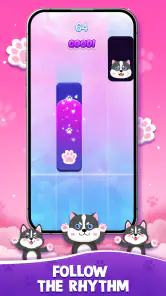
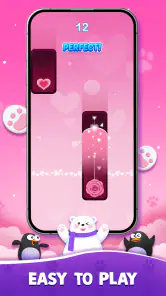
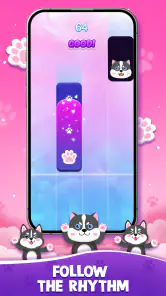
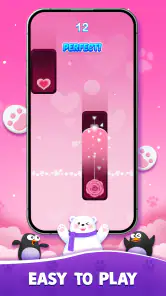
The first thing that hits you when you open Catch Tiles: Piano Game is its vibrant and inviting interface. It's like stepping into a world where music and gaming collide. The game is simple yet challenging, which is the perfect recipe for an addictive experience. All you have to do is catch the tiles as they fall in sync with the music. Sounds easy, right? Well, think again! The speed picks up as you progress, testing your reflexes and timing to the max.
Wide Range of Songs
One of the standout features of this app is its extensive song library. From classical melodies to pop hits, Catch Tiles: Piano Game offers a diverse selection to keep you entertained. I found myself lost in tunes that I hadn't heard in years, rediscovering my love for some forgotten classics. And the best part? The library is constantly updated, so there's always something new to play.
Song choice can change how approachable a session feels, so I’d start with a tune whose pulse you can recognize rather than choosing only by genre. A familiar rhythm gives you a useful reference when the tiles begin to move faster. If you prefer a slower, more deliberate music experience, though, a listening app will be a better fit; this game asks you to concentrate on the screen and respond, not simply enjoy a track in the background.
Challenge Your Friends
If you're feeling competitive, the game allows you to challenge your friends and see who has the quickest fingers. There's nothing quite like the thrill of beating your best friend's high score and claiming bragging rights. Plus, the leaderboards keep the competition alive and push you to improve your skills.
For a fair comparison, it helps to replay the same song rather than comparing unrelated runs. Different familiarity with a tune can affect how comfortable its timing feels, so a shared selection makes the friendly contest more meaningful. If leaderboards and scores are not what motivate you, you can still use the game as a personal timing challenge without turning every session into a competition.
Another cool feature is the ability to customize your gaming experience. You can choose different themes and backgrounds to make the game truly yours. It adds a personal touch that makes playing even more enjoyable.
Customization is best treated as a comfort choice, not a gameplay shortcut. Pick a look that keeps the tiles easy for you to follow, especially if a busy background distracts you. That is a small but practical way to make a quick session feel clearer without changing the basic challenge.
Why You’ll Love It
What sets Catch Tiles: Piano Game apart from other music games is its ability to seamlessly blend gameplay with a love for music. The app is designed to be intuitive, so even if you're not a seasoned gamer, you can pick it up and start playing without a steep learning curve. It's perfect for those moments when you just need a quick gaming fix or want to unwind with some tunes.
It has a 4.5 average from around 128,000 ratings, and it has been installed over 50 million times. Those figures suggest plenty of people have tried it, but they do not tell me whether its fast tapping style will suit you personally. The game is free to download, with optional in-app purchases priced from $0.99 to $9.99 per item. I’d begin without spending anything and decide whether the core play is enjoyable before considering a purchase.
It was released on January 1, 2021, and its current version is 2.1.17. The minimum operating system requirement is 7.0, which is worth checking against your device before installing. For a first-time user, the clearest path to a satisfying start is to choose a comfortable song, play at a measured pace, and use a retry to adjust your timing rather than expecting a perfect first run.
Choosing the right kind of music game
The usual alternatives in this category tend to fall into different camps: some are built around complicated note patterns and competitive mastery, while others focus on listening, composing, or learning an instrument. This game sits toward the accessible, quick-reaction end. That makes it easier to pick up when you have a spare moment, but it offers less depth for someone who wants a long-term practice curriculum or a broad set of musical controls.
I’d choose it over a more demanding rhythm game when I want to start playing immediately and don’t feel like learning a complex layout. I’d choose a piano-learning app if I wanted feedback on technique, or a music-making tool if I wanted to create something of my own. Those are not shortcomings so much as different purposes: tapping tiles can sharpen attention to timing, but it shouldn’t be mistaken for learning to play a keyboard.
It also works best when your surroundings let you focus. A quiet moment at home, a seated wait, or a brief break with headphones gives you a better chance to follow the beat than a crowded commute where you need to watch your surroundings. Even if a song is familiar, the tile pattern still requires visual attention, so I wouldn’t treat it as background entertainment while doing another task.
A low-pressure first session
For a first meaningful success, I would make the goal specific and small: complete a run with controlled taps, or notice one point where the rhythm becomes difficult and improve that section on the next attempt. That is more encouraging than judging yourself against a high score right away. If you lose early, the useful question is whether you were looking too close to the next tile, reacting late, or getting carried away by the music.
There is a simple way to keep retries from turning into guesswork. Stay with one song for a few attempts, change only one habit at a time, and see whether the run feels steadier. Switching songs after every stumble makes it harder to tell whether you have improved your timing or merely found a pattern that happens to feel easier. Once a selection feels manageable, try another one for variety rather than assuming every track will demand the same response.
That approach is especially handy for a short everyday session. Imagine you have a few minutes before an appointment: choose a familiar tune, play once, then use a second attempt only if you can identify something concrete to adjust. It keeps the game’s quick format enjoyable and avoids turning a small diversion into a frustrating test. If your hands or attention feel tired, stopping is a better choice than forcing another run.
What may take getting used to
The biggest adjustment is coordinating what you hear with what you see. A player who follows music by ear may still need time to respond to tiles on screen, while someone who watches every movement closely may lose the sense of the beat. I find it helps to let both work together: listen for the pulse, but keep your gaze on the upcoming pattern rather than staring at the exact spot where a tap is due.
Another possible source of confusion is assuming that speed alone determines success. It doesn’t. Fast tapping can make you less accurate, especially when the sequence changes, and the game is more satisfying when you stay deliberate. If you are missing repeatedly, slow your own reactions down mentally and look for a steadier rhythm instead of trying to beat the screen by force.
Because the format is built around repeated attempts, a player who dislikes restarting may find it less appealing than a rhythm game with a longer progression or more varied activities. The simple loop is also not ideal if you want to put your phone down and listen. In that case, music streaming or a passive playlist serves the purpose better; here, the song is part of a challenge that expects your attention.
Deciding whether to keep playing
After a few sessions, I’d judge the game by whether the tapping feels satisfying and whether you enjoy trying to improve, not by how quickly you reach a particular score. Some people will like the direct link between music and action; others will find the screen-focused pace tiring. Neither response means you are using it incorrectly. It is simply a narrow style of music game, and knowing that before you install makes the choice easier.
The game is developed by WingsMob, and its Teen rating is a useful reminder for families to consider whether the content and style suit the intended player. The free download makes it easy to try the basic experience, while optional purchases are available at different item prices. I’d keep purchases separate from the first-session decision: first find out whether the core play is fun for you, then consider whether any optional spending feels worthwhile.
In conclusion, if you're on the hunt for a game that combines the thrill of fast-paced action with the joy of music, look no further than Catch Tiles: Piano Game. It's a delightful escape that promises hours of fun and a chance to test your reflexes. So why wait? Grab your headphones, download the app, and let the music take over.
I’d recommend it most to someone who wants a lightweight music-themed challenge and enjoys improving through retries. I’d skip it if rapid screen-focused play sounds stressful, or if what you want is to make music rather than react to it. With that distinction in mind, it is easier to know what a successful first session looks like: not a perfect score, but a better feel for the beat and a reason to try once more.
Catch Tiles: Piano Game Frequently Asked Questions
Can I adjust the sound or play with headphones in Catch Tiles: Piano Game?
Headphones can make it easier to focus on the piano music and follow the rhythm, especially when you are playing somewhere noisy. The game is built around tapping tiles in time with music, so clear audio can help make each session more immersive. If you prefer to play quietly, check your device’s audio controls before starting.
Is Catch Tiles: Piano Game easy for beginners to pick up?
The basic idea is straightforward: watch the falling tiles and tap along with the music. That makes it approachable for someone trying a rhythm game for the first time, while changing tile patterns can add a challenge as play continues. New players can begin at their own pace and see whether the timing and tapping style suit them.
Can I play Catch Tiles: Piano Game in short sessions?
Its simple tap-to-the-music format works well for a quick break, and you do not need to learn complicated controls before starting. You can also spend longer practicing if you want to improve your timing. As with any game, it is sensible to take breaks during extended play, particularly if repeated tapping starts to feel tiring.
Is Catch Tiles: Piano Game free to download?
Yes. Catch Tiles: Piano Game is free to download, so you can try its music-based tile gameplay without paying upfront. Optional purchases are available in the game, but they are not required to enjoy the core experience. If you share your device with children, reviewing purchase settings beforehand can help prevent unintended spending.
Does Catch Tiles: Piano Game offer piano music gameplay?
Yes. Catch Tiles: Piano Game centers on tapping tiles in time with piano music, matching the game’s music category and its invitation to play favorite piano songs with feeling. The appeal is in following the rhythm and responding to the tiles as they appear. It is a fit for players who enjoy music-led, timing-based challenges.
Pros
- Engaging gameplay with beautiful music tracks.
- Simple controls suitable for all ages.
- Regular updates with new songs and features.
- Offline mode available for play without internet.
- Visually appealing graphics and animations.
Cons
- Contains ads that can interrupt gameplay.
- Limited free songs
- requires purchases for more.
- May drain battery quickly on older devices.
- Can be repetitive after extended play.
- Small screen size may affect gameplay experience.
- Category
- Music
- Version
- 2.1.17













