Webull: Investing & Trading
- 41.10K
- 4.6
- Installs
- 10.00M
- Price
- Free

Screenshots

Analysis by Reviewed
I often think the hardest part of using an investing app at home is not finding a ticker; it is keeping money decisions clear when a phone or tablet gets passed around. Webull: Investing & Trading can suit someone who wants market tools close at hand, but I would treat it as a personal finance workspace, not a shared family dashboard. Its range of markets makes it especially important to know whose account is open and who is making a decision.
A shared screen is not a shared account
Picture a quiet evening when one person checks a watchlist while another is nearby asking about a company they heard about. That can be a useful moment to explain how prices move, compare a chart with a headline, or look at an idea without placing a trade. I would keep the account holder in control of the device and decisions, and avoid treating a visible screen as permission for someone else to use the account.
That boundary matters because the app is built for investing and trading, not for coordinating household finances. If several adults want to follow markets, each should make choices within their own account arrangements rather than pass one login around. For a household that mainly needs shared budgeting, bill tracking, or a combined view of spending, a dedicated budgeting tool is likely a better fit.
Set a routine before exploring markets
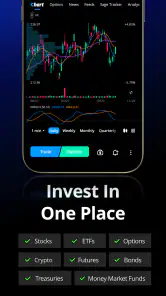
Webull brings together stocks, options, crypto, futures, and ETFs, so the first practical choice is deciding what you actually want to follow. I find it helpful to start with a short watchlist and a specific question—such as how an ETF has moved over time—instead of jumping between every market tab. This keeps the app’s breadth useful rather than distracting.
A simple household routine can help too: one person checks the account privately, then shares a general lesson or a chart on their own terms. Before making any trade, pause to confirm the account, the instrument, and the order details. That small check is especially worthwhile when a device is used by more than one person or notifications may be seen by someone nearby.
Age, trust, and who should use it
The app is rated for Everyone, but that content label is not the same thing as advice that investing is appropriate for every age or situation. I would treat money decisions as an adult responsibility and use explanations, demonstrations, or paper trading to teach concepts without handing over control of a live account. The developer is Webull Technologies Pte. Ltd., and the app is free to download, with in-app purchases listed from $0.99 to $394.99 per item.
Webull has a 4.6 average from around 207,000 ratings, and it has been installed over 10 million times. Those figures suggest a widely used product, but they do not tell me whether its tools fit a particular person’s experience or risk tolerance. It runs on Android 8.1 or later, and version 11.5.5.40 is the current version. I would check that the device meets the requirement before planning to use it.
More From Our News Desk

Weather by Xiaomi Review: Clear at a Glance, Less Clear Up Close

X Under Pressure: Can It Recover When Posting Goes Wrong?

Clash of Clans Is Won Between the Battles

Android Auto Makes the Case for Quieter Car Software

MobiOffice: Transforming Mobile Productivity with Seamless Integration

EA SPORTS FC™ Mobile Soccer: Redefining Mobile Sports Gaming
Getting Started with Webull
First off, the setup process with Webull is a breeze. From the moment you download the app, you’re greeted with a sleek and intuitive interface. Creating an account is straightforward, and there are plenty of resources to help you along the way. I found the onboarding process surprisingly smooth, and before I knew it, I was ready to start exploring the markets.
Features That Make a Difference
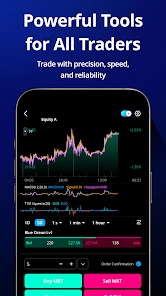
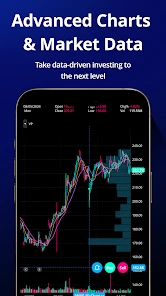
Once you're in, you'll notice that Webull offers a plethora of features designed to cater to both beginners and seasoned traders. One of the standout features for me was the extensive charting tools. These tools are incredibly detailed and customizable, allowing users to analyze market trends like a pro. It's like having a personal stock analyst at your fingertips!
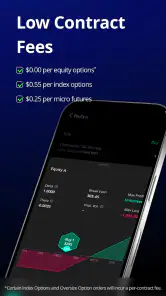
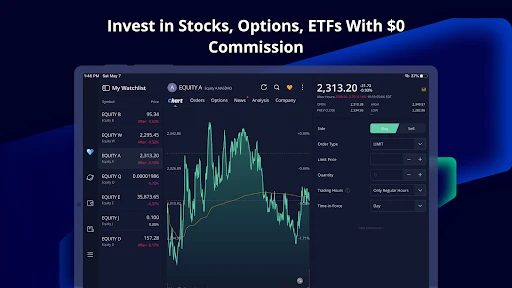
Another feature worth mentioning is the commission-free trading. Yes, you heard that right—zero commissions on trades! This is a huge plus for anyone looking to maximize their profits without getting bogged down by fees. Plus, the app offers real-time market data and alerts, which means you'll never miss an opportunity to make a savvy investment.
Educational Resources
What I appreciate most about Webull is its commitment to educating its users. The app is packed with tutorials, webinars, and articles that cover everything from the basics of investing to advanced trading strategies. As someone who’s still learning the ropes, I found these resources incredibly valuable. It's like having a mini finance school right in your pocket.
And for those who love a bit of friendly competition, Webull hosts paper trading competitions where you can test your skills without risking real money. It’s a fun way to learn and improve your strategies!
Community and Support
Another aspect that sets Webull apart is its vibrant community. The app includes a social feature where users can discuss strategies, share insights, and even follow other traders. I found this particularly beneficial as it creates a supportive environment where you can learn from others and share your own experiences.
If you ever get stuck, Webull’s customer support is just a click away. They offer 24/7 support to help with any issues or questions you might have, which is reassuring for any investor navigating the sometimes murky waters of stock trading.
In conclusion, if you’re looking for a comprehensive and user-friendly trading app, Webull: Investing & Trading is definitely worth checking out. With its robust features, educational resources, and supportive community, it’s an app that truly caters to all levels of investors. Happy trading!
Making its breadth work for you
Compared with a basic brokerage app that mainly focuses on placing orders, Webull feels more like a market workspace: charts, alerts, educational material, and community discussion sit alongside trading. I prefer that when I want to research before acting. The trade-off is that a newer investor can encounter more information than they need, while someone who only wants to make occasional long-term purchases may find a simpler interface easier to live with.
One useful habit is to treat alerts as prompts to review, not instructions to buy or sell. A price notification can bring you back to a holding or watchlist, but it cannot explain whether a move changes your original reason for following it. I would write down that reason in plain language and revisit it before making a decision. This turns real-time tools into a reminder system rather than a source of pressure.
Use practice tools with a purpose
Paper trading is most helpful when I use it to test one decision at a time: for example, whether I understand an order workflow or how a chosen approach behaves when prices change. It can build familiarity without putting actual funds at risk, but a simulated result should not be mistaken for proof that a strategy will work with real money. The emotional difference matters, so I would use practice as a learning step, not as a guarantee.
The same care applies to the app’s learning materials and social discussions. I would use them to understand terminology and generate questions, then check whether an idea fits my own goals and comfort with risk. Following another trader may show how someone thinks, but it does not transfer their circumstances or judgment to your account. For a beginner, that distinction is more valuable than trying to copy a busy feed.
Choosing the right kind of finance app
If you want charts and several kinds of market instruments in one place, Webull is a strong candidate to explore. If your priority is a quiet, occasional investing routine, or if you are looking for a shared household budget, a simpler investing app or a dedicated spending tool may be more comfortable. I would also skip active trading features if frequent price checks make you anxious; no interface can remove the risk of an investment decision.
Before opening an account, I would ask myself what I expect to do most often: learn, research, monitor, or trade. That answer helps decide whether the depth of the app is a benefit or a distraction. Its free download makes it accessible to try, but the listed in-app purchases are worth keeping in mind, and anyone considering a purchase should check what it covers before proceeding. Free access does not make investing itself risk-free.
Making a normal day less reactive
A practical use case is checking a watchlist during a lunch break, then leaving the decision for a quieter moment. I would note what caught my attention, return later to review the chart and relevant context, and only then decide whether an action makes sense. That pause helps separate a passing price move from a change that matters to my plan. It also keeps a market app from turning every spare moment into a reason to check prices.
For someone comparing investments rather than chasing quick movement, charts can be useful as a visual way to frame questions: has the pattern changed, or am I reacting to one noisy session? I would not treat a chart as a complete explanation. Pairing it with a clear written reason for following an investment makes the research more grounded and gives me a better basis for deciding when to stop looking.
Keep household coordination simple
When two adults share an interest in markets, I would agree on the purpose of any conversation before opening the app: are we learning a term, discussing a watchlist idea, or reviewing one person’s own account? That small distinction prevents an informal chat from becoming an accidental joint decision. The account owner should remain responsible for order entry and any follow-up, while the other person can ask questions without needing access to the account.
On a shared phone or tablet, I would also avoid leaving a financial screen open when handing the device to someone else. A deliberate sign-out or simply returning the device to a neutral screen can reduce confusion about whose information is being viewed. I would not rely on household habits alone to protect account boundaries; each person should use the account in a way that keeps their own financial actions distinct.
What to check before relying on it
New users often wonder whether a free download means there is no cost to consider. I see those as separate questions: the app costs nothing to download, while investing carries its own financial risks and optional in-app purchases are listed at a broad range. Before paying for anything inside the app, I would identify exactly what it offers and whether it solves a problem I actually have, rather than assuming a purchase is necessary to begin learning.
Another sensible question is whether it suits a complete beginner. I think it can, provided the person is comfortable taking things slowly and treating tutorials, practice, and community discussion as learning aids rather than instructions. Someone who wants a very simple path to occasional investing may be more comfortable with a less crowded app. The right choice depends less on how many tools are available and more on whether those tools support a calm, understandable routine.
My household verdict
I would recommend Webull to an adult who wants hands-on market research, is willing to learn the interface, and can keep trading decisions separate from casual household browsing. Its charts, practice options, and range of instruments offer more room to explore than a bare-bones order app, while its busy environment asks users to be deliberate. For shared devices, the sensible approach is clear account boundaries and a private moment for financial actions.
For families, the app can be a starting point for conversations about markets, not a substitute for age-appropriate guidance or a shared money-management system. I would keep any discussion focused on learning and avoid presenting a popular feature, community opinion, or paper result as a sure path to returns. Used with that perspective, it can be a capable finance app; used without a plan, its constant access to market activity may encourage more checking and trading than a household actually wants.
Webull: Investing & Trading Frequently Asked Questions
Can I use Webull to follow markets without placing trades?
Yes. Webull can be used to explore investment products and market tools without immediately placing a trade. You can take time to review the app and learn how its features work before deciding whether to invest. If you do consider trading, make sure you understand the product and account terms, since using a trading platform does not remove the risks involved in investing.
Who develops Webull, and is it intended for a particular age group?
Webull is developed by Webull Technologies Pte. Ltd. and is listed with an Everyone content rating. That rating describes the app’s content classification, rather than the eligibility rules for opening an investment account. Anyone considering an account should check the requirements that apply to them and read the relevant terms before proceeding.
Can I practice trading in Webull before using real money?
Webull includes a paper trading feature, which lets users practice trading without risking real money. This can be useful for getting familiar with the platform and trying out ideas before making real investment decisions. Practice results do not guarantee future outcomes, though, so take time to learn about the products involved and remember that investing with real money carries risk.
Which markets and investment products can I explore in Webull?
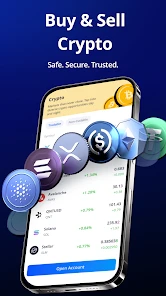
Webull is a finance app for exploring several types of investments and trading products. Its range includes stocks, options, cryptocurrencies, futures, and ETFs, so it can suit users interested in following more than one market from a single platform. The available tools and products may depend on your location and account eligibility, so check what applies to you before trading.
What is Webull and what services does it offer?
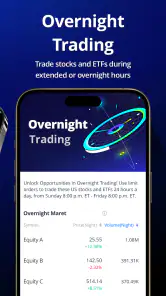
Webull is a modern investment and trading platform that provides users with the ability to trade stocks, options, ETFs, and cryptocurrencies. It's known for its user-friendly interface, advanced charting tools, and real-time market data. Webull also offers extended trading hours, allowing investors to trade before and after regular market hours. It's designed for both new investors and experienced traders, providing educational resources and a paper trading feature for practice.
Pros
- User-friendly interface for beginners
- Wide range of investment options
- Commission-free trading available
- Real-time market data access
- Advanced charting tools
Cons
- Limited educational resources
- Complex for complete beginners
- Occasional app performance issues
- Limited customer support options
- No direct crypto wallet feature
- Category
- Finance
- Version
- 11.5.5.40











