Vooks: Read-Aloud Kids' Books
- 352.00
- 4.3
- Installs
- 500.00K
- Price
- Free
Screenshots
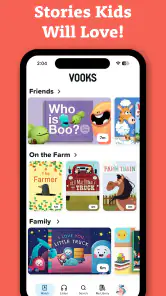
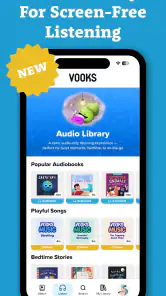
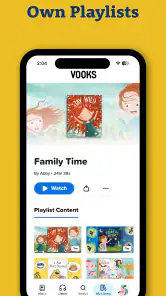
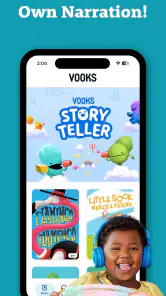
Analysis by Reviewed
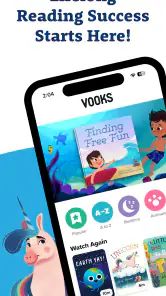
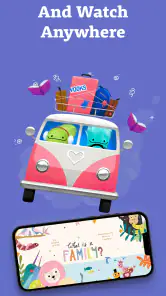
When a child wants a story but I do not have the energy to read aloud, Vooks fits neatly into that small gap between independent reading and passive video watching. It is an educational reading app from Vooks Inc that presents children’s books with animation and narration, making a tablet feel more like a guided story session than a regular streaming screen. I found that distinction important: the child is still following a book, but movement, voice, and page progression help keep attention when a static digital book might not.
Vooks is best understood as a read-aloud routine, not a general entertainment app. That makes it especially appealing for families who want calmer screen time, parents supporting early readers, and adults looking for a simple way to introduce stories in English. It is free to install and available for Everyone, while optional purchases range from $9.99 to $69.99 per item. The free entry point is useful for trying the experience, although families should pay attention to which content remains available without purchasing.
From a rushed moment to a complete story routine
Starting with the real problem
My most convincing use case is the end of a busy day. A child may be too tired to manage a full book alone, while a parent may still want to offer something more purposeful than an ordinary video. In that situation, I would open Vooks, choose a suitable story, and let the narration carry the reading while the child watches the illustrated scenes develop.
This works particularly well when the adult stays nearby but does not need to perform every line. The child can listen, look at the characters, and follow the visual action without needing advanced reading skills. For a younger child, that lowers the barrier to enjoying a complete story. For an emerging reader, it can provide a model for rhythm and expression, even though it should not replace time spent looking at printed words.
The app’s category is Education, but I would not treat it like a lesson platform with exercises, tests, or a formal learning path. Its educational value comes through the story experience itself. Children encounter vocabulary, sentence patterns, sequencing, and emotional situations while following animated books. That is a gentler form of learning, and it suits children who resist anything that feels like homework.
Choosing the right moment and story
The first practical decision is not simply which book looks attractive. It is whether the child needs winding down, a short distraction during a transition, or a shared reading experience. I would use a calmer title before bed, save more energetic stories for daytime, and avoid handing over the device without first explaining what will happen. A quick conversation about the cover or characters turns the session into a shared activity rather than an unattended video break.
One useful habit is to preview a story before offering it to a child. I can check whether the pace suits the moment and whether the subject is appropriate for that particular child’s mood. This matters because animation can make a story more absorbing than its simple book format suggests. A child who is already overstimulated may benefit from a quieter choice, while a reluctant listener may need the extra visual movement to stay involved.
More From Our News Desk

Clash of Clans Is Won Between the Battles

Android Auto Makes the Case for Quieter Car Software

MobiOffice: Transforming Mobile Productivity with Seamless Integration

EA SPORTS FC™ Mobile Soccer: Redefining Mobile Sports Gaming

How Microsoft OneDrive Became a Mobile Productivity Giant

How Google Translate Breaks Language Barriers Effortlessly
Because the app is rated Everyone, it is positioned for a broad family audience. That does not mean every book will suit every age or temperament equally. A preschool child and an older independent reader may both open the same app, but they will need different expectations. Younger children may enjoy the narration and motion directly; older children may find the experience more valuable when an adult asks them to predict what happens next or explain a character’s decision.
Following the step-by-step flow
Once a story begins, the child’s role is pleasantly simple: watch, listen, and follow the book as it unfolds. I like this because there are fewer decisions competing for attention than in a typical video service. The animated illustrations add movement without changing the basic identity of the experience as a book being read aloud.
For a shared session, I would pause at natural moments rather than interrupting every page. Asking “What do you think will happen?” or “Why did that character do that?” creates a handoff from the app to the child’s own thinking. The application supplies the narration and visual context, while the adult supplies conversation. That combination is where I see the strongest educational benefit.
A second pass can be more useful than simply moving on to another title. On the first viewing, the child may focus on the animation. On a later session, I can draw attention to repeated words, details in the pictures, or the order of events. This makes the same story serve different purposes without requiring a separate worksheet. It is a practical way to turn a short digital session into a small reading routine.
I would also keep the device positioned so the child can see comfortably without holding it too close. That sounds obvious, but it changes the interaction: the adult can sit beside the child, point to a detail, and talk naturally instead of leaving the child alone with the screen. The app makes that kind of handoff easy because narration keeps the story moving while the adult briefly explains or asks a question.
Where the adult and child hand off control
The most important handoff is from automated narration to active participation. If the adult simply starts a story and walks away, the child may enjoy it, but much of the opportunity for language development is left unused. I get more from the app when I treat it as a prompt for conversation. After a story, I might ask the child to retell the beginning, middle, and ending, or connect the character’s problem with something familiar from everyday life.
There is also a handoff between Vooks and physical books. I would not use one as a complete substitute for the other. The digital version is convenient when carrying books is difficult or when a child needs support getting started. A printed book is better when I want the child to control the pace, inspect the page freely, notice the printed text, or practice turning pages and reading independently.
That difference is important for parents deciding whether this belongs in a home library. If the main goal is phonics practice, handwriting, decoding, or measuring reading progress, a dedicated literacy tool or carefully chosen printed series may be a better fit. Vooks supports a love of stories and listening comprehension more naturally than it supports systematic instruction.
Another handoff happens between devices and family routines. I would decide in advance whether the session ends after one story or after a particular time. Without that boundary, the convenience of starting another animated book can make the transition harder. The app is designed to make storytime easy to begin, but the adult still needs to manage the ending.
What the child gets from the finished session
The result I noticed most is that the child reaches the end of a complete narrative with less adult effort. That can be meaningful on a night when a parent is busy, tired, or helping another child. The story has a beginning and conclusion, and the child receives a richer experience than a random collection of short clips.
Vooks can also make books less intimidating for children who are not ready to read independently. The narration gives them access to language that might otherwise be beyond their current reading ability, while the animation provides visual clues. I would use that strength to build confidence, then gradually invite the child to look more closely at the words and participate in retelling.
For bilingual families or children learning English, narrated stories can offer useful exposure to pronunciation and natural sentence flow. I would still pair the app with conversation and, where possible, physical books in the child’s strongest language. Listening alone is not enough to guarantee vocabulary growth, but repeated stories and discussion can make new words easier to remember.
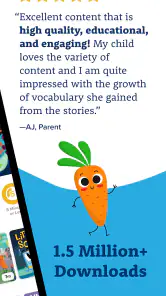
The app’s public response suggests that many families find this format worthwhile: it holds an average rating of 4.3 from around 4K ratings, and it has passed 500K installs. Those figures do not tell me whether it will suit a particular child, but they do indicate that the animated read-aloud idea has found a substantial audience. I would still judge it by the child’s reaction to the pacing and narration rather than by popularity alone.
Practical details before making it part of the routine
Vooks is free to download, which lowers the risk of testing it during an ordinary story session. Optional in-app purchases are available, priced from $9.99 to $69.99 per item. I would explore the free experience first and decide whether the available selection justifies spending before building the app into a daily routine. This is especially sensible for families with more than one child, since the value depends on whether the stories remain useful over time.
The application was released on October 16, 2018, and its current version is 19.7.0. It requires Android 7.0 or later, so compatibility is straightforward for many older Android devices, though I would still check the device before planning a trip or classroom-style activity around it. The developer is Vooks Inc, and the version information shows that the app continues to receive updates rather than being an abandoned reading experiment.
One trade-off is that animated books can blur the line between reading and watching. A child may remember the characters and plot without paying attention to the written language. To counter that, I would occasionally pause and point to a word, ask the child to identify a repeated phrase, or follow the session with the same story in print. That small adjustment keeps the app connected to literacy instead of letting the visuals do all the work.
Where the workflow breaks down
The biggest weakness is not that the stories are animated; it is that animation can become the child’s main attraction. If a child wants fast visual stimulation and has little interest in listening, Vooks may function like another video service. In that case, I would shorten the session, sit with the child, and make the discussion part of the activity. If that still fails, a physical book or audio-only story may be a better choice.
It is also not the right tool for a parent seeking detailed progress reports or a structured curriculum. I would choose a dedicated reading program when I need phonics sequences, spelling practice, skill levels, or measurable assignments. Vooks is more successful when the desired outcome is a pleasant, repeatable encounter with stories rather than a dashboard showing academic performance.
Another point of friction is the subscription-style decision implied by optional purchases. Even with a free starting point, families may feel pressure to unlock more content once a child becomes attached to the routine. I would set a clear budget and ask whether the child returns to several stories repeatedly, rather than assuming that a larger library automatically creates better reading habits.
Older children who already read confidently may also outgrow the central appeal. They may prefer novels, comics, interactive fiction, or books they can control at their own pace. Vooks can still work for family listening, but I would not present it as a replacement for independent reading once a child is ready to choose and manage books alone.
My recommendation for different families
I recommend Vooks to parents who want a low-effort way to add narrated stories to a child’s day, especially when the child is young, reluctant to read, or responsive to visual storytelling. It is also a good option for an adult who wants to stay involved without having to perform every page. The strongest setup is a short, intentional session followed by a question, retelling, drawing, or a printed book.
I would skip it if the priority is formal reading instruction, detailed progress tracking, or a completely distraction-free text experience. In those situations, traditional books, audio-only content, or a structured literacy app may serve the goal better. The choice depends less on whether animated books are “good” or “bad” and more on whether the family needs story access, skill instruction, or independent reading practice.
After using it as part of a realistic home routine, my view is that Vooks earns its place when an adult treats it as a bridge: from tiredness to storytime, from listening to conversation, and from animated pages back to real books. It cannot replace every kind of reading, and it works best with a little parental guidance. But for the right child and the right moment, it turns a difficult reading routine into one that is much easier to start and finish.
In short, I see Vooks: Read-Aloud Kids' Books as a friendly educational app with a clear purpose rather than an all-in-one literacy solution. Its animated narration makes stories approachable, its free installation makes experimentation simple, and its strongest results appear when the screen is only one part of the handoff between adult, child, and book.
Vooks: Read-Aloud Kids' Books Frequently Asked Questions
What is Vooks: Read-Aloud Kids’ Books?
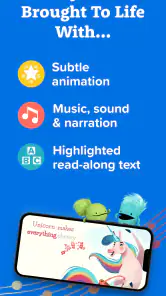
Vooks is a children’s digital reading app that combines animated storybooks, narration, music, and gentle visual effects. It is designed to make picture books more engaging while helping young children follow along with the story. The library focuses on family-friendly content and can be used for independent viewing or shared reading time with a parent, caregiver, or teacher.
What kind of experience does Vooks offer compared with a regular storybook app?
Vooks presents books as animated read-aloud experiences, combining narration, music, and visual movement with the story. Its aim is to make screen time feel more like storytime while children follow along with the words and illustrations. Families can use it for a child’s independent viewing or enjoy a book together, depending on the child’s age and reading habits.
Is Vooks suitable for my child’s age?
Vooks is generally aimed at preschool and early elementary-age children, although the best fit depends on your child’s reading ability, attention span, and interests. Younger children may enjoy the animation and narration, while emerging readers can use the app to connect spoken words with printed text. Parents should review the available titles because difficulty, themes, and pacing can vary. The app is rated for Everyone, but that broad rating does not replace choosing books that suit your own child.
Does Vooks require an internet connection?
The app may require an internet connection to browse the catalog, stream books, and synchronize account information. Depending on the subscription and app features available at the time of use, selected books may be downloadable for offline viewing. It is worth checking each title and testing downloads before traveling, especially if you want your child to use Vooks without Wi-Fi or mobile data.
Does Vooks offer parental controls and an ad-free experience?
Vooks is designed as a child-focused reading service rather than a general video platform, so its experience is intended to be safe and free from typical third-party advertising. Parents should still explore the settings, account options, and content area before handing over the device. Built-in controls, screen-time routines, and device-level restrictions can also help manage access and viewing duration.
Pros
- Engaging read-aloud narration helps keep young children focused.
- Supports independent reading with synchronized text and illustrations.
- Offers books from recognizable children’s publishers and authors.
- Useful for quiet time
- bedtime
- or classroom reading activities.
- Simple interface makes it easy for children to browse age-appropriate stories.
Cons
- Full access requires a paid subscription after the trial period.
- The catalog may feel limited if children prefer specific popular titles.
- Some stories require an internet connection unless available offline.
- Reading levels and filtering options may not suit every child’s needs.
- Screen time is still required
- even when the app is used for listening.
- Category
- Education
- Version
- 19.7.0











