Volume Booster - Equalizer
- 1.61K
- 4.8
- Installs
- 5.00M
- Price
- Free

Screenshots





Analysis by Reviewed
When it comes to getting the most out of your music, nothing beats a good sound booster and equalizer app. Let me introduce you to Volume Booster - Equalizer, a nifty app that promises to enhance your audio experience to a whole new level. I took it for a test drive, and here’s what I think about it.
Unleashing the Sound
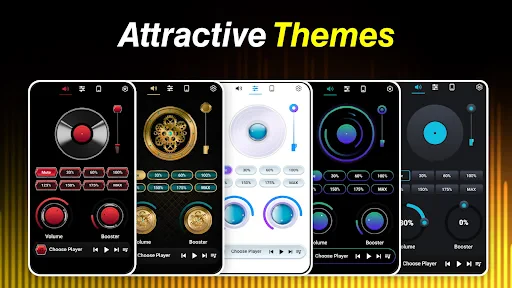
First off, once you fire up the Volume Booster - Equalizer, you’re greeted with a sleek and user-friendly interface. It’s like the app is saying, “Hey, I’m here to make your music sound better, and I won’t make you jump through hoops to do it.” Navigating around is pretty intuitive, and even if you’re not a tech wizard, you’ll find your way around in no time.
Features That Stand Out
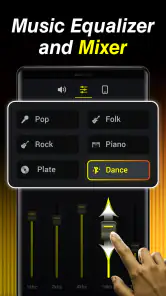
What caught my attention immediately was the array of features packed into this little app. You’ve got your basic volume booster that can crank up your device’s output, making it feel like you’re at a live concert. But that’s just the tip of the iceberg. The equalizer options are where the magic happens. With multiple presets, you can tailor the sound to match the genre you’re listening to. Whether it’s jazz, rock, or classical, there’s something for everyone.
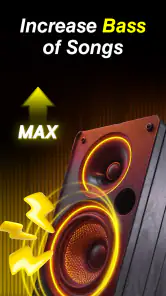
And let’s not forget the bass booster. If you’re a fan of those thumping beats, this feature will have you nodding along with a smile on your face. It’s like having a mini DJ right in your pocket.
Performance and Usability
I was particularly impressed with how smoothly the app runs. There’s no annoying lag or stuttering, which is a major plus in my book. It’s lightweight, so it doesn’t hog your device’s resources, which means you can enjoy your music without any hiccups. Plus, it plays well with other apps, so you can use it alongside your favorite streaming services without a hitch.
Final Thoughts
In conclusion, if you’re on the hunt for an app to elevate your audio game, Volume Booster - Equalizer is definitely worth checking out. It’s got the features, the performance, and the ease of use that makes it stand out in a crowded market. So go ahead, give it a whirl. You might just find that it transforms the way you enjoy music on your device.
Pros
- Enhances audio quality significantly.
- User-friendly interface.
- Works with all media players.
- Customizable equalizer settings.
- Boosts volume beyond system limits.
Cons
- May distort audio at high levels.
- Consumes more battery power.
- Ads can be intrusive.
- Limited free features.
- Potential compatibility issues.

- Category
- Music & Audio
- Version
- 117