Vocal Image: Speaking Coach
- 759.00
- 4.1
- Installs
- 1.00M
- Price
- Free

Screenshots

Analysis by Reviewed
I’d approach Vocal Image: AI Voice Coach as a practice tool, not a shortcut to a polished speaking voice. Its focus on voice exercises and feedback can give you a more structured way to work on communication than simply repeating lines to yourself. The app is free to download, though optional in-app purchases range from $4.99 to $249.99 per item, so I’d check what is included before committing to any paid option.
What the coaching approach can—and can’t—do
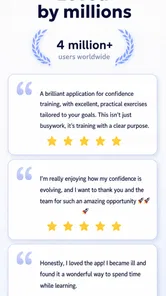
Vocal Image is an education app from Vocal Image, aimed at people who want to develop their speaking for work or personal life. It has a 4.1 average from around 13,000 ratings, and more than a million installs. Those figures suggest it has found an audience, but they don’t tell me whether its coaching suits every voice or goal. I’d treat feedback as a useful prompt for practice rather than a definitive assessment of how you sound to other people.
Making practice useful in real life
The most practical way to use voice exercises is to connect them to a specific moment you care about. If I had a presentation coming up, I’d choose a short passage from my opening, warm up, record or practise it in the app, and then listen for one thing to improve—perhaps clearer diction or steadier delivery. Trying to fix pitch, volume, pace and confidence all at once is likely to make practice feel muddy. A single focus makes it easier to notice whether a change actually helps.
That approach also suits everyday situations: preparing to introduce yourself in a meeting, making a clear phone call, or practising an answer before an interview. Short sessions can fit around a busy day, but the value comes from repeating a real speaking task, not just ticking off exercises. I’d carry a useful exercise into an actual conversation and judge whether it makes me easier to understand, rather than assuming an app score alone reflects progress.
How it compares with familiar alternatives
Compared with watching free speaking tips or following a generic breathing routine, this app brings exercises and AI feedback into one practice setting. That structure can help if you tend to collect advice but struggle to turn it into a routine. On the other hand, a book, video lesson, or in-person coach may be a better fit if you want a carefully explained technique, tailored guidance, or feedback based on the full context of a speech. Automated feedback can be convenient, but it should not replace a qualified professional when you have a specific vocal concern or need individual coaching.
I’d also keep expectations grounded around “voice improvement.” Clearer articulation and more deliberate practice are reasonable aims; sounding exactly like a broadcaster or changing your natural voice to match an ideal is not a useful standard for everyone. The better question is whether your voice feels more comfortable and communicates what you mean.
Trust, choices and speaking practice
Voice practice can feel personal, especially when you are speaking into a phone about work, confidence, or a situation that makes you nervous. Before recording or sharing anything, I’d pause to review the app’s current permission requests and privacy choices, and decide what I’m comfortable providing. I wouldn’t assume that an AI feature tells me how recordings are handled; I’d look at the app’s own privacy information and settings rather than guessing.
More From Our News Desk

 Bolt: Request a Ride
Bolt and the Shift from One-Tap Rides to More Legible Trips
Bolt shows how ride-hailing is shifting from a one-tap taxi request toward a more legible, choice-driven trip, while leaving the hardest questions of price and reliability unresolved.

 Farm Land - Farming life game
Farm Land Review: A Small Island Farm with a Satisfying Loop
A bright, breezy island farm turns a few quick chores into a satisfying cycle of planting, harvesting, expanding, and deciding what to build next.

 Android Auto
’s Community Takes Shape in the Passenger Seat
Its most valuable network is not a public feed but a shared set of routes, voice habits, app integrations, and advice that make driving less isolating—and sometimes more complicated.

 My Talking Angela
 Makes the Virtual Pet Feel Personal
A polished pet-raising game built on small rituals, playful customization, and a character who gives everyday screen time a surprisingly personal rhythm.

 Google Translate
 Review: A Pocket Tool for the Small Frictions of Travel
From menus and signs to quick conversations, Google Translate earns its place by cutting the little delays that make unfamiliar language feel like a barrier.

 Shazam: Find Music & Concerts
Shazam’s Best Trick Is Turning a Song Into a Night Out
A few seconds of recognition can settle an argument, rescue a half-remembered chorus, and point toward a live show. Shazam’s real trick is what happens after the match.
Latest News



For a cautious first session, I’d use a neutral practice sentence instead of confidential work material or details about another person. I’d also check account and subscription controls before starting a paid plan, so I know where to manage choices later. This is a sensible habit for any app that involves personal practice, and it keeps the decision in the user’s hands.
Who is likely to get the most from it
I think Vocal Image is best suited to someone who wants a guided starting point, is willing to practise regularly, and can use feedback without treating it as a verdict. Beginners may appreciate having exercises gathered in one place, while experienced speakers may use it to add structure between presentations or coaching sessions. The app is rated for Everyone, runs on Android 7.0 or later, and its current version is 8.34.2.
I’d skip it if you mainly want a human coach to respond to your exact speech, if you dislike speaking exercises on a phone, or if you expect instant results without repetition. It may also be the wrong choice if you only need a one-off answer to a voice question; a focused lesson or professional consultation could be more direct. Free access makes it easier to explore, but the wide range of optional purchase prices is a reason to read the offer carefully rather than assume every feature is included.
Using feedback without letting it take over
A useful way to work with automated feedback is to treat it as a hypothesis, then test that suggestion against the recording and the purpose of the exercise. If feedback points toward a change in pace, I’d replay the same sentence at a slightly slower speed and decide whether the meaning becomes clearer. I wouldn’t keep changing my delivery just to chase a stronger result. The aim is communication, not making every practice take sound identical.
It also helps to keep a simple before-and-after sample for yourself. I’d choose the same short passage, practise it on different days, and listen for a concrete difference such as fewer rushed phrases or more distinct word endings. That comparison can be more meaningful than relying on memory, which tends to exaggerate how much a voice has changed. Keep the passage ordinary and non-sensitive, particularly while you are still deciding how comfortable you feel using recording-based tools.
Planning a session around a real task
For a practical routine, I’d start with the sentence I actually need to say rather than browse exercises indefinitely. Imagine that I have to introduce a project during a morning meeting. The evening before, I could mark the key point in a short opening, practise it once at a natural pace, and then use one exercise to work on the part that feels difficult. In the morning, I’d say the opening aloud without the phone and check whether it feels usable in the room, not merely smooth in a practice session.
This kind of rehearsal also makes it easier to avoid overtraining. If I have only a few minutes, one focused repetition is more realistic than trying to cover every aspect of voice technique. If an exercise leaves my voice feeling strained or uncomfortable, I’d stop rather than push through in pursuit of an app prompt. A phone-based coach can support practice, but it cannot feel what you feel or make the judgment that a particular technique is appropriate for you.
What to consider before paying
The free download gives you a way to consider whether this style of practice suits you, but I would not treat that as proof that every exercise or coaching option is free. In-app purchases span a broad range, so I’d read the individual offer, its duration and renewal terms, and the account controls before confirming anything. If I’m only curious, I’d first explore what is available without paying and decide whether I have a clear goal that would justify an upgrade.
That matters because the app’s value depends on regular use. A paid option is hard to justify if you are unlikely to practise, if the exercises do not address your particular need, or if a one-time class would answer the question more efficiently. Conversely, someone preparing for recurring presentations may value a structured place to practise between live events. I’d make that decision based on a routine I can realistically maintain, not on the hope that paying will make improvement automatic.
First Impressions and Getting Started
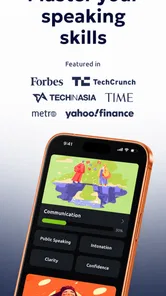
When I first opened Vocal Image: AI Voice Coach, I was greeted by a sleek and user-friendly interface. It’s like having a personal vocal coach right in your pocket! The app is designed to cater to both beginners and seasoned speakers, which is evident from the start. After a quick sign-up process, you’re ready to explore its features.
Features That Stand Out
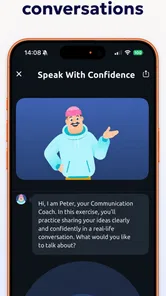
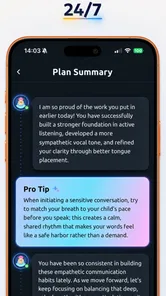
The app offers a comprehensive set of tools aimed at enhancing your voice. From breathing exercises to diction improvement, it covers all bases. One feature that caught my attention is the AI feedback. It’s almost like having a professional listen to your practice sessions and provide constructive criticism. This feedback is invaluable as it allows you to understand your strengths and areas that need improvement.
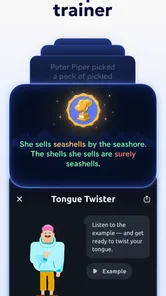
The app also includes a library of vocal exercises and warm-ups. You can tailor your practice sessions to target specific areas, whether it’s pitch, volume, or clarity. The exercises are not just effective but also fun, making the learning process enjoyable.
Usability and Design
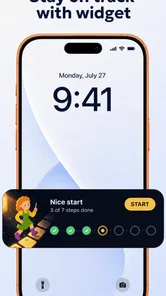
One of the things I love about this app is its design. The developers have done an excellent job of creating a visually appealing and intuitive interface. Navigating through the app is a breeze, thanks to its well-organized layout. Whether you’re on a quick break or have an hour to spare, you can easily find exercises that fit your schedule.
The app is also surprisingly lightweight, so it doesn’t hog your phone’s resources. This means you can leave it running in the background while multitasking without any hiccups. Plus, it’s regularly updated, ensuring that you always have access to the latest features and improvements.
Final Thoughts
In the end, Vocal Image: AI Voice Coach is more than just an app; it’s a companion for anyone serious about improving their voice. Whether you’re prepping for public speaking, singing, or just want to sound more confident in everyday conversations, this app has got you covered. The combination of AI-driven feedback and a user-friendly design makes it a standout in the crowded app market.
So, if you’re ready to take your vocal skills to the next level, give this app a try. It’s like having a professional voice coach available anytime, anywhere. And who knows? With a bit of practice, you might just become the next voice that people can’t forget!
Vocal Image: Speaking Coach Frequently Asked Questions
Does Vocal Image: AI Voice Coach require a microphone, and how do recordings fit into training?
Voice practice relies on hearing and assessing your speech, so you should expect to use your device’s microphone for recordings and feedback. The app analyzes recordings to comment on areas such as pitch, tone, and clarity, then connects that feedback with personalized exercises. A quiet place to practice can make it easier to focus on your voice and follow the coaching.
Is Vocal Image: AI Voice Coach free to download, and are there in-app purchases?
Vocal Image is free to download, so you can install it and explore its voice-coaching approach without an upfront app price. It also offers in-app purchases, with items ranging from $4.99 to $249.99, so some content or features may involve additional spending. Check the purchase details shown in the app before confirming any transaction, especially if you plan to use it regularly.
What is Vocal Image: AI Voice Coach?
Vocal Image: AI Voice Coach is an innovative app designed to help users improve their vocal abilities using advanced AI technology. It offers personalized coaching for various aspects of voice training, including speech clarity, tone, and pitch. The app is perfect for professionals, singers, or anyone looking to enhance their vocal skills. It provides tailored exercises, feedback, and progress tracking to ensure continuous improvement.
How does the AI technology in Vocal Image work?
The AI technology in Vocal Image analyzes your voice through recordings and provides detailed feedback on areas like pitch, tone, and clarity. It uses machine learning algorithms to tailor exercises specifically to your needs, helping you improve faster. The app listens to your progress and adjusts the difficulty of the tasks to match your improvement, ensuring a personalized learning experience.
Is Vocal Image suitable for beginners?
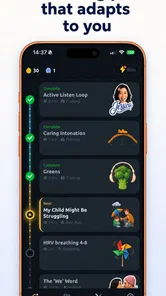
Yes, Vocal Image is suitable for users at all levels, including beginners. The app offers a user-friendly interface and starts with basic exercises to build foundational vocal skills. As you progress, the AI adapts the training modules to suit your growing expertise. This makes it an excellent tool for anyone new to voice training or looking to enhance their current abilities.
Pros
- AI-driven personalized feedback
- Enhances vocal confidence
- User-friendly interface
- Diverse training modules
- Regular updates and improvements
Cons
- Requires internet connection
- Limited free content
- Some features may lag
- Requires microphone access
- Subscription for full access