Vmake AI Captions
- 664.00
- 4.5
- Installs
- 1.00M
- Price
- Free

Screenshots
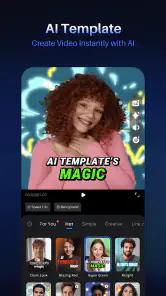
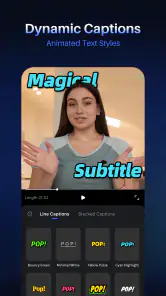
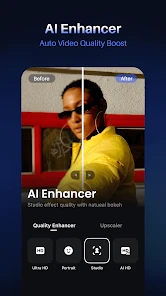
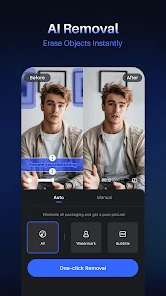
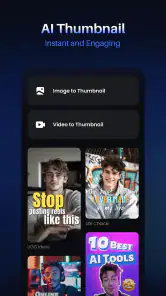
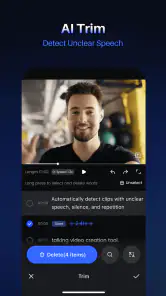


Analysis by Reviewed
So, I’ve been diving into this app called Vmake AI Captions, and let me tell you, it’s been quite an interesting experience! If you’re into creating videos and love adding that extra flair with captions, this app might just become your new best friend. Let’s get into it!
Unleashing Creativity with AI
First things first, let’s talk about what Vmake AI Captions is all about. Essentially, it’s an app designed to help you add captions to your videos using AI technology. And no, it’s not just your basic captions. We’re talking about captions that sync with your video content and give it a professional touch.
From the moment I installed the app, I was curious about how it would handle different accents and languages. Spoiler alert: it does a pretty good job! It’s got this nifty feature where it automatically detects the speech and generates captions. I tested it out with a couple of different languages and, honestly, it was impressively accurate.
User-Friendly Interface
One of the things I always look for in an app is how easy it is to navigate. With Vmake AI Captions, the interface is pretty intuitive. Everything is laid out clearly, making it super easy to get started even if you’re not tech-savvy. You can easily upload your video, select the language, and the app pretty much takes it from there. Simple, right?
And if you’re someone who loves to customize, you’re in luck. The app offers a range of fonts, colors, and styles to choose from, allowing you to match the captions to your video’s vibe perfectly. It’s like having a mini design studio at your fingertips!
Performance and Reliability
Now, onto performance. Because what’s the point of a cool app if it doesn’t perform well, right? I’ve used it on both Android and iOS, and the app runs smoothly with minimal glitches. The processing speed is decent, and it doesn’t take ages to generate captions, which is a huge plus when you’re in a hurry.
I also appreciate how the app doesn’t crash randomly or lag, which can be a major buzzkill when you’re trying to get things done. It’s reliable, and that’s something I personally value a lot.
Final Thoughts
If you’re someone who loves creating content and wants to add a professional touch to your videos with captions, Vmake AI Captions is definitely worth checking out. It’s user-friendly, performs well, and offers a variety of customization options. Plus, the fact that it handles multiple languages is just the cherry on top.
So, there you have it! Go ahead and give it a try. Who knows, it might just be the tool you’ve been looking for to spice up your video content.
Pros
- Easy-to-use interface for quick captioning.
- Supports multiple languages for global use.
- Offers various font styles and colors.
- High-quality caption output.
- Fast processing time for captions.
Cons
- Limited free version features.
- Requires internet connection to function.
- Occasional app crashes reported.
- Limited customization for animations.
- Can drain battery quickly during use.

- Category
- Photography
- Version
- 2.20.10











